A real estate chatbot is only useful if it moves data into the next system. In most cases, the path is simple: trigger → bot intake → system handoff → rule runs → result. That same pattern shows up across buyer leads, seller leads, tenant support, maintenance dispatch, and appointment booking.
Here’s the short version:
- I start with the trigger: website chat, listing inquiry, text, or email
- I map the main data point first:
- Buyer: phone or email
- Seller: property address
- Tenant: phone or email tied to a lease record
- Maintenance: tenant identity plus unit details
- Booking: contact info plus appointment time
- I show where the data goes: CRM, PMS, calendar, work order system, dialer, or agent dashboard
- I define what rule runs next: duplicate check, lead score, compliance check, routing, scheduling, or status update
- I end with the business result: agent handoff, work order, booked showing, or tenant update
A few numbers make this clearer. Buyer intake in the article uses 5 core fields for qualification. Dispatch moves through 4 main handoffs after intake. And the workflow map itself answers 5 basic questions: what starts it, what data is collected, where it goes, what runs next, and what result comes out.
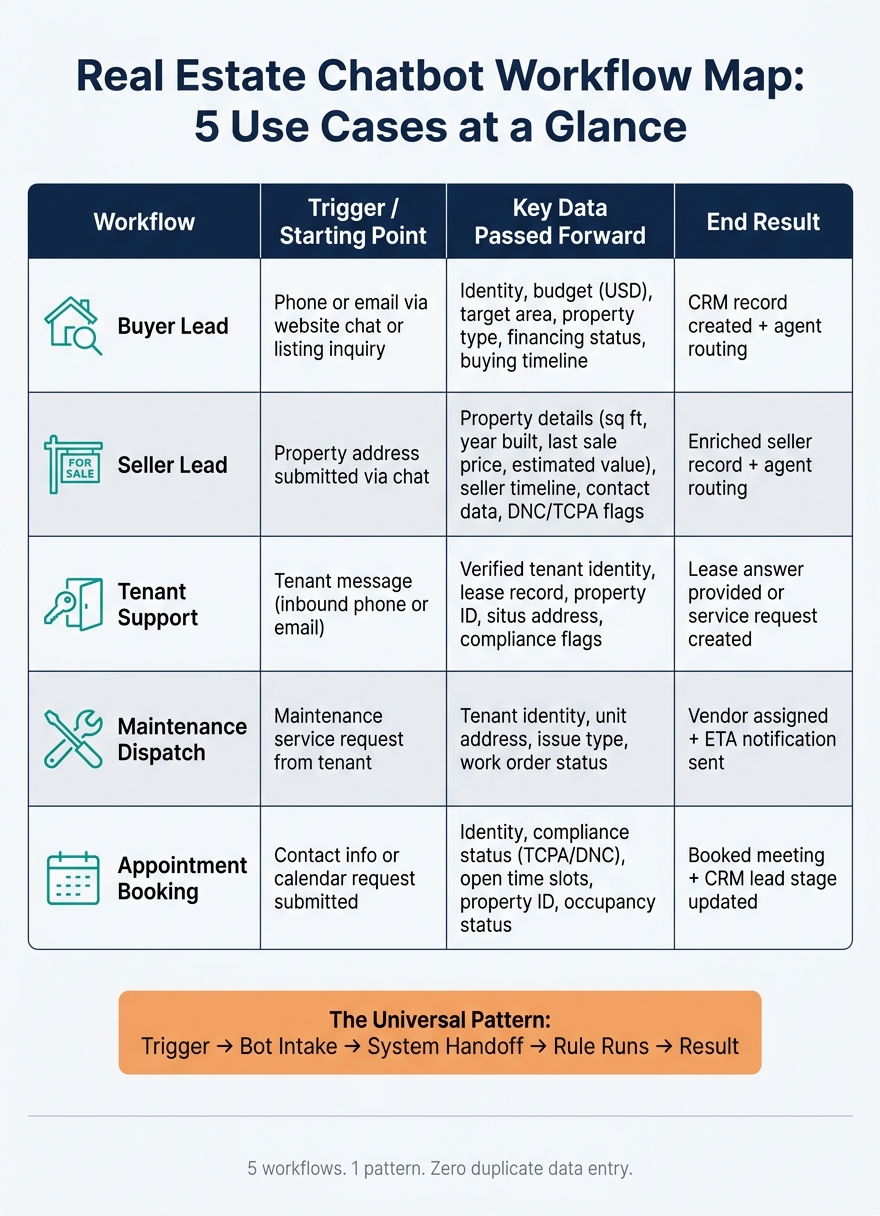
Real Estate Chatbot Workflow Map: 5 Use Cases at a Glance
How I Automated a Real Estate Agency With 5 AI Agents (No code)
sbb-itb-8058745
Quick comparison
| Workflow | Main starting point | Main data passed forward | End result |
|---|---|---|---|
| Buyer lead | Phone or email | Identity, budget, area, financing, timeline | CRM record and agent routing |
| Seller lead | Property address | Property details, seller timeline, contact data | Enriched seller record and routing |
| Tenant support | Tenant message | Verified tenant, lease, property context | Lease answer or service request |
| Maintenance dispatch | Service request | Tenant, unit, issue type, status | Vendor assignment and ETA update |
| Appointment booking | Contact info or calendar request | Identity, compliance status, open time slots | Booked meeting and CRM stage update |
If you want to map a chatbot workflow fast, I’d keep it to one question: what data must pass to the next system so no one has to ask for it twice? This is where a real estate API becomes essential for syncing data across platforms. That’s the thread running through the whole article.
Buyer and Seller Lead Workflows
Acquisition workflows change based on the starting point. Buyer leads begin with contact identity. Seller leads begin with the property address.
Buyer Intake Workflow: From Chat to CRM Record
A buyer intake chatbot should gather five core data points: budget (in USD), target area, property type, financing status (pre-approved or cash), and buying timeline. Start with a phone number or email. From there, resolve the unknown lead and connect it to a CRM record through reverse skip tracing.
| Step | Data Captured | Destination System | Triggered Action |
|---|---|---|---|
| Initial Intake | Phone number / email | Chatbot / API layer | Resolve identity and linked property |
| Identity Validation | Name, aliases | CRM (lead record) | Duplicate check against existing records |
| Qualification | Budget, area, property type, financing, timeline | CRM (lead fields) | Lead scoring based on buyer profile |
| Compliance Scrub | DNC / TCPA / litigator flags | Dialer / CRM | Apply DNC/TCPA status |
| Agent Handoff | Routing rules (geo / property type) | Agent dashboard | SMS or email notification to assigned specialist |
At intake, standardize phone numbers and check whether the number is a mobile phone or a landline. That small step matters. Pulling carrier and reachability signals early helps keep agents from wasting time on disconnected numbers after handoff.
Seller workflows follow the same basic flow, but the property address becomes the main record key.
Seller Lead Workflow: From Property Address to Agent Routing
For seller leads, the property address is the anchor. The chatbot collects the address, selling timeline, and reason for selling, then sends the address to a real estate APIs to pull structured property data before a person steps in.
Use property enrichment to pull key property details, including square footage, year built, last sale price, and estimated value range. If a seller shares a phone number or email, reverse skip tracing can turn that into a full identity record, including aliases, linked addresses, and compliance signals like DNC and TCPA flags. That gives you a CRM record with the property address, mailing address, and compliance flags before the first call.
Next, routing rules send the record to the right agent based on geography or property type. That completes the handoff from chat to the agent dashboard.
This same handoff pattern shows up in tenant support and maintenance too, but the anchor changes from lead qualification to identity verification and service intake.
Tenant Support and Service Dispatch Workflows
Property management chatbots verify tenants, pull in lease context, and move service requests through the PMS, work order system, and notification layer.
Tenant Support Workflow: Identity Check, Lease Questions, and Maintenance Intake
The workflow starts when a tenant sends a message. The inbound phone number or email is matched to a verified tenant and property record. That lookup returns the tenant’s full name, aliases, property ID, and situs address so the system can pull the right lease record from the PMS. Verification can also return DNC, TCPA, deceased, and litigator flags, which helps control automated follow-up.
Once that record is verified, the bot can answer lease questions or create a structured maintenance request tied to the correct unit.
That same verified-record handoff also carries into booking workflows. In plain terms, the chatbot can move from service intake to calendar scheduling without making the tenant repeat the same details.
Service Dispatch Workflow: From Maintenance Request to Vendor Scheduling
After intake, the chatbot sends the request to dispatch without re-entering tenant or unit details. The request enters the work order system with tenant identity and unit address already attached.
From there, dispatch moves through four handoffs:
| Dispatch Step | Data Source | Destination System | Result |
|---|---|---|---|
| Identity Check | Reverse Skip Trace API | Chatbot / CRM | Verified tenant name and linked property ID |
| Triage / Intake | Tenant input / PMS data | Work Order System | Structured maintenance request with property context |
| Vendor Routing | Property type / location data | Dispatch Module | Assignment to vendor based on property type and location |
| Status Sync | RESTful JSON API | Chatbot / Tenant App | Technician assignment and ETA notification |
| Compliance Check | TCPA / DNC flags | Notification Engine | Compliance clearance for automated SMS/email updates |
The main point is simple: once the tenant and unit are verified, that context follows the request from intake through dispatch. That cuts duplicate data entry and helps each system stay in sync as the job moves forward.
Appointment Booking Workflow
The booking workflow links lead screening with live calendar availability. In most cases, it follows one of two paths: qualify first or book first.
Showing and Consultation Booking: Calendar Sync and Lead Stage Updates
The process starts when a prospect shares a phone number or email. The chatbot resolves the contact, checks TCPA/DNC status, and then offers open appointment times.
After identity is confirmed, the chatbot checks the live calendar and shows available slots. When the prospect picks a time, the system creates the event and updates the CRM record with the new lead stage. Pass the CRM the contact record, phone data, property ID, situs address, and occupancy status. That way, the agent has the full picture before the appointment begins.
BatchData’s Reverse Skip Trace API also supports address validity signals, including ZIP+4 and county, so the property address attached to the invite stays in sync with the CRM record.
Lead-First vs. Booking-First Workflow Paths
Not every team should use the same booking sequence. The best setup depends on lead volume, market speed, and how much agent time needs to be protected. The table below shows where each path makes the most sense.
| Workflow Model | Data Captured First | System Order | Strengths | Best Fit |
|---|---|---|---|---|
| Lead-First | Qualification & Property Details | API Lookup → Qualify → Calendar Sync | Protects agent time; ensures high-intent meetings | High-volume teams; luxury markets; seller leads |
| Booking-First | Contact Info & Appointment Time | Calendar Sync → API Enrichment → CRM Update | Maximizes conversion; reduces initial friction | Fast-moving markets; cash buyer/investor workflows |
In a lead-first path, the chatbot runs enrichment before showing the calendar. If the inbound number doesn’t resolve to a property owner, the bot can route the contact another way. In a booking-first path, the appointment is captured right away, and enrichment runs after that.
Conclusion: Choosing the Right Chatbot Workflow Map
Buyer intake, seller leads, tenant support, booking, and dispatch all follow the same pattern: capture data, verify it, and pass it to the right system.
What changes from one use case to the next is how well the chatbot sends property data into the next step. A map works best when four parts are in place: structured fields, routing rules, verified contacts, and clean integrations. Structured fields keep each record in the same format, which makes downstream automation faster and more dependable.
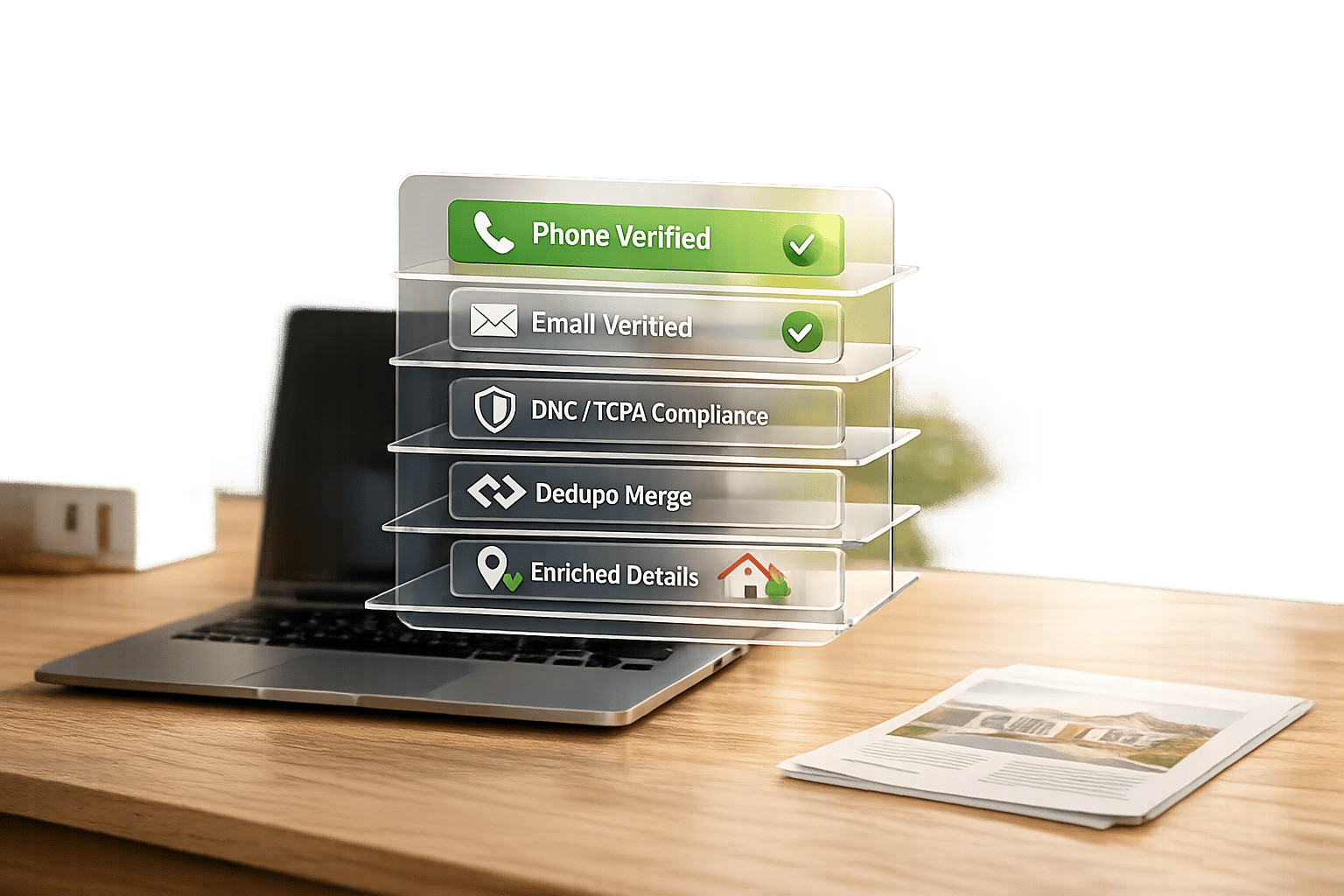
That setup only holds up if the contact record is verified before routing starts. Verified contact data can turn unknown leads into full identity records, linked property context, and DNC/TCPA flags before agent handoff.
That’s the line between a chatbot that just talks and one that can do the job. Start with the workflow that creates the most manual work, then map and automate that path first.
FAQs
Which chatbot workflow should I automate first?
Start with buyer intake or seller lead qualification.
BatchData’s Reverse Skip Trace helps you turn an unknown inbound phone number into an identified person and linked property. It also includes outreach flags like DNC/TCPA, so reps can route and qualify leads before the first call.
You can use it through a RESTful JSON API with synchronous or asynchronous endpoints. It’s also available through the BatchData MCP server for AI assistants.
What data fields are essential in each workflow?
The fields you need will change by workflow. But one thing stays the same: automation only works when property and contact identifiers are clean and consistent.
For property-based workflows, the core fields usually include address, property type, land use, entity type, and occupancy status. Seller lead and buyer matching workflows also lean on portfolio metrics, recent activity, and hold time to sort and route records the right way.
For contact-based workflows, you’ll want full name, ranked phone numbers, deliverability-tested email, and compliance signals such as Do Not Call, TCPA, litigator, and deceased indicators.
How do chatbot integrations reduce duplicate data entry?
Chatbot integrations cut down on duplicate data entry by letting AI agents connect straight to real estate data platforms. With tools like the BatchData MCP server, chatbots can pull property valuations, ownership details, and contact information from one API instead of depending on manual copy-and-paste.
Because these integrations use one consistent data model, information moves into existing systems with less friction and reduces repeated manual input.