



Solution · New Homeowner Marketing
Find new homeowners from recent home sales
Find the homes that sold in the window you choose, keep the owner-occupied ones, and get the owner's name and mailing address. Add phones and emails when you need them.
TRUSTED BY LEADING BRANDS

























- 380M+Deed and sale records
- 131M+Properties
- 3,100+Counties
- 128M+Properties with owner contact info
How it works
Start from the sale date. Keep the owner-occupied homes. Reach the owner.
You choose a place and a sale window
- A county or ZIP as the place
- The sale dates you want, for example the last 30 days
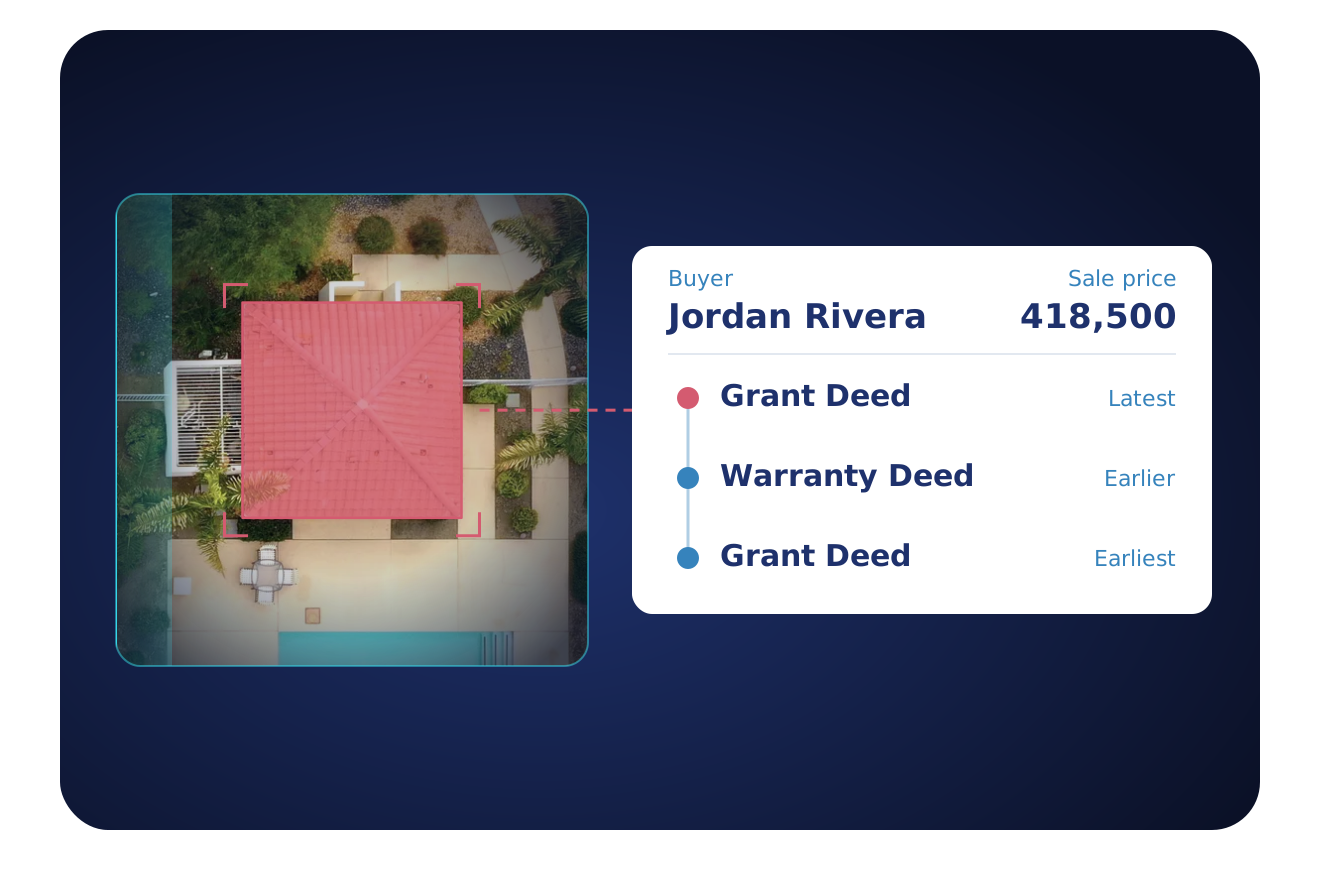
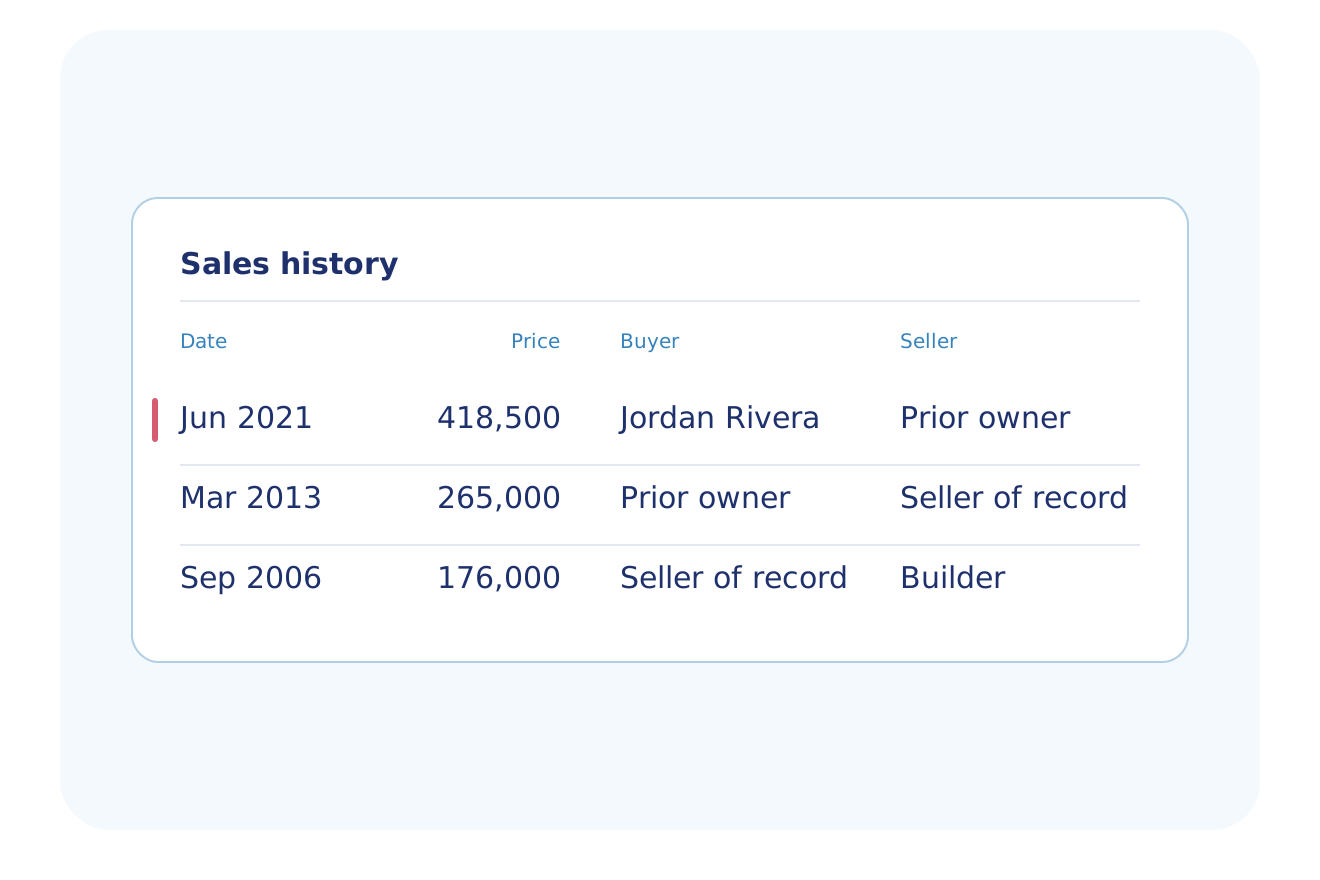
- The sale date, recording date and price with each sale
We keep the real move-ins
- Filter to owner-occupied homes
- Remove cash buyers and company owners with a NOT filter
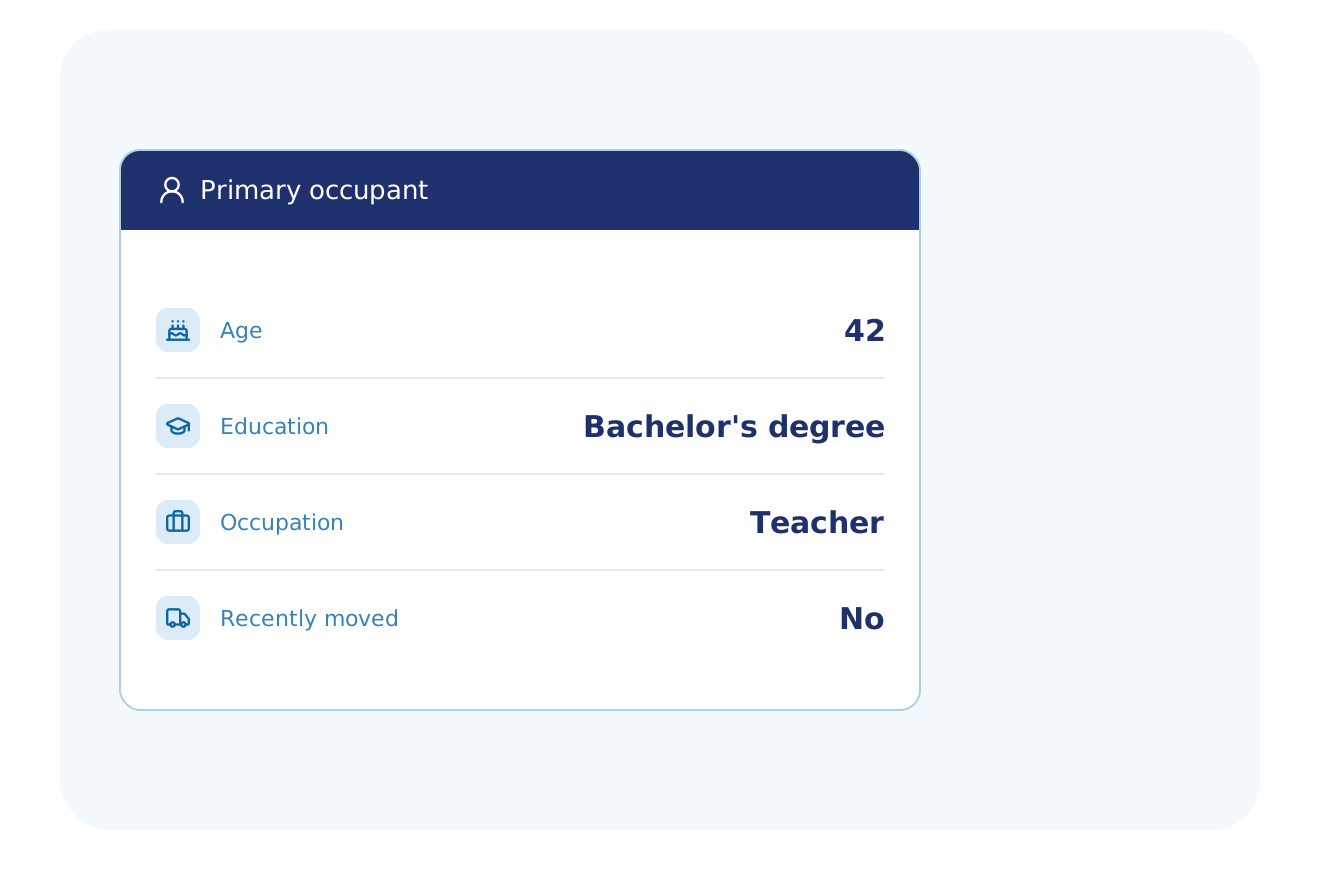
- A recently moved flag from the Demographics add-on
You get the owner
- Each home returns its owner and mailing address
- Add phones and emails with a skip trace
- Each phone shows its line type and Do Not Call flag
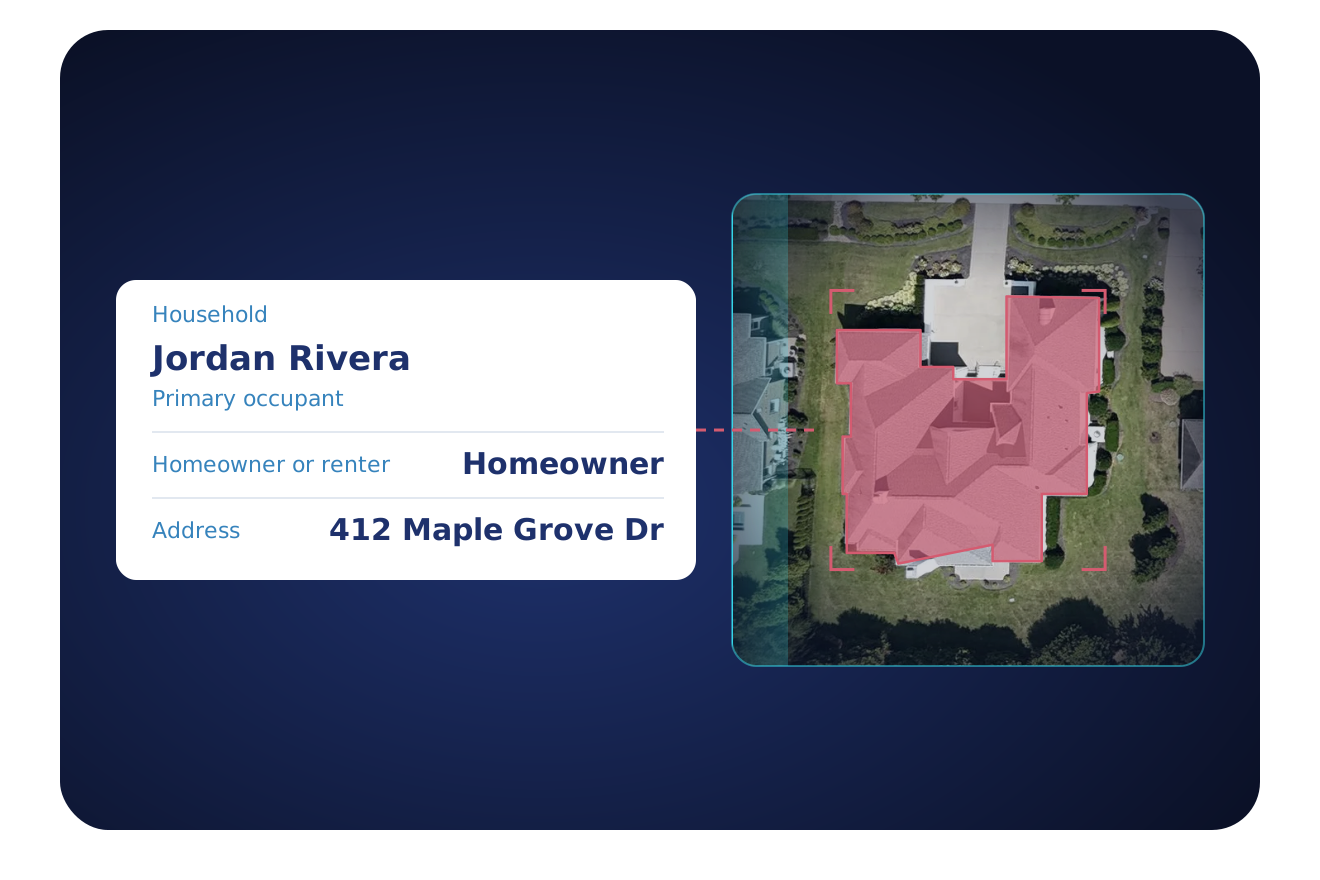
What comes back
One recently sold home, as your system receives it.
Owner
Sale
Household
Household fields come from the Demographics add-on and are not set for every home.
Who uses it
Businesses that offer goods or services to a household after the move.
Utilities, Energy & Telecom
Offer service to a household in the weeks it sets up utilities.
Explore Utilities, Energy & TelecomHome Security & Smart Home
Reach a new owner before the first system is chosen.
Explore Home Security & Smart HomeInsurance
Quote a new owner while the home is new to them.
Explore InsuranceRetail & Ecommerce
Send a welcome mailer to new addresses in your service area.
Explore Retail & EcommerceHome Services
Offer cleaning, lawn, pest and repair work to new owners.
Explore Home ServicesSolar
Reach owner-occupied homes that changed hands.
Explore SolarPowered by
Four BatchData datasets power each new-owner search.
Deed & Sales History
Property Owner Data
Demographics
Contact Enrichment
Get it by
The same new-owner list, delivered the way your team works.
API
POST https://api.batchdata.com/api/v1/property/search
{
  "searchCriteria": {
    "query": "Phoenix, AZ",
    "intel": {
      "lastSoldDate": {
        "minDate": "2026-07-01"
      }
    }
  },
  "options": {
    "take": 25
  }
}

{
  "results": {
    "properties": [
      {
        "address": {
          "street": "412 Maple Grove Dr"
        },
        "owner": {
          "fullName": "Jordan Rivera"
        },
        "deedHistory": [
          {
            "buyers": ["RIVERA JORDAN"],
            "saleDate": "2026-08-14T00:00:00.000Z"
          }
        ],
        "quickLists": {
          "recentlySold": true
        }
      }
    ],
    ...
  }
}
Filter by last sale date. Get the new owner and sale date.
Bulk file
Get new owners as a file in your cloud storage.
MCP server
How many owner-occupied homes sold in Maricopa County in the last 30 days?
A count of owner-occupied sales in the window you set. Ask again to pull the owners.
Ask for the count first, then pull the homes.
What customers say
"BatchData is a true long-term partner. I've never felt the need to explore other options; the value is too good. I'm not going anywhere."
CEO & Founder, MovingLetters.ai
New homeowner FAQ
How do I get a new homeowner list?
BatchData finds new homeowners from recorded home sales in the area and sale window you choose. Keep the owner-occupied homes to get each owner's name and mailing address. Contact fields are on the contact-enrichment data page, and you receive the list as a file or by API.
What is the difference between a recently sold home and a new homeowner?
BatchData results can show a recently sold home that is not a new homeowner, because investors and companies buy homes too. Filter to owner-occupied homes to reach people who move in, and add a not-corporate-owned filter to remove company-owned homes.
Can I remove investors and flippers from a new homeowner list?
Yes, you exclude investors and flippers with a NOT filter on the Quick Lists for cash buyer, fix and flip, corporate owned and trust owned. Add the owner-occupied filter to keep only the homes where the buyer lives. Then check the corporate flag on each record.
Does BatchData show when a household moved in?
Yes, BatchData returns the sale date, recording date and ownership start date for each home. The Demographics data page lists the recently moved flag, with the month and year of the move. Household fields come from the Demographics add-on and are not set for every home.
How do I get new homeowner phone numbers and emails?
Phone numbers and emails for each owner come from the contact-enrichment data page, which lists the phone and email fields. Mail needs no phone data, because each home returns the owner's mailing address.
What do I check before I call or text new homeowners?
BatchData Contact Enrichment returns a Do Not Call flag on each phone number, and a TCPA flag and a litigator flag on the owner record. Your team can read these flags before it calls or texts. Your team decides who to call or text, and it holds the obligation under the Do Not Call rules and the TCPA. Ask your own counsel about your campaign.
How much does a new homeowner list cost?
BatchData offers pay-as-you-go pricing, and you can talk to a data expert about the price for your team. Ask about the area and the fields your team needs.
Reach the new owners on your market
Tell us your area and your offer. A data expert shows you the new owners in your market.