
Introduction
In today’s competitive real estate landscape, speed, precision, and relevance can make or break an investment strategy. The margin between identifying an opportunity and losing it to a competitor can be measured in hours, not days. Traditional property research workflows involve switching between multiple platforms, manually cross-referencing data sources, and spending valuable time on repetitive tasks that don’t directly contribute to deal-making.
Fortunately, modern AI tools like Claude, when paired with the BatchData API and Model Context Protocol (MCP) server, now allow investors and analysts to go from market research to marketing execution in just minutes. This represents a fundamental shift in how real estate professionals interact with property data—moving from manual data retrieval to intelligent, conversational analysis.
155M+
Properties
500+
Data Points
10x
Faster Research
This blog breaks down how using Claude’s MCP integration with BatchData can help you:
- Run accurate market comparisons between any two cities with comprehensive data analysis
- Visualize data into shareable reports for partners and internal stakeholders with professional formatting
- Instantly generate qualified lead lists and ready-to-use marketing assets like postcards, scripts, and follow-up plans
- Streamline property research workflows that traditionally took hours into minutes
- Access 155+ million property records through natural language conversation
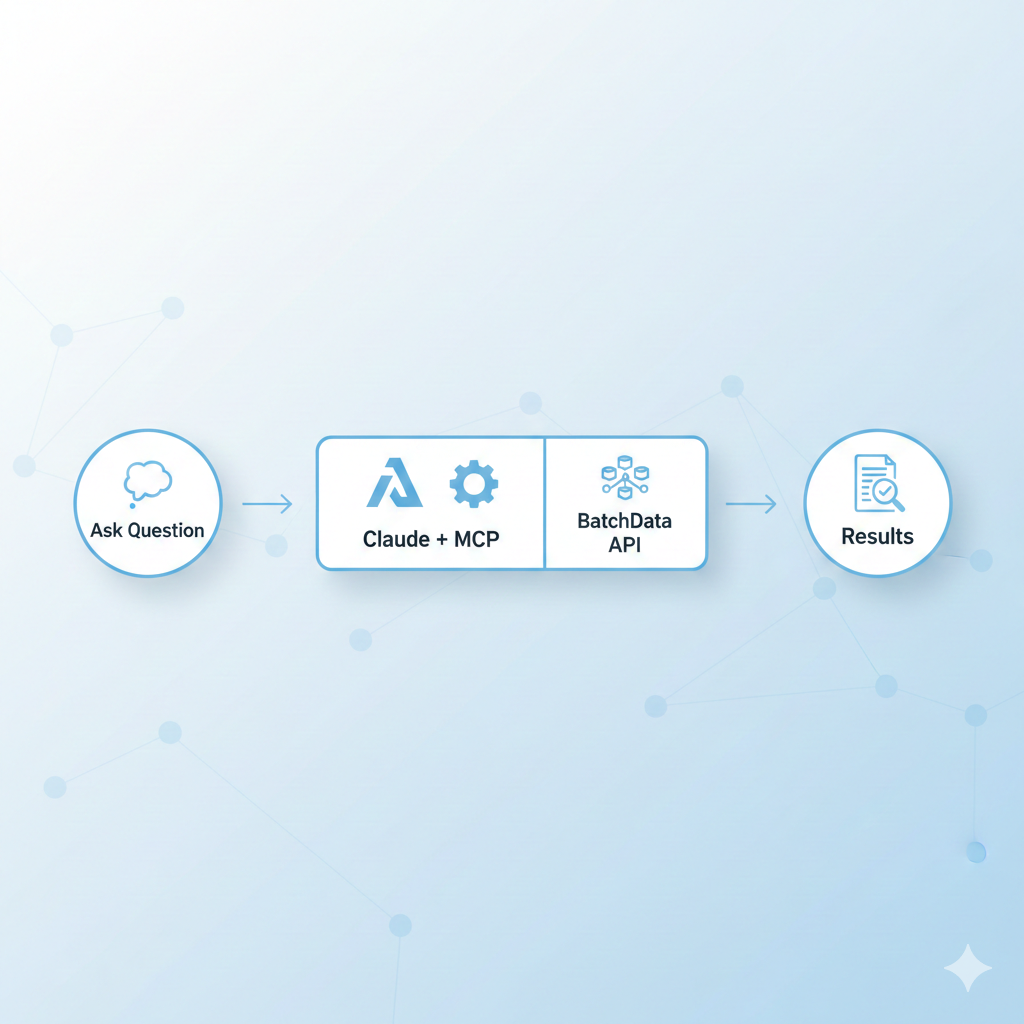
The AI-powered real estate research workflow
Let’s walk through the exact workflow, designed for real estate investors, agents, or acquisition managers looking to scale their operations without scaling their overhead.
What Is MCP and Why It Matters
What Is MCP and Why It Matters
MCP (Model Context Protocol) is an open-source protocol that connects AI assistants like Claude, ChatGPT, and other Large Language Models (LLMs) directly to specialized tools and structured data sources. Think of it as a universal language that enables AI to access and utilize real-world data and services beyond what was included in their training data.
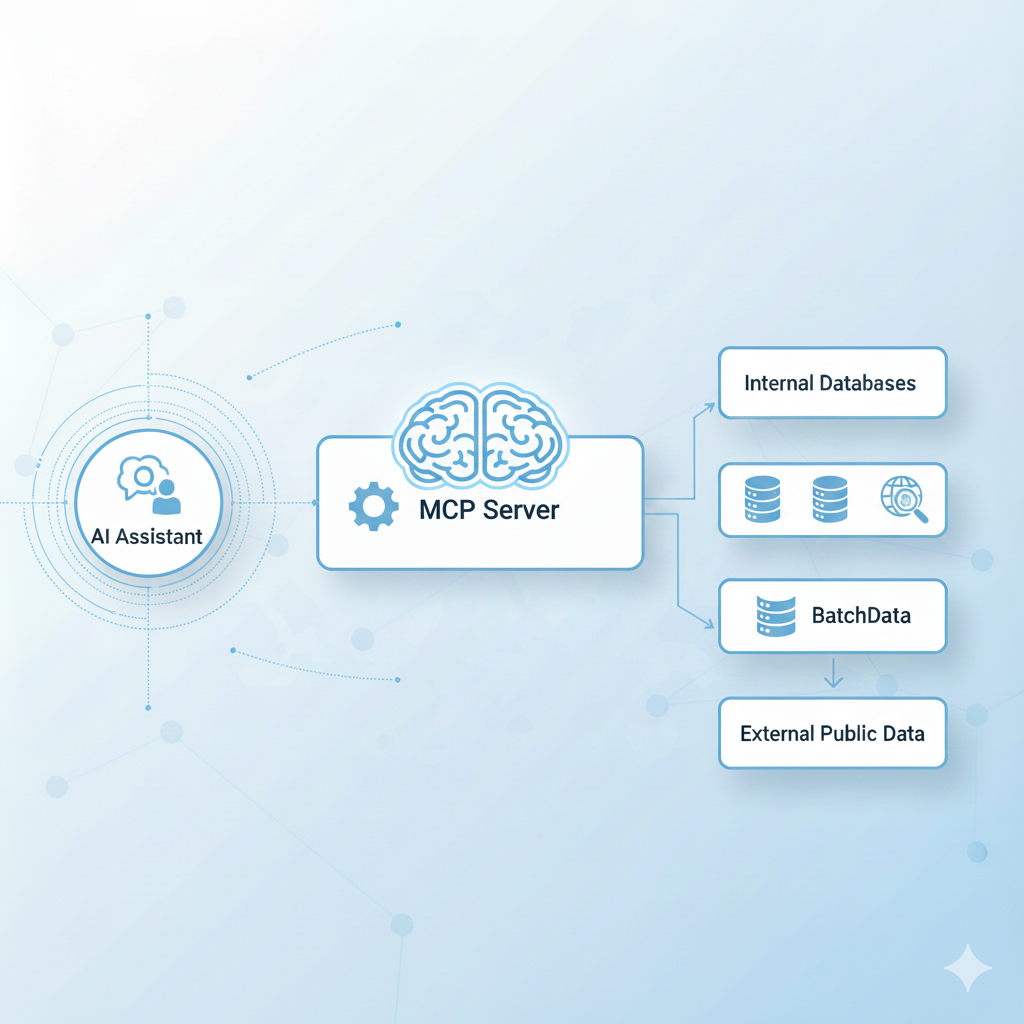
MCP acts as a bridge between AI assistants and specialized data sources
💡 Key Insight: Unlike traditional single-call API integrations where you manually construct requests and parse responses, MCP creates a bidirectional conversation between the AI and your data. The AI assistant can discover what tools are available, understand how to use them, chain multiple operations together, and even decide which tools to use based on the context of your request.
What Is an MCP Server?
An MCP Server acts as a smart connector that sits between AI assistants and specialized data sources or services. It’s like having a specialized assistant that speaks both “AI language” and “API language” fluently.
When you ask Claude a question about a property, the BatchData MCP Server:
- Receives the request from Claude in a standardized MCP format
- Translates it into the appropriate BatchData API call(s)
- Fetches the data from our comprehensive property database
- Returns the information to Claude in a structured format
- Allows Claude to process and present the information naturally
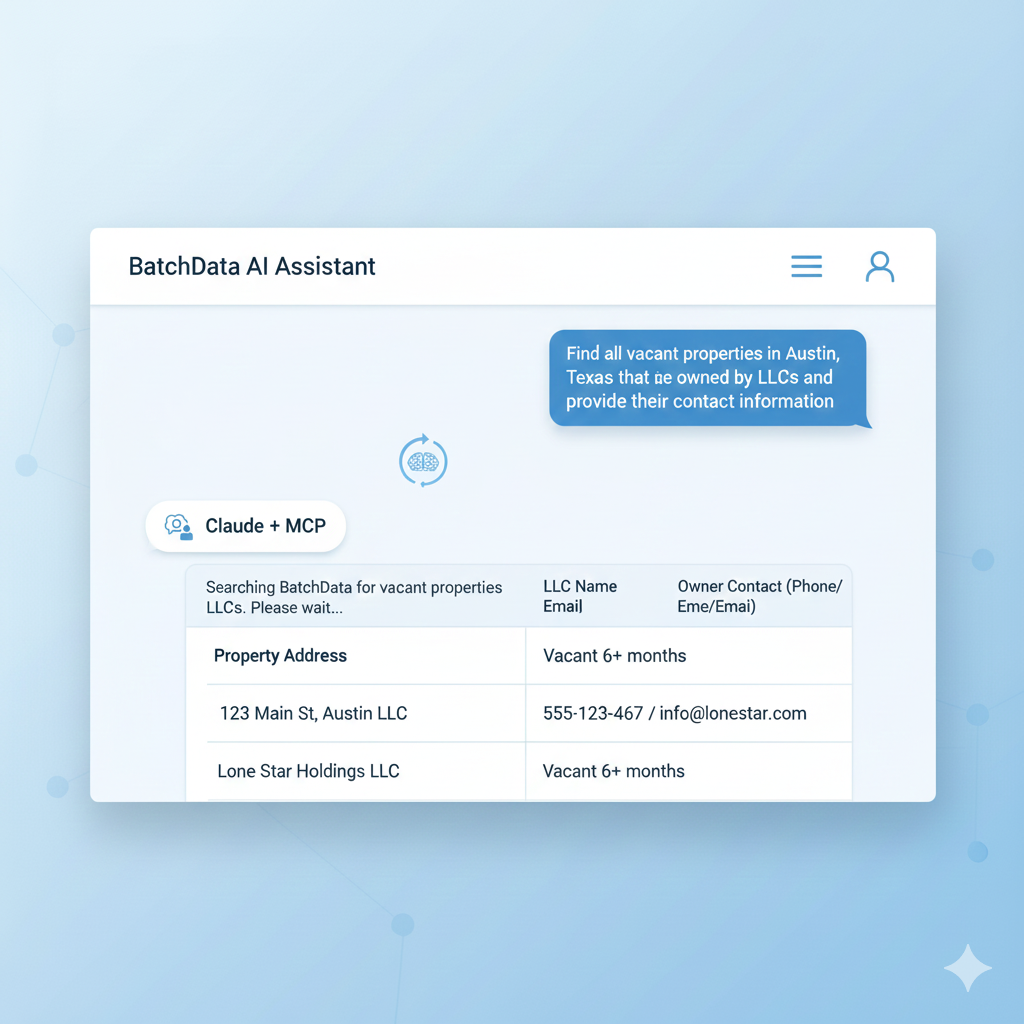
Example of a natural language query returning property intelligence
Key MCP Capabilities for Real Estate
Multi-Step Workflow Automation: MCP enables Claude to chain actions across tools with real-time property data retrieval. For example, a single conversational request can trigger a sequence: fetch property data → verify ownership → geocode location → enrich with comparable sales → analyze investment potential → generate marketing materials. Each step flows naturally into the next without requiring manual intervention.
Intelligent Market Analysis: Instead of just returning raw data, MCP enables automated market trend analysis that examines median prices, days on market, inventory shifts, price per square foot trends, and neighborhood momentum. Claude can identify patterns across hundreds of properties and distill insights that would take an analyst hours to compile manually.
What once took hours or days across multiple tools and teams is now possible in minutes using BatchData's MCP integrated into Claude.
Instant Marketing Asset Generation: One of the most powerful capabilities is the instant generation of customized marketing materials including postcards with personalized messaging, cold calling scripts tailored to the property and owner profile, email sequences for multi-touch campaigns, social media graphics optimized for your target market, and direct mail copy that resonates with specific seller motivations.
Flexible Data Export: Results can be delivered in whatever format serves your workflow best—export-ready CSV files for your CRM, PDF reports for investor presentations, visual dashboards for team meetings, or JSON data for custom application integration.
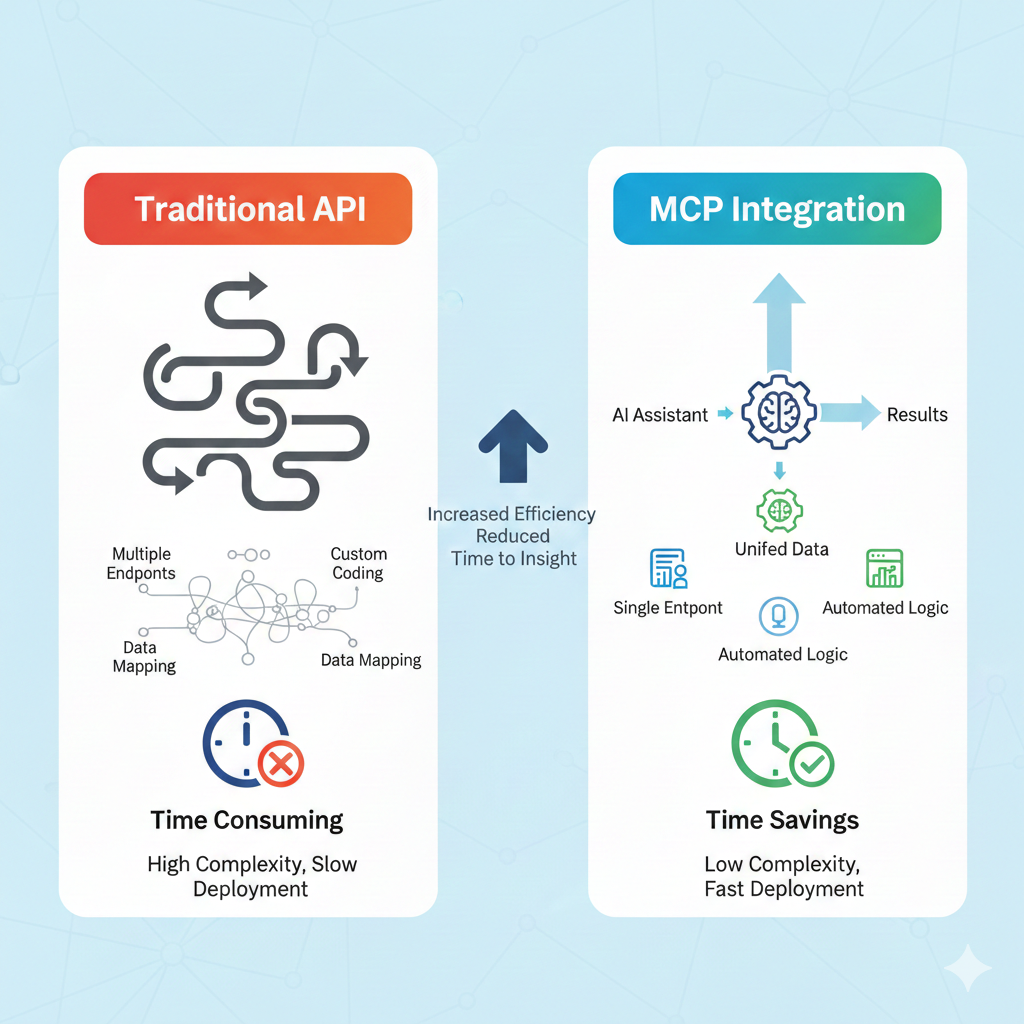
MCP Architecture and Data Flow
The MCP architecture represents a paradigm shift in how AI assistants access external data:
Traditional API Integration:
- User constructs specific API request
- Receives raw JSON response
- Manually parses and interprets data
- Constructs follow-up request if needed
- Repeats process for each data point
MCP Integration:
- User asks natural language question
- AI determines which tools to use
- MCP Server handles all API interactions
- AI automatically chains multiple operations
- Results presented in conversational, actionable format
When paired with BatchData, MCP becomes a full real estate research and marketing assistant with unlimited possibilities. The combination of BatchData’s comprehensive property intelligence (155+ million properties with 500+ data points each) and Claude’s reasoning capabilities creates a system that doesn’t just retrieve data—it understands context, identifies opportunities, and recommends strategies.
Considerations for MCP
Since the MCP concept is still nascent and rapidly evolving, we’re constantly looking for new ways to integrate this technology most efficiently. This original MCP implementation was built by our Chief Growth Officer to demonstrate MCP capabilities for the BatchData API and serve as a reference implementation for the real estate industry.
⚠️ Important Considerations:
Context Window Limitations: You will likely encounter situations where the context becomes too large for Claude to continue processing, which is normal when a large dataset is returned. This typically happens when querying hundreds of properties or requesting detailed information across multiple data points. Higher-tier Claude plans (Pro and Team) have larger context windows and decrease the likelihood of hitting these limits.
Strategies to Manage Context
- Start with focused queries on specific geographies or property types
- Request summary statistics first, then drill into specific properties
- Use filters to narrow results before requesting detailed information
- Break large analyses into multiple smaller conversations
💰 API Usage Monitoring: Pay careful attention to your API pulls and spend in the BatchData dashboard. Each MCP tool call consumes API credits according to our standard pricing:
- Property lookups: 1 credit per property
- Skip traces: 1 credit per property
- Phone verifications: Credits vary by verification type
- Address verifications: Standard rate per verification
We recommend setting up usage alerts in your dashboard to avoid unexpected overages during large batch operations.
Understanding the BatchData MCP Server
What the BatchData MCP Server Provides
The BatchData MCP Server exposes BatchData’s complete real estate property intelligence platform through a standardized protocol that AI assistants can understand and utilize. This includes access to:
Property Lookup
Search
Skip Trace
Phone Verify
DNC Check
TCPA Check
Address Verify
Geocode
Reverse Geocode
The 9 specialized tools available through BatchData MCP Server
Property Intelligence: Comprehensive property data covering 155+ million properties across the United States, including detailed property characteristics, ownership information, transaction history, tax assessment data, mortgage details, liens and encumbrances, foreclosure status, and market value estimates.
Skip Tracing Capabilities: BatchData’s proprietary Skip Tracing 3.0 Algorithm provides industry-leading contact discovery including multiple phone numbers per property owner (mobile, landline, VoIP), email addresses with verification status, current and historical addresses, relative and associate information, deceased status verification, and TCPA litigator list checking.
Compliance Tools: Built-in compliance checking to protect your business, including Do Not Call (DNC) registry verification, TCPA litigator list screening, phone number reachability testing, carrier identification, and phone type verification (mobile vs landline).
Address Services: Professional-grade address validation and geocoding including USPS address normalization, ZIP+4 code appending, coordinate conversion, reverse geocoding, county FIPS codes, congressional districts, and carrier routes.
How to Access the BatchData MCP Server
The BatchData MCP Server is publicly accessible and can be connected to any MCP-compatible AI assistant. Here’s what you need to know:
✅ Server Endpoint: https://mcp.batchdata.com
Authentication Requirements:
- Valid BatchData API key (get yours at BatchData.io)
- API key should be configured in your AI assistant’s MCP settings
- Keys are authenticated via secure header authentication
Available MCP Tools
The BatchData MCP Server currently provides 9 specialized tools, each designed for specific real estate workflows:
- lookup_property – Comprehensive property data retrieval for investment analysis
- search_properties – Advanced property search with multiple filter criteria
- skip_trace_property – Owner contact discovery with full skip trace results
- verify_phone – Complete phone number verification including DNC/TCPA status
- check_dnc_status – Quick Do Not Call registry verification
- check_tcpa_status – TCPA litigator list screening
- verify_address – USPS address validation and normalization
- geocode_address – Convert addresses to geographic coordinates
- reverse_geocode_address – Convert coordinates to addresses

Configuring BatchData MCP Server in Claude settings
Connecting Claude to BatchData MCP Server
Setting up the BatchData MCP Server with Claude is straightforward:
- Obtain Your API Key: Sign up or log in to BatchData.io and navigate to your account settings to generate an API key. Make note of this key as you’ll need it for authentication.
- Configure Claude: In Claude’s settings, look for the MCP or “External Tools” configuration section. Add the BatchData MCP Server endpoint (
https://mcp.batchdata.com) and provide your API key when prompted. - Verify Connection: Once configured, you can verify the connection by asking Claude: “What tools do you have available from BatchData?” Claude should list all 9 available tools.
- Start Researching: You can now begin using natural language to interact with BatchData’s entire property intelligence platform through Claude.
Alternative Setup: Local Development
For developers who want more control or are building custom integrations, you can also run the MCP server locally:
# Clone the repository git clone https://github.com/zellerhaus/batchdata-mcp-real-estate # Install dependencies cd batchdata-mcp-real-estate npm install # Configure environment cp .env.example .env # Edit .env and add your BatchData API key # Launch the server npm start
For a detailed step-by-step video walkthrough of the local installation process, visit our installation guide which covers repository cloning, environment setup using Node.js and TypeScript, secure API key configuration, server launch procedures, and connection troubleshooting.
🚀 Ready to Get Started?
Sign up for BatchData and get your API key to start using the MCP Server today
Understanding the Workflow (Step-by-Step Example)
With the BatchData-MCP server successfully connected, let’s walk through a real-world example that demonstrates how to transform this technical foundation into a powerful, automated real estate marketing pipeline.
Step 1: Market Comparison Between Cities
The Scenario: You’re a real estate investor looking to expand into a new market. You have capital ready to deploy but need to identify which market offers the best opportunities for your strategy and risk profile.
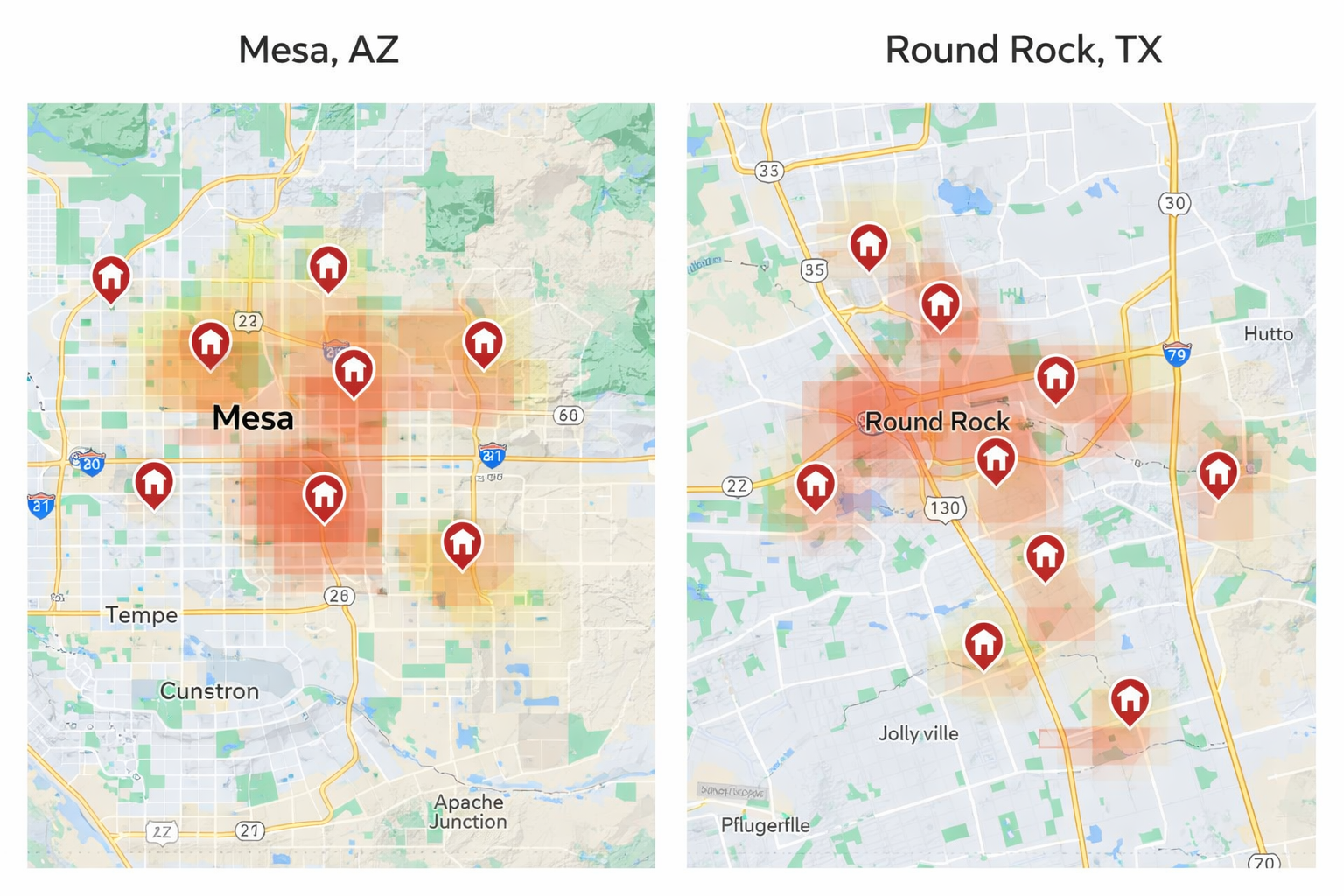
Comparing property markets in Mesa, AZ vs. Round Rock, TX
The Prompt: Start by asking Claude a targeted question like:
“As a real estate investor, I’m targeting 3–4 bedroom single-family homes valued between $300K–$500K with upside potential. I prefer properties with strong cash flow potential and value-add opportunities. Compare Mesa, Arizona, and Round Rock, Texas, to see which market has more distressed opportunities. Consider factors like inventory levels, price trends, days on market, owner characteristics, and economic fundamentals.”
What Happens Behind the Scenes: Within seconds, Claude uses the BatchData MCP Server to execute a sophisticated analysis:
- Property Inventory Analysis: Queries all properties in both markets matching your criteria
- Distress Indicator Identification: Examines properties for key distress signals
- Ownership Pattern Analysis: Reviews owner demographics and circumstances
- Market Fundamentals Research: Pulls recent news and economic data
847
Mesa Properties
412
Round Rock Properties
157
Mesa Distressed
89
Round Rock Distressed
Example Output:
Mesa, AZ Analysis:
- Larger market with 847 properties in your target range
- Higher inventory velocity (43% sold in past 6 months)
- Average days on market: 67 days
- 23% of properties are absentee-owned
- Strong economic fundamentals: Phoenix metro job growth at 3.2%
- 157 properties showing multiple distress indicators
- Higher rehab costs but stronger appreciation potential
Round Rock, TX Analysis:
- More focused market with 412 properties in target range
- Steadier inventory (31% sold in past 6 months)
- Average days on market: 52 days
- 17% of properties are absentee-owned
- Stable fundamentals: Austin metro growth at 2.8%
- 89 properties showing distress indicators
- Lower entry costs but more modest appreciation
Step 2: Visualized Market Report for Stakeholders
Once the market analysis is complete, you need to communicate these findings to your investment partners, team members, or lenders. Rather than manually creating charts and presentations, simply prompt:
“Turn this analysis into a professional market report formatted for investor presentation. Include visualizations of key metrics, comparative analysis charts, and strategic recommendations.”
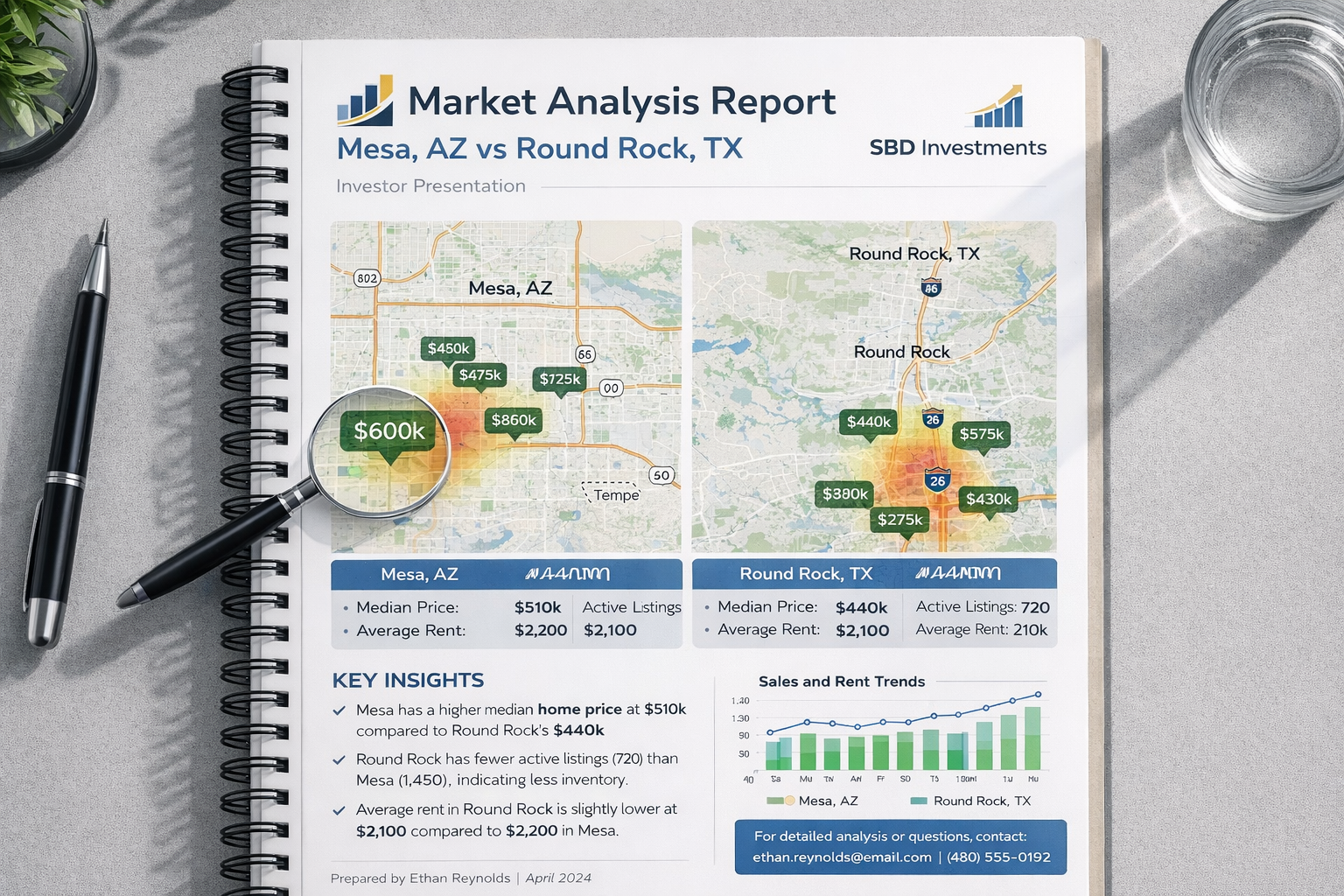
AI-generated market analysis report ready for investor presentation
What Claude Creates:
- Executive Summary: High-level overview with key findings and recommendations
- Market Comparison Dashboard: Side-by-side visualizations
- Geographic Analysis: Maps showing property concentrations
- Investment Opportunity Matrix: Prioritized list of highest-potential properties
- Economic Fundamentals: Job growth and employment data
- Risk Assessment: Market-specific risks and mitigation strategies
Step 3: Generate Leads + Marketing Assets
With your target market selected (Mesa, Arizona), you’re ready to start prospecting. Traditional approaches require pulling lead lists, designing marketing materials, writing scripts, and planning follow-up sequences—tasks that could take days. With BatchData MCP, you can generate everything in minutes.
- Property Inventory Analysis: Queries all properties in both markets matching your criteria
- Distress Indicator Identification: Examines properties for key distress signals
- Ownership Pattern Analysis: Reviews owner demographics and circumstances
- Market Fundamentals Research: Pulls recent news and economic data

Automated lead generation and marketing asset creation
The Prompt:
“Pull a list of the 50 highest-potential properties in Mesa, Arizona based on our analysis criteria. For each property, I need owner contact information including verified phone numbers and email addresses. Then create complete marketing assets including a postcard design with messaging strategy, a comprehensive cold calling script with objection handling, and a multi-touch follow-up campaign plan.”
1. Qualified Lead List (50 Properties)
Claude extracts 50 highly qualified leads, filtered by sophisticated criteria including property characteristics, owner situation indicators, contact quality metrics, and transaction indicators.
2. Postcard Design + Strategy

AI-generated postcard design with strategic messaging
Messaging Strategy:
- Headline: “Need to Sell Your Mesa Home Quickly? Local Investor Pays Cash”
- Value Proposition: “No repairs needed. No agent fees. Close on your timeline.”
- Trust Builders: “Family-owned business. 500+ homes purchased in Arizona.”
- Call-to-Action: “Call or text for a no-obligation cash offer in 24 hours”
3. Comprehensive Cold Calling Script
The generated script includes all elements of a professional calling campaign:
Opening (First 15 Seconds):
“Hi [Owner Name], this is [Your Name] with [Company]. I’m calling about your property at [Address] in Mesa. Do you have a quick minute? I know you weren’t expecting my call, but I wanted to reach out because we’re actively buying homes in your neighborhood.”

Complete cold calling script with objection handling
Objection Handling Examples:
Objection: “I’m not interested in selling right now”
“I completely understand—this is your home and not something to rush. Would you mind if I follow up with you in 3-6 months to see if anything has changed? In the meantime, I’d be happy to give you a ballpark idea of what we’d be willing to pay if you ever do decide to sell. No obligation whatsoever.”
Objection: “How did you get my number?”
“That’s a great question. We work with property data services that help us identify homeowners in areas where we’re actively buying. We’re very respectful of people’s privacy—if you’d prefer not to receive calls from us, I can make sure you’re removed from our list immediately.”
Step 4: Follow-Up and Call Strategy
What makes this process truly powerful is the inclusion of sophisticated follow-up strategies:

Automated multi-touch follow-up sequence
Multi-Touch Campaign Sequence:
- Day 1: Postcard mailed, lead added to CRM, automated email sent
- Day 4: First cold call attempt, voicemail if no answer, SMS sent
- Day 7: Second call attempt referencing postcard, email follow-up
- Day 10: Send market analysis email with comparable sales
- Day 14: Third call attempt, final voicemail
- Day 21: Final email, move to 6 months nurture campaign
- Day 90+: Quarterly postcards, monthly market updates, holiday cards
Step 5: Tracking Performance Metrics
To support continuous campaign optimization, Claude provides a comprehensive framework for tracking and analyzing your outreach performance:
40-60%
Target Contact Rate
10-20%
Target Interest Rate
30-50%
Appointment Rate
20-40%
Conversion Rate
Key Performance Indicators (KPIs):
- Contact Rate: Percentage of leads you successfully reach by phone
- Interest Rate: Percentage of contacts expressing interest in selling
- Appointment Rate: Percentage of interested contacts who schedule follow-up
- Conversion Rate: Percentage of appointments resulting in signed purchase agreement
- Cost Per Lead: Total campaign cost divided by qualified leads generated
- Cost Per Acquisition: Total campaign cost divided by properties purchased
Step 6: Legal Compliance and Best Practices
⚠️ Legal Compliance Requirements:
Do Not Call (DNC) Compliance: Automatic scrubbing against federal DNC registry before every campaign
TCPA Compliance: Automatic filtering of known TCPA litigators and high-risk numbers
Ethical Practices: Always identify yourself clearly, respect time, honor removal requests, and be truthful
Smart Local Presence: Use local caller ID matching the property’s area code to dramatically improve pickup rates (40-60% vs 5-15% for unknown numbers). BatchData partners with BatchDialer power dialing software that supports Smart Local Presence.
Real-World Applications Beyond This Example
While we’ve focused on a wholesale acquisition workflow, the BatchData MCP Server enables countless other use cases:
Fix-and-Flip
Rental Portfolio
Probate
Tax Delinquent
Off-Market
Agent Prospecting
CMA
Due Diligence
- Fix-and-Flip Analysis: Find properties with high ARV potential and distressed characteristics
- Rental Portfolio Building: Identify cash-flowing rental properties with cap rates above 8%
- Probate and Estate Deals: Find properties where owners are deceased or ownership shows estate characteristics
- Tax Delinquent Properties: Locate properties with tax delinquency and analyze equity positions
- Off-Market Deal Finding: Research properties owned by specific entities across multiple states
- Agent Prospecting: Find expired and withdrawn listings for agent outreach
- Comparative Market Analysis: Pull comparable sales for professional CMA reports
- Due Diligence Automation: Generate complete due diligence packages automatically
Final Thoughts
This entire strategy—from market analysis to marketing execution—was built using just three AI prompts. What once took hours or even days across multiple tools, platforms, and team members is now possible in minutes using BatchData’s MCP Server integrated into Claude.
An investor using traditional methods might evaluate 2-3 markets per month and generate 50-100 leads. An investor using BatchData's MCP can evaluate 20-30 markets per month and generate 500-1000 highly qualified leads with the same level of effort.
The Competitive Advantage
As Large Language Models grow more capable of ingesting structured data and generating personalized workflows, real estate investors who embrace these tools will have access to unprecedented speed, intelligence, and automation. Those who continue relying on manual processes and fragmented tools will find themselves at a significant competitive disadvantage.
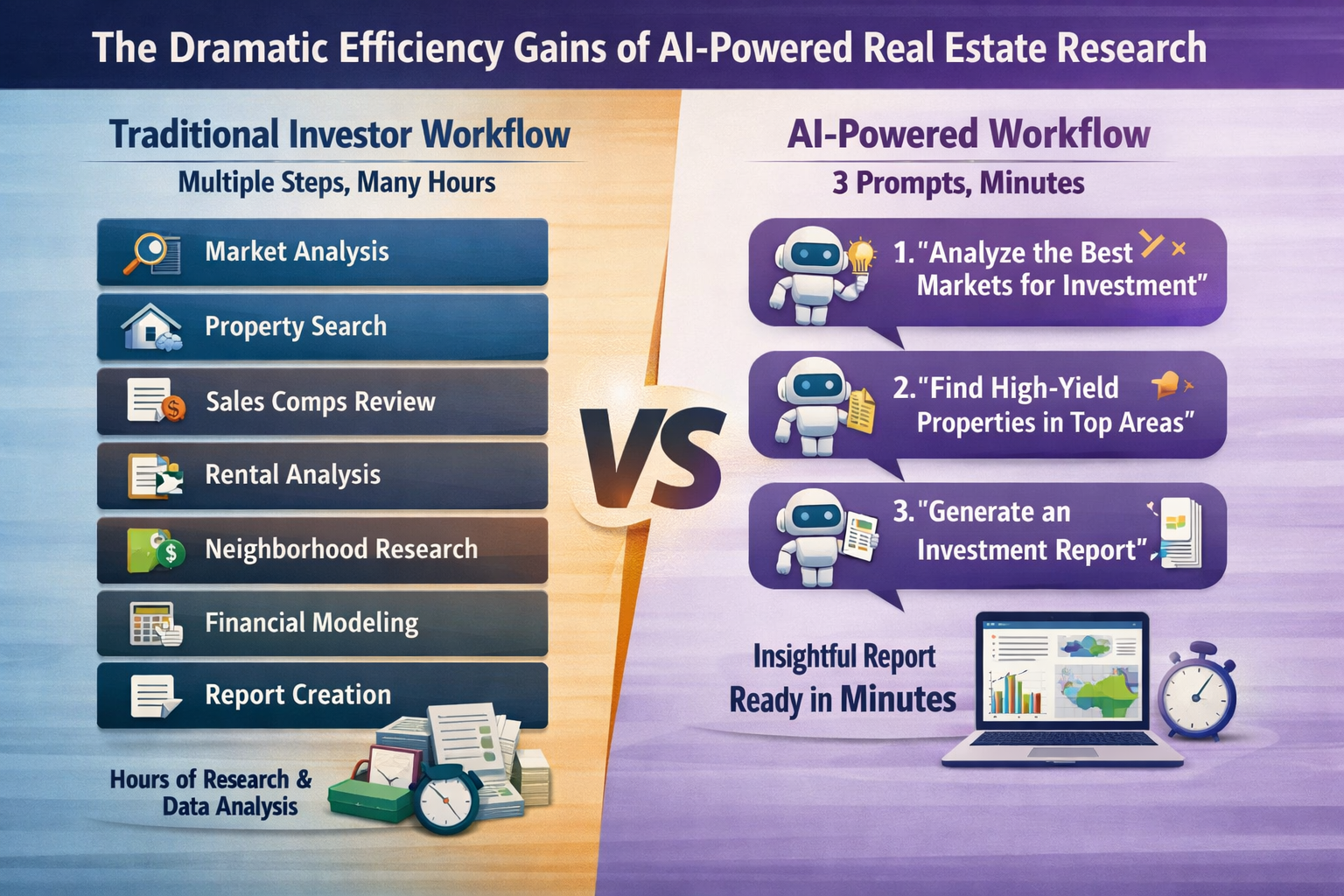
Consider the math: If you can analyze markets, generate leads, and create campaigns in minutes instead of hours, you can evaluate 10x more opportunities in the same amount of time. If you can reach out to prospects faster with more personalized, intelligent messaging, your conversion rates improve. If you can maintain consistent follow-up with automated sequences, fewer deals slip through the cracks.
The Future of Real Estate Intelligence
We’re at the beginning of a transformation in how professionals interact with real estate data. The BatchData MCP Server represents our first step into this AI-native future, but we’re constantly evolving:
- Expanding tool capabilities based on user feedback and emerging use cases
- Improving AI-generated insights with more sophisticated analysis models
- Integrating additional data sources for even more comprehensive intelligence
- Building pre-configured workflows for common investment strategies
- Developing direct CRM integrations for seamless workflow automation
Getting Started Today
The barrier to entry has never been lower. You don’t need to be a developer or data scientist. You don’t need to learn complex APIs or build custom integrations. You just need:
- A BatchData account with API access
- Access to Claude (via claude.ai or API)
- Your BatchData API key configured in Claude’s MCP settings
- Questions to ask and markets to analyze
🚀 Unlock Your Edge Today
In real estate, information isn’t just power—it’s profit. The difference between a great deal and a mediocre one often comes down to who had better information faster.
Visit BatchData.io to get your API key and start automating your market research and prospecting today. Join the growing community of forward-thinking investors who are leveraging AI to scale their operations, improve their targeting, and close more deals.
The future of real estate intelligence isn’t coming—it’s already here. The only question is whether you’ll be among the first to harness it or watch from the sidelines as your competition pulls ahead.