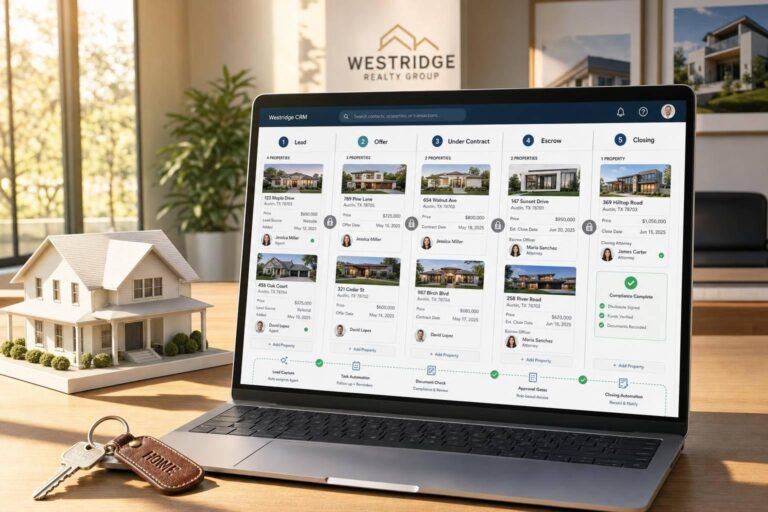
A real estate transaction CRM works only when it tracks the deal, the property, the people, the deadlines, the money, and the paperwork in one place. If even one of those pieces lives in email, notes, or spreadsheets, delays show up fast.
I’d boil the setup down to this:
- Build around 3 records: property, contact, and transaction
- Use fixed U.S. data formats: like $425,000.00, 09/19/2026, 3:00 PM, sq ft, and acres
- Set role-based access: agents, coordinators, lenders, brokers, and title teams should not all see the same thing
- Gate each pipeline stage: no moving forward unless required data is filled in
- Automate handoffs: accepted offer, closing-date changes, stale files, and inbound calls should all trigger next steps
- Track compliance: especially DNC, TCPA, litigator, and deceased flags before outreach with skip tracing
- Report on what matters: days to close, hold period, deal revenue, price per sq. ft., and stage fallout
A plain lead tracker follows conversations. A transaction CRM follows the deal from signed contract to closing. That means cleaner records, fewer missed dates, and less “Who owns this next step?” confusion.
If I were setting one up, I’d start small: data model, permissions, pipeline rules, automations, and reports. Then I’d tighten data quality and recheck property values as new comps come in.
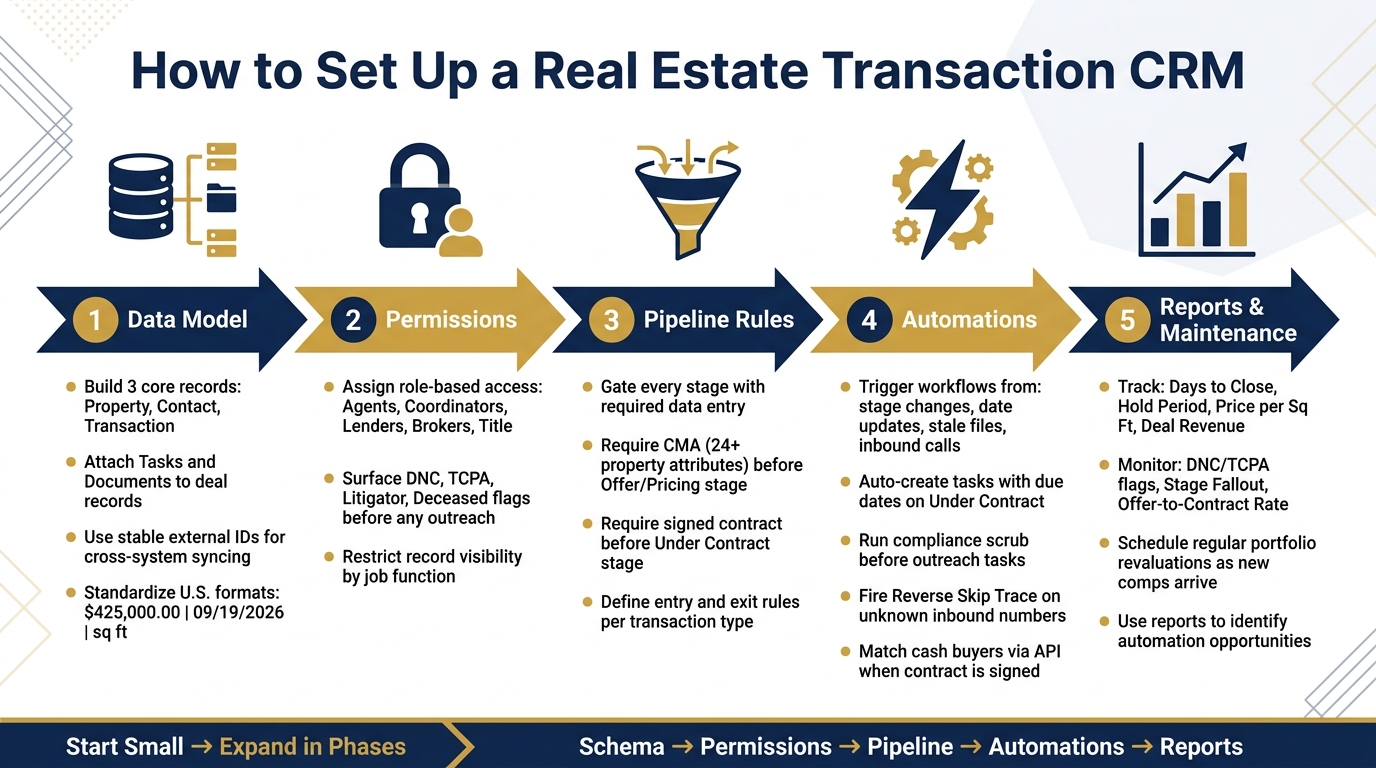
Real Estate Transaction CRM Setup: 5-Phase Implementation Roadmap
HubSpot‘s Real Estate CRM Setup (Step-by-Step)
sbb-itb-8058745
Design the CRM Data Model Around Properties, People, and Deals
Set up the CRM around one property record, one contact record, and one transaction record. Then attach tasks and documents to the deal record.
Define the Core Entities and Their Relationships
A real estate transaction CRM should revolve around Properties, Contacts, and Transactions. Activities/Tasks and Documents support the work around them.
From day one, a few relationship rules need to stay fixed:
- Keep one property tied to all past transactions.
- Link each contact to the right property, including owner-of-record and mailing address.
- Use the same record IDs across property, contact, and transaction objects.
This setup helps you connect property and contact data without duplicate records or messy manual cleanup.
Once those core objects are connected, standard fields make reporting and automation much more dependable.
Standardize Property and Transaction Fields for U.S. Deals
Messy fields ruin reporting and make automation shaky. Each property record should include: Street, City, State, ZIP, ZIP+4, County, APN, property type, year built, living area, lot size, beds, baths, stories, and occupancy status.
Property records should also track listing status changes like active, pending, sold, failed, and off-market.
For transaction records, the main financial fields are list price, contract price, earnest money, commission, and assignment fee. Add last sale price, sale date, price per sq ft, hold period, and estimated value range as normalized finance fields so reports stay consistent across deals.
Milestone dates matter too. Give appraisal and closing their own date fields instead of hiding them in notes. If a date drives a deadline, it should live in a field people can sort, filter, and automate against.
| Field Category | Key Fields | Why It Matters |
|---|---|---|
| Property Identity | APN, Street, City, State, ZIP+4, County | Clean syncing and deduplication |
| Physical Attributes | Beds, Baths, Living Area (sq ft), Lot Size, Year Built, Stories | Valuation and matching |
| Transaction Financials | List Price, Contract Price, Last Sale Price, Earnest Money, Commission, Assignment Fee | Reporting and offer logic |
| Financial Metrics | Price per Sq Ft, Hold Period, Estimated Value Range | Performance and market analysis |
| Milestone Dates | Appraisal, Closing | Deadline tracking |
| Status | Listing Status, Vacancy, Owner-Occupied | Pipeline stage triggers |
Add Fields Ready for Enrichment and Verification
Set aside a dedicated field group on every contact record for enrichment and verification data, even if those fields are blank at first.
At a minimum, include: full name, aliases, property relationship, mailing address, verified phone numbers, verified email, line type, carrier, reachability signals, DNC flag, TCPA flag, litigator indicator, and deceased indicator.
Also add an external ID field to both the Property and Contact objects. That gives outside systems a stable way to write back to the right record without creating duplicates. Normalized address or parcel data should remain the main matching key.
BatchData supports this layer with property enrichment, identity resolution, phone verification, and compliance signals while writing back through stable external IDs.
These fields also support the permission rules and pipeline automation that come next.
Configure Permissions and Pipeline Logic to Match Real Transaction Work
Use the data model to control who can see what and to stop stage changes until the right deal data is in place.
Assign Role-Based Permissions by Job Function
Agents and acquisitions reps need access to property and transaction data. Outbound users need to see DNC, TCPA, litigator, and deceased flags before they dial. Those suppression flags should be visible before any call attempt.
If people can view or edit records they have no business touching, your permissions are too loose. And those same role rules should also control the stage logic below.
Build a Transaction Pipeline with Clear Entry and Exit Rules
Every stage change should require something specific. Use the standardized statuses already set in the property and transaction fields above.
Before a deal can move to Offer Made or Pricing, require a comparative market analysis or another valuation based on at least 24 property attributes. For wholesalers, require a signed contract before the deal can move to Under Contract.
If your team works across wholesaling, fix-and-flip, dispositions, or institutional seller workflows, set clear entry and exit rules for each transaction type. That keeps tasks clean and helps stop deals from getting stuck in the wrong stage.
Automate Events, Tasks, and Outside-Tool Handoffs
Once your stage rules are in place, the next step is to automate what happens when a deal moves forward, a due date gets close, or a record changes.
Trigger Workflows from Stage Changes, Dates, and Data Updates
Every event that matters in a deal should lead to a clear next action. No guesswork. No “I thought someone else was handling that.”
When a deal moves to Under Contract, the CRM should create the next set of stage-based tasks and assign due dates from the contract timeline. When a closing date is added or changed, the CRM should show the remaining open items and remind the owner as that date gets closer.
Stale files need a trigger too. If a deal has had no activity for a set period, the CRM should flag it and notify the deal owner.
The table below maps common trigger events to recommended CRM actions:
| Trigger Event | Recommended CRM Action | Data/Tool Required |
|---|---|---|
| Unknown inbound call | Resolve identity, link property, check DNC/TCPA | Reverse Skip Trace API |
| Property added | Run initial valuation and market analysis | Comparables API |
| Under Contract | Generate ranked list of cash buyers | Buy Box API |
| Outreach task created | Run compliance scrub before assignment | Compliance signals |
| Stale file / no activity | Flag for review and rerun valuation | Portfolio revaluation (comps) |
These triggers keep deals moving without constant manual follow-up. One thing matters here: fire automations only after a condition is fully met, not just when the event happens.
Use Checklists and Reminders to Manage Execution
Attach a stage-based checklist as soon as a deal enters that stage. Assign each item to a specific person so ownership stays clear. Set due dates based on the contract date or closing date, then use escalation rules for overdue work.
That sounds simple, but it fixes a common problem. Deals often slow down not because the team lacks skill, but because no one knows who owns the next step.
Connect Enrichment, Verification, and Sync Jobs Where They Add Value
Outside tools should feed the CRM, not compete with it. That keeps identity, property, and compliance data lined up in one source of truth.
When an unknown phone number or email enters the system, a Reverse Skip Trace lookup should fire right away. It should resolve the contact’s identity, link that person to a specific property, and surface ownership status in real time. That gives your team a shot at qualifying the lead during the call instead of cleaning things up afterward.
On the dispositions side, the same idea applies. When a contract is signed, an API-driven buyer-matching workflow can rank investors by cash purchase history, portfolio size, and recent activity in that submarket. Instead of relying on spreadsheets and memory, the CRM turns a signed contract into a clear process.
Use BatchData lookups to resolve identity, verify contact data, and write results back to the CRM through stable IDs. Store structured API payloads right in the CRM record so every action – who was contacted, what compliance flags were present, what valuation was used – has a traceable source for audit purposes. Those logs also support reporting and audit trails.
Measure Performance, Launch in Phases, and Keep the System Clean
Build Reports for Pipeline Health, Revenue, and Compliance
Reporting is what turns CRM data into day-to-day decisions. In a transaction CRM, the core numbers usually fall into five groups:
| Report Category | Key Metrics |
|---|---|
| Pipeline Health | Transactions by stage, including active, pending, failed, and off-market; offer-to-contract conversion |
| Cycle Times | Hold period, offer-to-contract time, days to close |
| Revenue / Valuation | Deal revenue, price per sq. ft., value estimate range (low/high) |
| Compliance | DNC flags, TCPA flags, litigator indicators, deceased indicators |
| Buyer Intelligence | Portfolio size, cash purchase count, purchases in the last 12 months |
These reports help you spot where work gets stuck, where money is made, and where risk starts to creep in. They also help you decide what to automate first. If one step shows up again and again, that’s usually a good place to start.
For valuation and revenue reporting, show the property inputs behind each value so people can see how the number was reached. That makes the output easier to trust and easier to check when something looks off.
Launch with a Minimum Setup, Then Expand in Phases
After the reporting is mapped out, roll out the system in stages instead of trying to do everything at once.
Start with the minimum setup: schema, permissions, pipeline rules, automation, and reporting. Then watch how people use the system before locking yourself into a data plan or finding property owners manually. That approach keeps early mistakes from turning into expensive ones.
It also helps to schedule regular portfolio revaluations as new comps come in. Property data changes fast. If values sit untouched for too long, the numbers in your CRM can drift from what the market is saying.
Summary: The Core Setup Decisions That Make a Custom Transaction CRM Work
Once the base setup is live, use the reports to keep the system clean.
Start with the workflow. Then build the data model around that workflow, set permissions by role, enforce pipeline rules with clear entry and exit criteria, automate repeatable steps, and run regular revaluations so financial data stays current.
FAQs
What records should I set up first?
Start with structured records for properties and the people or entities tied to them. That means pulling in core property details like situs and mailing addresses, ownership context, standardized land-use classifications, full names, aliases, and linked property IDs.
If it fits your setup, BatchData can also enrich those records with verified contact details. That includes ranked phone numbers and email addresses, along with DNC, TCPA, and litigator flags in your CRM schema.
How do pipeline stage gates prevent delays?
Pipeline stage gates help prevent delays by making sure key data and compliance checks are done before a transaction moves ahead.
Think of them as required checkpoints. They verify records, flag issues early, and give teams a chance to fix missing data or compliance needs before those problems hold up a deal.
Which automations matter most in a transaction CRM?
The most important automations in a transaction CRM support clean data and help teams make smart calls before they act.
- Reverse skip tracing to fill in contact details and apply TCPA, Do Not Call, and litigator flags before outreach
- Buyer matching with the BatchData Buy Box API to find and rank investors
- Automated property valuations and CMAs to keep pricing and offers tied to current market data