
BatchData's API simplifies property data management using Python. With access to over 169 million U.S. properties and 700+ attributes per record, you can automate tasks like property searches, skip tracing, and contact verification. This guide walks you through setting up your Python environment, making API calls, handling errors, and scaling operations.
Key Highlights:
- Setup: Install
requests,pandas, andpython-dotenvto manage API requests and organize data. - Authentication: Securely store your API key in a
.envfile to protect sensitive credentials. - Property Search: Retrieve property details by address or parcel ID with easy-to-follow Python scripts.
- Skip Tracing: Enrich property records with verified contact details, including phone numbers and emails.
- Data Analysis: Use
pandasto transform API responses into structured DataFrames for analysis. - Error Handling: Implement retry logic and manage rate limits to avoid disruptions.
- Scaling: Use asynchronous requests for high-volume operations and monitor API usage to manage costs.
This guide provides ready-to-use Python code for building efficient workflows, from retrieving property data to exporting results in CSV or JSON formats. Whether you're analyzing market trends or generating leads, BatchData's tools streamline the process and save time.
BatchData API Python Integration Workflow: From Setup to Scaling
How to Get Property Records with RentCast API | Python Tutorial
Setting Up Your Python Environment
Get your Python environment ready to authenticate with BatchData's API and manage responses effectively.
Installing Required Libraries
To interact with BatchData's API, you'll need three essential Python libraries:
- requests for handling HTTP requests,
- pandas for organizing and analyzing property data,
- python-dotenv for securely loading API keys from environment variables.
Install these libraries by running the following command in your terminal:
pip install requests pandas python-dotenv
If you have multiple Python versions installed, use:
python -m pip install requests pandas python-dotenv
After installation, verify it by importing the libraries in a Python script:
import requests
import pandas as pd
from dotenv import load_dotenv
If no errors appear, you're good to go!
Getting Your BatchData API Key
Your API key is your access pass to BatchData's platform. To retrieve it, log in to your BatchData dashboard, go to "Company Settings", and open the "APIs" section. Users with admin or owner permissions can view and reset API keys directly from this interface.
Important: Never hardcode your API key into your scripts. Instead, store it securely in a .env file. Create this file in your project's root directory and add the following line:
BATCHDATA_API_KEY=your_actual_api_key_here
To keep your credentials safe, add .env to your .gitignore file. This ensures the file isn't uploaded to version control systems.
"The REST API Key is a highly sensitive credential that grants access to Batch APIs, including functions for sending data and messages. In the unfortunate event of a key leak, immediate reset capability is essential for security and compliance."
– Pierre Tâm-Anh Le Khac, Product Marketing Manager, Batch
Load your API key securely in your Python script using the dotenv library:
import os
from dotenv import load_dotenv

load_dotenv()
api_key = os.getenv('BATCHDATA_API_KEY')
With this setup, your API key is securely stored and ready to use.
Testing Your Setup
To confirm everything is configured correctly, send a test authentication request to BatchData's API. This ensures your API key is valid and your libraries are working as expected.
Create a new Python file and add the following script:
import os
import requests
from dotenv import load_dotenv

load_dotenv()
api_key = os.getenv('BATCHDATA_API_KEY')

headers = {
    'Authorization': f'Bearer {api_key}',
    'Content-Type': 'application/json'
}

response = requests.get('https://api.batchdata.com/v1/profile', headers=headers)

if response.status_code == 200:
    print("Success! Your environment is ready.")
    print(response.json())
else:
    print(f"Error: {response.status_code}")
    print(response.text)
Run the script. If you see the message "Success! Your environment is ready", you're all set to start using BatchData's API, which provides access to over 169 million property records.
Using the Property Search API
The Property Search API is a tool for retrieving and analyzing property data, offering access to over 155 million U.S. property records, each packed with more than 700 data points.
Searching Properties by Address or Parcel ID
To search for properties, use the POST endpoint: https://api.batchdata.io/property/search. You can query by address or parcel ID.
Here's an example of how to search by address:
import requests
import json
import os
from dotenv import load_dotenv

load_dotenv()
api_key = os.getenv('BATCHDATA_API_KEY')

url = 'https://api.batchdata.io/property/search'
headers = {
    'Authorization': f'Bearer {api_key}',
    'Content-Type': 'application/json'
}

# Search by address
data = {
    'address': '123 Main St, Austin, TX 78701',
    'state': 'TX'
}

response = requests.post(url, headers=headers, json=data)

if response.status_code == 200:
    properties = response.json()
    print(json.dumps(properties, indent=2))
else:
    print(f"Error: {response.status_code}")
    print(response.text)
To search using a parcel ID, update the data object like this:
{'parcel_id': '123456789'}
Make sure the parcel ID follows the correct local format. If a parcel ID search doesn't work, try a fuzzy address search as a fallback.
For efficiency, you can batch multiple addresses in one loop to minimize API calls:
addresses = [
    '123 Main St, Austin, TX 78701',
    '456 Oak Ave, Denver, CO 80202'
]

all_properties = []

for addr in addresses:
    data = {'address': addr}
    response = requests.post(url, headers=headers, json=data)

    if response.status_code == 200:
        all_properties.extend(response.json().get('properties', []))

print(f"Retrieved {len(all_properties)} properties")
Once you've gathered the data, you can format it into a structured DataFrame for easier analysis.
Converting API Responses to pandas DataFrames
The JSON responses from the API can be transformed into a clean, tabular format using pandas. The pandas.json_normalize() function is particularly useful for flattening nested data structures.
import pandas as pd

# Convert the API response to a DataFrame
df = pd.json_normalize(properties, record_path=['properties'], meta=['query_address'])

# Flatten column names
df.columns = df.columns.str.replace(r'\.', '_', regex=True)

# Convert US currency format (e.g., "$250,000") to numeric
df['market_value'] = pd.to_numeric(df['market_value'].str.replace(',', ''), errors='coerce')

# Display the first few rows
print(df.head())
The response typically includes fields like parcel_id, property_address, owner_name, beds, baths, year_built, assessment_year, market_value (formatted as "$250,000"), and living_area_sqft (in imperial units). For example, you can filter properties with a market value above $500,000:
high_value = df[df['market_value'] > 500000][['parcel_id', 'property_address', 'market_value', 'living_area_sqft']].sort_values('market_value', ascending=False)

# DataFrame can be further processed or exported
print(high_value)
Handling Errors and Debugging
Effective error handling ensures smooth interaction with the API. Common issues include authentication errors (401), invalid inputs (400), and exceeding the rate limit (429).
import time

try:
    response = requests.post(url, headers=headers, json=data)
    response.raise_for_status()
    properties = response.json()

except requests.exceptions.HTTPError as e:
    if response.status_code == 401:
        print("Authentication failed. Check your API key.")
    elif response.status_code == 400:
        error_details = response.json().get('error', 'Invalid input')
        print(f"Bad request: {error_details}")
    elif response.status_code == 429:
        print("Rate limit exceeded. Retrying in 60 seconds...")
        time.sleep(60)
    else:
        print(f"HTTP error: {e}")

except requests.exceptions.RequestException as e:
    print(f"Request failed: {e}")
BatchData enforces a limit of 100 requests per minute. You can track your remaining quota using the X-RateLimit-Remaining header. For large-scale searches, implement rate limiting with exponential backoff:
def search_with_retry(data, max_attempts=3):
    for attempt in range(max_attempts):
        response = requests.post(url, headers=headers, json=data)

        if response.status_code == 429:
            wait_time = 2 ** attempt  # Exponential backoff: 1s, 2s, 4s
            print(f"Rate limited. Waiting {wait_time} seconds...")
            time.sleep(wait_time)
        else:
            return response

    return None
Skip Tracing and Contact Enrichment
BatchData takes property data to the next level with skip tracing, offering verified contact details that make property records much more actionable. This feature aligns perfectly with BatchData's focus on delivering insights you can use.
The Skip Tracing API quickly provides verified owner contact information, adding phone numbers, emails, and mailing addresses to property records in real time. This system stands out. The high accuracy comes from data collected from over a dozen top-tier sources, refined by feedback from more than 20,000 users.
One of the most useful tools is its ability to reveal the individuals behind LLCs and trusts, going beyond registered agents to uncover the actual owners. Contact profiles include multiple phone numbers (both mobile and landline), a Phone Number Confidence Score to help prioritize leads, and compliance tools that automatically scrub data against the National Do Not Call (DNC) registry and flag known TCPA litigators.
Processing Bulk Skip Tracing Requests
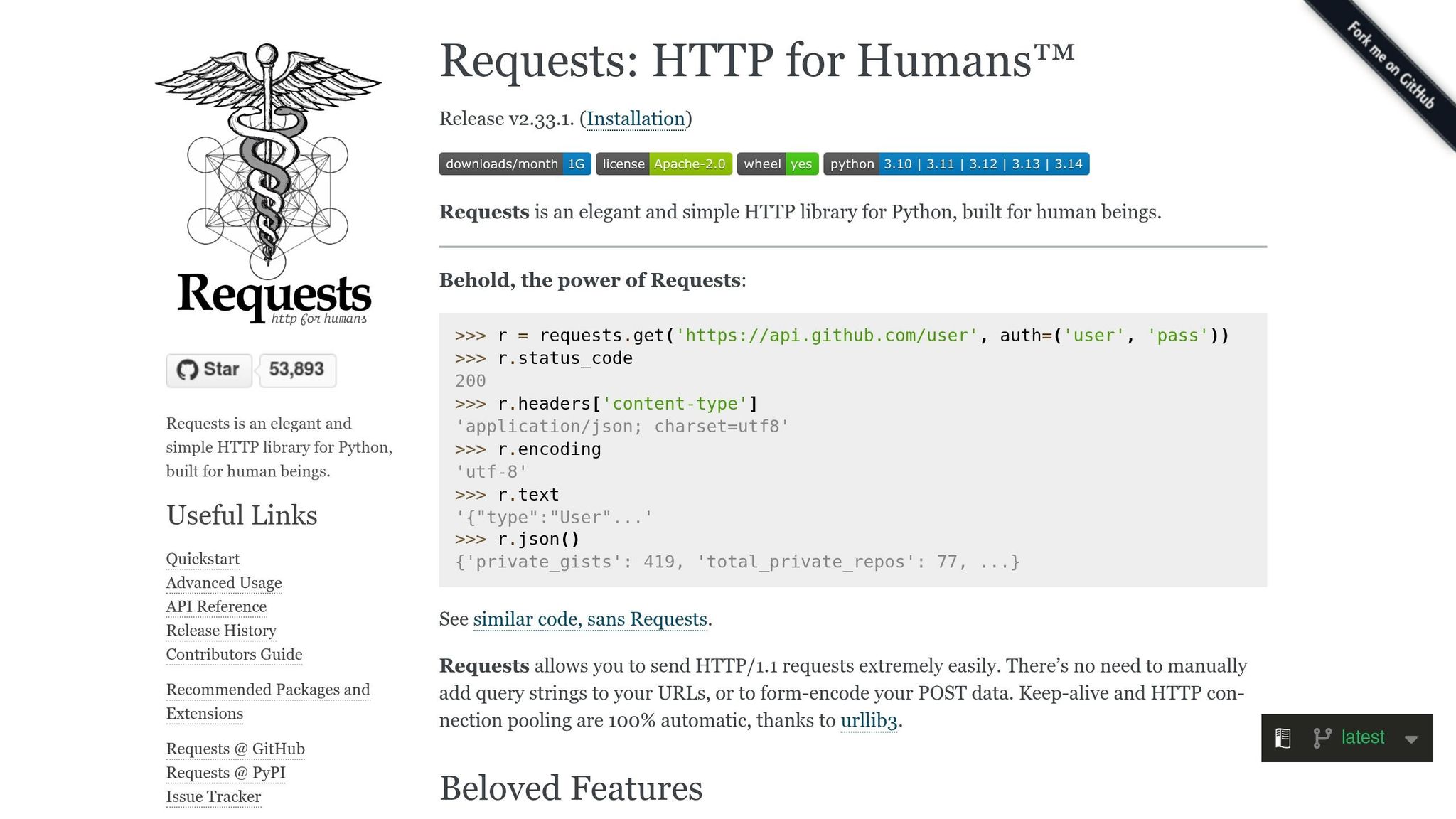
The API allows you to handle large-scale operations with ease. For example, the POST endpoint https://api.batchdata.io/skip-trace/bulk processes thousands of records in one go, enriching each property owner's data.
import requests
import pandas as pd
import os
from dotenv import load_dotenv

load_dotenv()
api_key = os.getenv('BATCHDATA_API_KEY')

url = 'https://api.batchdata.io/skip-trace/bulk'
headers = {
    'Authorization': f'Bearer {api_key}',
    'Content-Type': 'application/json'
}

# Prepare bulk request with property addresses
properties = [
    {'address': '789 Pine St, Miami, FL 33101'},
    {'address': '321 Elm Dr, Phoenix, AZ 85001'},
    {'parcel_id': '987654321'}
]

data = {'properties': properties}

response = requests.post(url, headers=headers, json=data)

if response.status_code == 200:
    results = response.json()
    print(f"Enriched {len(results['contacts'])} records")
else:
    print(f"Error: {response.status_code} - {response.text}")
The API response includes detailed contact profiles, complete with mobile and landline phone numbers, deliverable emails, and confidence scores. For LLC-owned properties, it identifies the individuals behind the entity.
Automating Skip Tracing Workflows
You can streamline your operations by combining property searches with skip tracing. Here's how:
# 1. Search distressed properties
search_url = 'https://api.batchdata.io/property/search'
search_data = {
    'filters': {
        'equity_percent': {'min': 50},
        'tax_delinquent': True,
        'state': 'CA'
    },
    'limit': 100
}

search_response = requests.post(search_url, headers=headers, json=search_data)
distressed_properties = search_response.json().get('properties', [])

# 2. Extract addresses for skip tracing
addresses = [{'address': prop['property_address']} for prop in distressed_properties]

# 3. Bulk skip trace
skip_trace_data = {'properties': addresses}
skip_response = requests.post(url, headers=headers, json=skip_trace_data)
enriched_contacts = skip_response.json().get('contacts', [])

# 4. Filter by phone confidence score
high_confidence = [
    contact for contact in enriched_contacts
    if contact.get('phone_confidence_score', 0) >= 80
]

print(f"Found {len(high_confidence)} high-confidence contacts for outreach")
The Phone Number Confidence Score ensures you focus on the most reachable leads, while built-in DNC and litigator checks keep your outreach compliant with TCPA guidelines.
Exporting Results to CSV or JSON
Once your data is enriched, exporting it for further analysis is straightforward:
import pandas as pd
import json

# Convert enriched contacts to a DataFrame
df = pd.json_normalize(enriched_contacts)

# Extract mobile and landline numbers
df['mobile_phone'] = df['phones'].apply(
    lambda x: next((p['number'] for p in x if p['type'] == 'mobile'), None)
)
df['landline_phone'] = df['phones'].apply(
    lambda x: next((p['number'] for p in x if p['type'] == 'landline'), None)
)

# Select relevant columns
export_df = df[[
    'owner_name',
    'property_address',
    'mobile_phone',
    'landline_phone',
    'email',
    'mailing_address',
    'phone_confidence_score'
]]

# Export to CSV (using US date format: MM/DD/YYYY)
export_df.to_csv('enriched_contacts.csv', index=False, date_format='%m/%d/%Y')

# Or export to JSON
with open('enriched_contacts.json', 'w') as f:
    json.dump(enriched_contacts, f, indent=2)

print("Export complete")
Phone numbers are formatted in the standard U.S. style (e.g., "(555) 123-4567"), and financial figures like estimated equity are displayed with standard U.S. formatting (e.g., "$250,000.00").
Address and Phone Verification
Keeping data accurate is crucial for successful outreach campaigns and smooth operations in real estate decision-making. BatchData's verification APIs help identify invalid addresses and disconnected phone numbers, saving money and avoiding compliance issues.
The Phone Verification API ensures numbers are properly formatted, checks their status, and flags numbers registered on the Do Not Call (DNC) list or linked to TCPA litigation risks. Address verification, on the other hand, eliminates duplicates and flags undeliverable locations, converting dead-end leads into actionable opportunities through accurate skip tracing. These tools clean up CRM data and reduce costs associated with invalid records.
Verifying Single Addresses or Phone Numbers
The BatchData V1.0 API has dedicated endpoints for verifying individual phone numbers or addresses. Here's an example of how to verify a phone number:
import requests
import os
from dotenv import load_dotenv

load_dotenv()
api_key = os.getenv('BATCHDATA_API_KEY')

url = 'https://api.batchdata.io/v1/verify/phone'
headers = {
    'Authorization': f'Bearer {api_key}',
    'Content-Type': 'application/json'
}

phone_data = {'phone_number': '(555) 123-4567'}

response = requests.post(url, headers=headers, json=phone_data)

if response.status_code == 200:
    result = response.json()
    print(f"Valid: {result['is_valid']}")
    print(f"Format: {result['format_valid']}")
    print(f"DNC Status: {result['dnc_registered']}")
    print(f"TCPA Litigator: {result['tcpa_litigator']}")
else:
    print(f"Error: {response.status_code} - {response.text}")
This script checks if the phone number is valid, properly formatted, and flags any DNC or TCPA-related risks.
Similarly, you can verify an address using the following code:
url = 'https://api.batchdata.io/v1/verify/address'

address_data = {
    'street': '123 Main St',
    'city': 'Los Angeles',
    'state': 'CA',
    'zip': '90001'
}

response = requests.post(url, headers=headers, json=address_data)

if response.status_code == 200:
    result = response.json()
    print(f"Deliverable: {result['is_deliverable']}")
    print(f"Standardized Address: {result['standardized_address']}")
    print(f"Geocode: {result['latitude']}, {result['longitude']}")
else:
    print(f"Error: {response.status_code} - {response.text}")
Address validation can be tricky because of changing formats and newly constructed properties. If an address is flagged as invalid but you know it’s correct, consider adding a manual override option in your workflow to handle these exceptions.
If you need to process larger datasets, the batch validation feature is the way to go.
Batch Validation for Multiple Records
For handling high volumes, BatchData's V1.0 API includes a batch verification endpoint, making it easy to process thousands of records. Here's a quick example of how to verify multiple phone numbers:
import pandas as pd

# Load contacts from CSV
df = pd.read_csv('contact_list.csv')

# Prepare batch phone verification
url = 'https://api.batchdata.io/v1/verify/phone/batch'
phone_numbers = [{'phone_number': num} for num in df['phone'].tolist()]

response = requests.post(url, headers=headers, json={'phones': phone_numbers})

if response.status_code == 200:
    verification_results = response.json()['results']

    # Add verification flags to DataFrame
    df['phone_valid'] = [r['is_valid'] for r in verification_results]
    df['dnc_registered'] = [r['dnc_registered'] for r in verification_results]
    df['tcpa_risk'] = [r['tcpa_litigator'] for r in verification_results]

    # Filter out high-risk contacts
    clean_df = df[
        (df['phone_valid'] == True) &
        (df['dnc_registered'] == False) &
        (df['tcpa_risk'] == False)
    ]

    # Export cleaned list
    clean_df.to_csv('verified_contacts.csv', index=False)
    print(f"Cleaned {len(clean_df)} of {len(df)} records")
else:
    print(f"Error: {response.status_code} - {response.text}")
Scaling and Automation Best Practices
Once you've established a working integration with BatchData's API, the next step is to ensure it can handle larger workloads without breaking the bank or causing service disruptions. Scaling effectively means paying close attention to rate limits, usage monitoring, and performance tweaks to keep operations smooth and costs predictable.
Adding Retry Logic and Rate Limiting
Rate limits are there to protect server resources, but hitting them without a plan can temporarily block your access. To avoid this, implement retry logic with exponential backoff. Here's a Python example:
import requests
import time
import os
from dotenv import load_dotenv

load_dotenv()
api_key = os.getenv('BATCHDATA_API_KEY')

def api_request_with_retry(url, headers, data, max_retries=5):
    for attempt in range(max_retries):
        response = requests.post(url, headers=headers, json=data)

        if response.status_code == 200:
            return response.json()
        elif response.status_code == 429:
            wait_time = (2 ** attempt)  # Exponential backoff
            print(f"Rate limited. Retrying in {wait_time} seconds...")
            time.sleep(wait_time)
        else:
            print(f"Error: {response.status_code} - {response.text}")
            break

    return None

# Example usage
url = 'https://api.batchdata.io/v1/property/search'
headers = {
    'Authorization': f'Bearer {api_key}',
    'Content-Type': 'application/json'
}
search_data = {'address': '456 Oak Ave, Miami, FL 33101'}

result = api_request_with_retry(url, headers, search_data)
This approach ensures your application respects rate limits while retrying failed calls. To further reduce API usage, consider using webhooks for real-time updates instead of polling.
Monitoring Usage to Control Costs
BatchData offers pricing models like Pay-As-You-Go for fluctuating needs and subscriptions such as Growth ($1,000/month for 100,000 property records) and Professional ($2,500/month for 300,000 records). Without monitoring, it's easy to overspend.
Use BatchData's dashboard to track your API consumption and identify inefficiencies. For instance, if certain queries frequently return empty results, refine those search parameters to avoid unnecessary calls. Regular monitoring helps you forecast expenses and avoid unwelcome surprises in your billing.
When testing new workflows, always use a sandbox environment to prevent accidental charges and safeguard live data. And remember, never hardcode API keys - store them securely as environment variables or in a secrets manager to prevent unauthorized access.
Using Asynchronous Requests for High Volume
For handling large volumes of data, asynchronous requests can save time. Sequential API calls simply don't cut it when processing thousands of records. Libraries like aiohttp in Python allow you to run multiple requests concurrently, significantly speeding up workflows.
Here's an example of how to use aiohttp for concurrent property searches:
import aiohttp
import asyncio
import pandas as pd

async def fetch_property(session, address, api_key):
    url = 'https://api.batchdata.io/v1/property/search'
    headers = {
        'Authorization': f'Bearer {api_key}',
        'Content-Type': 'application/json'
    }

    timeout = aiohttp.ClientTimeout(total=30, connect=10)

    try:
        async with session.post(url, headers=headers, json={'address': address}, timeout=timeout) as response:
            if response.status == 200:
                return await response.json()
            else:
                return {'error': response.status, 'address': address}
    except asyncio.TimeoutError:
        return {'error': 'timeout', 'address': address}

async def process_batch(addresses, api_key, concurrency_limit=10):
    async with aiohttp.ClientSession() as session:
        semaphore = asyncio.Semaphore(concurrency_limit)

        async def bounded_fetch(address):
            async with semaphore:
                return await fetch_property(session, address, api_key)

        tasks = [bounded_fetch(addr) for addr in addresses]
        results = await asyncio.gather(*tasks, return_exceptions=True)

    return results

# Run the async workflow
addresses = ['123 Main St, Los Angeles, CA 90001', '789 Pine Rd, Austin, TX 78701']
api_key = os.getenv('BATCHDATA_API_KEY')

results = asyncio.run(process_batch(addresses, api_key))
df = pd.DataFrame(results)
print(df)
Using aiohttp.ClientSession for connection pooling reduces overhead, while asyncio.Semaphore limits concurrency to prevent overloading the API. Start with a concurrency limit of 5–10 requests and adjust based on your application's performance and error rates. The asyncio.gather function ensures that even if some requests fail, successful results are still processed.
Conclusion
BatchData's API simplifies property data management and automation, making it easier to handle property searches across 169+ million records and enrich contact details. This eliminates the need for manual data entry and outdated spreadsheets. The Python code examples in this guide - covering everything from basic authentication to asynchronous batch processing - serve as a starting point for building scalable and efficient integrations.
Once you've implemented these examples, it's important to evaluate the impact. Track both technical and business metrics to gauge success. For instance, monitor API response times and error rates while also assessing practical benefits, like how much time is saved on data entry or the cost per qualified lead. Consider this: if how to skip trace property owners manually used to take 2 hours for 100 records, the API can reduce that to mere seconds. Establish baseline metrics before implementation, and then compare results at 30, 60, and 90 days to justify your investment and uncover areas for improvement.
The guide also introduces essential patterns like retry logic, exponential backoff for rate-limiting, and asynchronous requests - tools that ensure reliable scaling. Keep an eye on your API consumption dashboard to manage costs, and always secure your API keys by storing them as environment variables instead of hardcoding them.
Once you’ve mastered the basics, consider expanding your use of BatchData's API. Use webhooks for real-time updates, integrate API responses with pandas for advanced analytics, or connect the data to BI tools for creating dashboards. Whether you're building investor platforms, automating underwriting processes, or targeting high-intent leads for home services, these integrations help you shift from reactive decision-making to proactive, data-driven strategies.
Start by exploring the property search and skip tracing endpoints. Apply the monitoring and scaling techniques outlined here, and refine your approach based on your unique needs. Since the API documentation is regularly updated with new features, revisit it often to leverage new endpoints that can further enhance your workflows. With these tools and strategies, you can transform raw property data into actionable insights.
FAQs
How do I handle pagination or large result sets from property search?
When working with pagination or handling large datasets using BatchData's API, the 'skip' and 'take' parameters are your go-to tools. These allow you to control how many records to bypass and how many to fetch in each request. This approach helps you break down massive datasets into manageable chunks for smoother processing. For step-by-step instructions, check out the API documentation.
What’s the best way to store and reuse BatchData API responses locally?
To keep and reuse BatchData API responses locally, you can save the JSON data to a file or a database. Python's built-in json module makes this easy. Use json.dump() to write the API response to a file, and later retrieve it with json.load(). This approach reduces unnecessary API calls, boosts efficiency, and ensures you have consistent data readily available for tasks like analysis or displaying information in real estate applications.
How can I safely run high-volume async requests without hitting rate limits?
To handle a high volume of asynchronous requests without hitting rate limits, you can use a few smart techniques. Tools like rate limiters (such as asynciolimiter) are great for controlling the flow of requests, ensuring you stay within the allowed limits. Pair this with asyncio.Semaphore, which helps cap the number of concurrent calls being made at any given time.
Adding delays or spacing between requests can also make a big difference. For APIs that operate on credit-based limits, there are tools available to track quotas and automatically handle wait times when you're close to the limit. During peak loads, adaptive throttling can step in to dynamically adjust the request rate, helping you manage traffic more effectively.