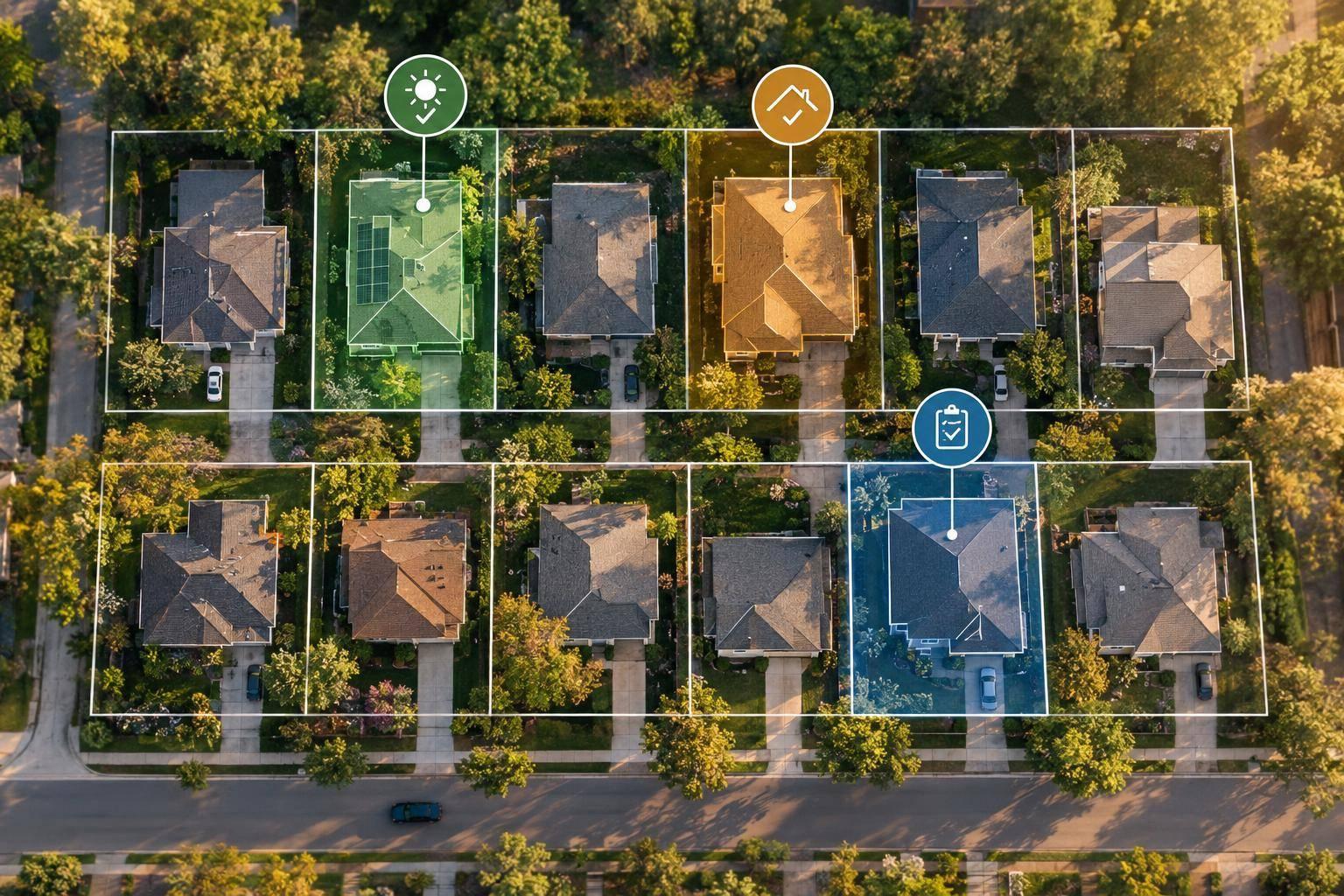
I use parcel data to screen properties - not to assume a homeowner wants work. Start with your service area, property type, and trade-specific lot rules. Then match permits, verify contacts, and check outreach eligibility before assigning leads.
BatchData reports 169 million+ U.S. parcels and 131 million+ property records. That coverage helps narrow a list, but each record still needs checks:
- Property fit: Screen for solar, roofing, HVAC, electrical, or exterior work. Send missing or unclear details to review.
- Project timing: Use permits to separate applications, active jobs, and completed work. Keep contractor-led projects apart from homeowner outreach.
- Contact checks: Verify identity, check consent requirements, and suppress opt-outs and restricted contacts.
- Site checks: Confirm current conditions before quoting or designing. Assessor parcel boundaries are <u>not a legal survey</u>.
My rule: treat a qualified record as a reason to check further - not proof of buying intent or site suitability.
Parcel Data to Verified Home Services Leads
Set Lot-Screening Rules by Trade
Use trade-specific lot rules to mark each property as target, exclude, or review. A confirmed mismatch can justify exclusion; missing fields belong in review. For every rule, store the lot area, source date, confidence, and decision reason.
Apply these rules after basic parcel filters and before permit review or contact append.
| Trade | Targeting signals | Exclusion rules | Follow-up validation |
|---|---|---|---|
| Solar | Lot area, dimensions, building footprint, roof attributes, open ground | No usable installation area or a verified zoning, setback, structural, or access conflict | Shading, roof orientation and condition, structural capacity, panel/interconnection needs, usable ground area |
| Roofing | Year built, roof attributes, improvement records, nearby homes of similar vintage | Verified out-of-scope structure type or access or safety barrier | Actual roof age, covering, flashing, ventilation, leaks, wear |
| HVAC | Building size, age, additions, heat source, cooling type, system permits | Verified out-of-scope property type or access or equipment location constraint | Equipment age, fuel, capacity, condition, ductwork, installation access |
| Electrical | Building age, additions, finished or converted spaces, panel and service permits | Verified project outside the contractor’s license or service area | Wiring, panel and service capacity, equipment access, permit requirements |
| Gutters, windows, siding, and exterior work | Structure type, stories, lot size, ownership changes, condition indicators | Verified incompatible structure type or inaccessible work area | Materials, damage, roofline or opening measurements, ladder and equipment access |
Screen Properties for Solar and Roofing
For solar, lot screens narrow your list before roof and site checks. Use BatchData’s parcel boundaries to check lot shape and open ground - but use boundaries only for screening. Then review roof orientation, shading, structural capacity, panel/interconnection needs, and usable ground area. DOE guidance identifies south-facing roof slopes of roughly 15°–40° as generally favorable, though other orientations and slopes may still work.
For roofing, group nearby properties by structure type and year-built range to plan inspection routes, not to infer roof condition. Check roof-related improvement records and permit history, then confirm the work’s scope and completion. Building age is not roof age, and a recent permit is only a reason to review - not proof of current condition.
Screen Properties for HVAC, Electrical, and Exterior Work
Use additions and system permits to flag properties for review. An addition calls for a capacity check; it doesn’t prove that an HVAC system or electrical panel is undersized. Keep permit issue dates separate from work completion, and verify current equipment before recommending replacement. Without permit history, system age remains unknown.
For exterior services, use lot size and stories to plan ladder access. Use ownership changes to prioritize homeowner contact, not to assume renovation plans. Window failure, gutter blockage, and siding damage require current observation. Exclude properties only for confirmed scope or access mismatches. These screens prepare the list for permit-based timing checks next.
Assess Project Timing With Permit Data
After lot screening, permit data helps rank parcels by project stage. Use permit timing to separate active work from completed or contractor-led projects. Keep the jurisdiction and last-updated date with each record, since permit fields and status labels vary by locality.
Before assigning outreach priority, match each permit to the correct parcel.
Match Permit Records to Parcels
Record the permit number, address, APN, type, description, application and issue dates, inspection or completion date, status, residential flag, and contractor or applicant fields. Classify the work as roof replacement, solar, electrical upgrades, remodeling, HVAC, exterior work, or new construction. Keep the original description. Broad labels like alteration need manual review before you assign a trade.
Standardize street suffixes, directional indicators, unit numbers, and ZIP codes before matching. Match records within the correct county or municipality, and pair each APN with its jurisdiction ID. The same APN can appear in more than one jurisdiction.
Review unclear matches, and let one permit link to multiple parcels when needed. Flag duplicates, unmatched addresses, conflicting dates, and outdated statuses. Keep the original record and matching method for review. Unmatched means unresolved - not absent.
Once you verify the parcel match, use permit status to separate active projects from completed work.
Distinguish Homeowner Prospects From Active Projects
Route applications to monitoring, issued permits to active-project review, and completed records to maintenance or follow-on service review. Application dates, issue dates, and inspection activity show project stage - not buying intent. A missing completion date leaves the status unresolved. Check the latest jurisdiction status before changing outreach priority.
Keep homeowner prospecting separate from contractor-led work. An issued roof-replacement permit with a listed contractor belongs in contractor follow-up, not generic homeowner outreach. Applicant fields may name the contractor rather than the owner.
Carry the verified parcel match and permit status into the homeowner contact workflow.
Build a Parcel-to-Homeowner Contact Workflow
Start with parcels that passed the lot and permit screens. Keep property fit, permit timing, contact identity, and outreach eligibility in separate fields. Use API lookups for individual records and bulk files for area-level lists. Retain source IDs at every step.
Select Properties, Match Records, and Add Contact Data
Choose counties, ZIP Codes, municipalities, or service territories, then apply residential and trade-specific filters. BatchData’s parcel boundary data covers 169 million+ U.S. parcels and 131M+ properties. These boundaries come from assessors; they aren’t a legal survey.
After matching parcels and permits, move each record through contact enrichment, verification, and suppression checks.
| Stage | Required input | Validation check | Output field |
|---|---|---|---|
| Select properties | Territory, residential land use, trade filters | Exclude properties outside the territory or target criteria | parcel_id, screen_status |
| Attach permits | Permit records and parcel/address keys | Verify jurisdiction, permit number, type, date, and match confidence | permit_id, permit_match_status |
| Deduplicate | Jurisdiction, parcel ID, normalized address | Merge duplicate rows without losing distinct permits | canonical_record_id |
| Add ownership and contacts | Owner record, mailing address, available contact fields | Keep recorded ownership separate from verified identity | owner_of_record, verified_contact_name |
| Verify contacts | Address, phone, right-party contact results | Flag failed or uncertain matches for review | address_status, phone_status, right_party_status |
| Check outreach eligibility | Channel, consent, opt-outs, applicable restrictions | Apply compliance rules before assignment | contact_permission_status, suppression_reason |
| Route and update | Trade, timing, geography, source timestamps | Recheck eligibility after ownership, permit, contact, or opt-out changes | crm_queue, last_refresh_at |
Store the contact’s name, relationship to the property, verification method, source, and date in separate fields. A different owner mailing address doesn’t establish who lives in the home. Keep excluded records and their exclusion reasons rather than silently deleting them.
Verify Contacts and Check Outreach Requirements
After adding owner and contact fields, verify identity before routing a record to outreach. Verification and outreach eligibility are the final gate before assignment.
Validate the address, available phone data, and right-party identity. Phone formatting or line type alone doesn’t confirm who you’re contacting. Suppress records with failed verification or unresolved contacts, and store consent evidence where required. Screen against the National Do Not Call Registry on the required schedule and suppress opt-outs immediately.
Group, Route, and Update Records
Group eligible homeowner contacts by trade, signal strength, project timing, and territory for CRM assignment. Send uncertain records to review - not sales.
Preserve timestamps for parcels, permits, ownership, contact verification, consent, and assignment. Version bulk imports and log API updates so older data can’t overwrite newer decisions. Recheck eligibility whenever ownership, permit status, contact validity, or opt-out status changes.
Conclusion: Validate Records Before Outreach or Site Planning
Screen by trade, match permits, append and verify contacts, and validate each record before outreach, quoting, routing, or site planning. A qualified record signals priority - not intent, feasibility, or a complete site assessment.
Use the checklist below to check whether a record is ready for outreach or site work.
Data and Site Validation Checklist
Resolve conflicts in the APN or parcel ID, jurisdiction, property and mailing addresses, owner name, occupancy status, permit ID, and record dates. Check the permit’s status, issue date, final date, type, description, and source date against the current county or city record.
Issued permits can point to active work, while finalized or closed permits can indicate completed work. Review expired, canceled, or duplicate permits before using them. Hold unresolved records for manual review, and suppress any record that fails verification or outreach requirements.
After a record passes data checks, verify physical site conditions before quoting or designing. Confirm setbacks, easements, access, and zoning against the current county or city record. Parcel boundaries come from assessor data and are not a legal survey. Obtain a licensed survey when legal precision matters.
Parcel and permit data can narrow your list, but site feasibility needs a field check. Independently verify roof condition, shading, orientation, structural concerns, utility access, driveway access, grade, setbacks, and visible easements before quoting or designing work. Parcel and remote data can help prioritize visits; they cannot establish current construction conditions or final site feasibility.
Start with one service territory and one trade screen. Track validation pass rate, duplicate rate, permit-match accuracy, suppression rate, and field-verified suitability.
FAQs
How should I prioritize conflicting property signals?
When property signals conflict, give specific permit history more weight than general property details. Start by filtering for basic criteria, such as year built or home size. Then narrow your list using permit records.
For roofing leads, focus on homes with no recent roofing permit on record, rather than relying on age alone. Cross-check permit dates against owner-occupied status to target homeowners more likely to be interested.
What if my area has limited permit data?
Permit records vary by region because each local jurisdiction decides what to document and share. BatchData recommends checking how many matches are available in your county before committing to a list.
No permit history doesn’t always mean no work was done. Pair available permit data with other details, such as assessor records, to build your outreach list.
How often should I refresh homeowner contact records?
Use monitoring and alerts to keep homeowner contact records up to date. BatchData rebuilds its property database daily. Set up your workflow to send updated records or alerts to your CRM or application when specific data points change.
For bulk data, schedule updates anywhere from weekly to annually, depending on your outreach needs. Access homeowner information across 169 million+ U.S. parcels and 131 million+ properties.