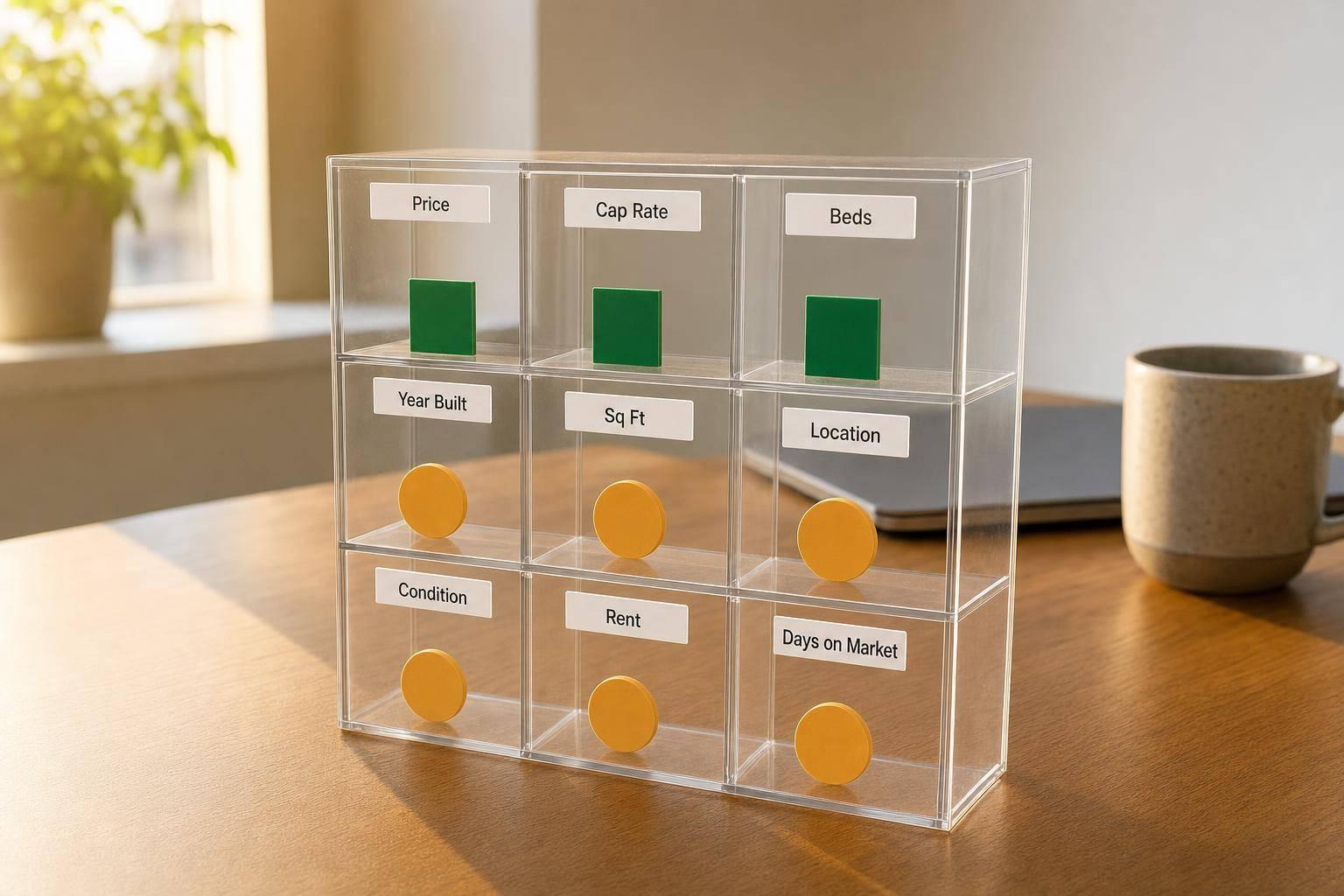
An investor buy box is a simple pass/fail checklist for deals. I use it to decide, in minutes, whether a property fits my plan based on location, price, property type, condition, rent or yield, equity spread, and exit plan.
If I don’t define those rules first, every deal turns into a debate. If I do define them, I can screen leads fast, cut weak deals early, and spend more time on properties that fit. One common screen is the 1% rent-to-price rule. Another is DSCR of at least 1.2x. If a deal misses a hard rule, I pass.
Here’s the short version:
- Start with fit: market, budget, and asset type
- Check the numbers: rent, yield, rehab cost, and discount
- Match the plan: flip, BRRRR, or buy-and-hold
- Split rules into two groups: hard rules vs. preferences
- Use data fields at scale: ZIP code, equity %, liens, tax delinquency, and ownership length
A buy box is not just a wish list. It’s a written filter I can use on one deal or 1,000+ leads with the same logic.
If I were reading a deal against a buy box, I’d move in this order:
- Strategy
- Location
- Price
- Property type
- Condition
- Rent or yield
- Equity spread
- Hold and exit
Example: if a home costs $265,000 and rents for $2,400/month, the rent-to-price ratio is about 0.91%. If my hard rule is 1% minimum, that deal is out - even if the area and rehab budget look fine.
| Part of the buy box | What I check |
|---|---|
| Location | County, ZIP code, submarket, or tract |
| Price | Minimum and maximum purchase price |
| Property type | SFR, 2–4 units, multifamily, mixed-use |
| Condition | Turnkey, light rehab, or heavy rehab |
| Rent / yield | 1% Rule, cap rate, DSCR |
| Equity spread | Discount to value or ARV |
| Exit | Sale, refinance, or long-term hold |
The main idea is simple: write the rules first, then screen every lead the same way.
The Core Parts of an Investor Buy Box
Price Range, Asset Type, and Location Rules
Every buy box starts with three basic filters: price, property type, and location. These are the first screens. They cut out bad-fit leads before you spend time on deeper underwriting.
Price range sets the minimum and maximum purchase price. The range should line up with your available capital and the returns you want. If a deal falls outside that band, it’s out before any deeper review.
Asset type tightens the search even more. Common buy box categories include single-family rentals (SFR), small multifamily (2–4 units), Class B multifamily, and mixed-use properties. Keeping this clear matters. A small multifamily deal and a mixed-use property can look similar at a glance, but the underwriting can be very different.
Location rules need to be specific enough to use in the field. That usually means a submarket, ZIP code, or census tract that fits the acquisition plan. That kind of precision keeps your data clean and makes deal-to-deal comparisons much easier.
Once those filters are in place, the next screen is condition and returns.
Condition, Rent or Yield Targets, and Equity Spread
After a property passes the first pass, the buy box moves to condition and performance. This is the layer that tells you whether a deal should even reach underwriting.
Rehab tolerance can run from turnkey to heavily distressed. Set it based on how much deferred maintenance you’re willing to take on. If you only want turnkey properties, anything beyond that limit gets screened out right away.
Rent and yield targets create the financial floor. A common approach is to start with one fast screen, like the 1% Rule, and then confirm the deal with cap rate or DSCR.
Equity spread measures the discount to market value or after-repair value (ARV). Many investors want a large spread - often 40% or more - to leave room for repairs and margin.
Hold Strategy, Timeline, and Exit Plan
The hold plan is what ties the whole buy box together. It shows whether the rent, rehab, and spread numbers make sense in actual use. If the hold strategy doesn’t fit, the rest of the box can look fine on paper and still fall apart.
Different plans call for different deal shapes:
- Fix-and-flip needs a short hold period and a fast resale.
- BRRRR needs enough ARV to support a refinance.
- Buy-and-hold needs steady cash flow and larger reserves.
State the exit up front - sale, refinance, or 1031 exchange. That choice needs to match the hold period and the financing. When those pieces don’t line up, the deal may check the boxes at first glance but still fail once you get into the numbers.
With the core fields set, the next move is to read the box in the right order and separate hard requirements from nice-to-haves.
How to Build Your Real Estate “Buy Box” | Rookie Resources
How to Read a Buy Box and Apply It to a Real Deal
How to Read an Investor Buy Box: 8-Step Deal Screening Process
Read the Criteria in the Right Order
Once the buy box is set, read it like a series of filters. The goal is simple: cut bad fits early, then spend more time on the deals that still make sense.
Go in this order: strategy, location, budget, property type and condition, rent or yield, equity spread, then hold and exit.
Start with geography and property type. Those two checks tell you fast if a lead even belongs in the buy box. Save rent, equity, and exit review for later. Your first pass should take minutes, not hours.
After that first pass, split the criteria into two buckets: deal-killers and ranking factors.
Separate Hard Requirements from Flexible Preferences
Hard requirements are non-negotiable. If a deal misses one, it’s an immediate pass. Think a set county, a set property type, or a minimum 1% rent-to-price ratio. Flexible preferences are ranking tools. They help you sort deals that already cleared the hard filters, like distress signs or cosmetic condition.
| Criteria Type | Examples | Action on a Miss |
|---|---|---|
| Hard Requirements | Location, property type, price ceiling, 1% Rule | Immediate disqualification |
| Flexible Preferences | Distress signals, cosmetic condition | Lower priority; no disqualifier |
When you mix these up, you burn time on deals that were dead on arrival. If a property misses a hard requirement, it’s out. If it misses a soft preference, it can still stay in the queue - just lower on the list.
Screen a Property Against a Buy Box: A Step-by-Step Example
Here’s what that looks like on an actual lead.
Say your buy box is for single-family rentals in Maricopa County, priced between $200,000 and $300,000, with a minimum 1% rent-to-price ratio, a rehab budget under $25,000, and a buy-and-hold exit.
Now a lead comes in: a 3-bed/2-bath single-family home in Tempe, listed at $265,000, with about $18,000 in interior updates needed. Comparable rentals nearby are leasing for $2,400 per month.
- Location: Tempe is in Maricopa County. Pass.
- Price: $265,000 is inside the target range. Pass.
- Property type: Single-family. Pass.
- Condition: Estimated repairs are below the rehab ceiling. Pass.
- Rent target (1% Rule): $2,400 on a $265,000 purchase price comes out to about 0.91%, which misses the 1% threshold.
That miss knocks the deal out on a hard financial screen, so there’s no reason to move into full underwriting. That’s the point of a tight buy box: it helps you make fast pass/fail calls before you sink time into deeper analysis. The same logic can also be scaled across much larger lead lists by data teams.
How Data Teams Apply Buy Boxes at Scale
Map Buy Box Fields to Property Data and Lead Filters
A buy box starts to work at scale when every rule ties back to a field in the data. That means terms like “distressed properties” can’t stay vague. Data teams turn them into trackable inputs like tax delinquency, liens, and equity position. That’s what makes screening repeatable instead of gut-driven.
| Buy Box Criterion | Data Field Mapping | What It Screens For |
|---|---|---|
| Location | ZIP code, census tract, submarket boundary | Geographic fit and comp consistency |
| Asset type | Property type (SFR, 2–4 unit, multifamily) | Strategy alignment |
| Condition | Municipal code violations, permit history, inspection history | Value-add or distress signals |
| Yield | Gross monthly rent, estimated market rent, vacancy rate | Cash flow viability |
| Equity position | Equity %, LTV, lien records, mortgage age | Owner flexibility to negotiate |
| Owner distress | Tax delinquency, pre-foreclosure, absentee flag | High-intent owner signals |
Teams also geocode records to submarket boundaries and standardize address formats. That helps stop duplicate comps from slipping into the system.
Once those mappings are in place, teams can query, screen, and watch leads automatically.
Use BatchData to Match Opportunities to Acquisition Criteria
After the field mapping is done, BatchData can enrich property, contact, and owner records for automated screening. BatchData supports property data enrichment, contact enrichment, skip tracing, property search APIs, and bulk data delivery.
In practice, the setup usually follows three stages: search, monitor, and activate.
- Search: Recurring API queries surface new properties that fit the buy box and store them in internal tables for review.
- Monitor: A monitoring layer watches known properties and owner cohorts for change events, like new lien filings, ownership transfers, and pre-foreclosure notices, then flags them as soon as they appear.
- Activate: Qualified leads move straight into CRM or analyst queues with verified contact data attached.
Use the REST API for point checks and S3 or Snowflake bulk delivery for portfolio monitoring.
Conclusion: Build a Buy Box You Can Actually Use
Once you map your criteria to actual deals and actual data fields, the buy box stops being a vague idea and starts working like a repeatable screen. That only happens when each criterion is specific, measurable, and tied to data you can check.
Key Points to Take Into Your Next Deal Review
Before you look at any lead, define the asset type, submarket, and economic fit. Then screen in the right order: start with hard filters, and only after that look at the more flexible preferences.
If a deal fails the 1% Rule or pushes DSCR below 1.2x, cut it right away. Don't talk yourself into it.
At scale, this same logic becomes a filter instead of a manual review. Criteria like absentee owner, 50%+ equity, and 10+ years of ownership need to map to actual data fields so sourcing can run on its own. A buy box is only complete when you can query it, filter by it, and apply it automatically.
FAQs
How do I build my first buy box?
Start with a tight acquisition thesis: pick one geography, one property type, and the deal limits you’ll underwrite. That usually means your price band, rent or yield goals, condition level, how much rehab you’ll take on, and your hold plan.
Think of it like drawing a box before you go shopping. If the box is too big, every deal starts to look tempting. That’s where people lose time.
Then set the seller signals you’ll use before outreach. Keep those filters narrow so your list stays small and usable, and check your main assumptions against the property’s record data before you contact anyone.
What counts as a hard rule?
In a real estate buy box, hard rules are firm financial and operating limits that can kill a deal on the spot. They act as your first filter, so you don't waste time on properties that were never a fit to begin with.
Common examples include the 1% Rule and the Quick Expense Ratio. If a property misses those key marks, it's a dead deal.
Can a buy box change over time?
Yes. A buy box can - and should - change over time as market signals shift. Things like ownership updates, listing activity, valuation gaps, and interest rates all affect what makes sense to buy.
That means investors need to revisit their underwriting assumptions and filters on a regular basis. If the market moves but your criteria stay frozen, it’s easy to drift out of step with current pricing, deal speed, and your own investment goals.
The goal is simple: keep your buy box lined up with what the market is doing now, not what it was doing six months ago.