SEO Title: Denver Permit Search Guide for Faster Property Research
Meta Description: Learn the most efficient Denver permit search workflow, what the public portal gets wrong, and when programmatic access makes more sense.
Meta Keywords: Denver permit search, Denver ePermits, Denver building permits, permit lookup Denver, property permit records Denver, Denver permit data, Denver real estate data, Denver building records
You're probably here because you searched an address, expected a clean permit trail, and ran into a messy public record system instead.
That's the reality of Denver permit search. The records exist, but getting them out of the city's tools takes a precise workflow, patience with inconsistent interfaces, and a clear understanding of what the portal does and does not expose. That matters even more in a market where the Denver metro saw a 22% year-over-year drop in building permits from 2021 to 2022, one of the steepest declines in the country, according to Colorado Realtors' summary of the permit slowdown.
Quick takeaways
- Start with the exact address. Denver's system is picky.
- Parcel number is your next-best search key when the address fails.
- Record format matters. Building permits follow a structured log format.
- Manual lookup works for one property at a time. It breaks down fast for portfolio, market, or lead-gen use cases.
- Programmatic access is the professional path when you need clean, repeatable, scalable permit data.
The public portal can answer narrow questions. It can't support serious production workflows without friction.
Your Guide to the Denver Permit Search
A good Denver permit search starts with accepting one simple fact. The city's data isn't organized for speed.
If you're checking one house before making an offer, validating renovation claims in a listing, or tracing work history on a multifamily asset, the fastest path is a disciplined lookup process. Denver's official ePermits portal should always be the first stop, because it's the source system for current permit records. But using it casually usually fails.
What actually works
Use this order:
- Exact property address
- Parcel number
- Known permit record number
- Owner or contractor name if the first three fail
- Inspection records once you've identified the correct permit trail
Denver's permit record numbers follow a structured pattern, and that structure matters when you're searching directly. The city's records are often easier to locate when you already know whether you're looking for a building permit, zoning permit, or another record type.
Practical rule: Treat permit research like title research. Start with the most exact identifier available, not the broadest.
Why the workflow matters
This isn't just clerical cleanup. Permit activity is one of the clearest public signals of property change, redevelopment intent, and project execution. In a market where permit volume can swing sharply, speed and accuracy become part of underwriting.
For broader property history research, including the way permits fit into ownership and physical change over time, this property history research guide is a useful companion.
If your work crosses borders or you're comparing local permit logic with residential code research elsewhere, this essential guide for Ontario homeowners is a solid example of how permit and code requirements become practical due diligence, not just paperwork.
What this process is good for
| Use case | Manual Denver permit search fit | Reality |
|---|---|---|
| Checking one house | Strong | Usually workable with the right identifiers |
| Verifying seller renovation claims | Moderate | Good if attachments and status records are available |
| Underwriting multiple assets | Weak | Too slow and inconsistent for scale |
| Neighborhood-wide permit tracking | Poor | Public tools aren't built for bulk analysis |
A manual lookup can still produce value. You just have to use it like a technician, not like a casual web searcher.
How Do You Search Denver's Official Permit Portal
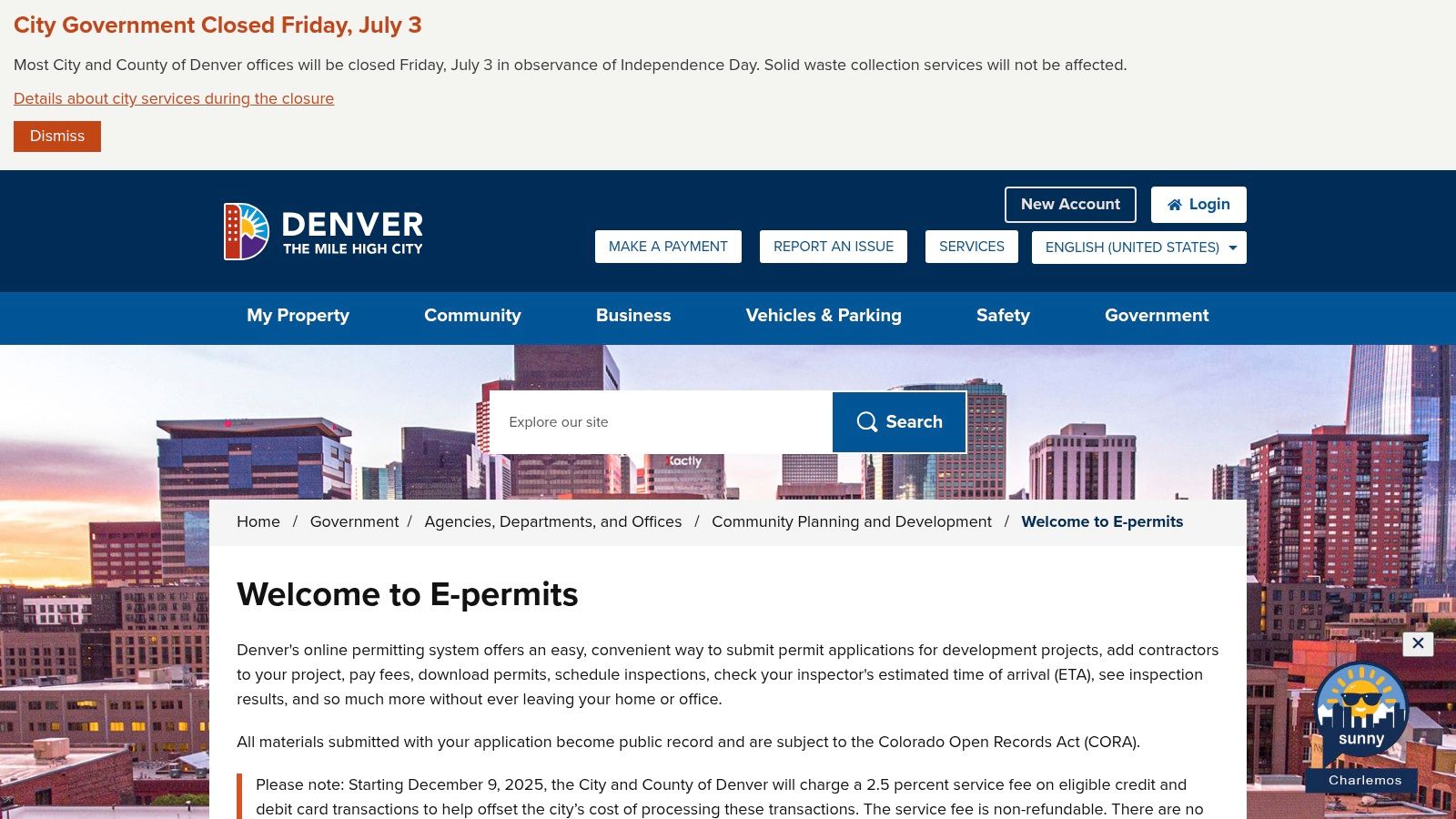
The official answer is simple. Use the Denver ePermits portal and search by the exact address or parcel number.
That's the reliable path. Denver's broader block-style search options are widely reported as unreliable, and the city workflow performs best when you search one property at a time, as noted in this Denver permit lookup breakdown.
Search by address first
Go to the official ePermits portal and enter the property exactly as Denver expects it.
That means:
- Use the full street number and street name
- Match directional and suffix formatting
- Avoid loose variations unless you're forced to broaden the query
- Try unit-specific searches carefully if the building has multiple addresses
If an exact match doesn't return what you expect, don't assume the property has no permits. The portal often behaves like a records database, not a consumer search engine.
Parcel number is often cleaner
Parcel-based searching is less vulnerable to formatting noise.
For investor and brokerage workflows, that matters because addresses can vary across title records, listing feeds, assessor data, and permit systems. A parcel search strips out some of that ambiguity.
If the address search is thin, move to parcel immediately. That usually saves time faster than trying five address variations.
Search by record number when you have it
This is the highest-precision method.
Denver permit records use a structured number format. Building permits commonly follow a YEAR-TYPE-###### pattern, where the type identifies the record category. Building records may use LOG, zoning records may use ZONE, and sewer use permits may use SUDP. Some guidance also references a building format such as YEAR-LOG#######.
If you already have a log number from a plan review notice, contractor communication, or an earlier city record, use it. It will usually get you to the right file faster than any address search.
Use wildcards carefully
Denver's search tools may allow wildcard use with % before or after a term.
That helps when:
- you know only part of the owner name
- a contractor name appears in multiple forms
- the address may have a formatting mismatch
Wildcards are a recovery tactic, not the primary method. Start exact. Broaden only when the direct route fails.
What to click after you find a record
Once you've located a likely permit, review the visible fields in order:
- Record number
- Permit type
- Status
- Address and parcel match
- Applicant, owner, or contractor
- Inspection trail
- Attachments and approved documents
One permit often turns into several related records. Building work may sit in one file, while electrical, plumbing, or mechanical permits sit in separate trade records.
If you want another city example for how permit research varies by jurisdiction, this Phoenix building permits guide is useful for comparison. The pattern is familiar. Source systems are public, but extracting complete operational data is rarely smooth.
Historical records are available, with one painful gap
Denver's historical building permit archive is real, but it isn't straightforward.
According to the Denver Public Library's building permit research page, records exist for 1889 to 1892 and 1900 to 1955, while permits from 1893 to 1899 are permanently lost. Records before 1915 often require legal description searches because addresses rarely appear. Records from the 1970s to the present are available through Denver's Building Permit Records office.
Status terms that matter
A permit record is not just a yes-or-no answer.
| Status term | What it usually means | Why it matters |
|---|---|---|
| Issued | Work is authorized to begin | Activity is approved, not necessarily completed |
| Closed or finaled | Work appears completed and inspected | Better signal for completed improvements |
| Open | Permit exists but isn't closed | Could indicate active work, delay, or incomplete closeout |
| Deferred item | Part of the project is handled later | Completion risk may extend beyond the headline timeline |
Denver also promotes a 180-day concept-to-permit benchmark in some contexts, but that doesn't tell the whole story for projects with deferred items. That's where record interpretation becomes more important than the initial search.
How Do You Interpret Denver Permit Records
A permit record answers a narrow question first. What was approved, and what happened next?
Many stop too early. They find a record, see “issued,” and treat that as completed work. That's a mistake.
Read the record as a project timeline
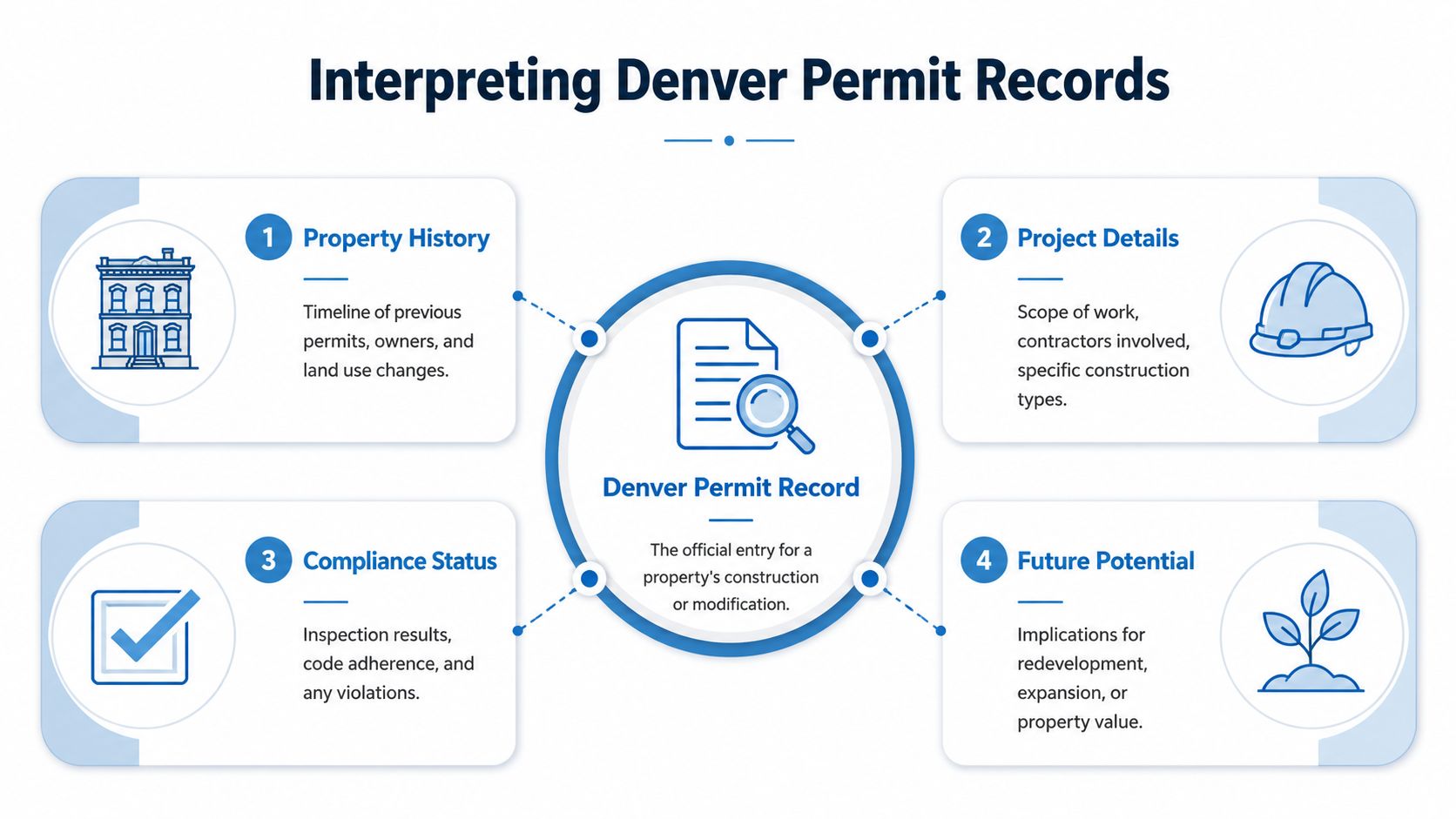
A useful permit review asks four questions:
| Record area | What to check | Why it matters |
|---|---|---|
| Property history | Prior permits tied to the same address or parcel | Reveals repeat renovations, additions, or redevelopment patterns |
| Project details | Scope, permit type, contractor, review comments | Tells you what work was actually proposed |
| Compliance status | Inspections, finals, open issues | Distinguishes approved work from completed work |
| Future potential | Related zoning or later permits | Shows whether the property is still in transition |
A single LOG record may point to the main building work, but a proper review should also look for separate trade permits. Electrical, plumbing, and mechanical work often lives outside the main building entry.
The 180-day assumption is too simplistic
Denver's public messaging around review speed can create false confidence.
The important nuance is this: Denver's 180-day “site development plan to building permit” target does not include the full lifecycle of deferred item inspections, and those deferred items must be resolved before a Certificate of Occupancy is issued, as explained in this Denver permitting analysis.
That matters most for complex residential and small development projects. A permit may move through initial review inside the publicized window and still remain operationally unfinished because deferred components are still outstanding.
Field insight: An “on time” permit review doesn't guarantee an on-time project. Deferred items are where the public timeline often stops being useful.
The portal itself creates interpretation risk
At this point, users get annoyed for good reason.
Common documented issues include:
- No practical bulk lookup
- Address-only searches that don't surface the full story
- Attachments that may not be accessible unless you're logged in
- Separate trade records that users miss
- Confusing record relationships between planning, building, and inspection events
That's why a clean due diligence workflow can't rely on the first screen result.
For builders and owners trying to understand how permitting and inspection logic affects occupancy timing, this BarndoBuilderList permitting insights page is a practical reference.
What status really tells an investor
An issued permit can signal upside. It can also signal unfinished execution.
A closed or finaled permit usually carries more weight for valuation and resale confidence because it suggests the work moved through inspection. An open permit may be nothing dramatic, but it deserves a second look. For acquisitions, open permits can affect renovation assumptions, lender comfort, and post-close project planning.
An expired or unresolved record can be even more revealing. It may indicate a stalled remodel, a change in ownership strategy, or a project that never fully converted from intention to completed improvement.
What Are the Common Pitfalls of a Manual Search
The biggest problem with manual Denver permit search isn't user error. It's system design.
Denver's public tools were built for record access, not for modern property intelligence workflows. If you only need one permit and you already know the right identifier, you can usually get there. If you need consistency, attachments, cross-record completeness, or scale, the cracks show fast.
Address searches fail more often than they should
One of the most common frustrations is simple. You search a valid address and get nothing useful back.
That often happens because the system expects a specific Log Number format instead of handling an address search the way most users expect, as discussed in this video explanation of Denver e-permits search confusion. When that happens, permitted work can look unsearchable even when records exist.
Attachments and document access are uneven
The visible record is often only part of the file.
Approved plans, backup documents, and related attachments may not load properly unless the user is authenticated in the system. For due diligence, that creates a serious gap. You may confirm that a permit exists but still fail to verify the actual scope of approved work.
Public permit access is not the same thing as practical permit access. That distinction matters in underwriting.
Bulk analysis is basically off the table
Manual Denver searches break down for portfolio and market use.
You can't sensibly run neighborhood-wide, zip-based, or large-list reviews through the public interface. Even when a broad search path exists on paper, professionals regularly find it too buggy or too limited to trust in production.
Why programmatic access becomes the rational move
Once you hit these limits, the answer isn't “search harder.” The answer is to change the access method.
Programmatic permit access solves the four problems manual lookup can't:
| Problem | Public portal | Programmatic workflow |
|---|---|---|
| One-by-one searching | Required | Bulk retrieval possible |
| Authentication friction | Common | Centralized access workflow |
| Incomplete cross-record visibility | Frequent | Better normalization across records |
| Operational use | Weak | Easier CRM, underwriting, and monitoring integration |
If you work around occupancy timing, the relationship between permit completion and final usability matters too. This Blue Gas Express guide for builders is helpful context on occupancy permits and why incomplete approvals create downstream issues.
The public portal is fine for occasional confirmation. It's not a serious production system for analysts, lenders, insurers, or lead-generation teams.
How Can You Access Denver Permit Data Programmatically
Programmatic access means pulling permit data through a structured data workflow instead of clicking through one property at a time.
That shift changes the job completely. You stop acting like a researcher with a browser and start acting like an operator with a repeatable data pipeline.
What programmatic access fixes
Denver permit data is often described by users as confusing and incomplete, including cases where attachments don't load unless the user is logged in, as noted in this discussion of Denver permit lookup friction. That's exactly the kind of problem APIs are meant to reduce.
A programmatic workflow gives you:
- Consistent retrieval across many properties
- Standardized fields that are easier to analyze
- Cleaner joins to assessor, owner, mortgage, and valuation data
- Faster repeatability for monitoring and lead generation
- Less dependence on a fragile front-end portal
Why this matters in real business workflows
The value of permit data isn't the permit itself. It's the decision you make after connecting it to the rest of the property record.
For example:
- Investors can flag homes with recent renovation activity and compare permit history against listing claims.
- Lenders can monitor collateral for new construction, major improvements, or unresolved project activity.
- Insurers can use permit signals as part of risk review around property changes.
- Home services marketers can build targeted audiences around households with relevant project approvals.
That only works well when permit data isn't trapped in a one-record-at-a-time interface.
API access changes the unit of work
With manual search, the unit of work is one address.
With APIs, the unit of work becomes a portfolio, a geography, a product rule, or a trigger condition.
| Workflow type | Manual portal model | API-first model |
|---|---|---|
| Single-property due diligence | Reasonable | Also possible |
| Portfolio monitoring | Clunky | Practical |
| Lead generation | Slow list-building | Automatable |
| Risk alerts | Manual review cycle | Trigger-based monitoring |
That's the dividing line. APIs don't just speed up old work. They let you build workflows that aren't realistic in the public interface at all.
For teams building those systems, this guide to property data APIs lays out the operational side of accessing property records programmatically.
What a professional dataset should include
A useful permit dataset should connect permit records to a wider property profile, not leave them isolated.
Look for:
- Normalized address and parcel identity
- Permit type and status fields
- Historical ownership context
- Property characteristics
- Valuation and mortgage signals
- Bulk delivery or API endpoints
- Clear matching logic across record systems
Operator mindset: The point isn't to collect more records. The point is to reduce uncertainty around a property faster than your competitor can.
If your team is still assigning staff to click through municipal portals one property at a time, you don't have a permit data process. You have a labor-intensive workaround.
How Do You Turn Permit Data Into Actionable Insights
Permit data becomes useful when it triggers action inside a business system.
That action might be an acquisition review, a servicing alert, a marketing sequence, or a manual call from an analyst. The raw record doesn't create value on its own. The workflow does.
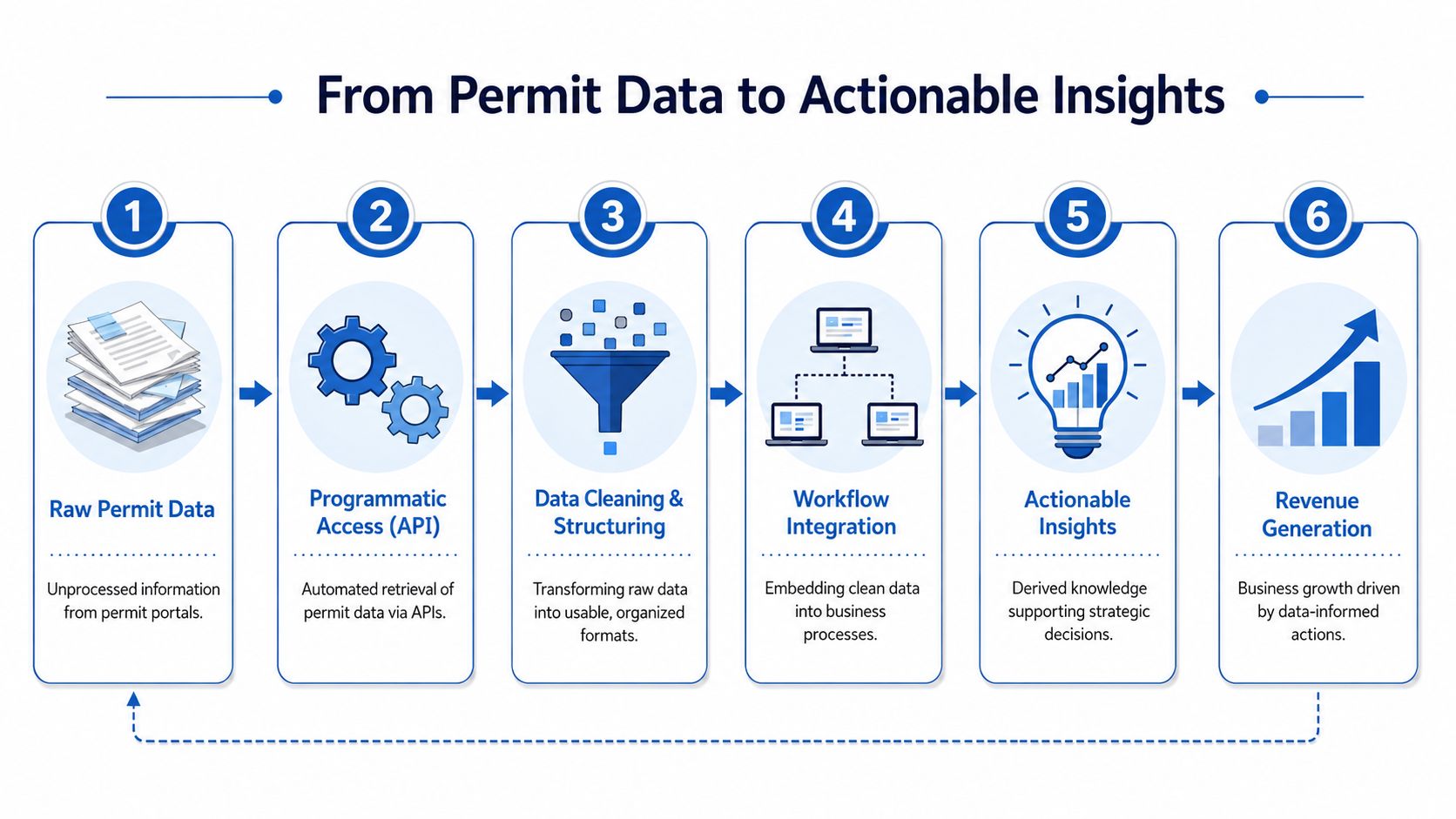
Three practical operating models
Investors and acquisition teams
Permit activity can help surface properties that are changing before the broader market fully prices that change in.
Useful patterns include:
- Recently issued renovation permits that suggest active capital going into a property
- Open or unresolved records that may indicate execution friction
- Older improvement histories that help test seller claims about upgrades
Lenders and insurers
Permit data can function as a property change alert.
A lender might flag newly permitted work on collateral for review. An insurer might use permit history to understand whether a risk profile has shifted because of additions, major systems work, or incomplete project closeout.
Home services and local marketing teams
This is one of the most practical use cases.
A contractor, roofer, solar company, HVAC operator, or remodeling business can use permit signals to identify households already in a decision cycle. That's far better than broad untargeted outreach.
The handoff matters more than the lookup
A good permit workflow should push into the systems people already use.
| Action layer | What happens |
|---|---|
| CRM | New permit-related leads route to sales or outreach |
| Underwriting model | Property change signals feed risk review |
| Portfolio monitoring | Teams receive alerts on tracked assets |
| Marketing automation | Campaigns trigger from relevant permit events |
What separates useful insight from noisy data
Two habits make the difference:
- Match permit data to a verified property identity, not just a text address.
- Set business rules before the data arrives, so your team knows what should trigger review.
That's how permit data moves from “interesting” to operational.
If you need permit data in a format your team can use, BatchData is built for that job. It gives real estate, lending, insurance, and marketing teams programmatic access to property and permit data at scale, so you can stop fighting municipal portals and start building workflows that produce decisions.