



You've got an API integration blocked by documentation that is technically correct, difficult to find, and already out of sync with the product. Documentation quality is the degree to which information is accurate, complete, current, understandable, discoverable, and usable for a real task. It isn't a grammar score or a page-count metric.
For API and data-platform teams, quality must operate as a system. The system connects measurable criteria to an audit rubric, automated checks, review ownership, user telemetry, and recurring maintenance. That's especially important when documentation supports a platform such as BatchData, where product information must remain aligned with 169M+ records and daily updates.
This guide gives you a practical operating model:
- Define quality: Treat structure, content, style, and user experience as separate concerns.
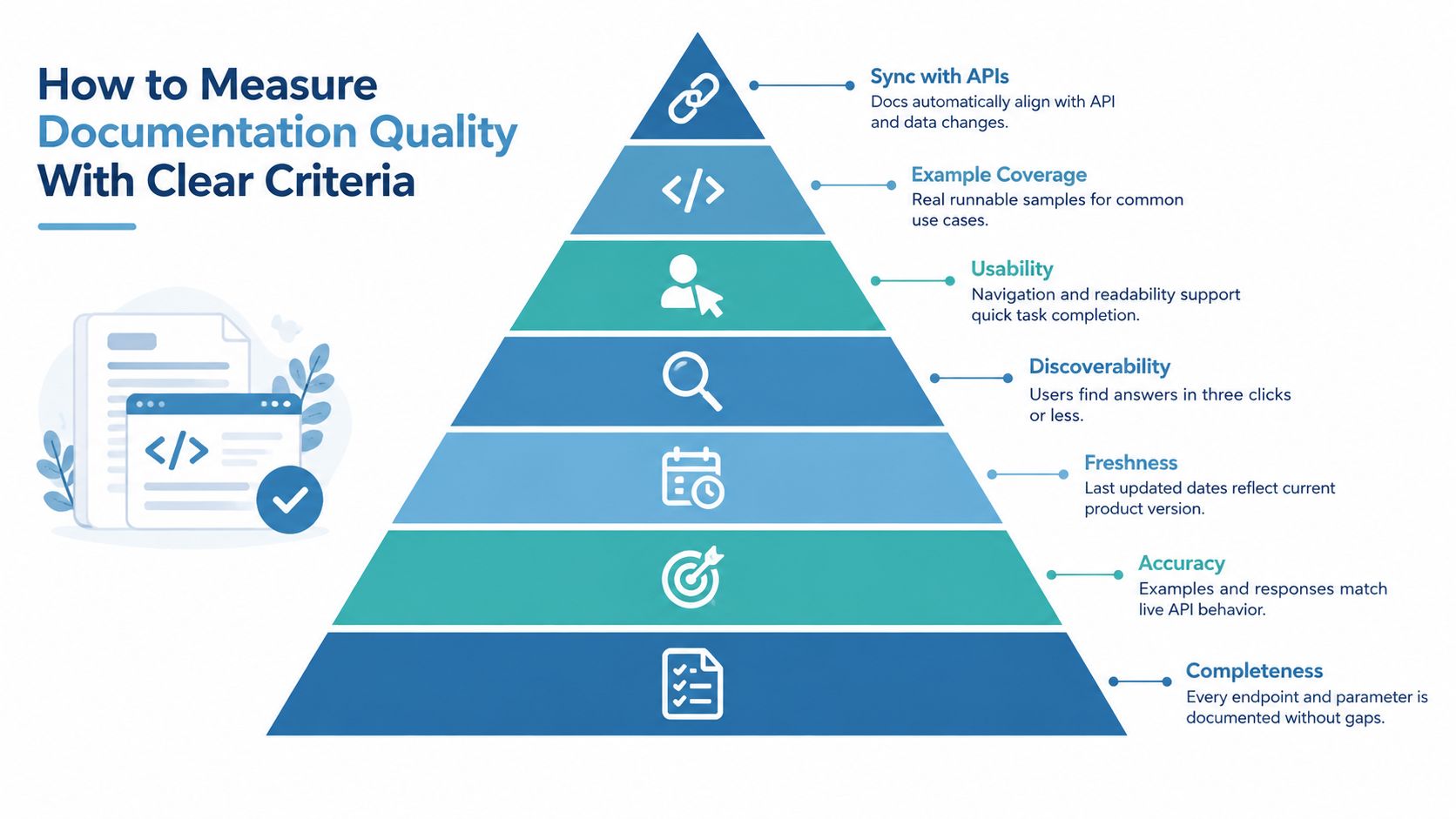
- Measure quality: Inspect completeness, accuracy, freshness, discoverability, usability, examples, and API synchronization.
- Audit quality: Apply a repeatable checklist and scoring matrix across reference pages, guides, and data dictionaries.
- Maintain quality: Combine ownership, CI automation, technical review, play testing, and feedback.
- Monitor quality: Connect documentation signals to user behavior and support patterns.
A strong documentation program doesn't ask whether the docs “look good.” It asks whether users can complete the next job correctly and confidently.
What Documentation Quality Is and Why It Matters
Documentation quality is a multi-dimensional property of information, presentation, and user experience. A page can be factually correct yet fail if users can't locate it, understand it, or apply it to the task in front of them.
A useful baseline comes from ISO/IEC 26513:2009, which states that software documentation should be consistent, complete, accurate, and usable in its formal software documentation standard. Those four qualities establish the floor:
- Consistent: Terms, formats, navigation, and behavior descriptions don't contradict one another.
- Complete: The page covers the information required for its intended task, including relevant conditions and exceptions.
- Accurate: The content reflects the actual product, API contract, data behavior, or operational procedure.
- Usable: The reader can understand and apply the information without unnecessary effort.
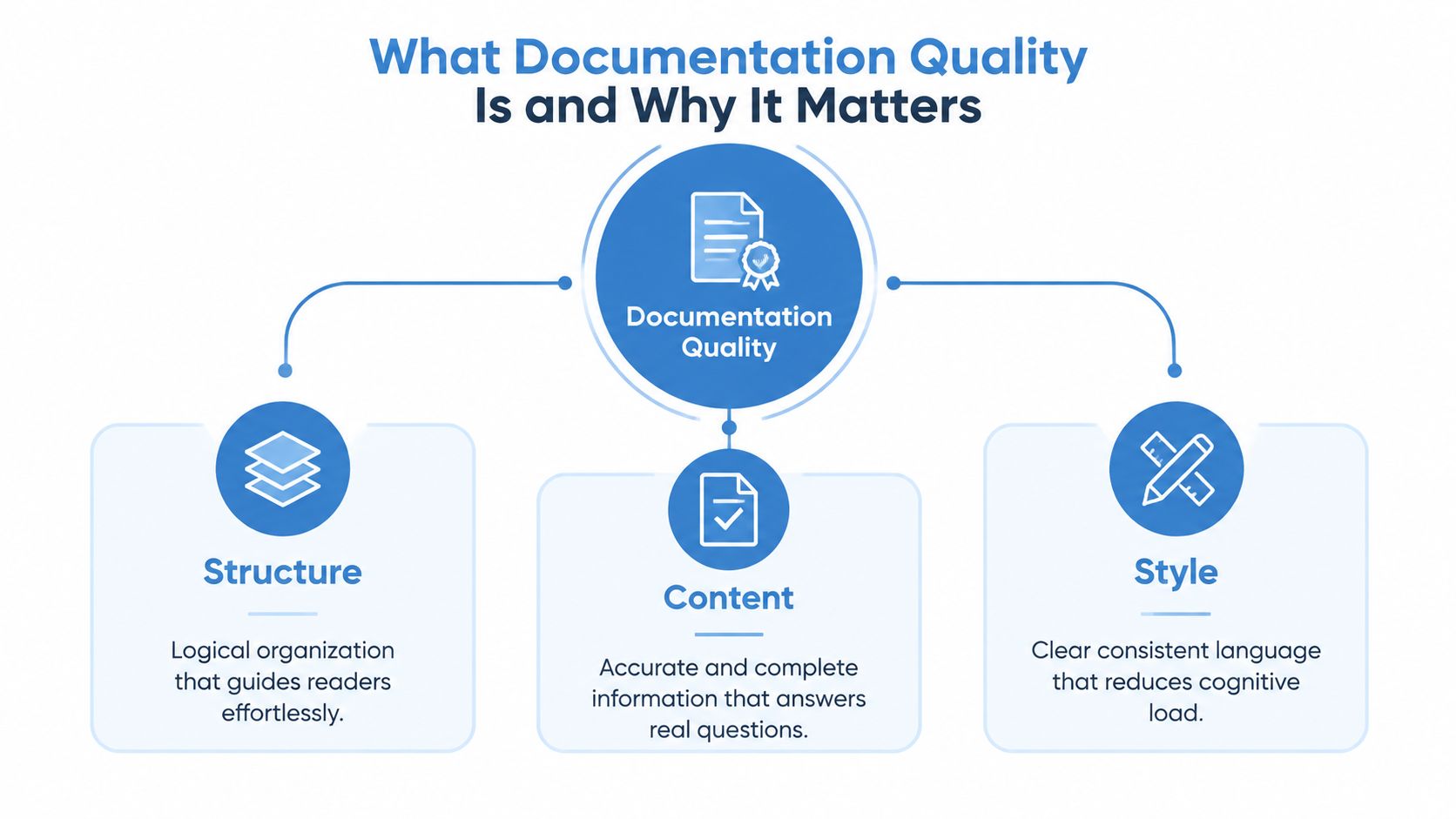
That baseline still isn't enough for a developer portal. A peer-reviewed framework decomposes documentation quality into ten dimensions across structure, content, and style, while later review work groups quality into content quality, presentation quality, and user experience quality through the documentation quality framework. These models help teams avoid a common mistake, treating quality as one aggregate “accuracy” score.
Treat docs as a product interface
An API reference page is an interface between a user and a system. A broken button frustrates an application user. A missing parameter constraint, unclear authentication step, or stale response example frustrates an engineer in the same way.
Consider a property data endpoint. The endpoint may return valid JSON, but a developer still needs to know:
- Which fields are required.
- How a property identifier is formatted.
- Whether an empty result differs from a missing result.
- How valuation and ownership attributes should be interpreted.
- What errors mean and how a caller should recover.
- Which delivery option fits an interactive request versus a bulk workflow.
If the answer exists but isn't discoverable, the documentation has a structure and user-experience defect. If the answer is readable but obsolete, it has a freshness and accuracy defect. The user experiences both as failure.
Practical rule: Evaluate every documentation page against a user job, not against the writer's intention.
This operational view also changes ownership. ISO/IEC TR 9294:2005 frames software documentation as a management concern for people responsible for software or software-based products, not merely a writing activity. Quality requires accountable owners, defined checks, and a process that survives product change.
How to Measure Documentation Quality With Clear Criteria
Measure documentation quality by recording separate signals for the information users need and the experience required to use it. A single grade can hide a serious gap, such as accurate reference content buried under weak navigation.
Start with the task. A developer onboarding to an API needs a path to the first valid request. An engineer troubleshooting a failed request needs error meaning and recovery guidance. A data analyst selecting fields needs definitions, provenance, update behavior, and delivery constraints.
| Criterion | What good looks like | Evidence to collect |
|---|---|---|
| Completeness | Every relevant endpoint, parameter, field, condition, and workflow is covered | API specification comparison, field inventory, support-question review |
| Accuracy | Requests, responses, constraints, and explanations match actual behavior | Contract tests, executable examples, production response checks |
| Freshness | Version, update status, and changed behavior are visible and current | Repository history, release metadata, automated age checks |
| Discoverability | Users can locate the answer through predictable navigation and search | Search logs, page paths, failed searches, user tests |
| Usability | Readers can scan, understand, and complete the task | Play tests, task completion observations, feedback |
| Example coverage | Examples represent common jobs and include realistic success and failure paths | Example inventory, copy-paste tests, language coverage |
| API synchronization | Documentation changes with endpoint, schema, and data-model changes | OpenAPI diffs, schema checks, pull-request rules |
Completeness and accuracy
Completeness doesn't mean adding every possible detail to every page. It means covering the details required for the page's stated job. An API endpoint may need parameters, authentication, request syntax, response fields, errors, pagination, limits, and a working example. A data dictionary may need field definitions, types, allowable values, update behavior, and interpretation guidance.
Accuracy requires evidence rather than editorial confidence. Compare reference pages with the API contract, execute examples against a safe environment, and inspect response fixtures when behavior changes. Missing edge cases are a completeness problem. A retired endpoint shown as active is an accuracy and freshness problem.
Freshness and synchronization
A “last updated” label is useful only when it reflects a real change process. Connect documentation changes to release notes, schema changes, and API specification diffs. If a field changes meaning, the field description and the relevant guide should change in the same delivery workflow.
For a frequently updated data platform, synchronization also applies to data semantics. Documentation should distinguish stable API behavior from changing records, valuations, ownership information, listings, or other platform attributes. Readers need to know what the system guarantees and what can change as data is refreshed.
Discoverability, usability, and examples
Discoverability is measurable through search behavior and task paths. Record queries that produce no useful result, pages users visit before opening support tickets, and links that consistently lead to dead ends. Usability is broader than readability. It includes navigation, headings, terminology, visual hierarchy, and whether a reader can recognize the correct next step.
Examples should be runnable, focused, and tied to real jobs. A property search example should show the request, relevant filters, response shape, and interpretation. An authentication example should show the minimum complete flow, not an isolated fragment. Test examples in CI so the page doesn't promise behavior the API no longer provides.
How to Audit Documentation Quality With a Checklist and Scoring Rubric
A documentation audit turns quality criteria into repeatable checks, evidence, scores, and owners. Run it on representative pages rather than attempting to review every document at once.
Use the PDQI-9 attributes as a practical inspection lens: up-to-date, accurate, thorough, useful, organized, comprehensible, succinct, synthesized, and internally consistent. A 2024 clinical documentation study in the U.S. Department of Veterans Affairs used this instrument and reported mean scores of 3.7 for thoroughness and 4.0 for accuracy, while internal consistency and comprehensibility scored best, as documented in the PDQI-9 study. The result is instructive for API teams: polished presentation doesn't guarantee complete or correct information.
Add the actionable dimensions identified by the SANAD Lab, including completeness, readability, code examples, ease of use, and up-to-dateness, using its software documentation quality evaluation paper.
Run the audit in four passes
- Select the surface: Choose API reference pages, onboarding guides, troubleshooting content, and data dictionaries. Don't score unlike pages as if they serve the same job.
- Define the question: Ask what a user should accomplish with each page. For example, can a developer authenticate, submit a request, interpret a response, or recover from an error?
- Collect evidence: Use specifications, source code, test output, release records, search logs, support tickets, and play-test notes.
- Score and assign: Apply the same scale to every page, record the evidence, and give each gap an owner and target release.
A 1 to 5 scale works when the criteria are explicit. A score of 1 means the requirement is absent or materially misleading. A score of 3 means the page supports the main task but has meaningful gaps. A score of 5 means the page is complete for its intended job, verified against evidence, and easy to use.
| Quality Dimension | What to Check | Evidence Source | Score 1-5 Criteria |
|---|---|---|---|
| Up-to-date | Version, endpoint behavior, and update notes reflect the current product | Release history, API spec, repository changes | 1, obsolete; 3, partly current; 5, verified against the current release |
| Accurate | Syntax, field meanings, responses, and error behavior match reality | Contract tests, fixtures, implementation | 1, misleading; 3, minor mismatches; 5, all tested claims match |
| Thorough | The page covers primary paths, constraints, and edge cases | Requirement list, support themes, user tasks | 1, major omissions; 3, main path only; 5, relevant scenarios covered |
| Useful | Guidance supports a real job and explains decisions | Play-test notes, task outcomes, support records | 1, no task path; 3, partial help; 5, clear task completion |
| Organized | Navigation and information order match user intent | Information architecture, findability tests | 1, difficult to navigate; 3, uneven structure; 5, predictable path |
| Comprehensible | Language, examples, and terminology are clear | Editorial review, user feedback | 1, confusing; 3, requires interpretation; 5, clear to the target audience |
| Succinct | The page removes repetition without omitting necessary context | Editorial review, task observation | 1, bloated or sparse; 3, mixed; 5, focused and complete |
| Code examples | Samples are complete, relevant, and runnable | Example tests, language inventory | 1, absent or broken; 3, partial; 5, tested and useful |
| Ease of use | Readers can apply the page without avoidable friction | Play testing, navigation analytics | 1, task blocked; 3, extra clarification needed; 5, straightforward execution |
Use the BatchData implementation documentation guide as a reminder that implementation guidance deserves its own audit surface, separate from endpoint reference content.
For continuous assessment, connect each goal to questions and metrics through the Goal-Question-Metric model, a model described in the QUATIC metrics paper. A goal such as “make onboarding reliable” can produce questions about authentication, first requests, and error recovery, followed by checks on example success, failed searches, and play-test completion.
How to Build Processes That Keep Documentation High Quality
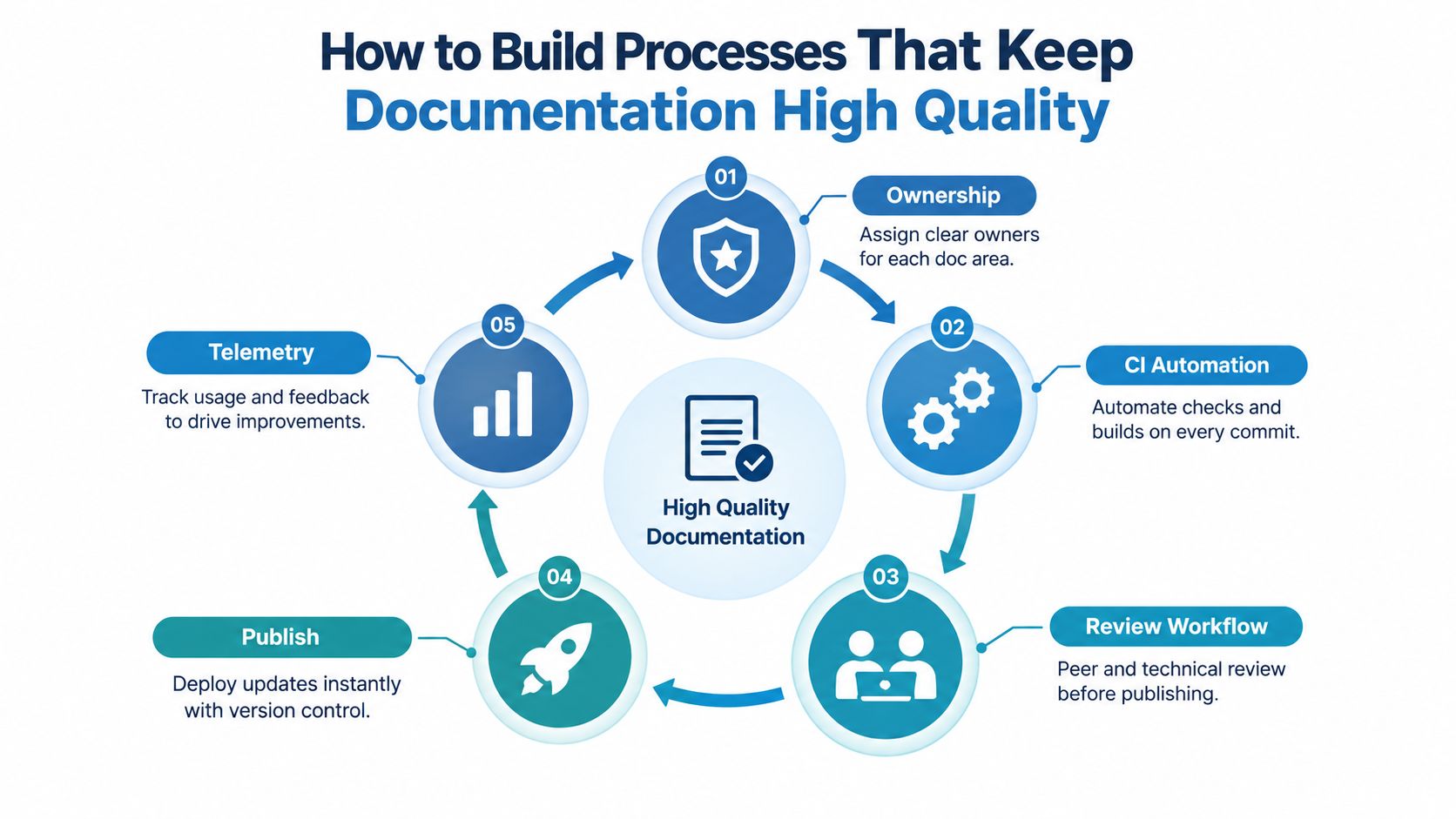
Documentation stays reliable when teams treat it as part of the delivery system, not as a final editorial task. Ownership sets accountability, automation catches mechanical drift, review catches meaning and usability problems, and telemetry reveals what users still can't do.
The management principle is explicit in ISO/IEC TR 9294:2005: documentation requires process ownership. Assign a documentation owner for each API area, guide set, data domain, and delivery method. Product, engineering, technical writing, support, and developer experience teams can share responsibility, but each artifact needs a named decision-maker.
Use a five-stage review loop
Recent work on documentation review identifies five stages: self review, technical review, editorial review, play testing, and post-publication feedback. Each stage catches a different class of defect.
- Self review: The author checks purpose, scope, terminology, links, and obvious omissions.
- Technical review: An engineer or subject-matter owner verifies behavior, schemas, examples, and constraints.
- Editorial review: A writer checks structure, language, consistency, and audience fit.
- Play testing: A target user follows the instructions without coaching. Their hesitation is evidence.
- Post-publication feedback: Search failures, support questions, feedback widgets, and issue reports identify defects after release.
This loop shouldn't require a large meeting for every typo. Use lightweight review for small corrections and stronger technical and play-testing requirements for contract changes, new workflows, and data-model changes.
Put mechanical checks in CI
Docs-as-code workflows make documentation changes visible in version control. Add checks that can run on every relevant commit:
- Link validation: Detect broken internal and external references.
- Example execution: Run code samples against fixtures or a safe test environment.
- Schema comparison: Compare the documented API contract with the implementation or published specification.
- Required-content checks: Flag endpoints without descriptions, parameters, responses, errors, or examples.
- Terminology linting: Catch deprecated names and inconsistent field labels.
- Build validation: Ensure navigation, search indexes, and versioned pages compile correctly.
Automation can't judge whether an explanation makes sense to a first-time user. It can, however, prevent predictable defects from reaching human reviewers.
A simple RACI model clarifies the boundaries. Engineering is usually accountable for technical truth. Technical writing is responsible for information design and language quality. Product decides audience and scope. Support contributes recurring questions. Developer experience monitors usage and friction. The exact allocation can vary, but “everyone owns it” isn't an operating model.
Quality is maintained at the point of change. If an endpoint, field, workflow, or delivery contract changes, the documentation update belongs in the same review path.
Telemetry closes the loop. Track searches with no useful click, pages associated with support tickets, example failures, and repeated navigation paths. A spike in questions about authentication may indicate missing setup guidance. Repeated confusion around valuations or ownership attributes may indicate a data-definition problem rather than a writing problem.
For onboarding workflows, align documentation responsibilities with the broader developer onboarding process. New developers should encounter the same source of truth that experienced engineers use, not a separate collection of informal instructions.
Real World Examples of High Quality API and Data Platform Documentation
High-quality API documentation answers the user's next implementation question before support has to answer it. The difference becomes clear when the same BatchData workflow is written in two ways.
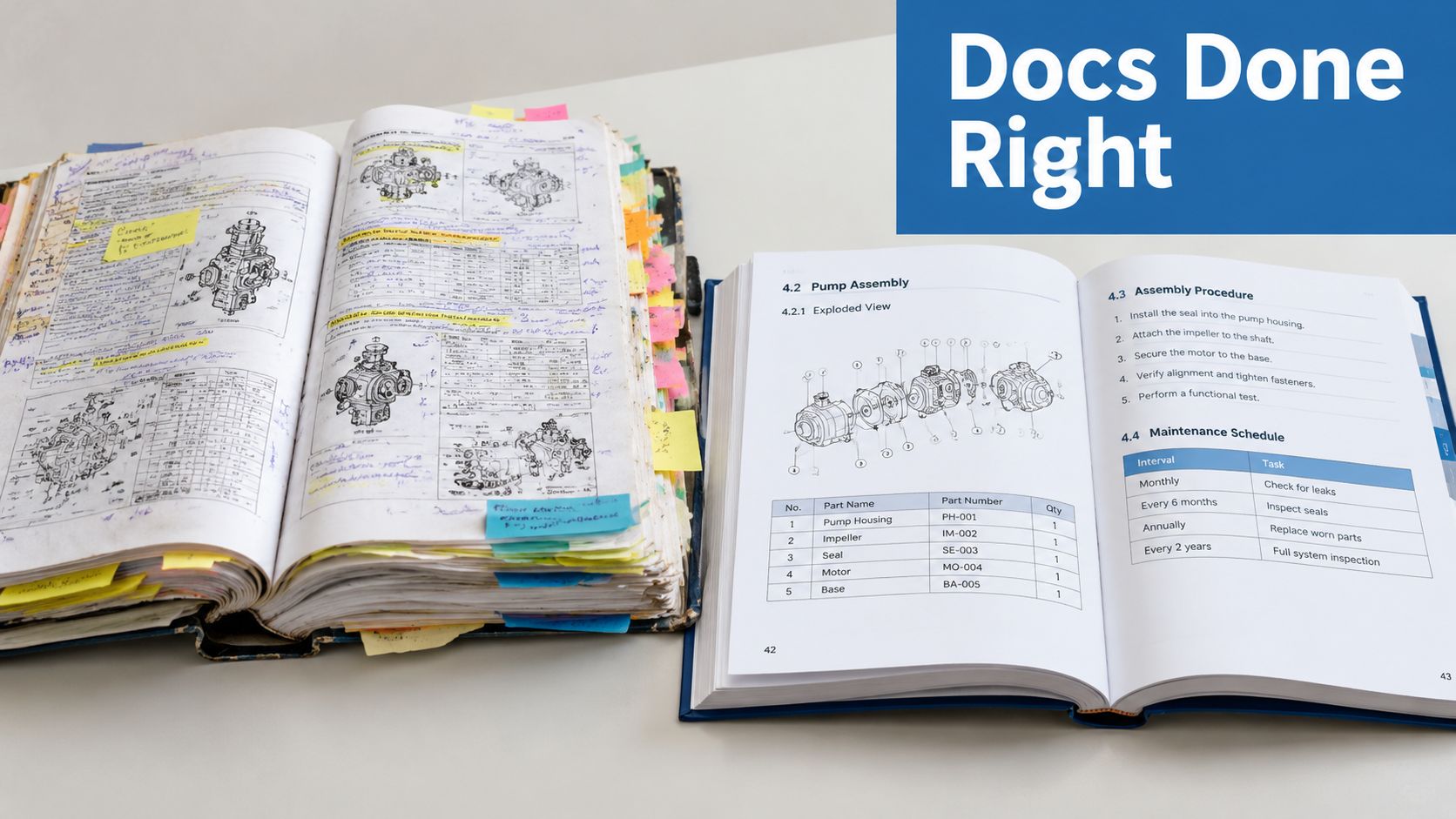
A weak property-data reference might list an endpoint and a field name such as valuation, then stop at a sample response. A stronger version defines what the attribute represents, identifies the request inputs, shows the response shape, explains missing or unavailable values, and links to related property concepts. It also marks the relevant version or update context so a reader can distinguish API contract behavior from changing real-estate data.
API reference before and after
Authentication provides another sharp contrast. “Add your API key to the request” is an instruction, but it leaves important execution questions unanswered. A useful page shows the complete request pattern, identifies where credentials belong, explains the expected success response, and describes the failure path without forcing the reader to search through unrelated pages.
Error handling should follow the same pattern. A low-quality page names an error code. A high-quality page explains the cause, whether the caller should change input or retry, and how to identify the affected request. That distinction matters to a mortgage workflow that must separate invalid data from temporary service conditions.
The BatchData real estate API documentation examples provide a useful reference point for organizing examples around actual property-data integration tasks rather than isolated syntax.
Data-platform workflows
For portfolio monitoring, documentation should connect property identifiers, ownership history, valuation information, mortgage and lien details, listings, permits, and pre-foreclosure activity to the user's workflow. For bulk delivery through S3 or Snowflake, it should explain delivery scope, file or table structure, field definitions, update behavior, and how a consumer can validate ingestion.
The quality pattern is consistent across use cases:
- Underwriting: Define the fields needed to interpret property and financing signals.
- Lead enrichment: Distinguish owner contact attributes from property attributes and explain verification context.
- Investor research: Show how search, filtering, and portfolio monitoring relate to the data model.
- Consumer applications: Document failure states and field behavior clearly enough for product teams to build safe user experiences.
The improvement isn't cosmetic. It removes uncertainty at the exact point where a developer must decide what to call, what a field means, and what to do when the response differs from the happy path.
Tools and KPIs to Monitor Documentation Quality Over Time
Choose tools by the quality signal they can verify, not by the number of features in the platform. A docs-as-code system supports version control and pull-request review. An API specification validator checks contract structure. Example-testing tools verify runnable samples. Search analytics and feedback widgets reveal user friction.
| Tool category | Best use | Watch for |
|---|---|---|
| Docs-as-code platform | Versioning, review, automated builds | Weak contribution workflow or fragmented ownership |
| API validator | Schema and contract checks | Valid syntax without meaningful explanations |
| Example test runner | Request and response verification | Tests that don't represent real user tasks |
| Search analytics | Discoverability and failed journeys | High page views mistaken for successful use |
| Feedback widget | Qualitative issue discovery | Feedback collected without an owner or response process |
Track KPIs that connect to user jobs: time to first successful API call, search success rate, example copy-paste success, freshness lag, and support deflection. Visualize them through GQM goals, questions, and metrics so every dashboard signal has an accountable owner.
Documentation also sits inside a wider information-management environment. Teams comparing knowledge bases, records, and operational repositories may find the RealEstateCRM document management overview useful when deciding how documentation should be stored and governed.
BatchData's transparent documentation approach illustrates the same principle: users need a clear path from API capability to implementation, with data concepts and delivery options presented in a form developers can apply.
Conclusion Your Next Steps to Better Documentation
Documentation quality improves when teams move from opinion to evidence, then from evidence to an operating rhythm. Start by defining the user jobs your API and data-platform docs must support. Map each job to completeness, accuracy, freshness, discoverability, usability, examples, and synchronization checks.
Use a practical 30-60-90 day plan:
- First 30 days: Audit representative reference pages, guides, and data dictionaries. Score the largest gaps and assign owners.
- By 60 days: Add technical review, play testing, documentation requirements to pull requests, and automated checks for links, examples, and API changes.
- By 90 days: Launch a dashboard for search success, first-call success, example reliability, freshness, and support patterns. Review results with product and engineering owners.
The aim isn't a perfect document frozen in time. It's a continuous QA loop that keeps information accurate, usable, discoverable, and synchronized as the product changes.
BatchData provides real-estate APIs and bulk data delivery for property records, valuations, owner contacts, and related property signals, with documentation that supports implementation workflows. Visit BatchData to evaluate the platform and connect its data capabilities to your documentation quality program.