



Delivery method · Cloud Delivery
Property data delivered to your warehouse or file store
BatchData sends the datasets you choose to Snowflake, Databricks, Amazon S3, SFTP or Google Drive on a schedule you set. Your team queries the data where it already works.
TRUSTED BY LEADING BRANDS

























What you get
Property data lands where your team already works.
- Destinations
- Snowflake, Databricks, Amazon S3, SFTP or Google Drive
- Formats
- CSV, JSON or Parquet files
- Schedule
- Weekly, monthly, quarterly or annual
- Updates
- A full refresh, or delta files with only the changed records
- Setup
- Our Professional Services team sets up the delivery with you
How it works
Choose the data and the destination. BatchData delivers on schedule.
You choose datasets, markets and a destination
- Pick the datasets and markets you need.
- Choose Snowflake, Databricks, Amazon S3, SFTP or Google Drive.
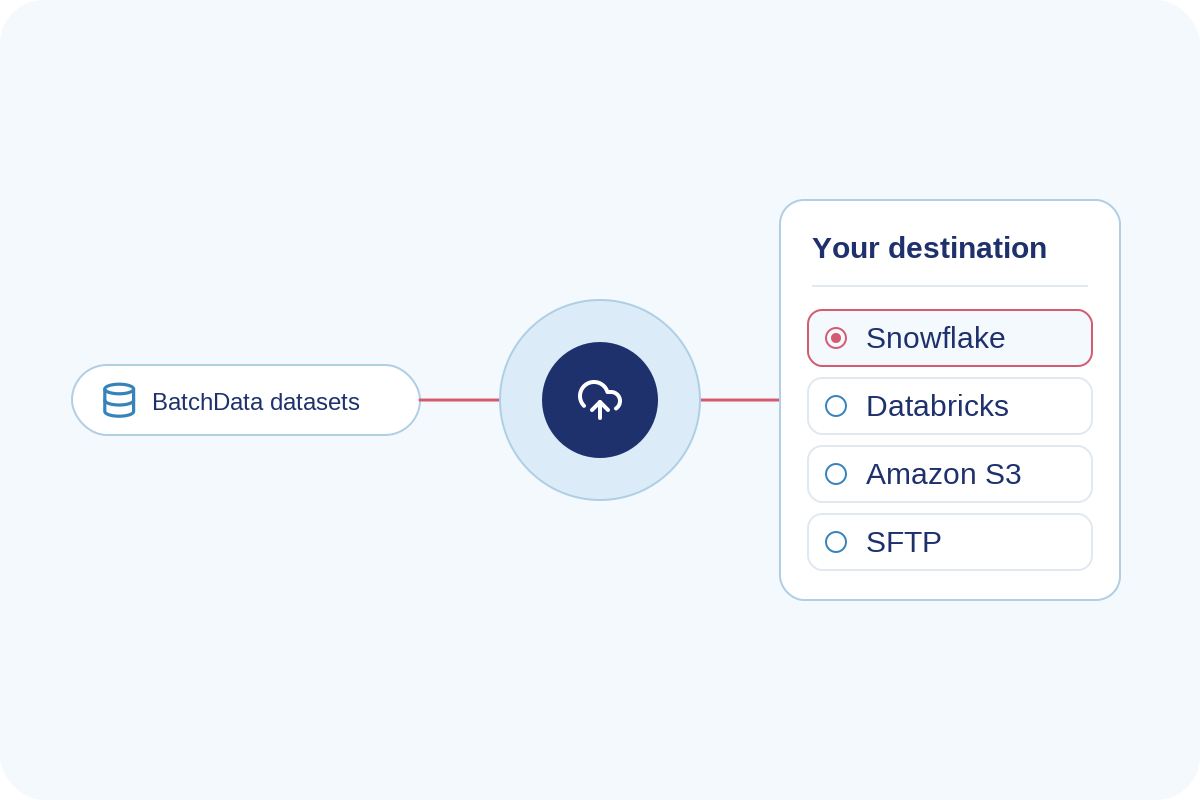
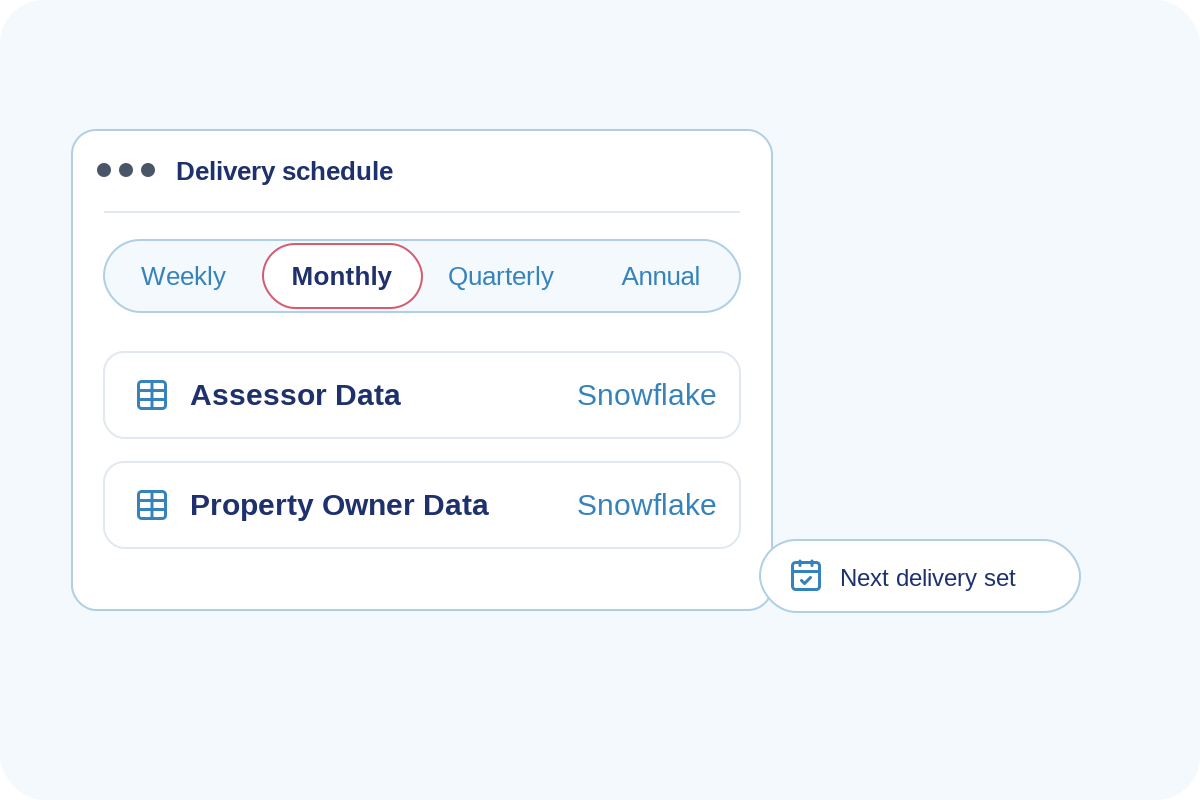
BatchData delivers on your schedule
- Weekly, monthly, quarterly or annual deliveries.
- Our Professional Services team sets up the delivery with you.
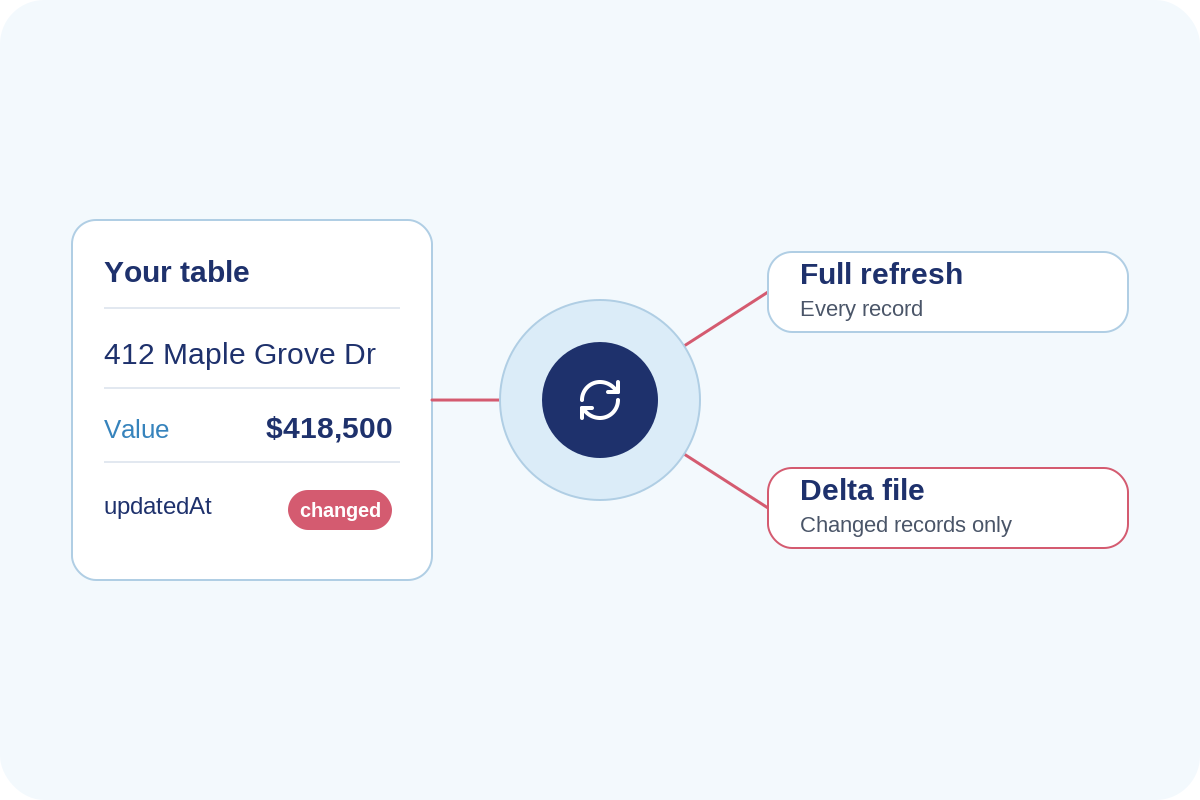
You take a full refresh or delta files
- A full refresh carries every record.
- A delta file carries only the records that changed.
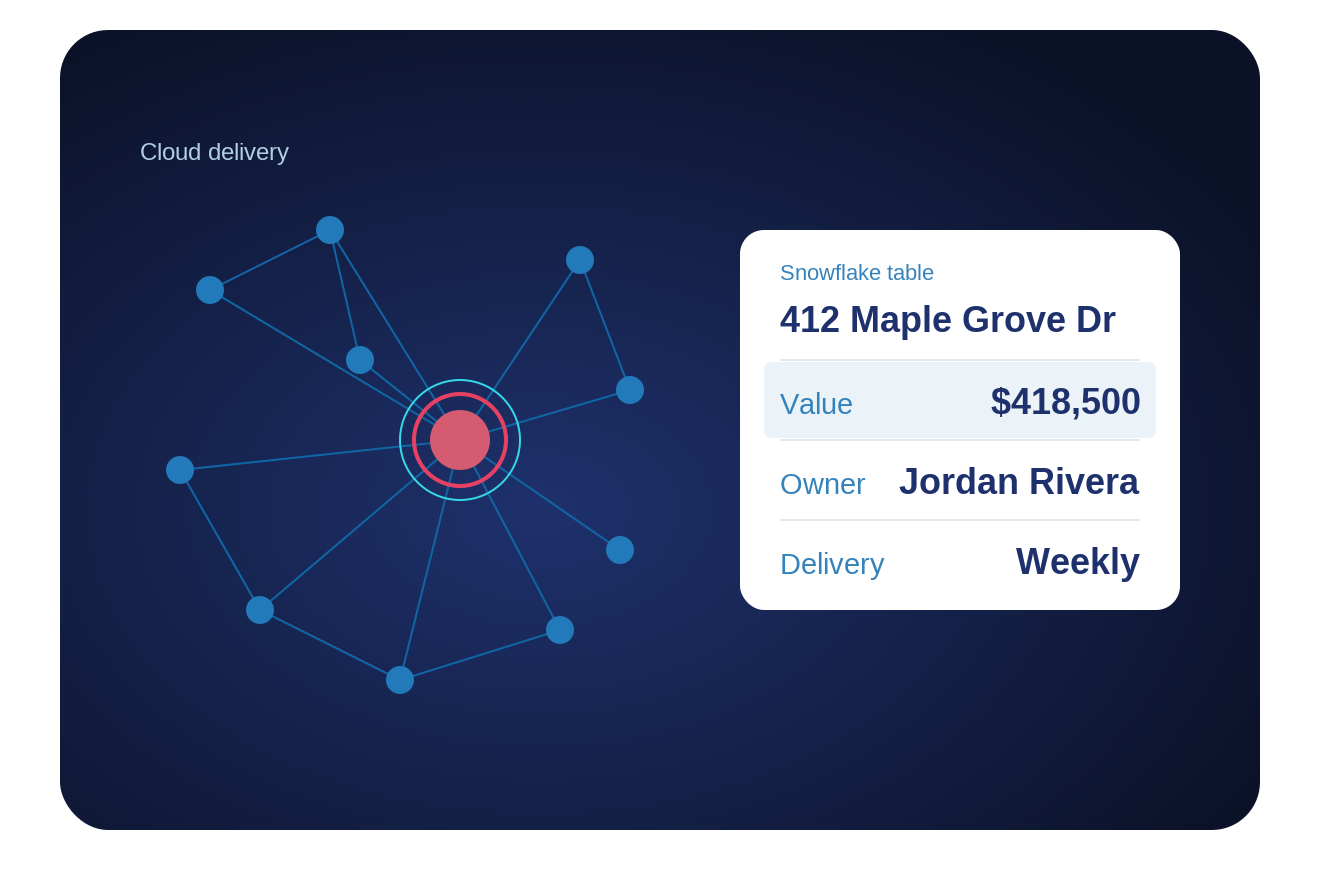
See what lands
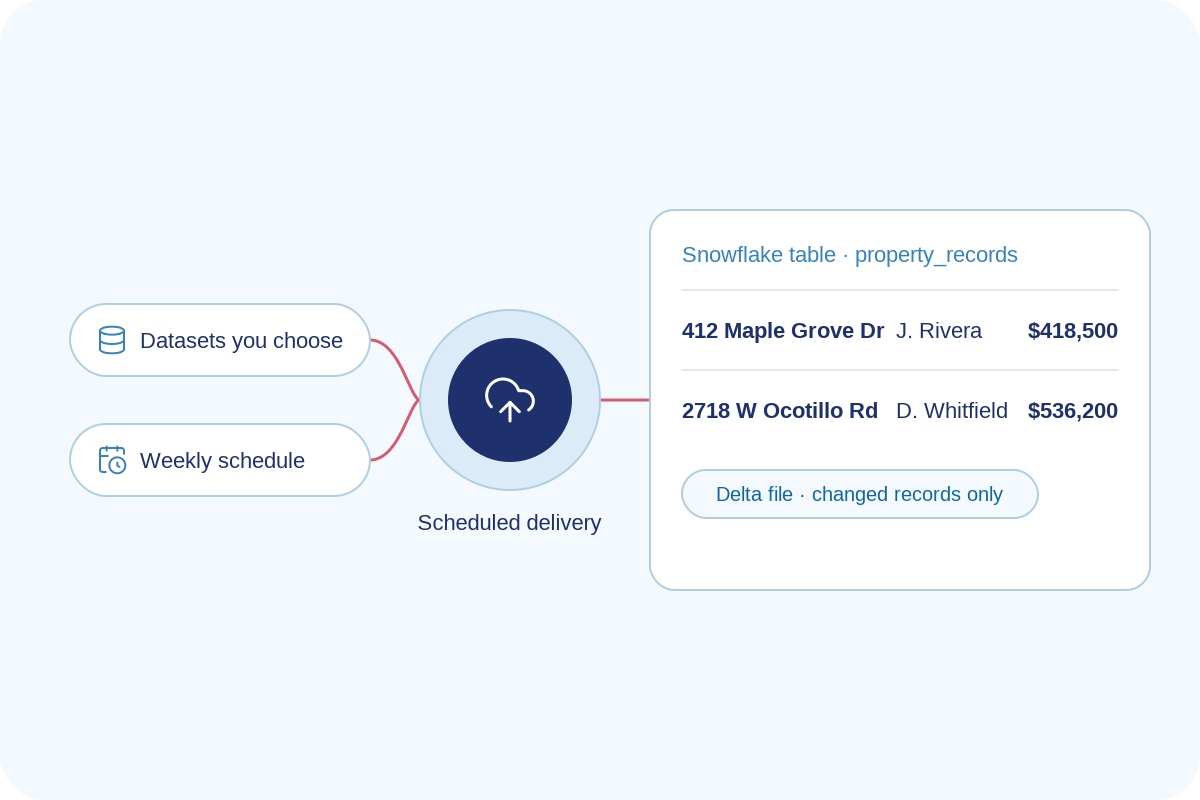
Rows from one delivery, as your team reads them in its warehouse.
The data lands in your warehouse or storage on each delivery.
Typical use cases
Why teams take these jobs into their own warehouse.
Add property facts to every record you hold
Each delivery lands the fields in your warehouse, next to your own tables.
See Property EnrichmentModel value, loans and liens across a portfolio
Query the value and lien fields for every property with your own tools.
See Underwriting & RiskKnow who owns each property in your markets
Owner fields arrive with each delivery, ready to join to your data.
See Ownership ResearchKeep your property records current
Delta files carry only the records that changed since the last delivery.
See Portfolio MonitoringData on your schedule
The datasets you choose land in your warehouse on the schedule you set.
Who uses it, and how
Teams that run their own analytics on property data.
Institutional Investors
Load property and owner data into your warehouse to screen markets and portfolios.
Explore Institutional InvestorsInsurance
Load property records and join them to your policies in your data platform.
Explore InsuranceMortgage & Lending
Load property and lien data next to your loan data in your warehouse.
Explore Mortgage & LendingPropTech & Software
Load files that land on a schedule into your product database.
Explore PropTech & SoftwareHome Services
Load property and owner data into your CRM or field app on each delivery.
Explore Home ServicesRoofing
Load property and owner data into your CRM automatically.
Explore RoofingConstruction & Builders
Load permit, property and owner data into your sales tools.
Explore Construction & BuildersAgents & Brokerages
Load listing agent and brokerage data for your market on each delivery.
Explore Agents & BrokeragesShow all 16 industries
Utilities, Energy & Telecom
Load records that correct your addresses and add latitude and longitude.
Explore Utilities, Energy & TelecomLogistics
Load addresses in one standard format, with latitude and longitude, on each delivery.
Explore LogisticsTitle & Escrow
Load deed, lien and parcel data into your own system on each delivery.
Explore Title & EscrowBanks & Credit Unions
Load property and loan data into Snowflake or Databricks.
Explore Banks & Credit UnionsAppraisers & Valuation
Load comps, values and property records into your own tools.
Explore Appraisers & ValuationHome Security & Smart Home
Load line type, reachability and DNC status for each number on each delivery.
Explore Home Security & Smart HomeRetail & Ecommerce
Load address, property and owner data into your CRM or marketing tools.
Explore Retail & EcommerceShort-Term Rentals
Load property and owner data into your CRM or platform automatically.
Explore Short-Term RentalsOther ways to get BatchData data
All methods draw on the same BatchData data. Pick the one that fits how your team works.
| Method | Best for | You get | Setup |
|---|---|---|---|
| API Solutions | Apps that need data for one property at a time | JSON for each request | Your developers, with free sandbox tokens |
| Property Search API | Finding properties by filter | A count, then the matching properties as JSON | Your developers, with free sandbox tokens |
| AI Agents | Asking for property data in an AI assistant | Answers in the chat | You connect your AI assistant. Your account admin chooses the datasets. |
| Cloud Delivery This page | Analytics in your own warehouse | Data in Snowflake or Databricks, or files in Amazon S3, SFTP or Google Drive | Our Professional Services team, with you |
| Bulk Data | Loading whole markets into your own systems | CSV, JSON or Parquet files, full refresh or delta | Our Professional Services team helps you choose the fields |
| Professional Services | Expert help, or a CSV or Excel file to fill | Your file back with property data added | A BatchData data expert |
Cloud delivery FAQ
Which destinations can BatchData deliver to?
BatchData delivers to Snowflake, Databricks, Amazon S3, SFTP and Google Drive. If you need another destination, our Professional Services team sets it up with you.
How often does BatchData deliver?
You choose weekly, monthly, quarterly or annual deliveries.
What is the difference between a full refresh and a delta file?
A full refresh carries every record in your order. A delta file carries only the records that changed since the last delivery.
Can I also look up one property on demand?
Yes. The BatchData API returns every dataset you subscribe to for one address in one call. See API Solutions.
Which datasets can I get by cloud delivery?
You choose the datasets and markets you need. Our Professional Services team helps you choose the fields.
Get property data in your own warehouse
Tell us your datasets, markets and destination. Our Professional Services team sets up the delivery with you.