
USPS address verification isn't just a cleanliness check, it's the point where bad delivery data stops becoming an operational problem. USPS built its Addresses API around postal standards, not loose text matching, so the output is useful for routing, matching, and canonicalization in ways a generic parser isn't. If you're migrating legacy systems, the bigger risk isn't the lookup itself, it's the cutover, because USPS retired Web Tools and shifted production access to the newer API model.
- Core function: standardize U.S. domestic addresses and return postal output aligned to USPS conventions.
- Operational value: reduce unmatched records, routing exceptions, and manual cleanup before mail or service workflows start.
- Migration risk: legacy integrations need credential, format, and access updates, not just endpoint swaps.
- Practical scope: best used as a verification layer after capture, not as an address discovery tool.
The rest of this guide focuses on what works in production, and what breaks when teams treat USPS verification like a simple form validation feature.
Why USPS Address Verification Matters Beyond Basic Validation
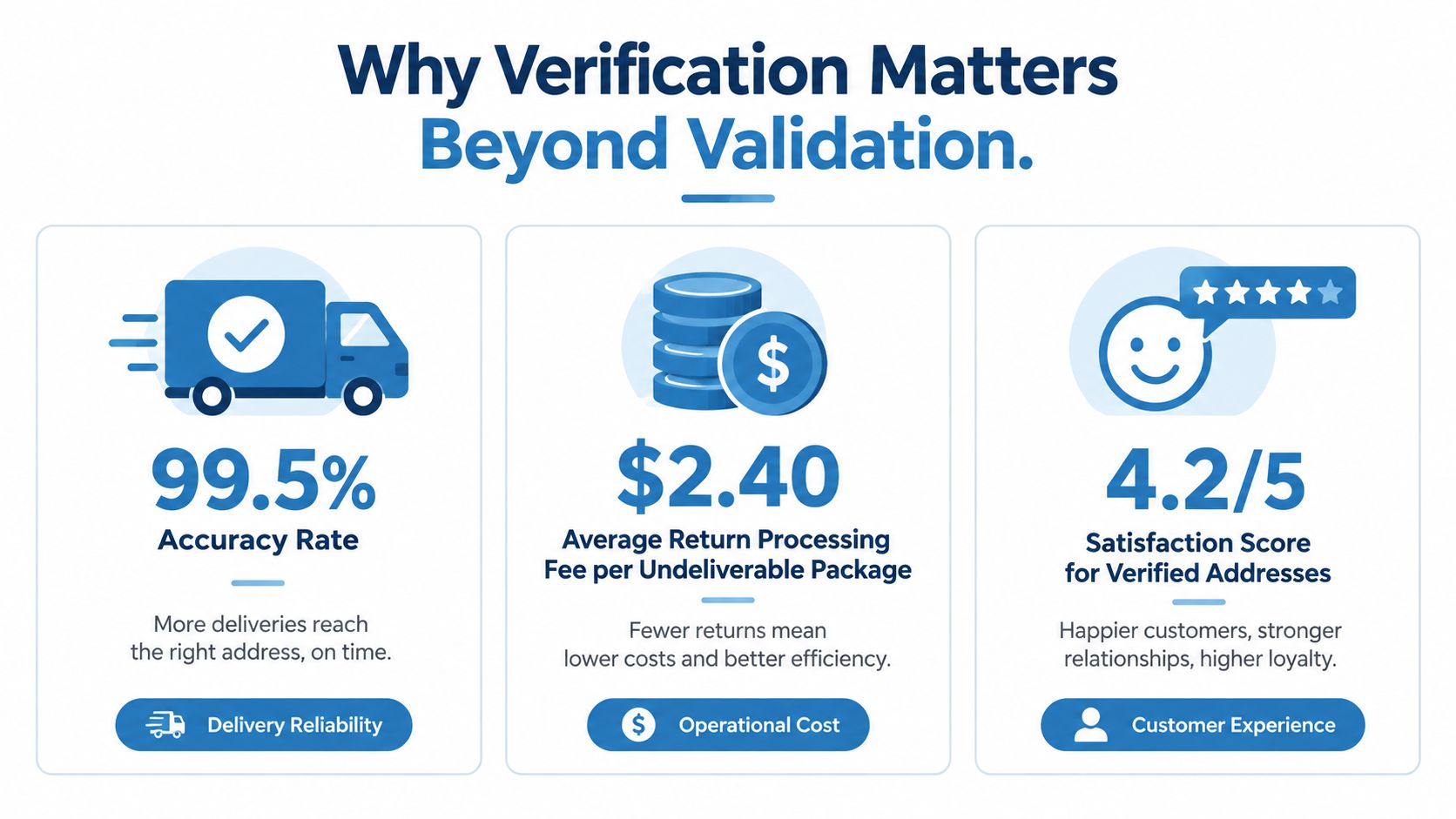
USPS address verification matters because delivery data is operational input for routing, matching, and downstream rules. The USPS Address Standardization API validates and standardizes a U.S. address, including street address, city, state, and ZIP Code. It can also fill in missing location details such as ZIP Code or ZIP+4 from postal context (USPS Addresses API). ZIP+4 is the code associated with a specific delivery point represented by a street address, city, and state.
A standardized address is more useful than a merely “valid-looking” one. USPS says its purpose is to validate and correct address information to improve package delivery and pricing, which makes the API a practical verification layer for systems that ingest inconsistent user input or legacy records (USPS Addresses API). Real-estate portals, lenders, logistics systems, and e-commerce checkouts can use that output for downstream rules instead of guessing at formatting.
USPS address-quality history backs up the operational point. In its Address Element Correction program, USPS reported that the electronic service resolved an average of 31% of addresses that had previously gone unmatched, and it processed more than 20 million addresses, including 6.4 million that were resolved (USPS UAA resources). That is a reduction in dead-end records before they enter automated workflows.
Practical rule: treat verification as a control point for deliverability, matching, and normalization, not as a field formatter.
Postal handling is the other reason this matters. USPS defines undeliverable-as-addressed, or UAA, mail as mail that can't be delivered to the name and address on the mailpiece and must be forwarded, returned, or handled under postal rules (USPS UAA resources). If the address is incomplete, incorrect, illegible, or tied to a recipient who moved, the operational cost shows up later in the pipeline.
Understanding USPS API Architecture and Data Flow
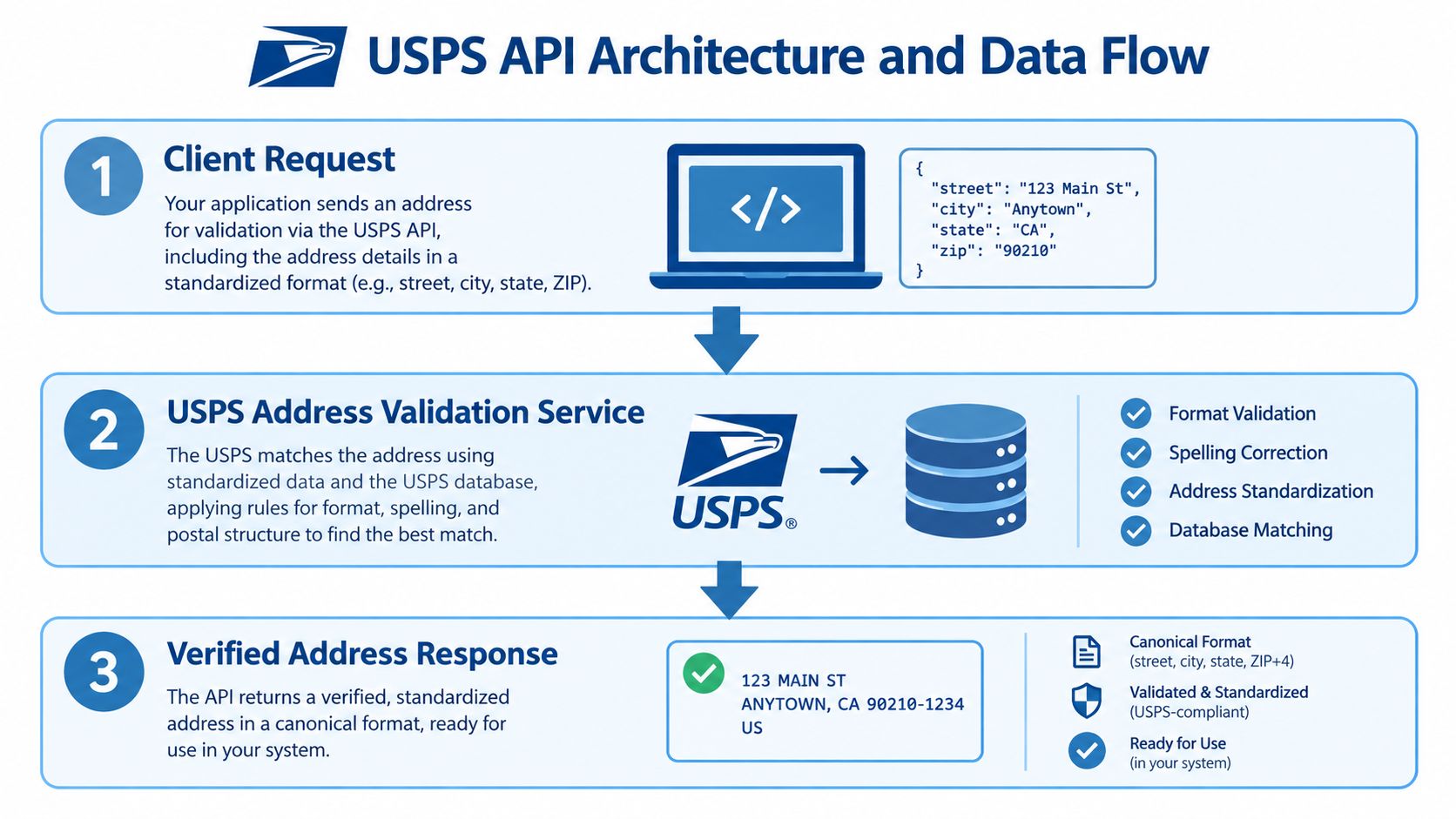
The USPS Address Verification API returns canonical, postal-standard output derived from USPS datasets, which makes it different in kind from free-text matching. It standardizes street addresses, normalizes abbreviations and missing components, and returns the applicable ZIP Code and ZIP+4, with ZIP+4 identifying a delivery point when combined with street address, city, and state (USPS API materials).
Standardization and lookup are different jobs
That separation matters in production. The current USPS Addresses API includes distinct ZIP Code and City/State lookup functions, so a ZIP can return city and state, while a city/state pair can return valid ZIP Codes. That is a lookup layer, not full street verification. Teams that merge those paths often end up with records that look resolved while the address line still needs cleanup.
USPS also documents the underlying data stack behind verification. The workflow uses City State, ZIP+4, Five-Digit ZIP, eLOT, DSF, and LACSLink to validate and correct address information (USPS API materials). LACSLink matters when rural-route or outdated addresses need to be converted into locatable street-style addresses.
A USPS-valid address is a postal-system answer, not proof of occupancy, ownership, or universal deliverability.
The response fields are where the integration gets practical. USPS says the API can expose delivery type, usage classification such as business, residential, or mixed, non-active reason codes, and operational flags like LACS conversions, seasonal status, throwback-to-PO-Box delivery, no-door delivery, and PBSA street-style PO Boxes (USPS developer portal). Those fields help routing and exception handling, but they do not tell you who lives there.
If you already work with shipment APIs, the pattern will feel familiar. USPS verification sits upstream and produces the standardized record before label generation or dispatch logic consumes it. For a broader implementation pattern, see the Aeros Couriers shipment API as a practical comparison.
For ZIP-focused enrichment, the separate guide to finding ZIP+4 helps frame how ZIP-based lookup differs from street-address verification.
Authentication and API Access Requirements
Production access now means current USPS credentials, not legacy Web Tools assumptions. USPS moved new integrations to the USPS Developer Portal, the USPS API Catalog, and the current Addresses API flow, so production systems should use the portal, licensing, OAuth 2.0 credentials, and HTTPS/JSON interfaces instead of old XML-era examples (USPS Web Tools and APIs, USPS API access).
What access needs to be true in production
The first step is account setup through the USPS developer and business portals. The second is OAuth 2.0 client credentials, which USPS lists as the access model for these APIs (USPS API access). The third is staying inside the allowed use case. USPS says the service is for USPS shipping or mailing services and may not be used to source or derive addresses for populating a database (USPS address information PDF).
That usage restriction matters in production. If your workflow mixes USPS verification with property, ownership, or contact enrichment, keep those datasets separate. USPS can validate delivery data, but it is not a general address inventory feed.
A good credential posture is specific to USPS, not generic hygiene. Rotate the OAuth 2.0 client credentials you created in the USPS Developer Portal on a quarterly schedule, and keep the sandbox credentials you receive during onboarding separate from production keys. If you want a broader checklist for securing API access, the guide to locking down API access is a solid companion resource.
What to protect in the implementation
- Credential scope: bind USPS credentials only to systems that need verification.
- Purpose separation: keep USPS validation logic away from address sourcing logic.
- Environment hygiene: use distinct credentials and callbacks for test and production.
- Auditability: log access attempts and normalized-address outputs without storing unnecessary personal data.
Implementing Address Verification Workflows
The cleanest workflow treats USPS verification as a narrow normalization step, not a substitute for your own address pipeline. Capture structured address parts, keep the raw entry intact, and store USPS-normalized output in a separate record. That separation matters when you are migrating off legacy Web Tools flows, because the operational failure mode is usually not bad validation logic, it is assuming old request patterns will keep working unchanged.
For small synchronous lookups, send the address you already collected and compare the normalized response to the original input. For higher-volume systems, batch and queue the work instead of pushing every request inline. USPS allows up to five address verifications per transaction (USPS address information PDF), so the safe pattern is to chunk work at that boundary and put a bounded worker pool between your app and the API.
Preserve secondary-unit data exactly as entered. Apartment and suite identifiers often decide whether the returned record matches your internal record cleanly, and flattening them into one free-text field creates avoidable reconciliation work later.
A practical workflow usually comes down to three decisions: what to send, what to keep, and what to retry.
Send structured fields, including unit information when you have it. Keep both the original and normalized versions so auditors and support staff can see what changed. Retry only transient failures, and keep that retry path separate from genuine input problems. If you need a broader checklist for sequencing validation, how to validate addresses is useful because it treats verification as part of a larger data flow, not a standalone call.
For repeat lookups, cache results by a normalized input key. That cuts unnecessary traffic and reduces pressure on rate-sensitive jobs. It also helps when address verification sits ahead of deduplication or property matching, since the same normalized input should not trigger fresh calls every time. Keep the cache tied to normalized values, not raw text, or you will miss obvious repeats and carry old formatting noise into production.
Error Handling and Response Interpretation
Good USPS error handling starts by separating bad requests from real address problems. A malformed request points to a payload issue. A business-rule failure means the address could not be standardized or routed the way you expected.
How to read the response without overreacting
Log the HTTP status, field-level validation results, and normalized-address deltas. If the street line changes, ZIP+4 is added, or a secondary-unit designator is preserved, that is usually the expected outcome of the call.
USPS-specific flags need their own handling. LACS conversion can mean an older rural-style address was mapped to a street-style equivalent. Seasonal status can point to time-bound delivery constraints. PBSA street-style PO Boxes and throwback-to-PO-Box delivery are routing signals, not generic validity checks.
Operational rule: a USPS-valid result is a routing signal, not a guarantee that every downstream carrier or process will behave the same way.
What to alert on
- Malformed payloads: these usually point to request construction bugs.
- Normalization deltas: these are expected, but alert when more than 10% of a batch shows street-line rewrites, since that usually indicates upstream capture problems rather than normal standardization.
- Repeat failures on the same normalized key: this often means the source data is bad, not the API.
- Burst failures during traffic spikes: this points to throttling or service pressure.
Treat geocoding failures the same way. If an address will not geocode, separate the input-quality problem from the routing problem and follow the troubleshoot failed address geocoding path before you start changing your downstream logic.
Migration Strategies for Legacy USPS Integrations
The migration risk is bigger than the endpoint change. USPS retired its legacy Web Tools platform on January 25, 2026 (USPS API access), and the newer APIs use a different authentication model through the Developer Portal (Melissa Team). Teams that only updated request URLs often found the actual work was in credentials, job orchestration, and retry behavior.
The migration checklist that actually matters
Start with a dependency audit. Find every place your code, vendor tools, and batch jobs call USPS validation or ZIP+4 logic. Then replace credentials, update request formats, and verify production access before cutover.
A practical migration plan includes:
- Dual-run testing: compare legacy output and new output before switching traffic.
- Rollback strategy: keep the old path available until the new one proves stable under load.
- Credential rotation: retire old secrets when the new path is live.
- Observability: track request volume, validation failures, throttling, and normalized deltas.
- Cutover window: plan for service disruption, not just a code deploy.
Why capacity planning is part of migration
Rate limits become visible during migration because old integrations often assumed more headroom than the new path allows. Published guidance indicates an initial default limit of approximately 60 requests per hour through USPS access, and actual thresholds can vary by access level, use case, account configuration, and approval status (Melissa Team). Confirm your account's threshold with USPS support before cutover, then size queues, backoff logic, and batch windows around the limit you are granted.
Comparing USPS API to Alternative Verification Solutions
USPS is the right tool for domestic postal standardization, but it's not the only tool you may need. If you handle international addresses, richer enrichment, or higher-volume workflows that outgrow USPS constraints, a hybrid setup makes more sense.
| Platform | Primary Strength | Geographic Scope | Data Enrichment | Best For |
|---|---|---|---|---|
| USPS Addresses API | Postal-standard validation and ZIP+4 output | U.S. domestic | Postal fields, delivery flags, lookup functions | Domestic delivery workflows |
| Commercial global verifier | Broader international coverage | Global | Varies by vendor | Multi-country operations |
| BatchData | Real-estate data plus address verification in a broader enrichment stack | U.S.-focused property workflows | Property records, owner contacts, and address verification | Proptech, lending, and enrichment pipelines |
USPS is strongest when the question is, “Will this address standardize to USPS conventions?” It's less suited to workflows that need broader enrichment or national address inventory behavior. For a deeper side-by-side comparison across more vendors, the complete comparison guide to address verification APIs is the best companion.
The practical decision point is simple. Use USPS when postal correctness is the goal. Add another provider when you need international coverage, heavier enrichment, or throughput beyond what your USPS access pattern can support.
Implementation Best Practices for Scale and Compliance
Scale comes from architecture, not optimism. Production USPS lookups need a cache, observability, and hard boundaries around how the data is used.
What to operationalize early
Cache only deterministic results keyed to normalized input, and treat that cache as a performance layer, not the system of record. Revalidate records that sit in cache too long, especially if your workflow touches addresses that can change over time.
Enforce the usage restriction documented during authentication setup in your architecture reviews. Put that rule in code, runbooks, and release checklists so it does not depend on memory or a legal note that nobody reads twice.
Revalidate cached records older than 90 days, since delivery-point status flags like seasonal and vacant can change within that window.
What to monitor continuously
- Validation accuracy: watch for spikes in unresolved or heavily modified records.
- Failure rate: separate structural errors from address-quality errors.
- Latency: track how verification behaves during peak application traffic.
- Fallback behavior: verify your system still functions when USPS is unavailable.
- Data deltas: compare original and normalized records for drift patterns.
Good practice: if USPS goes down, your app should degrade cleanly, not lose queued addresses or block every downstream action.
High-volume teams also need load tests before production. Measure worker concurrency, retry policy, queue depth, and the effect of a single bad source file on the pipeline. That is where hidden failures show up, especially in legacy migrations where old retry habits and new rate limits collide.
Common Pitfalls and Failure Modes to Avoid
Most production failures come from bad assumptions, not bad endpoints. The API usually does what it says. Teams get into trouble when they expect more from the response than USPS intends to provide.
The most expensive mistakes
First, don't treat a USPS-valid address as proof of occupancy or ownership. The API confirms postal correctness, not who lives there. Second, don't flatten unit-level data into one address string, because apartment or secondary-unit information can be the difference between a match and a miss.
Third, don't use USPS as an address discovery engine. The API is for validation and standardization, not database population. Fourth, don't ignore rate and retry strategy just because individual requests are cheap or simple. Batch workflows fail when the application layer can't absorb temporary service issues.
| Pitfall | What goes wrong | Prevention |
|---|---|---|
| Overinterpreting validity | Teams assume deliverability or occupancy from a standardized result | Use USPS output only for postal standardization and routing |
| Flattening unit data | Secondary units get lost in matching and delivery | Preserve apartment and suite fields separately |
| Ignoring metadata | Useful flags never reach downstream logic | Store response attributes, not just the final address line |
| Weak retry design | Transient issues create duplicate work or dropped jobs | Use backoff, bounded workers, and durable queues |
The fix is discipline, not complexity. Preserve the original input, keep the canonical USPS output, and make your business logic explicit about what a verified address does and doesn't mean.
Practical Use Cases and Integration Scenarios
The best USPS integrations sit inside a broader data pipeline, not as a standalone pop-up check. That's true in real estate, lending, logistics, and e-commerce.
Where it fits in practice
Real-estate portals use verification before property search, listing deduplication, and owner matching. Mortgage lenders use it to reduce clean-up before underwriting and servicing workflows. Logistics teams use it to standardize delivery addresses before routing and label generation.
For BatchData-oriented enrichment, the pattern is straightforward. Validate the address with USPS, then join it against property records and verified owner contact data. That sequence keeps postal canonicalization separate from enrichment, which is the right way to avoid confusing delivery correctness with identity resolution.
You can also use USPS output to drive exception handling. If a record comes back with an operational flag or a non-active reason code, route it into a review queue instead of forcing it through an automated path. That keeps bad data from contaminating later systems.
A useful rule of thumb is this, if your workflow only needs postal correctness, USPS is enough. If your workflow also needs ownership signals, contact enrichment, or broader property context, USPS should be one layer in a larger system, not the whole stack.
If you need USPS address verification inside a broader real-estate or enrichment pipeline, BatchData provides address verification alongside property records and verified owner contacts in one workflow. Visit BatchData to see how that fits into your data stack and compare it against your current address quality process.