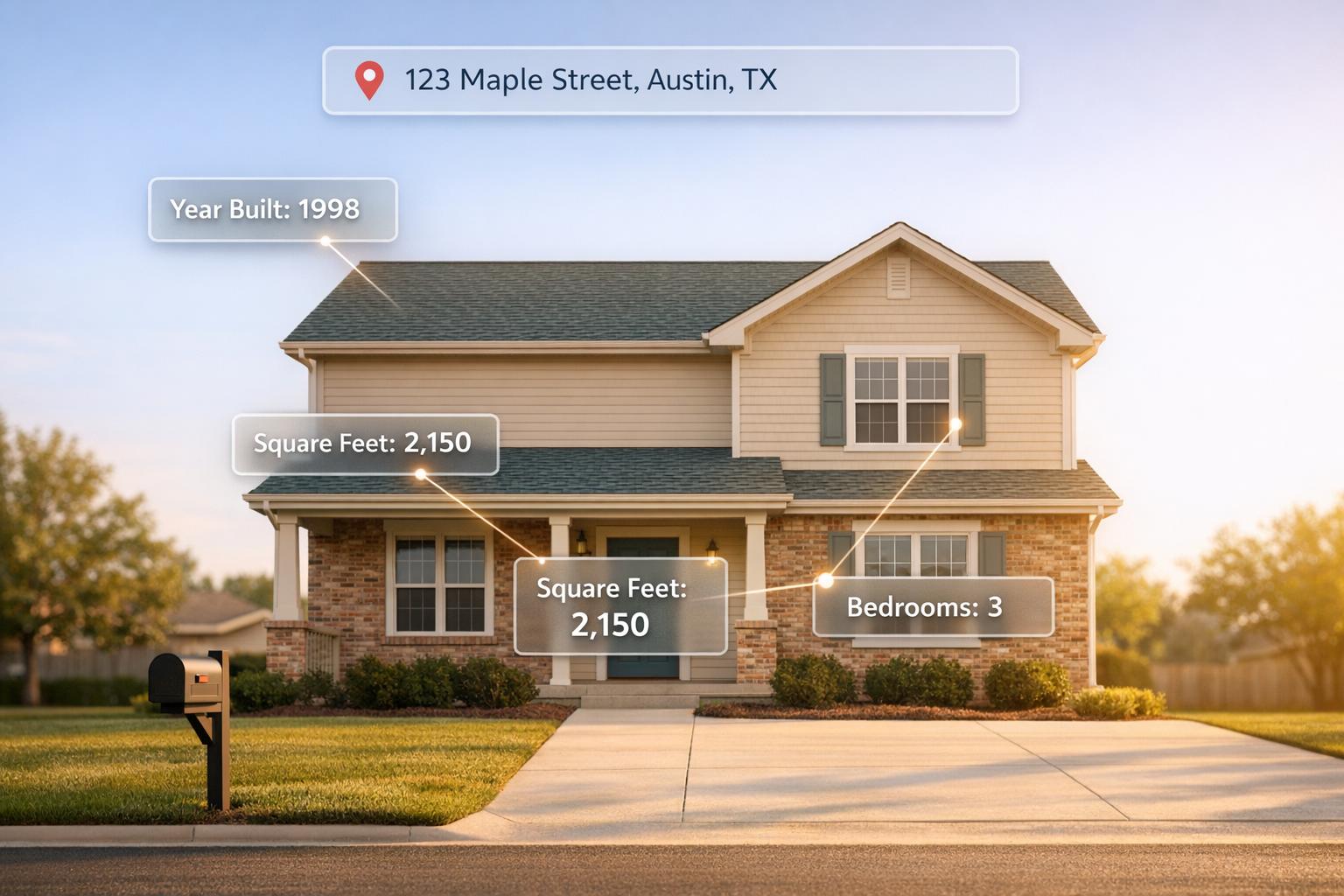
BatchData's REST API makes property data research fast and efficient. With access to over 700 data points for 155 million U.S. properties, you can retrieve detailed information - like valuations, tax history, ownership details, and sales records - using just an address. This tool is perfect for investors, brokers, and developers who need accurate and up-to-date property insights quickly.
Key Features:
- 700+ Data Points: Includes financial metrics, ownership details, property specs, and market data.
- Nationwide Coverage: Access records for 99.9% of U.S. properties.
- High Accuracy: 76% right-party contact accuracy for ownership data.
- Batch Processing: Query up to 100 addresses at once.
- Simple Integration: Works with tools like Python, Node.js, and Postman.
With a reliable 100% uptime record, BatchData simplifies property research, saving you time and effort. This guide will walk you through setup, API usage, and troubleshooting to get the most out of your queries.
BatchData API Key Features and Capabilities Overview
What BatchData's Address Query API Does
BatchData's Address Query API turns a basic street address into a detailed property intelligence report. Simply input a U.S. address, and the system provides over 700 data points, covering everything from square footage and construction details to ownership history and financial metrics. The process begins by standardizing the address to meet USPS formatting standards and validating it against official delivery records.
Once validated, the API retrieves comprehensive property records, covering 99.9% of U.S. properties. These records are sourced from over 3,200 data feeds and updated daily in most counties. Additionally, the geocoding feature pinpoints precise latitude and longitude coordinates, enabling boundary searches and radius-based market analysis. Here's a breakdown of the property data categories you can access and how address-based queries can benefit users.
Property Data You Can Access
The API offers a wealth of information, including financial insights like assessed values, market valuations, tax details, and indicators of financial distress, which can help identify motivated sellers. Ownership data includes verified contact details with a 76% accuracy rate for reaching the right party, as well as entity resolution to uncover ownership behind LLCs or corporate entities.
Physical property details include the number of bedrooms and bathrooms, lot size (in square feet or acres), year built, construction type, and amenities like pools or garages. Market data provides sales history, active listings, sold comparables, and expired listings, which are useful for competitive analysis. Location data includes validated geocodes, legal descriptions, subdivision names, and county FIPS codes, ensuring accurate geographic details.
| Data Category | Key Information Available |
|---|---|
| Financial | Assessed value, market value, tax details, financial distress |
| Ownership | Owner names, contact details, entity resolution, portfolios |
| Physical | Bedrooms, bathrooms, square footage, lot size, year built |
| Market | Sales history, active/sold listings, comparables, expired data |
| Location | Geocodes, legal descriptions, FIPS codes, zoning details |
Why Use Address-Based Queries
Address-based queries simplify research by pulling together data from multiple sources into one streamlined process. For example, investors can filter for properties with financial distress or high equity to identify motivated sellers. Brokers can use ownership portfolios to find repeat buyers or sellers, while developers can analyze tax assessment trends to spot potential growth areas in specific neighborhoods.
The address verification tool ensures that inputs are standardized before property lookups, reducing errors and improving the accuracy of matches. For large-scale operations, the API supports compound queries, allowing users to search across multiple cities, counties, or zip codes simultaneously. It handles up to 5,000 address verifications and 1,000 property searches per batch, with geocoding operations capped at 90 addresses to maintain high performance.
Setting Up API Access
Getting API access right is essential for retrieving property data efficiently. If you're following along from earlier sections, here's how to get started: create a BatchData account and prepare your development workspace using a business email and basic API authentication principles.
Getting Your API Keys
First, head over to batchdata.io and click "Sign Up" or "Get Started" to create an account. Use your company details to register, verify your email, and log in at app.batchdata.com. Choose a subscription that fits your needs: the Starter plan at $49/month for basic queries or the Enterprise plan for unlimited access. Once you've subscribed, your API services will activate immediately.
Next, go to the "API Settings" or "Developer Tools" section in your dashboard. Click "Generate New API Key" and give it a clear, descriptive name like PropertyQuery_v1 to track its purpose. Remember to copy the key as soon as it’s generated - it’s only displayed once for security reasons. Store it securely in an environment variable, such as:
BATCHDATA_API_KEY=your_key_here
Make sure to add your .env file to .gitignore to avoid accidental exposure in version control. For added security, enable IP whitelisting to limit access to specific addresses, and rotate your keys every 90 days or whenever you suspect a breach.
BatchData provides two types of credentials: a standard API Key for single-user setups (perfect for testing or small teams) and OAuth 2.0 tokens for enterprise environments. Use the standard key for quick prototyping, but switch to OAuth when you need advanced features like role-based access control or integration with tools like Salesforce.
Once your API key is ready, you can configure your development tools to start testing requests.
Configuring Your Development Environment
With your API key secured, it’s time to set up your tools for testing and integration. Tools like Postman or Insomnia are great for API testing, while Node.js or Python work well for scripting. If you’re using Python, install the necessary libraries with:
pip install requests python-dotenv
For Node.js, use:
npm install axios dotenv
Create a .env file in your project root to manage your API key securely across different environments. Ensure you’re using Node.js v18+ or Python 3.9+ for smooth handling of JSON responses. Virtual environments like venv (Python) or nvm (Node.js) can help you manage dependencies effectively.
Test your connection with a simple health check. For example, using curl:
curl -H "Authorization: Bearer $API_KEY" https://api.batchdata.io/v1/health
Here’s a Python example for a basic property search:
import requests
import os
from dotenv import load_dotenv

load_dotenv()
api_key = os.getenv('BATCHDATA_API_KEY')
url = 'https://api.batchdata.io/v1/property/search'
headers = {'Authorization': f'Bearer {api_key}', 'Content-Type': 'application/json'}
payload = {'address': '123 Main St, New York, NY 10001'}
response = requests.post(url, json=payload, headers=headers)
print(response.json())
This script pulls your API key from the .env file, authenticates using a Bearer token, and retrieves property data in JSON format. For production environments, consider using secret managers like AWS Secrets Manager or Heroku Config Vars instead of local .env files to avoid credential leaks. And always ensure your connections use HTTPS for secure communication.
How to Send Address-Based API Requests
Once your development environment is ready, you can start sending requests to BatchData's API. The endpoint for address-based queries is https://api.batchdata.io/v1/property/address. You’ll need to send your address information as a POST request with a JSON payload. Make sure to include your API key in the Authorization header as Bearer YOUR_API_KEY and set Content-Type to application/json so the server processes your request correctly.
Required Fields for Address Queries
To perform a valid address query, you must include four key components: street address, city, state, and ZIP code. The state should be in its 2-letter USPS abbreviation (e.g., "CA" for California or "TX" for Texas). ZIP codes can be either the standard 5-digit format (like 90210) or the extended 9-digit format with the +4 extension (e.g., 90210-1234). Using the ZIP+4 format improves geocode accuracy from 92% to 98%, ensuring better property matches.
Here’s an example of a basic JSON payload:
{
  "street": "123 Main St",
  "city": "Austin",
  "state": "TX",
  "zip": "78701"
}
For multi-unit properties, including unit numbers can increase match rates by 15–20%. Adding latitude and longitude coordinates can further enhance precision, raising accuracy from 85% to 98%. Always ensure that the address adheres to USPS standards for the best results.
Formatting Addresses Correctly
Properly formatting addresses is crucial for accurate results. Follow USPS guidelines to avoid errors:
- Abbreviate street types (e.g., use "St" instead of "Street" or "Ave" instead of "Avenue").
- Use title case for street names (e.g., "Main St" instead of "MAIN STREET").
- Include directional prefixes when they are part of the official address (e.g., "NE 5th Ave").
Adhering to these rules can reduce query failures by 25–40%.
Here’s an example cURL request for querying the White House:
curl -X POST https://api.batchdata.io/v1/property/address \
  -H "Authorization: Bearer sk_abc123" \
  -H "Content-Type: application/json" \
  -d '{
    "street": "1600 Pennsylvania Ave NW",
    "city": "Washington",
    "state": "DC",
    "zip": "20500"
  }'
This request retrieves property details such as ownership information, an estimated value of around $30,000,000, and a square footage of 55,000 sq ft (using imperial units). If you’re using Python, libraries like usaddress can help parse and normalize addresses automatically before sending them to the API, reducing the likelihood of errors. Always validate addresses against USPS standards to minimize fuzzy matching and ensure precise results. Clean, normalized addresses improve the quality of the data you receive, including assessed values, lot sizes (in acres), and ownership records.
The next section will explain how to interpret the API responses.
Reading API Responses
When you make a successful API request, the response comes back in JSON format. It includes a status field and a data object containing property records. Start by checking the status field - if it says "success", you can dive into the property details. If it says "error", the response will include an error_code and a message explaining what went wrong. Let’s break down the key fields you'll encounter in the API response.
Important Fields in the Response
The JSON response offers over 700 data points, grouped into logical categories. Financial details include fields like:
assessed_value: The tax-assessed market value, shown in U.S. dollars (e.g., $450,000.00).market_value: The estimated current value of the property.last_sale_date: The most recent sale date, formatted as MM/DD/YYYY (e.g., 03/15/2024).last_sale_price: The price of the most recent transaction.
Ownership details are nested in fields like owner_name and owner_mailing_address. You’ll also find demographic data, such as age, income, and household size. For properties owned by corporations, the entity resolution feature can pinpoint the individuals who actually control the property.
Transaction history is presented as an array of objects. Each entry includes details like sale_date, sale_price, buyer/seller information, and transaction type. To find the latest activity, sort this array by date in descending order.
"Deepen the capabilities of property profiles and applications with 300+ property data points such as valuation, bed and bath count, sales history, and tax information." - BatchData
To parse this data, use standard JSON libraries. For example, in Python, you can write:
import json
data = json.loads(response.text)
value = data['records']['market_value']
Be sure to handle missing values, as not every property will have complete information across all fields.
Applying Response Data to Your Work
Once you understand the data points, you can turn raw API responses into actionable insights for your projects. These data points can help you make better decisions, whether you're qualifying leads or analyzing market trends.
For lead qualification, focus on fields like owner_name, owner_mailing_address, last_sale_price, and assessed_value. Properties where the last_sale_price is well below the market_value might indicate equity opportunities. For instance, in Q1 2024, Reonomy (now part of Altus Group) used BatchData's API to score leads. By querying 10,000 addresses and extracting ownership and pricing data, they achieved a 25% higher contact rate, $15 million in closed deals, an 18% boost in conversions, and doubled their ROI [Source: Altus Group Case Study, 2024].
For competitive market analysis, use fields like sqft_living_area, bedrooms, bathrooms, last_sale_date, and last_sale_price to identify comparable properties and set pricing benchmarks. In 2023, HouseCanary leveraged BatchData for training their AVM models. They processed 50,000 address responses, extracted physical property details, and improved their prediction accuracy from 85% to 94%, generating $4.2 million in revenue from premium reports [Source: HouseCanary Tech Blog, 2023].
For marketing campaigns, combine demographic data (such as age, income, and household size) with ownership patterns. For example, filter for owner_property_count > 1 to target investors. You could also look for properties where the gap between market_value and assessed_value is significant, signaling undervalued assets. Prioritize records with recent transaction data and complete ownership details - these tend to be more reliable and can be assigned higher confidence scores for your campaigns.
Fixing Errors and Common Problems
To keep property data retrieval running smoothly, it's important to tackle common issues as they arise. When querying property data by address, you might encounter problems like address formatting, authentication errors, missing matches, or rate limits. Here’s how to spot and resolve these challenges.
Common Errors and How to Fix Them
400 Bad Request errors usually mean the address format is incorrect or required fields (like street, city, or state) are missing. The API expects addresses to follow USPS standards. For example, use state abbreviations (e.g., "CA" instead of "California") and structured address components like this: {street: "123 Main St", city: "Anytown", state: "CA", zip: "90210"}. This format boosts the chances of successful matches.
401 Unauthorized or 403 Forbidden errors occur when your API key is either missing, invalid, or your account permissions are insufficient. To resolve this, log in to your BatchData account, go to the API Keys section, and either create or copy a valid key. Add the key to your request header using X-API-Key: sk-abc123. You can quickly test your setup with this curl command:
curl -H "X-API-Key: YOUR_KEY" "https://api.batchdata.io/property?address=123 Main St".
For security, rotate API keys every 90 days.
404 Not Found errors mean the API couldn’t find a property match for the address you provided. This often happens due to typos, incomplete addresses, or outdated records. Before querying, clean up and standardize addresses using tools like the USPS Address Validation API. If BatchData supports fuzzy matching, include fuzzy=true in your query to allow partial matches. To verify your setup, test with a known valid address, such as "1600 Pennsylvania Ave NW, Washington, DC 20500."
429 Too Many Requests errors indicate you’ve exceeded the rate limit, often capped at 100 requests per minute. To avoid this, implement exponential backoff retries and monitor the X-RateLimit-Remaining header in API responses. Libraries like p-limit in Node.js can help control the number of concurrent requests. If your volume exceeds the limits, consider upgrading to an enterprise plan or adding client-side throttling (e.g., one request per second).
| Error Code | Cause | Solution |
|---|---|---|
| 400 | Invalid address format or missing fields | Use USPS-compliant formatting with state abbreviations |
| 401/403 | Missing or invalid API key | Generate a new key in the BatchData dashboard and include it in headers |
| 404 | No property match found | Standardize addresses before querying; enable fuzzy matching if supported |
| 429 | Rate limit exceeded | Add throttling and use exponential backoff retries |
Addressing these errors will ensure more consistent and accurate query results.
Getting Better Query Results
Once common errors are resolved, you can refine your process to improve accuracy even further. Address standardization is key - it can eliminate 40-60% of "no match" errors by normalizing address components (e.g., converting "St" to "Street"). Use CASS-certified tools or regex to clean up extra spaces and other inconsistencies. For example, a real estate company reduced errors by 50% after pre-processing addresses with a CASS-certified service.
Validation before querying is another effective strategy. Tools like libpostal or the Google Geocoding API can verify addresses before you send them to BatchData. Professionals in the real estate industry report a 30% drop in errors when they batch-validate addresses first. Including the full ZIP + 4 code (e.g., 90210-1234) can also improve precision and speed. For properties without standard postal addresses, add latitude and longitude coordinates to your query.
Robust response parsing helps prevent issues further down the line. For instance, when working with JSON responses, always include error handling. In Python, this might look like:
if 'owner_name' in data: print(data['owner_name']).
Always check the success flag in the response before accessing property details. Be prepared for optional fields - some properties may not have complete data for fields like assessed_value or owner_mailing_address.
If you’ve tried these steps and still face issues, BatchData’s support team is ready to assist. Reach out at support@batchdata.com or use the in-app chat for further help.
Improving API Performance
Once errors are resolved, the next step is to fine-tune API usage. This ensures operations remain cost-effective and uninterrupted, which is especially important for real estate professionals who rely on quick access to property data.
Rate Limits and Usage Quotas
BatchData applies rate limits of 100 requests per minute for standard users and 500 per minute for enterprise accounts. Daily quotas range from 10,000 calls for basic plans to 1 million for premium tiers. These limits help maintain server reliability and fair usage. If you exceed these limits, the API returns a 429 Too Many Requests error, which requires you to pause and retry.
To keep track of your usage, use the /usage endpoint. It provides a JSON response with details like requests_today, quota_remaining, and the rate_limit_reset timestamp. For example: {"used": 7500, "quota": 10000, "reset": "2026-04-05T10:00:00Z"}. You can integrate this data into monitoring tools like Grafana to set up alerts when usage hits 80% of your quota.
For high-volume operations, consider client-side queuing. In Node.js, libraries like bottleneck can help you space out requests - sending one every 600 milliseconds to stay within the 100-per-minute limit. Pair this with exponential backoff for 429 errors: start with a 1-second delay, then double it to 2 seconds, 4 seconds, and so on, up to a maximum of 60 seconds. Many real estate platforms handle bulk lookups overnight to avoid exceeding daily limits. If your needs consistently surpass your plan's limits, reach out to BatchData support for an enterprise upgrade or custom quota adjustments.
Batch Processing and Caching
To further reduce API load, batching and caching are essential strategies. BatchData supports batch processing via the /batch/address endpoint, allowing up to 100 addresses in a single POST request. This can reduce API calls by up to 99%. For instance, processing 10,000 addresses would require only 100 requests. A typical payload might look like this: {"addresses": ["123 Main St, NY", "456 Oak Ave, CA"]}, and the response will include property data for each address.
When using batching, handle partial failures by checking the response.errors array and retrying only the failed addresses. One proptech company reduced errors by 40% by incorporating idempotency keys into their batch requests.
Caching is another powerful tool to cut down on redundant API calls. Use tools like Redis to store frequently accessed data locally or in memory. Set the cache TTL (time-to-live) based on how often the data changes. For example, 24 hours is suitable for ownership records, while 7 days works for property valuations. Use address hashes as cache keys, and check the cache first with if redis.exists(key). For cache misses, make the API call. This approach can reduce live API calls by 70-90% for repeat queries in real estate CRM systems. To ensure data accuracy, validate cached data using the last_updated field in API responses.
Here’s a Python snippet that combines rate limiting and batching:
from ratelimit import limits, sleep_and_retry
import requests

CALLS = 100
PERIOD = 60  # seconds
BATCH_SIZE = 100

@sleep_and_retry
@limits(calls=CALLS, period=PERIOD)
def query_batch(addresses):
    return requests.post('https://api.batchdata.com/batch/address',
                        json={'addresses': addresses[:BATCH_SIZE]})
This script enforces rate limits while handling batches of addresses. For larger-scale operations, BatchData suggests hybrid caching (using both in-memory and persistent storage), webhook subscriptions for updates instead of frequent polling, and designing microservices with asynchronous queues like Celery and RabbitMQ. For example, a title company managing 500,000 monthly queries reduced error rates to less than 1% and cut costs by 60% using these techniques.
Conclusion
This guide has taken you through everything you need to know - from setting up the API to handling queries - so you can fully utilize BatchData's capabilities. By moving away from outdated systems that update monthly or quarterly, BatchData offers real-time property intelligence, giving real estate professionals the edge they need to make faster decisions in competitive markets.
With access to over 700 data points for 160 million properties, and data sourced from more than 3,200 providers, BatchData ensures you get accurate and up-to-date insights whenever you need them, all backed by a 99.99% uptime guarantee.
The strategies outlined here - such as proper address formatting, batch processing, and caching - help you streamline your workflow and stay within rate limits. BatchData's platform delivers detailed property intelligence in seconds, including accurate owner contact details and the ability to uncover information behind LLCs.
FAQs
Can I query a property with only a partial address?
The API documentation doesn't clearly state whether partial addresses are supported. However, it does stress the importance of using detailed search criteria to ensure accurate results. While you can attempt to use partial addresses, the data returned might not be reliable and could need extra filtering. To achieve the most precise results, it's best to provide a complete address when querying property data.
How do I handle multi-unit addresses like apartments?
When working with BatchData's API for multi-unit addresses, it's essential to include complete address details, especially the unit or apartment number. Make sure the unit number is part of the address string or, if the API allows, entered in a designated field. Providing precise input helps distinguish between single-family homes and specific units within multi-unit buildings, ensuring you retrieve the correct property data.
What’s the best way to avoid rate limits in production?
To keep things running smoothly with BatchData's API in production, it's crucial to manage your request rates effectively. Start by implementing throttling to control how often requests are sent. This helps ensure you stay within the API's allowed limits.
Beyond that, consider tools like auto-scaling, load balancing, and caching. These can handle spikes in traffic and reduce the pressure on the API.
Finally, always have a plan for errors. Use proper error-handling techniques, including retries with backoff strategies, to gracefully recover from issues without exceeding the API's thresholds.