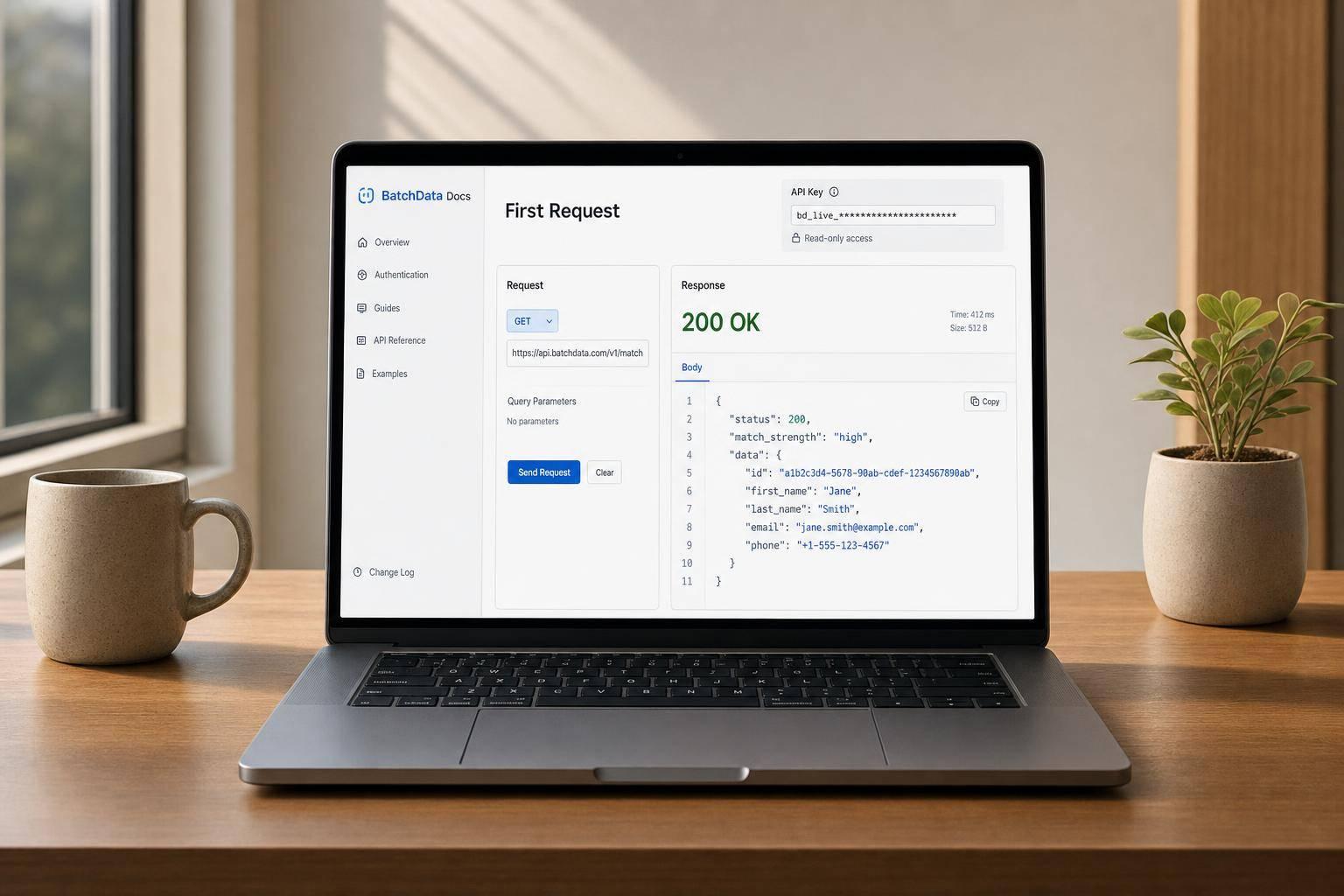
You can test a BatchData setup with one read-only API call. In most cases, I’d start with Reverse Skip Trace, send one phone number or email, and check three things right away: HTTP 200, match strength, and the person/property fields in the JSON response.
Here’s the short version:
- I use a read-only endpoint first to test connection, auth, and JSON parsing.
- I store the API key in
BATCHDATA_API_KEYand send it asAuthorization: Bearer <YOUR_API_KEY>. - I send one input: a U.S. phone number, an email, or both.
- I expect up to 3 matches, ranked by confidence.
- I treat
401,400,404, and429as the main first-call error codes to check. - I confirm fields like
match_strength,full_name,situs_address, and outreach flags such asdnc_flagandtcpa_flag. - I keep in mind that no-match lookups are not billed, which makes first-pass testing lower risk.
In other words: this guide is about proving that your setup works before you connect it to larger jobs. If one request succeeds, you’ve already checked the API key, endpoint, method, payload, and response shape.
What matters most is keeping that first test small. One endpoint. One request body. One response to inspect. That gives you a clean pass/fail check without extra noise.
BatchData API First Request: Step-by-Step Setup Guide
How to Get Your FREE BatchData API Key (REAL ESTATE DATA in Minutes!)
Choose an Endpoint and Set Up Authentication
For your first request, keep it simple: one endpoint, one input.
A good starting point is Reverse Skip Trace. It’s a read-only request, so it gives you a quick way to check both authentication and payload format without adding extra moving parts. Once you’ve picked the endpoint, store your API key before you send anything.
What to Look for in a First Endpoint
Use Reverse Skip Trace for the first call. It takes a single phone number or email and returns a person record plus any linked property. It can return up to three matches, ranked by confidence, which makes it easy to check whether the response shape lines up with what your app expects.
All endpoint docs, including base URLs, paths, and HTTP methods, are in one place at developer.batchdata.com.
Store the API Key in an Environment Variable
Your API key works across all BatchData services, including property data, contact enrichment, and skip tracing. Store it in an environment variable called BATCHDATA_API_KEY instead of pasting it into your code.
Why does that matter? Hardcoded keys have a bad habit of showing up in places they shouldn’t, like:
- Version control
- Logs
- Error messages
Use this Authorization header:
Authorization: Bearer <YOUR_API_KEY>
If you hit a 401 or 403, check a few common trouble spots: the Bearer prefix, the API key spelling, and the base URL environment. For example, you might be using a production key with a sandbox URL, or the other way around.
One small but helpful detail: no-match lookups are not billed, so one successful match is enough to confirm that your setup is working.
Once the key is stored and the header looks right, you’re ready to send the first request.
Send the First Request
Now that your key is stored, send a single lookup to make sure the endpoint, headers, and payload are set up the right way.
Request URL, Headers, and Required Fields
Send the request to the documented BatchData endpoint at developer.batchdata.com. Include these headers on every call:
Content-Type: application/jsonAuthorization: Bearer <YOUR_API_KEY>
For Reverse Skip Trace, send phone, email, or both. One field is enough. For phone numbers, use either a 10-digit U.S. format or E.164.
Sample JSON Request With US-Formatted Data
Here’s a sample request body:
{
  "phone": "6023994250"
}
Once you send it, check the response to make sure the request was accepted and matched the record you expected.
Request Fields Reference Table
| Field | Data Type | Required with ... | Expected Format | Example Value |
|---|---|---|---|---|
phone |
String | email |
10-digit US or E.164 | "6023994250" |
email |
String | phone |
Standard email format | "info@batchdata.io" |
Read the Response and Confirm Success
Response JSON and the First Fields to Check
After you send the request, check the response in this order: status, match strength, then property details.
Start with HTTP 200. That means the request was accepted. After that, read the JSON body.
For a Reverse Skip Trace request, the API returns up to three matches, ranked by match strength. The first field to review is match_strength. It shows how closely each result lines up with your input. Then check full_name and linked_property.situs_address to make sure you have the right person and property. If you're using the data for outreach, also review dnc_flag, tcpa_flag, litigator, and deceased.
Raw JSON dates use ISO 8601 format, like 2026-08-15.
Use the tables below to confirm status codes and the fields that matter most.
Status Codes and Response Fields Table
| Status Code | Plain-English meaning | Next Step |
|---|---|---|
200 |
Request succeeded; data is in the response body | Parse the JSON and check key fields |
400 |
Malformed JSON or a missing required field | Review your request syntax and required parameters |
401 |
API key is missing, invalid, or expired | Confirm your environment variable is set correctly |
404 |
Endpoint URL or resource doesn't exist | Double-check the request URL |
429 |
Rate limit or monthly allotment exceeded | Pause requests and review your usage dashboard |
| Field Name | Type | Description | Example Value |
|---|---|---|---|
match_strength |
Integer | Rank of the match (1–3) based on confidence | 1 |
situs_address |
String | Physical address linked to the record | 123 Main St, Tempe, AZ |
dnc_flag |
Boolean | Phone number is on the Do Not Call registry | true |
tcpa_flag |
Boolean | Number subject to TCPA restrictions | false |
sale_date |
String | Last recorded sale date (ISO format) | 2026-08-15 |
estimated_value |
Number | Calculated market value of the property | 525000 |
Troubleshooting and Next Steps
Common Setup Issues and How to Fix Them
If the request fails, use these checks to narrow it down fast.
Most first-request failures come from four places:
- A missing or malformed
Authorizationheader - An incorrect endpoint path
- Invalid JSON
- The wrong input type
For Reverse Skip Trace, the API needs a phone number or email address. A name by itself is not a valid input for this endpoint.
| Symptom | Likely Cause | Fix |
|---|---|---|
401 Unauthorized |
Missing, expired, or incorrect API key in the header | Confirm the environment variable is set and the Authorization header is formatted correctly |
400 Bad Request |
Wrong input type or invalid JSON | Check your JSON syntax. For Reverse Skip Trace, use a phone number or email instead of a name |
404 Not Found |
Incorrect endpoint path or incorrect HTTP method | Verify the full URL and HTTP method against developer.batchdata.com |
No results returned |
No match for the phone/email provided | Check the formatting and confirm the input exists in BatchData's skip tracing data |
What to Confirm Before Building the Full Integration
If the request succeeds, run through a short check before you move into a larger build.
Confirm your:
- API key
- Endpoint
- HTTP method
- JSON payload
- Successful response
If those checks pass, the request is ready to scale.
FAQs
Which endpoint should I test first?
Start with the property data API endpoint. It gives you direct access to ownership, mortgage, valuation, and listing data, which makes it the best place to test your connection first.
Start with a request for a single address. That gives you a simple way to confirm everything is set up correctly before you move on to more specialized requests like skip tracing or AI-driven analytics.
What does match_strength mean?
In BatchData services, match strength is the way search results are ranked when one query can match more than one record.
For example, a phone number might be linked to multiple people. In that case, BatchData ranks the top candidates by match strength so you can see which result is most likely the right one.
How do I know my first API call worked?
Your first API call worked if you get a successful HTTP status code, usually 200 OK, and a JSON response with the data you requested.
For BatchData requests, check that the response lines up with your query and includes the fields you asked for, like property addresses, contact details, or propensity scores. If those fields show up as expected, your authentication and endpoint setup are working.