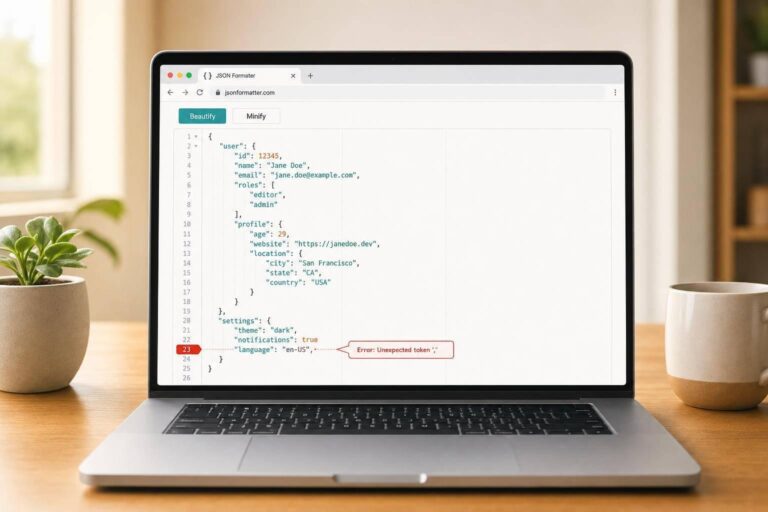
JSON Formatter Tool
Clean up and validate JSON with confidence
A good JSON Formatter saves time when you’re dealing with API responses, configuration files, or raw data copied from logs. Instead of scanning dense text for missing commas or mismatched brackets, you can paste your input and instantly see whether it’s valid JSON. If the structure is correct, the tool turns it into clean, readable output with your preferred indentation, making nested objects and arrays much easier to review.
Fast formatting, strict validation
This tool also works as a JSON validator and minifier, so it fits more than one workflow. You can beautify cluttered data for debugging, then compress the same content by stripping extra whitespace when you need a compact version. It handles strings, numbers, booleans, null values, arrays, and objects correctly while preserving the original key order.
Helpful errors without unwanted changes
When the input is invalid, the parser reports clear syntax errors with line and column details when available. That matters because a reliable JSON beautifier shouldn’t guess or silently repair malformed data. You stay in control, fix the exact issue, and get output you can trust. For developers, analysts, and anyone working with structured text, that makes everyday JSON editing a lot more straightforward.
FAQs
What happens if my JSON has a syntax error?
The tool will stop at validation and show a precise error message instead of trying to fix the input automatically. When possible, it also reports line and column details so you can find the problem faster. That could be a missing comma, an extra trailing comma, mismatched brackets, or invalid quotation marks. This strict approach is important because it helps you correct the actual issue rather than introducing silent changes you didn’t ask for.
Does formatting change my JSON data or key order?
No. If your JSON is valid, formatting only changes whitespace and indentation to make it easier to read. The underlying values stay exactly the same, and the key order is preserved as provided in the source during output. Minification works the same way: it removes unnecessary spaces and line breaks without altering the data itself.
Can this tool handle large JSON payloads?
Yes, it’s designed to work smoothly with large pasted payloads and respond quickly on normal input sizes. Performance will still depend on your device and browser, but the tool is built for practical day-to-day use with sizable API responses, config files, and structured data. Since everything runs in the browser, you can validate and format JSON without sending it elsewhere.