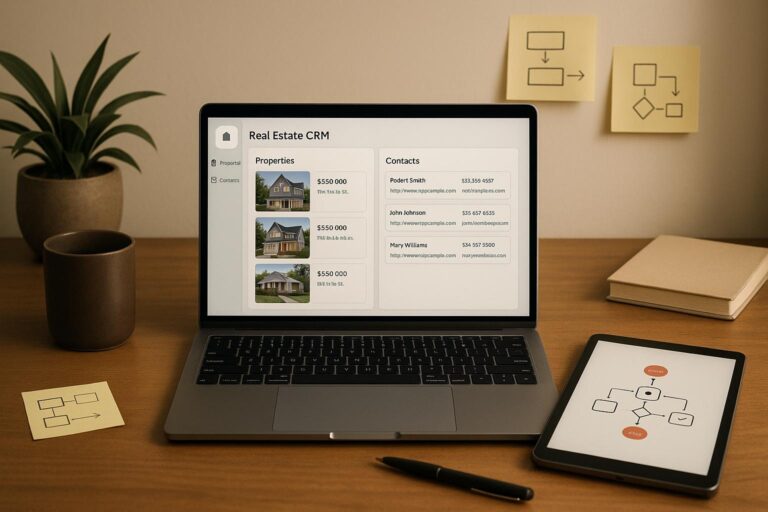
N8N simplifies real estate lead generation by automating repetitive tasks like data scraping, lead filtering, and CRM updates. It connects tools and APIs to create workflows that run continuously, saving time and reducing manual effort. For $25/month, you can automate property searches, enrich data with tools like BatchData, and qualify leads for faster follow-ups. Here’s how it works:
- Automate Data Collection: Pull property listings from public sources and APIs.
- Enrich Lead Details: Use BatchData to fill in missing owner info and validate contacts.
- Send Leads to CRM: Push qualified leads directly into tools like HubSpot or Google Sheets.
- Save Time: Users report saving 15+ hours weekly and generating 10–25 leads daily.
Start small by automating one task, like scraping property data, and expand workflows as you go. With N8N, you can focus on closing deals while the system handles the busywork.
Getting Started with N8N
What N8N Can Do
N8N serves as a central hub, seamlessly connecting your lead generation tools and automating their processes. For real estate professionals, it’s a game-changer – integrating property data sources, CRMs, and communication tools to streamline lead generation and simplify managing prospects. It eliminates repetitive manual tasks, saving time and speeding up workflows.
The platform supports a wide range of integrations, including property databases, CRMs, email services, spreadsheets, and communication tools. This allows you to create workflows that can scrape property listings, enhance lead data with additional details, send personalized outreach emails, and update your CRM – all in a single automated sequence.
Using N8N’s visual drag-and-drop interface, you can design workflows by connecting nodes that fetch, filter, enrich, and route data. For real estate, this means automating tasks like tracking new property listings, identifying high-equity homeowners, pulling contact details, scoring leads based on specific criteria, and routing qualified leads to your sales team. These workflows run continuously, ensuring a steady stream of leads without constant oversight.
Setting Up Your N8N Account
Getting started with N8N is simple, and you have a few hosting options to choose from. If you’re new to the platform, there’s a free 14-day trial – no credit card required, just an email address to sign up.
For ongoing use, the Starter Plan costs $25 per month and includes everything you need to build real estate lead generation workflows. This plan offers 5 active workflows and 2,500 workflow executions per month, as well as access to all integrations. It’s more than enough to manage multiple lead generation systems at once.
Once your account is set up, the next step is configuring API credentials for the services you’ll connect. These might include tools like BatchData for property data, Google Sheets for lead storage, Gmail for email campaigns, and CRMs such as HubSpot or Airtable. N8N securely stores your credentials, so your workflows can access these services without exposing sensitive information.
To configure credentials, go to the "Credentials" section in N8N. Select the service you want to connect, then enter your API key or login details. For BatchData, you’ll find your API key in your account dashboard. Google services require OAuth authentication, while most CRMs provide API keys in their settings or developer sections. With these credentials in place, your workflows can seamlessly move data between property sources and sales systems, boosting your lead generation capabilities.
Once your credentials are ready, you’re all set to create your first automated workflow.
Creating Your First Workflow
With your account configured, building your first workflow is a straightforward process. Start by opening the workflow editor and adding a trigger node – this tells N8N when to run your workflow. For real estate lead generation, common triggers include scheduled runs (e.g., every morning at 9:00 AM), webhooks triggered by external services, or detecting new rows in a spreadsheet.
Begin by adding a trigger node, such as a scheduled run or webhook, and then connect action nodes to perform tasks like fetching property data, filtering results, and storing leads. Each node has specific settings you can adjust by clicking on it. For example:
- An HTTP Request node requires the URL to fetch data from and the request method (usually GET for retrieving data).
- A Filter node can be set up to retain properties that meet specific criteria, such as single-family homes with equity above 30%.
- A Google Sheets node needs your spreadsheet ID and the sheet name where you’ll store the data.
Once the nodes are connected, data will flow through the workflow step by step. You can test your workflow at any time by clicking the "Execute Workflow" button. This shows the data moving through each node, helping you troubleshoot and fine-tune the process.
For example, a simple workflow might look like this: Schedule Trigger (runs daily at 9:00 AM) → HTTP Request (fetches new property listings) → Filter (keeps only properties matching your criteria) → Google Sheets (adds qualifying properties to a spreadsheet). After saving and activating the workflow, it will run automatically every day without any manual input.
The visual interface makes it easy to see what’s happening at every step. You can review the data output from each node, tweak settings as needed, and re-run the workflow until it’s working exactly as you want. This hands-on approach ensures your automation is tailored to your specific needs.
This Real Estate Automation In N8N Qualifies Leads (Free Template)
Building Automated Lead Generation Workflows
Once you’ve got a handle on the basics of N8N, you can start creating workflows that actively generate real estate leads. These automated systems can gather property data, enrich it with additional details, and deliver qualified leads straight to your sales pipeline – all without lifting a finger.
Scraping Public Data Sources
Public data sources are a treasure trove of property information. Knowing where to dig and how to collect this data efficiently can make all the difference in your lead generation efforts.
Take Google Maps, for example. It can help you locate properties and property owners in specific areas. By using N8N’s HTTP Request node, you can tap into the Google Places API to search for properties based on location, type, or other criteria. Let’s say you’re looking for "single-family homes" within a 5-mile radius of a particular ZIP code. This query could return details like addresses and business names – basic but valuable starting points for further enrichment.
Another powerful tool is the OpenStreetMap Overpass API, which provides access to geographic data like building footprints, addresses, and property boundaries. To integrate it into your N8N workflow, set up an HTTP Request node to send queries to the Overpass API endpoint. For instance, a query like [out:json];node["addr:housenumber"]["addr:street"](around:1000,40.7128,-74.0060);out; retrieves addresses within 1,000 meters of specified coordinates. The resulting data can then be filtered and processed in subsequent steps of your workflow.
Don’t overlook online directories and public records websites. Many county assessor sites offer public access to property tax records, ownership details, and sales histories. Some even provide APIs or structured data feeds that N8N can connect to directly. By identifying the best sources in your target markets and setting up regular data pulls, you can steadily grow your lead database.
However, public data often lacks key details. This is where enrichment tools like BatchData come into play.
Enriching and Validating Lead Data with BatchData
Public data is often incomplete, but BatchData can fill in the gaps by providing detailed property and owner information through its API.
Once you’ve scraped property addresses, you can use an HTTP Request node in your N8N workflow to call BatchData’s property search API. All you need is your BatchData API key (available in your account dashboard) and the property address or parcel number from your collected data.
BatchData delivers a wealth of information, including ownership details, tax records, sales history, valuation estimates, equity positions, property characteristics, transaction history, occupancy status, and even lot details.
If you’re a real estate investor or wholesaler, skip tracing is a critical step to reach property owners. Add another HTTP Request node to call BatchData’s skip tracing endpoint, which provides owner contact details like phone numbers, email addresses, and mailing addresses – essential for effective outreach.
Data validation is equally important to ensure you’re working with accurate, up-to-date information. With N8N, you can automate this process by filtering out incomplete records, removing duplicates, and verifying contact details. Use Filter nodes to exclude entries missing key fields (like owner names or phone numbers) and add deduplication steps based on address or parcel number. BatchData’s phone verification API can also confirm if a phone number is active and identify its carrier type.
A complete enrichment workflow might look something like this:
- Fetch property addresses.
- Enrich the data through BatchData.
- Apply filters to ensure quality.
- Perform skip tracing for contact details.
- Validate and format the data for CRM input.
Each step ensures only high-quality leads make it to your system, ready for follow-up.
Storing Leads in a CRM or Database
Once you’ve enriched your leads, it’s time to store and manage them efficiently. N8N can push these leads directly into your CRM or database, saving you from manual data entry.
For a simple storage solution, Google Sheets works well. Use N8N’s Google Sheets node to append new rows to a designated spreadsheet. Map the enriched data fields to your spreadsheet, and each workflow run will automatically update your lead database.
For more advanced lead management, integrating with a CRM is the way to go. N8N offers dedicated nodes for popular CRMs like HubSpot, Salesforce, Zoho CRM, and Pipedrive. These nodes make it easy to create or update contact records directly from your workflow. For instance, a HubSpot node can create a new contact with enriched property and owner details, assign it to a sales rep, and even trigger automated email sequences.
If your CRM doesn’t have a dedicated N8N node, you can still connect using an HTTP Request node. Configure it to send a POST request to your CRM’s contact creation endpoint, including the enriched lead data in the request body. This method works with nearly any CRM that supports API integration, offering flexibility regardless of your tech stack.
When integrating with CRMs, data transformation and mapping are crucial. The field names and formats from BatchData might not match what your CRM expects. Use N8N’s Set node to reformat or combine fields as needed – like converting a numeric value (350000) into a formatted string ("$350,000.00").
To keep your lead database fresh, automate updates. Schedule workflows to run daily, weekly, or monthly, fetching new properties, enriching them, and updating your CRM. You can also set up webhooks to trigger workflows when specific events occur, such as a new property listing appearing on a monitored site. This creates a steady stream of fresh leads with zero manual effort.
For recurring tasks, use N8N’s Schedule Trigger node to automate workflows at regular intervals. For example, you could set it to run every morning at 9:00 AM, scraping new listings, enriching them with BatchData, filtering for qualified leads, and pushing them to your CRM. Over time, this approach builds a reliable and robust prospect database for your sales team to tap into systematically.
Qualifying and Nurturing Leads
Not all leads are created equal – some are ready to make a purchase, while others need more time and information before they’re ready to commit. With N8N, you can manage both types effortlessly, automating the process to let your sales team focus on closing deals. Once you’ve scored your leads, the next step is to nurture them based on how prepared they are to move forward.
Automating Lead Qualification
Once you’ve set up automated data enrichment, the next step is to qualify leads by scoring them based on their responses and property-related metrics. This process helps you separate serious buyers from casual browsers. With N8N, you can design workflows that automatically assign scores to leads using key criteria.
For example, when a lead enters your system from your website, chat, or webhook, you can use OpenAI to analyze their details and assign a score. If the lead scores 70 or higher – based on factors like budget, location, and property type – they’re marked as qualified. At this point, an alert is sent to your sales team, and the lead is logged into Airtable for tracking.
You can customize similar logic in your own workflows. Using N8N’s If node, you can set up conditional branches to filter leads based on your specific needs. For instance, if you’re focusing on investors looking for properties with high equity, your workflow can automatically exclude leads that don’t meet those standards. BatchData’s property enrichment tools make this even more effective by letting you qualify leads based on details like property valuation, equity percentage, tax status, and ownership history.
AI-powered chatbots integrated into your website can also handle lead qualification. Using frameworks like BANT (Budget, Authority, Need, Timing), these chatbots can guide potential buyers toward booking site visits. If your team prefers SMS outreach, you can build workflows using GPT-4o, Twilio, and Google Sheets to qualify leads by text. For example, after a lead submits a form, the system can send an SMS to start a conversation, asking pre-qualifying questions about budget, location, and timeline. The chat history is stored in a PostgreSQL database, ensuring all information is ready for follow-up.
By applying consistent criteria to all leads, you eliminate subjective judgments that might cause missed opportunities. Over time, you can refine your scoring system by analyzing which qualified leads convert into customers and tweaking your criteria accordingly.
Personalized Lead Nurturing
Once leads are qualified, the next step is nurturing them with personalized communication to turn them into ready-to-buy customers. Generic follow-ups don’t cut it anymore – today’s prospects expect messages tailored to their specific needs and interests.
N8N makes it easy to create nurturing sequences that keep your leads engaged. Start by segmenting your qualified leads into groups – such as first-time homebuyers, investors, or downsizers – so you can send content that speaks directly to their concerns and motivations.
High-priority leads should receive immediate follow-ups. With N8N’s email nodes, you can send personalized messages shortly after qualification, referencing details like their preferred neighborhoods, budget, or property type. This kind of attention to detail can significantly boost response rates.
You can also set up alerts for your sales team when promising leads come in. For instance, use N8N’s Slack node to post notifications in a dedicated channel, including key details like lead scores, budget, and location preferences. This ensures your team can act quickly to engage the most promising prospects.
For leads that aren’t quite ready to buy, automated drip campaigns can help. Spread out over weeks or months, these campaigns can share valuable content like market reports, neighborhood insights, or tips for first-time buyers. With conditional logic, you can even trigger notifications when a lead shows consistent engagement with your emails, signaling that they might be ready for a more direct conversation.
The most effective nurturing strategies are dynamic and data-driven. By tracking metrics like email open rates, link clicks, and engagement levels, you can fine-tune your messaging and timing. N8N’s analytics tools make it easy to monitor workflow performance and adjust your approach to improve conversion rates.
Scaling and Optimizing Your Lead Generation System
Once your N8N workflows are reliably generating qualified leads, the next step is scaling them to handle more leads efficiently – without inflating costs. Moving from processing 50 leads to 500 requires a thoughtful approach to optimization.
Connecting Additional Tools and APIs
To expand your workflows, focus on integrating tools that improve lead quality or simplify your sales process. Avoid adding connections just for the sake of it; instead, identify gaps in your current system and address them strategically.
For example, if you’re already scraping property listings but missing off-market opportunities, consider connecting to public records databases or foreclosure listings. Tools like BatchData’s APIs can enhance your property and contact data, giving you a more complete picture.
When it comes to contact enrichment, combining multiple data sources can improve accuracy. For instance, after scraping a property owner’s name and address, you can run that data through a phone verification API to weed out disconnected numbers. This ensures your CRM only receives high-quality, reachable leads.
Your CRM integration becomes even more crucial as you scale. Instead of dumping all leads into a single database, set up workflows to automatically assign leads based on factors like territory, property type, or lead score. For example, high-equity properties in specific zip codes can go directly to agents focused on investor properties, while first-time homebuyer leads are routed to agents specializing in that market.
Diversify your communication methods to reach leads more effectively. Adding tools like Twilio for SMS outreach or RingCentral for automated calls can expand your touchpoints. Some real estate teams send a text message within minutes of a lead entering the system, followed by an email sequence and a phone call if there’s no response after three days.
Marketing automation platforms such as Mailchimp or ActiveCampaign can also play a role. Use these tools to manage drip campaigns based on lead behavior, while N8N focuses on data processing and enrichment. Make sure all activity is logged in your CRM to maintain a cohesive system.
As your operation grows, keep your workflows modular. Instead of creating one massive workflow to handle everything, break it down into smaller, focused workflows. For example, have one workflow for scraping listings, another for enriching contact data, and a third for CRM updates. This modular approach makes troubleshooting easier and ensures that a single failure doesn’t derail your entire system.
Monitoring and Improving Workflow Performance
Scaling up means keeping a close eye on performance. What works smoothly for 50 leads might struggle with 500. Without proper monitoring, you risk wasting money on unnecessary API calls, losing leads to timeout errors, or missing inefficiencies in your system.
Start by implementing robust error handling at every critical step. Use N8N’s built-in error workflows to catch issues early. For example, if a property scraping node fails due to a website structure change, the system should log the error, alert your team, and continue processing other leads instead of stopping entirely.
Performance tracking is essential for identifying bottlenecks. Monitor execution times for each workflow and pinpoint slow nodes. For instance, if your property enrichment step takes 30 seconds per lead, it may work fine for 50 leads but could stretch to four hours for 500. To address this, consider batching your requests – processing 10 leads at a time instead of one by one. Techniques like caching, batching, and throttling can cut resource usage by 40–60%.
Filter your data as early as possible. If you’re scraping 1,000 properties but only need those valued above $500,000, apply that filter upfront. Early filtering can reduce execution time by 65% and significantly lower costs for large datasets.
Use N8N’s execution history and insights to review past performance. Depending on your plan, you can access workflow history for 7, 30, or 365 days. Look for patterns, such as workflows that fail consistently at certain times, which could indicate API rate limits or server constraints during peak hours.
Schedule high-load workflows during off-peak times to save on infrastructure costs. For example, if you’re scraping thousands of listings daily, running these processes overnight can reduce costs by 20–30%. Time-sensitive tasks, like immediate lead notifications, should still run in real-time, but bulk data processing can wait for quieter hours.
Detailed error logs are critical for diagnosing issues quickly. When a workflow fails at 2 AM, having logs that track lead IDs, API response codes, and processing times can save hours of troubleshooting.
Keep an eye on API usage and costs across all connected services. BatchData’s pay-as-you-go pricing means you only pay for what you use, but unexpected spikes in lead volume can drive up expenses. Set up alerts for when usage exceeds thresholds, allowing you to adjust workflows before costs get out of hand.
Test any workflow changes in a separate environment before deploying them. Clone your workflows, make adjustments, and test them with a subset of leads to ensure everything runs smoothly. This prevents accidental disruptions to your entire system.
Finally, review your workflows quarterly to remove outdated steps and refine logic. Processes that made sense six months ago may now include unnecessary steps or tools you no longer use. Regular audits help keep your system lean and efficient as your needs evolve.
Conclusion
With N8N, automated workflows can take repetitive tasks off your plate, giving you more time to focus on meaningful interactions. Thanks to its no-code design, you don’t need a development team to handle tasks like scraping property listings, enriching contact data, or routing qualified leads straight into your CRM.
Building effective workflows requires a strategic approach. Start small and scale up deliberately. Begin by tackling your biggest bottleneck – whether it’s finding off-market properties, verifying phone numbers, or automating follow-ups. Once your first workflow runs smoothly, you can gradually add more data sources and tools like BatchData to enhance functionality. This step-by-step method keeps things manageable and helps avoid small issues turning into bigger problems.
For real estate professionals, N8N can streamline every stage of lead generation. From property searches and data enrichment to lead qualification and CRM integration, the platform makes it easy to connect with property data providers, access nationwide property information, and even use skip tracing services.
The next step? Define your lead generation workflow. Outline how you identify, nurture, and convert leads. Think about your target audience, lead capture methods, and criteria for qualification. Use pre-built templates for tasks like property searches, skip tracing, and CRM integration, then customize them to work with your tools and BatchData’s APIs.
The real power of automation lies in its consistency. Automated workflows ensure no follow-ups are missed, no data enrichment steps are skipped, and no leads fall through the cracks. By maintaining a consistent process, you’ll reduce errors, improve predictability, and create a solid foundation for scaling. Regularly monitor your workflows to optimize performance, avoid unnecessary API calls, and prevent issues like timeout errors – helping you build a reliable and scalable lead generation system.
Ready to get started? Choose one manual task this week and create a basic workflow to automate it. As you refine it, you’ll start saving time and cutting costs – benefits that only grow as your system expands. The sooner you dive in, the sooner you’ll see the rewards.
FAQs
How can I use N8N to streamline real estate lead generation and save time?
N8N streamlines your real estate lead generation by automating those time-consuming, repetitive tasks. It lets you build workflows to gather property data from public sources, track social media for specific keywords, and automatically enhance potential leads with detailed contact information.
Once collected, these leads can be neatly organized, formatted, and transferred straight to your CRM for effortless management. N8N also takes care of follow-up actions, like sending summary emails or notifications, keeping you updated on your pipeline without the need for manual effort. This automation frees you up to concentrate on what truly matters – closing deals and driving your business forward.
What types of data sources and tools can you connect with N8N to generate real estate leads?
N8N offers a powerful way to connect various data sources and tools, simplifying the process of generating real estate leads. For instance, you can link the BatchData Property Search API to access detailed property information, tap into the Google Places API to find nearby businesses or attractions, and sync with CRMs like HubSpot or Salesforce to efficiently handle your leads.
On top of that, tools like Google Sheets can keep your data organized and easy to track, while platforms like Gmail and Slack ensure smooth communication. Want to take it a step further? Integrate AI solutions such as OpenAI to automatically qualify your leads or enrich your data for more precise outreach efforts. These integrations let you design automated workflows tailored specifically to your real estate business goals.
How can I keep my N8N workflows efficient and scalable as my real estate leads grow?
To keep your N8N workflows running smoothly as your lead volume grows, it’s important to fine-tune your workflow design and keep an eye on performance. Start by using conditional logic and filters to cut down on processing unnecessary data. Splitting complex workflows into smaller, modular tasks can also make them easier to manage and adjust as needed.
It’s equally essential to track how your system performs over time. Keep an eye on execution times and error rates to spot potential slowdowns or issues. If you notice any bottlenecks, you might need to tweak your workflows or even upgrade your infrastructure to handle the increased load. Regular testing and maintenance will ensure your workflows remain efficient and ready to support your expanding lead generation efforts.