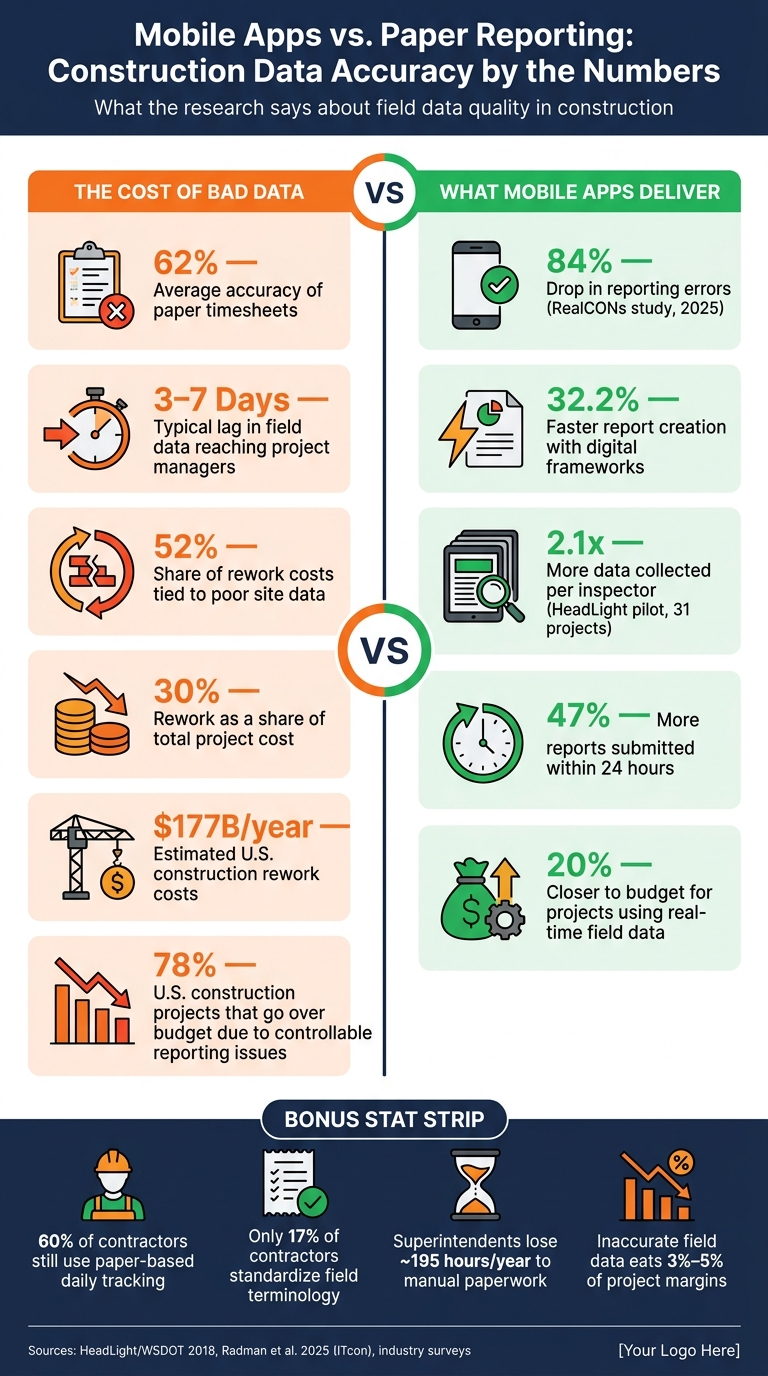
Mobile apps help construction teams log field data with fewer mistakes, fewer gaps, and less delay. In the research cited here, digital field reporting led to an 84% drop in reporting errors, 32.2% faster report creation, 2.1x more data collected, and 47% more reports submitted within 24 hours.
If I had to sum up the whole article in plain English, it’s this:
- Paper and delayed data entry cause problems.
- Mobile apps fix many of those problems by using forms, rules, photos, GPS, timestamps, and offline sync.
- The app alone is not enough. Results depend on standard forms, staff training, same-shift review, and no side-by-side paper process.
- Better field data helps schedules, cost tracking, billing support, and dispute records.
A few numbers show why this matters:
- Poor site data is tied to 52% of rework costs
- Rework can reach 30% of total project cost
- U.S. rework costs are estimated at $177 billion per year
- Paper timesheets average just 62% accuracy
- Late field data can lag by 3 to 7 days
- Projects using real-time field data finish 20% closer to budget
At its core, this article shows a simple pattern: when crews enter jobsite data once, in the field, with clear required fields and built-in checks, the record is more complete and easier to verify. But if the workflow is weak, a mobile app can still produce bad data – just in digital form.
So when I read the research as a whole, the takeaway is clear: mobile apps improve construction data accuracy when the process is standardized, reviewed, and connected to cost and schedule systems.
Mobile Apps vs. Paper Reporting: Construction Data Accuracy by the Numbers
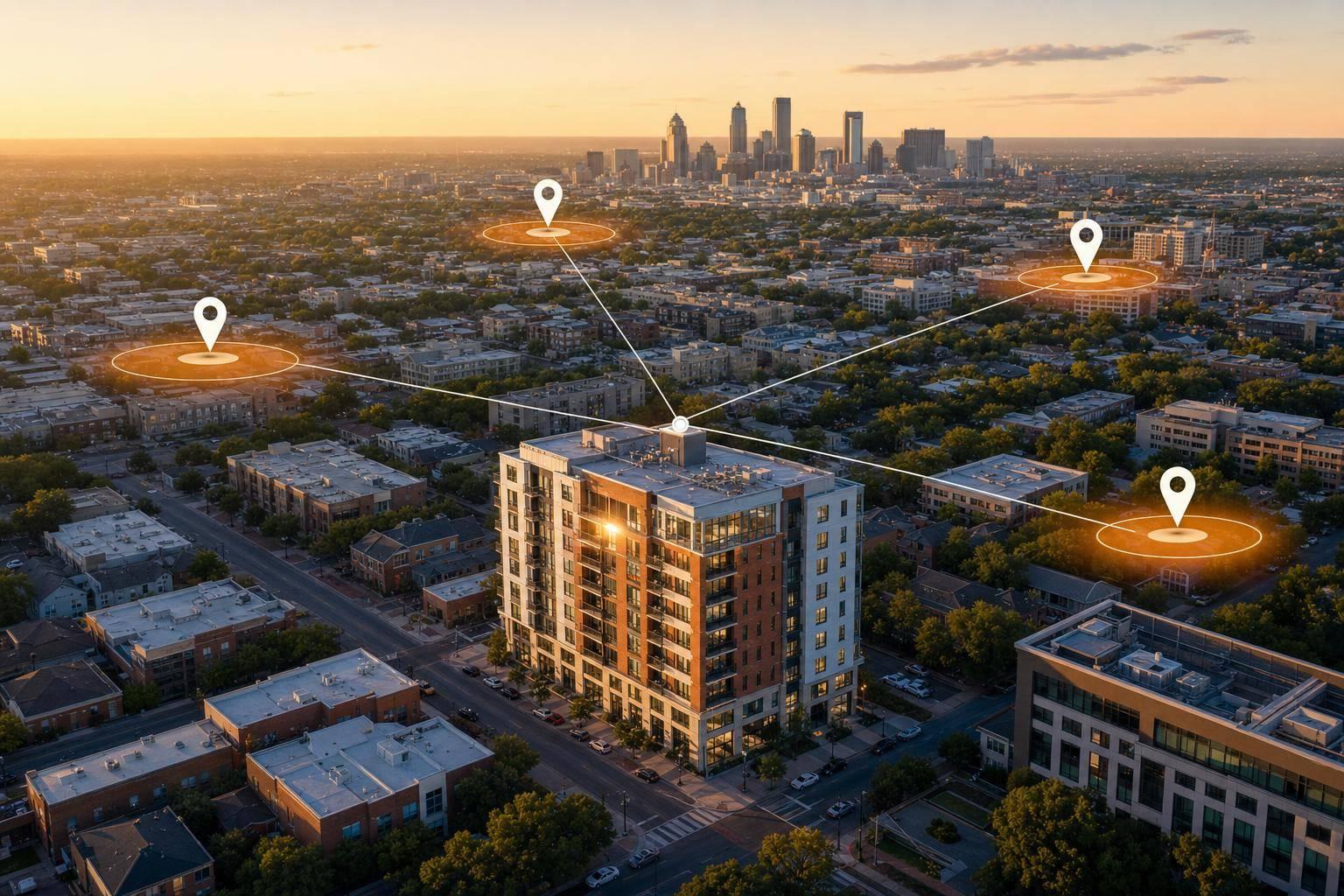
GPS-GIS Enabled Construction Inspection
sbb-itb-8058745
Where Construction Data Errors Begin
A lot of construction data problems start in the field. That’s the first place progress gets recorded, and if the first record is off, the rest of the job can drift with it. Even now, 60% of contractors still use paper-based daily tracking. Every handoff after that adds one more chance for something to go wrong.
Paper Forms, Delayed Entry, and Transcription Mistakes
Here’s a common scene: a field supervisor writes out a daily log by hand, then someone in the office types that same information into a spreadsheet or cost system. That second step sounds simple, but it’s where trouble often starts. Handwriting can be hard to read. Quantities can be skipped. Forms can get lost. Numbers can be typed in wrong. And paper timesheets average only 62% accuracy across the industry, which means the record may already be off before anyone uses it.
Delayed entry makes things worse. Instead of logging work as it happens, project managers often enter updates in batches and fill in the gaps from memory days later. That’s a risky way to run a job. One mid-sized general contractor found a $180,000 overrun after a project manager entered labor hours weekly instead of daily. By that point, the crews were set and the change orders were already locked in. The time drain adds up too. A superintendent who spends about 45 minutes a day on manual paperwork can lose almost 195 hours a year.
The same issue shows up in a less obvious place too: how teams describe the work.
Inconsistent Units, Definitions, and Progress Updates
If one crew marks a task as “complete,” another calls it “in progress,” and a third uses its own shorthand, the data stops being useful fast. Only 17% of contractors standardize terminology, and 41% say non-standardized input leads to inconsistent, inaccurate, and unusable data.
On the ground, that means teams lean on personal judgment to decide what a note means or how progress should be logged. The result? It gets much harder to compare work across crews, time periods, or job sites.
How Poor Data Quality Affects Schedules, Costs, and Disputes
Once bad data gets into the record, it doesn’t stay in one place. It spreads into schedule tracking, cost forecasting, and job decisions. When teams are working from information that’s 3 to 7 days old, they usually make schedule changes and cost fixes after the damage is already done.
That lag hits the bottom line. Inaccurate field data can eat away 3% to 5% of project margins. And 78% of U.S. construction projects go over budget because of controllable reporting issues. At that point, teams aren’t steering the project. They’re playing catch-up.
| Error Source | Primary Impact | Scale of Risk |
|---|---|---|
| Paper timesheets | 62% average accuracy | Payroll errors, record-keeping discrepancies |
| Delayed batch entry | 3–7 day information lag | Missed cost corrections |
| Non-standardized terms | 41% report inconsistent or unusable data | Unreliable project controls |
| Transcription re-entry | Re-keying errors and lost notes | Gaps in project documentation |
Evidence That Mobile Apps Improve Progress Tracking Accuracy
Research points to a simple idea: when crews record data once, in a structured format, right in the field, accuracy goes up. Fewer items get missed. Fewer notes need to be retyped later. And teams spend less time chasing down gaps after the fact.
Real-Time Field Capture Reduces Missing and Incorrect Entries
A 2018 pilot across 31 projects found that mobile inspection tools helped inspectors collect 2.1x more data and submit daily reports within 24 hours 47% more often. Inspectors also saved an average of 1.59 hours per day by cutting out office re-entry.
That time savings matters. If an inspector spends up to half a shift retyping notes instead of watching work in the field, delays creep in fast. So do transcription mistakes. Mobile capture cuts that handoff out of the process.
Mobile Reporting Improves Quantity Tracking and Inspection Records
A 2025 study by Radman, Babaeian Jelodar, and Lovreglio, published in the Journal of Information Technology in Construction, tested the RealCONs digital reporting framework using data from the Electrical and Instrumentation (E&I) trade. Compared with manual reporting methods, RealCONs led to an 84% drop in reporting errors and a 32.2% increase in reporting speed.
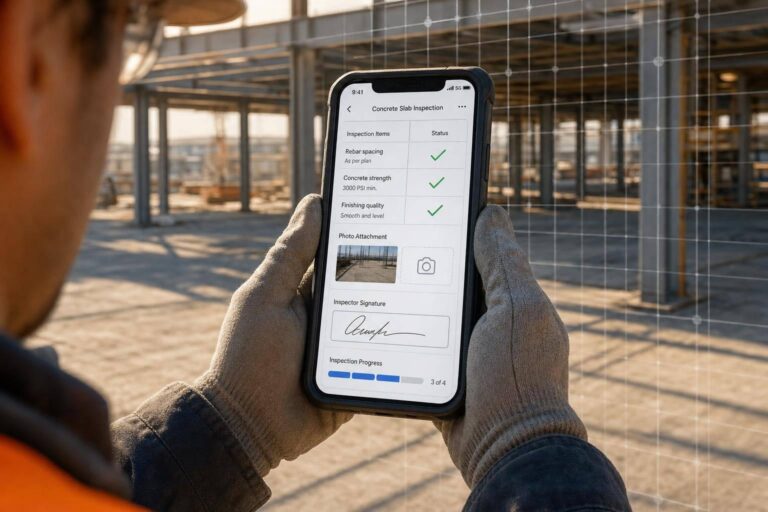
The gain isn’t just about typed notes. An inspector can also attach photos, GPS coordinates, timestamps, and video straight to an inspection record. That gives teams proof at the moment the work is recorded. In practice, that makes it easier to verify installed quantities, confirm work for payment, and build accurate as-built records.
The same pattern shows up again and again: when apps add validation, photos, and time-stamped records at the source, reporting gets cleaner and easier to trust.
Study-by-Study Results at a Glance
The studies below point in the same direction across different workflows: fewer errors, faster reporting, and more complete records.
| Study / System | Project Type | Key Workflow Change | Primary Outcome |
|---|---|---|---|
| HeadLight (WSDOT, MnDOT, TxDOT, 2018) | Public transportation infrastructure | Paper forms → mobile inspection app | 2.1x more data collected; 47% faster 24-hour report submission; higher data completeness |
| RealCONs (Radman et al., 2025) | Electrical & Instrumentation | Manual reporting → digital framework | 84% error reduction; 32.2% faster report generation |
How Mobile Apps Improve Data Quality in Practice
The gains in the previous section come from three design features: structured entry, automated verification, and offline sync. In plain English, mobile apps improve data quality because they put guardrails around field reporting. Instead of letting errors slip through and get fixed later, they stop many of them at the moment someone enters the data.
Structured Forms and Validation Rules Catch Errors Before Submission
Structured forms make it much harder to submit incomplete or messy reports. Required fields make crews fill in every key data point before submission, including labor hours, material quantities, and safety checks. Dropdown menus keep units and definitions consistent across crews. Validation rules flag out-of-range values right away, before the report ever reaches the office.
That matters because small input mistakes add up fast. Structured mobile capture cuts manual entry errors from 5% to 10% to below 0.5%. And when data is entered once in the field, there is no second round of typing later, which removes re-keying errors.
Validation improves what crews enter; device data improves how crews verify it.
Photos, GPS, Timestamps, and Device Sensors Strengthen Verification
Structured fields record the task. Sensors help confirm where and when it happened.
When a field inspector submits a report, the app can attach GPS coordinates and a timestamp on its own. For infrastructure work, location ambiguity leads to rework and missed defects. A GPS-pinned entry removes that uncertainty. Add photo attachments tied to a specific work package, and the report gets visual proof of completion that can also support billing checks.
This isn’t a fringe use case. A 2022 survey of 42 state DOTs found that 90% used smartphones and tablets for highway inspection, often to verify work for payment and monitor progress.
Verification reduces bad entries. Sync prevents those verified entries from being split across versions.
Offline Capture and Sync Reduce Duplicate Records and Version Conflicts
A lot of U.S. jobsites still have weak or spotty signal, especially in tunnels, high-rises, and remote sites. That’s where offline capture matters.
Native mobile apps store data on the device first and then sync it when the connection comes back. That means crews don’t have to rebuild reports from memory at the end of the day. It also removes the extra manual entry step that often creates duplicate records.
Automatic sync helps keep one current record in place and cuts down on version conflicts. This model cuts reporting time by 50% and brings projects 20% closer to budget than manual reporting.
Cleaner field data then flows into schedule, cost, and BIM systems with fewer conflicts.
Limits, Tradeoffs, and Adoption Risks
Those accuracy gains don’t come from the app by itself. They come from how the app is used. Mobile reporting helps when the workflow makes sense, crews know how to use it, and jobsite conditions don’t get in the way.
Bad Workflows Can Digitize Bad Data
A mobile app won’t repair a weak reporting process. It just turns that process into digital records. In many cases, teams log broad activity notes instead of the labor, equipment, and quantity details that shape decisions. And when there’s no same-shift review, unverified entries stack up fast.
That leads to the next limit: adoption. Even a solid workflow can fall apart if crews push back or struggle to use the app with ease.
Training, Device Use, and Change Management Affect Results
People determine whether mobile reporting improves accuracy. Field staff with years of experience often stick with the methods they already trust. If paper and digital reports run side by side, most crews fall back on the familiar option. When that happens, the same accuracy problems tied to paper reporting show up again.
Training has to happen where the work happens. A crew that looks fine in a conference room may hit a wall on-site while wearing gloves, dealing with glare, or working with weak service. Software built like a desktop tool can make things worse, especially when it assumes steady internet, big screens, and clean working conditions.
The tradeoffs below show where mobile reporting helps – and where it starts to break down on active jobsites.
Mobile App Benefits and Limits Side by Side
| Feature/Condition | Mobile App Advantages | Common Failure Points | Ideal Jobsite Conditions |
|---|---|---|---|
| Data Entry | Real-time capture; no transcription | Vague forms, optional fields, inconsistent cost codes | Standardized forms with mandatory validation rules |
| Verification | GPS, timestamps, and photos provide verifiable evidence | Unverified records inflate volume without improving decisions | Same-shift supervisor review and approval workflows |
| Connectivity and device use | Offline-first sync saves data without internet | Battery drain, weak connectivity, clunky UI | Mobile-first apps optimized for low bandwidth and rugged use |
| Adoption | Reduces paperwork; recovers 100+ hours per superintendent annually | Resistance to change, lack of training | Strong change management and simple, high-signal workflows |
What Better Mobile Data Enables for Analytics and System Integration
Cleaner Mobile Data Improves BIM, Schedule, and Cost-System Alignment
Accurate field data does more than clean up daily logs. It makes every connected system easier to trust.
When mobile records move straight into CPM schedules, cost codes, and BIM models, project teams can work from current jobsite information instead of waiting on late field updates. That means fewer downstream mistakes in schedule, cost, and model-based workflows.
You see that most clearly when mobile data feeds schedule, cost, and BIM systems directly.
| Integration Point | What Accurate Mobile Data Delivers |
|---|---|
| CPM Schedule | Real-time progress updates enable accurate look-ahead schedules and critical path views |
| Cost Codes | Validated cost codes reduce re-entry and improve estimated-vs.-actual reporting |
| BIM/Drawings | Geo-tagged photos support billing and reduce scope disputes |
| Procurement | Mobile goods-receipt notes update cost accruals without re-entry |
"A standalone field reporting app is useful. A field reporting app connected to your ERP is transformational." – Vikrant Mulay, ProjectsNext.ai
One thing has to be in place for this to work: standardized data structures.
If cost codes and task definitions stay consistent across projects, field data can support portfolio-level analytics and more dependable estimated-vs.-actual comparisons. If those structures change from project to project, the data gets messy fast.
Conclusion: Mobile Apps Improve Accuracy When Workflows Are Standardized
The same standardization that helps reporting also decides whether the data can be used across other systems.
The research points in the same direction: mobile apps improve completeness, cut errors, and speed up reporting. But those accuracy gains don’t come from mobility by itself. They come from structured workflows, validation rules, and system integration.
The best results show up when teams use standardized forms, require key fields, remove parallel paper processes, and keep a closed loop between field crews and project financials.
FAQs
How do mobile apps reduce reporting errors?
Mobile apps cut reporting errors because they remove manual transcription and double entry. Instead of bouncing between paper forms, spreadsheets, and back-end systems, data goes straight from the field into the system.
That direct flow matters. Every extra handoff creates another chance for mistakes, whether it’s a typo, a skipped field, or a copied number that lands in the wrong place.
Features like GPS stamps, validation rules, and required fields help reduce human error and keep reporting more consistent. A worker in the field can enter data once, at the moment the work happens, and the app can check whether that entry makes sense before it’s submitted.
Real-time capture also replaces delayed, memory-based reporting with data that’s more accurate and easier to verify. That means fewer guesses at the end of a shift and a clearer record of what happened, where it happened, and when.
What setup is needed for accurate field reporting?
Accurate field reporting depends on a mobile workflow that feels easy in the field. Crews should be able to open the app, pick the right project, trade, and exact location, and then fill out structured daily logs, inspections, or progress quantities. They should also be able to attach photos, videos, or voice notes without jumping through hoops.
The app also needs to handle the small but important details on its own. It should add timestamps automatically, use GPS when needed, and enforce validation so fewer mistakes slip through. Entries should sync to the cloud right away. And when the signal drops – which happens all the time on job sites – the app should still allow offline capture and then upload everything on its own once the device is back online.
Can mobile apps work without internet on jobsites?
Yes. Mobile construction apps can work without an internet connection when they use an offline-first setup.
That means the app stores blueprints, daily logs, time entries, and photos right on the device when crews are in dead zones. Once service comes back, it syncs that data to the cloud automatically.
GPS tagging can work without cellular service too, which helps teams keep accurate, location-verified records in remote or underground areas.