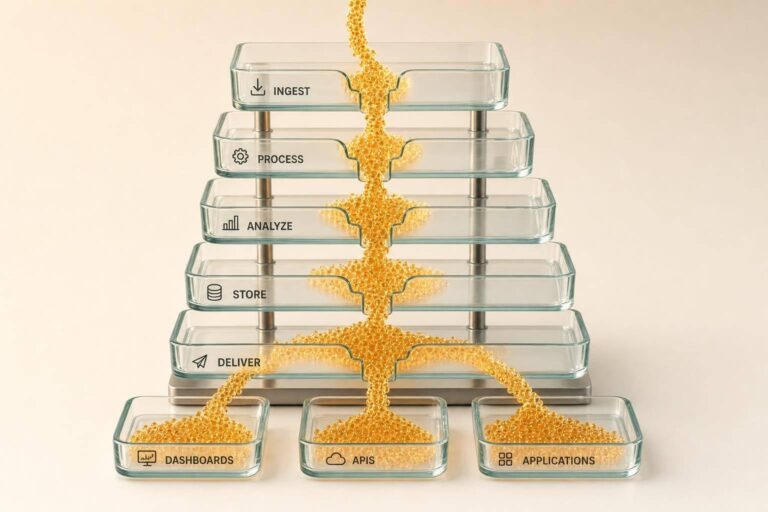
If data waits for a nightly job, teams make decisions on old facts. I’d sum up this topic like this: bulk data systems handle real-time work by turning each data change into an event, moving it through a stream, checking order and duplicates, applying rules in motion, and sending the result to the right storage path based on how fast it must be used.
Here’s the simple version:
- I start with the business goal, not the pipeline
- I set a latency target for each workflow, such as:
- Under 1 second for lead routing
- 1–30 seconds for CRM updates and alerts
- 1–5 minutes for enrichment and ownership updates
- I treat each new record, update, or delete as an event
- I use CDC and streaming ingestion so only changed data moves
- I keep records correct with partitioning, timestamps, versions, and idempotent writes
- I clean and enrich data in motion with:
- address standardization
- owner/contact matching
- phone and email checks
- property and contact enrichment
- I apply DNC and TCPA checks before records reach dialers
- I route output by use case:
- hot lookup storage for low-latency reads
- systems of work like CRM tools for team actions
- warehouses and object storage for analysis and exports
- I watch lag, throughput, errors, retries, and queue depth so slowdowns do not hide behind high volume
A few numbers make the point clear. Some U.S. counties can produce tens of thousands of filings per day. And a team may need 95% of valid phone numbers verified in under 2 seconds or a lead sent to an agent in under 30 seconds. So the pipeline is not just about speed. It is about making the right call on time, with clean data and logged compliance checks.
In short, I’d say a bulk data system becomes “real-time” when it can move high-volume changes through ingestion, processing, compliance, storage, and delivery without letting lag, bad ordering, or repeated failures spoil the result.
Batch vs Streaming | Designing Real-Time and Large-Scale Data Processing Systems | Uplatz
Capture High-Volume Data as Events
Once you know your sources, the next move is simple: treat every change as an event.
In an event-driven setup, each create, update, or delete is handled as its own event. A property price change, an ownership record update, or a phone verification result gets published and consumed in near real time. That means changes keep moving from the source into downstream systems without waiting on big batch jobs.
Use Streaming Ingestion and Change Data Capture
The ingestion layer should take in REST APIs, transaction logs, and file drops, then normalize them into a single event stream. Change Data Capture (CDC) is the main pattern for database-backed sources. Instead of reloading whole tables, CDC reads the transaction log and emits only what changed: inserts, updates, and deletes. As Qlik notes, this approach offers three concrete advantages over batch replication: faster decisions from current data, less disruption to production workloads, and lower transfer costs because only incremental changes move downstream.
For file-based sources, treat each row as an event so records can be acted on right away. Then map every input to a canonical schema with the fields downstream systems need, such as property ID, contact info, status, and timestamps. A durable message bus like Apache Kafka stores these events in topics, which lets downstream systems process them at their own pace.
After ingestion, the next job is to sequence and deduplicate events at the record level.
Design for Ordering, Deduplication, and Fault Tolerance
When more than one source updates the same record, ordering and deduplication keep the data correct.
Start by partitioning by entity. If all events for a given parcel_id or contact_id go to the same stream partition, updates for that record are processed in sequence. That helps prevent race conditions. Each event should carry both event-time, which is when the change happened at the source, and ingestion-time, which is when it entered the pipeline. Add a version counter too. If a newer MLS update shows up after an older bulk record, timestamps and source priority make sure the newer value stays authoritative.
Deduplication works best with idempotent updates. In plain English, that means operations should set a field to a specific value instead of toggling or incrementing it. If the system processes the same phone_verified = true event twice, the result is the same as processing it once. For failures, use retries with exponential backoff, dead-letter queues for repeated schema failures, and circuit breakers for dependencies that keep failing. That way, a failed verification, stalled enrichment step, or delayed lead routing job doesn’t jam the whole pipeline.
Process Data in Motion Without Slowing the Pipeline
After ordering and deduplication, transform each event before it reaches storage or delivery.
Filter, Standardize, Enrich, and Validate Records in Real Time
The first processing layer handles the basics: address normalization, field standardization, and quality filtering. Records coming in from MLS feeds, county records, or marketing lists often show up in messy, inconsistent formats. Address normalization turns raw inputs into a USPS-compliant format by standardizing street names, unit numbers, ZIP+4, and state abbreviations. That cuts down on returned mail and geocoding errors.
Once records are standardized, enrichment adds the details acquisition and underwriting teams need: current owner name, mailing address, estimated property value in USD, last sale date and sale price, property details like beds, baths, square footage, lot size, occupancy status, and verified phone numbers. BatchData supports inline property and contact enrichment, skip tracing, and phone verification as records move through the stream. Cache hot reference data in streaming state to avoid per-record lookups.
Validation runs alongside enrichment. Phone numbers are checked for correct U.S. format, screened for obvious placeholder patterns, and verified through carrier or phone verification APIs to confirm whether a number is active, mobile, landline, or VOIP. Records missing critical fields – such as no owner name, no deliverable address, or no valid phone – are rejected or quarantined before they ever reach an outbound campaign.
Apply Continuous Rules for Compliance and Delivery Decisions
Speed without compliance creates risk. Apply live DNC and TCPA rules after validation, not in a nightly audit.
Then route records into three streams:
- Call-ready: records that pass all checks and can go straight to dialers or CRM systems
- Needs review: records with unresolved data points that should sit in a work queue without slowing the main pipeline
- Suppressed: records that match DNC lists, opt-out logs, or litigation risk flags, with reasons and timestamps logged for regulatory defense
The main idea is simple: real-time processing is not just about moving fast. It’s about making the right decision fast. Compliance rules belong in the stream, not in a report someone checks later.
From here, route outputs to low-latency lookup tables, analytics stores, or bulk delivery queues.
Store, Deliver, and Monitor for Low-Latency Results
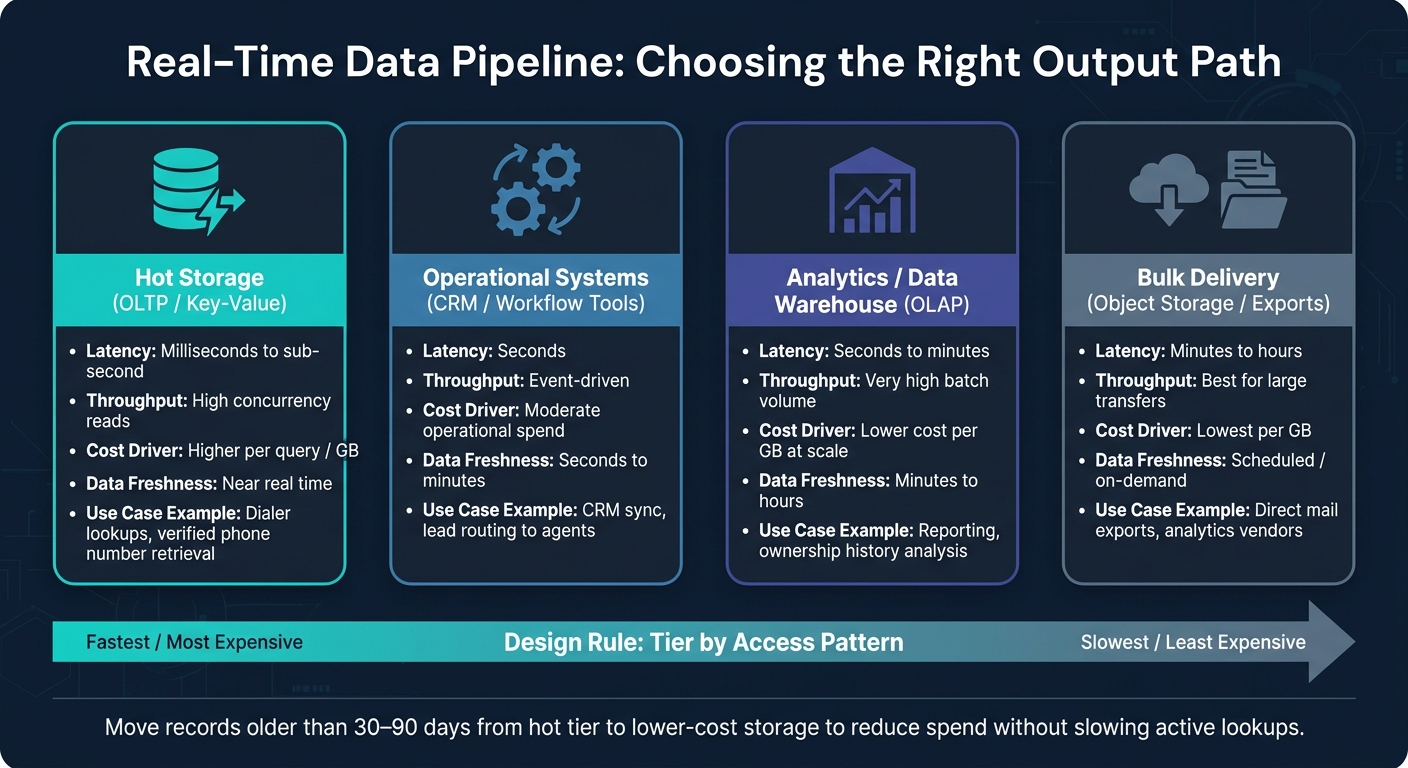
Real-Time Data Pipeline: Output Path Comparison by Latency & Use Case
After compliance routing, the next step is sending each stream to the right place. Once records pass compliance checks, the next call is simple in theory but expensive if you get it wrong: where should this data go, and how fast does it need to arrive? If you build every output path for maximum speed, costs climb in a hurry.
Choose the Right Output Path for Lookup, Analytics, and Bulk Delivery
Each destination should match the latency needs of the team or system using it. A dialer or CRM integration that needs a verified phone number in under a second belongs on a very different path than a monthly reporting export. In most production setups, three paths run side by side: hot storage for immediate API lookups, operational systems for workflow automation, and warehouse/archive for analytics and retention.
| Output Path | Typical Latency | Throughput | Main cost driver | Data Freshness |
|---|---|---|---|---|
| Hot storage (OLTP / key-value) | Milliseconds to sub-second | High concurrency reads | Higher per query / GB | Near real time |
| Operational systems (CRM, workflow tools) | Seconds | Event-driven | Moderate operational spend | Seconds to minutes |
| Analytics / data warehouse (OLAP) | Seconds to minutes | Very high batch volume | Lower cost per GB at scale | Minutes to hours |
| Bulk delivery (object storage, exports) | Minutes to hours | Best for large transfers | Lowest per GB | Scheduled / on-demand |
For property and contact data, hot storage handles lookups, while warehouses and exports keep the long-term record. Newly verified contacts should live in hot lookup storage. Older ownership history fits better in the warehouse.
The main design rule here is tiering by access pattern. Keep recent, heavily queried records, like newly enriched contacts or just-verified phone numbers, in the hot tier. Then move records older than 30 to 90 days into lower-cost object or warehouse storage. That cuts storage spend without slowing active lookups. The same setup works for property search, CRM sync, and bulk exports.
Keep those tiers up to date with micro-batches and change-only updates instead of full reloads. In plain English: send only what changed. Group updates into small time windows, and sync only records that matter right now, such as recently sold properties, newly verified contacts, or items flagged by business rules.
Track Lag, Throughput, Failures, and Backpressure
Five metrics tell you whether a real-time pipeline is healthy: processing lag, event throughput, error rate, retry volume, and queue depth. The one that matters most is lag, because it shows how far the pipeline is trailing the source. Lag is the gap between what the source has and what downstream systems have processed. A pipeline can still chew through millions of records per hour while lag keeps creeping up in the background. That means outputs may already be stale before anyone spots the problem, leading to stale property lookups, delayed lead routing, or late bulk exports.
High throughput alone doesn’t mean much if lag is climbing or retries are piling up. These metrics only make sense when you read them together.
Backpressure usually shows up in a pattern: growing queue depth, then rising lag, then failure. The practical fix is usually a mix of elastic scaling – adding workers when lag or queue depth crosses a set threshold – plus partitioning, which spreads high-volume feeds across parallel paths, and alerting based on predicted staleness instead of just hard failures. For example, alert when lag suggests more than five minutes of delay for lookup APIs, or more than one hour for reporting exports. Those thresholds should map to business SLAs, not random technical limits.
Dead-letter handling catches records that fail again and again so teams can inspect them without blocking the main stream, and failure isolation keeps one slow output path from stalling delivery to higher-priority consumers.
These signals help decide which real-estate workflows need to stay hot and which can shift to bulk delivery. Those output choices show up directly in property and contact workflows.
Apply the Model to Real Estate Data Workflows
Once you’ve set the output paths and monitoring rules, the next step is to use them in an actual real estate workflow. These stages line up with day-to-day real estate data operations, and the latency target should match the decision you need to make.
Example Workflow for Property and Contact Data Operations
A good place to start is a campaign built around absentee-owned single-family homes across a metro area. Property updates come in from MLS feeds and county assessor sources. Early filters remove properties outside the target ZIP codes or below the equity floor, so only records that fit the buy box move forward.
Next comes address standardization and owner matching. This step normalizes street names to USPS formats and resolves owner entities so each property ends up with one clean, canonical record. That same logic also decides which records stay in the stream and which ones go to review or suppression.
For properties that pass the investment criteria, the workflow kicks off skip tracing to find or refresh phone numbers and email addresses. Each returned contact set should include:
- Candidate ranking
- Confidence scores
- Line type
- Carrier
- DNC or litigator flags
After that, phone verification checks which numbers are cleared for TCPA-compliant dialing before any record moves into a dialer or CRM. That’s what creates the call-ready path described above.
Qualified records should reach sales and acquisition teams within minutes of the source event. Bulk exports of the campaign list can then move to analytics systems or direct mail vendors on a schedule or whenever needed. This is the point where the pipeline starts doing actual business work. BatchData supports this flow with property and contact enrichment, skip tracing, phone verification, and bulk data delivery through APIs and professional services.
Track lag, throughput, error rate, and backpressure as a group. A drop in match rate or a spike in verification timeouts can hurt just as much as lag. Those metrics help protect speed, compliance, and data freshness before the data goes stale.
FAQs
How is bulk data made real-time?
Bulk data becomes real-time when you stop polling and start using event-driven systems that send updates the moment something changes. Webhooks can fire off instant notifications, while Change Data Capture follows database changes as they happen.
For heavier workloads, asynchronous processing lets you work through large datasets without blocking the rest of the workflow. In practice, teams often mix real-time APIs with scheduled bulk jobs to keep data accurate and up to date.
Why do ordering and deduplication matter?
Ordering keeps updates in the right sequence, so older data doesn’t overwrite newer changes. That matters when you’re trying to keep property status and pricing records accurate.
Deduplication removes repeat entries from multiple sources or frequent event streams. The result is more consistent data and fewer mistakes in lead routing or valuations. Paired with idempotent request handling, it also helps keep high-volume pipelines stable.
How do teams choose the right output path?
Teams pick the right output path by matching the delivery method to data freshness, volume, and intended use.
Use real-time REST APIs for on-demand lookups when sub-second latency matters. Choose bulk delivery for high-volume jobs with more than 10,000 records or for offline analysis. Use webhooks for asynchronous updates.
In many cases, a mix of these methods gives teams the best balance of cost and agility.