If I were picking an AI stack for real estate in 2026, I’d split it into four jobs: analyze deals, find properties, get owner/contact data, and run follow-up. That’s the short answer.
The article reviews 12 tools across those jobs, from single-property underwriting tools like DealCheck, to data platforms like BatchData, to team pipeline systems like Dealpath and AtlasX, to flexible assistants like ChatGPT. It also makes one point clear: the best tool depends more on team size and workflow than on flashy features.
A few numbers stand out fast:
- The AI in PropTech market was $25.1 billion in 2024 and is projected to hit $198.4 billion by 2034, with 25.6% CAGR
- HouseCanary covers 136 million+ U.S. residential properties
- BatchData reports 600 million+ contact records and a 76% right-party contact rate
- CONIN says it scans 400–500 million data points per day
- Plunk tracks 100 million+ U.S. homes
Here’s the plain-English takeaway:
- For solo investors: I’d look at DealCheck for underwriting and ChatGPT for writing, review, and first-pass analysis
- For small teams: I’d look at HouseCanary, YesAI, REsimpli, or Brick, depending on whether the bottleneck is analysis, sourcing, or follow-up
- For larger teams: I’d look at BatchData, Dealpath, or AtlasX when volume, shared workflow, and system connections matter more
The list includes:
- HouseCanary CanaryAI
- DealCheck
- YesAI
- BatchData
- Brick
- Plunk
- CONIN
- REsimpli
- Dealpath
- AtlasX
- S.MPLE
- ChatGPT
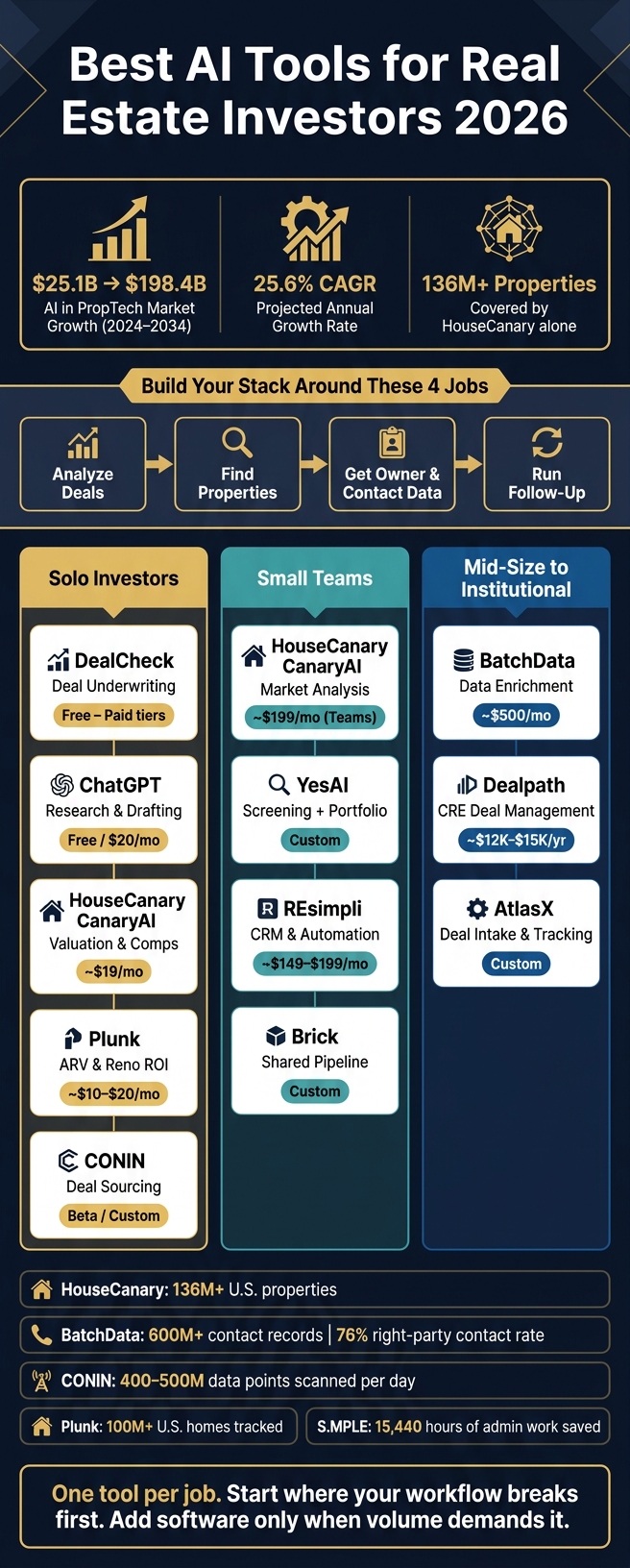
Best AI Tools for Real Estate Investors 2026: Quick Comparison by Team Size & Use Case
Quick Comparison
| Tool | Main Job | Best For | Starting Price |
|---|---|---|---|
| HouseCanary CanaryAI | Valuation, rent comps, market analysis | Solo investors, small teams, larger firms | About $19/month |
| DealCheck | Property underwriting | Solo investors, small teams | Free; paid tiers available |
| YesAI | Deal screening + portfolio tracking | Solo investors, small teams | Custom |
| BatchData | Contact/property data, skip tracing | Small to large teams | BatchData pricing is based on your use case and volume. Contact sales for current pricing. |
| Brick | Shared deal pipeline | Active teams | Custom |
| Plunk | ARV and renovation ROI | Flippers, BRRRR, buy-and-hold | About $10–$20/month |
| CONIN | Property discovery and scoring | Solo investors, small teams | Custom / beta |
| REsimpli | CRM and follow-up automation | Wholesalers, flippers, investors | About $149–$199/month |
| Dealpath | CRE deal management | Mid-size to institutional teams | About $12,000–$15,000/year |
| AtlasX | Deal intake and pipeline tracking | Mid-size to large teams | Custom |
| S.MPLE | Agent workflow automation | SERHANT. agents | Not public |
| ChatGPT | Research, drafting, document review | Solo investors, small teams | Free; $20/month for Plus |
Bottom line: I’d use one tool per job, not five tools that overlap. Start with the part of your workflow that breaks first, then add software only when the volume justifies it.
sbb-itb-8058745
1. HouseCanary CanaryAI
For investors who start with underwriting, HouseCanary CanaryAI gives you a simple way to pull valuations, rent estimates, comps, and market trends with plain-language prompts. The data reach is huge: more than 136 million U.S. residential properties and 19,000+ ZIP codes.
At the center of the platform is HouseCanary’s Automated Valuation Models (AVMs). HouseCanary reports a median absolute percentage error of about 2.7% to 3.1%, and the models can project property values monthly for up to 36 months. In practice, that means an investor can ask for a home’s current value, nearby rent comps, and a three-year forecast, then use the confidence range to decide whether the deal is worth a closer look.
CanaryAI also goes beyond one-off property checks. It supports ZIP-code and MSA comparisons for price trends, rent growth, days on market, and vacancy across multiple metros in a single dashboard. If your team is reviewing deals in several markets at once, that side-by-side view can save a lot of back-and-forth.
Pricing:
| Plan | Price | Users | Included |
|---|---|---|---|
| Basic | ~$19/month or ~$190/year | 1 | 2 custom valuation reports/month; limited CanaryAI access |
| Pro | ~$79/month or ~$790/year | 1 | 15 custom valuation reports/month, 15 AVM PDF reports/month, full CanaryAI access, core API access |
| Teams | ~$199/month or ~$1,990/year | Up to 10 | 40 valuation reports/month, 40 AVM PDF reports/month, portfolio monitoring, advanced APIs |
| Enterprise | Custom | Unlimited | Custom volume, broader data licensing, dedicated support |
Annual billing cuts the cost by about 10% to 17%. For web-only users, setup is pretty light, and many solo investors can get up to speed within a day. Integrating a real estate API takes more work since you need to connect endpoints to your own systems, but that’s what makes large-scale automation possible.
This makes CanaryAI a good match for solo investors and small teams that want institution-level analytics without building their own data stack. It also works well for larger organizations that need the same valuation method delivered through APIs across many users and markets.
The main drawback is volume. Lower-tier plans can hit their report limits fast if you screen a lot of deals. And like any model-driven tool, results can be weaker in unusual neighborhoods, thinly traded areas, or places where properties don’t fit neat patterns. A smart way to use CanaryAI is as a first-pass underwriting filter, then double-check oddball deals with local comps and boots-on-the-ground diligence.
2. DealCheck
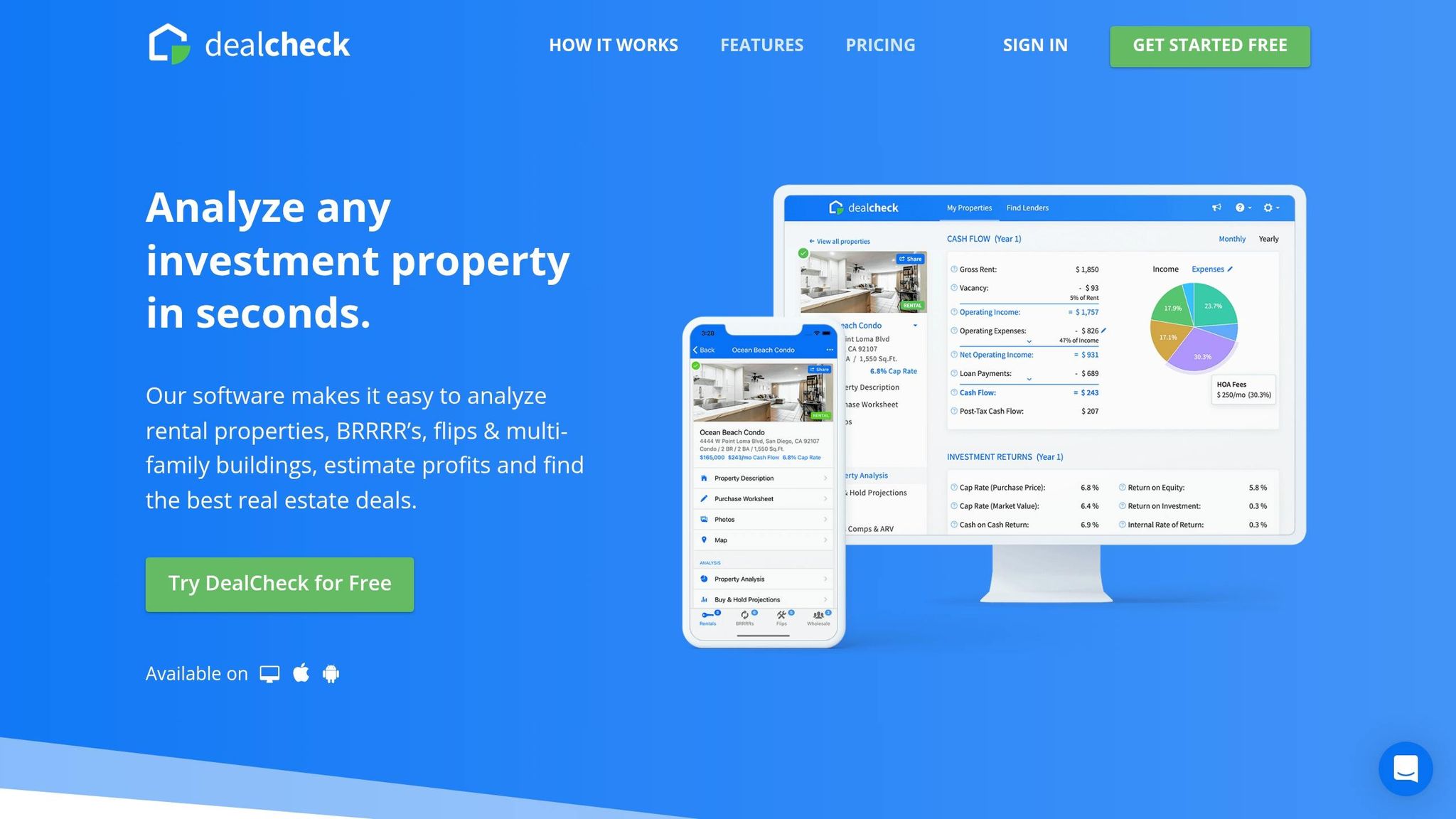
If HouseCanary leans toward market-level underwriting, DealCheck zooms in on one property at a time. It’s a deal-level underwriting tool made for single-deal analysis, not market-wide work.
DealCheck comes with built-in calculators for rentals, flips, BRRRR deals, and short-term rentals. The outputs cover the numbers most investors care about: cash flow, cap rate, cash-on-cash return, IRR, ARV, and net profit. The BRRRR module walks through acquisition, rehab, refinance, and long-term hold, so you can see how much money is still tied up in the deal after the refi. Inputs use U.S. dollars and square feet, which makes the tool a good match for investors who want fast, repeatable underwriting on individual properties.
Getting started is simple. DealCheck is cloud-based, so there’s nothing to install, and the web and mobile apps stay in sync across devices. Most new users sign up, set default assumptions like vacancy rate, expense ratio, target cash-on-cash return, LTV, and interest rate, then build property templates they can reuse. You can also pull in property data from MLS, Zillow, Redfin, Rentometer, and public tax records.
Its pricing makes more sense when you look at the plan limits, not just the feature list.
| Plan | Saved Properties | Comps per Property | Key Features |
|---|---|---|---|
| Free | 15 | Limited | Basic calculators, core reports |
| Plus | 50 | 10 sales & rental comps, 15 photos | Offer calculator, more purchase criteria, core advanced features |
| Pro | Unlimited | Unlimited | Unlimited properties, photos, comps, and templates; owner lookup; branded reports; CSV export |
The Free plan includes 15 saved properties. Plus bumps that up to 50 and adds comps and photos. Pro removes those caps with unlimited properties, photos, comps, and templates. If you pay annually in USD, the monthly cost is often lower than month-to-month billing.
DealCheck works well for solo investors and small teams, like partnerships, boutique fix-and-flip shops, or agents who also invest, because it gives them steady, lender-ready underwriting without extra IT work. For most active investors, Plus is enough. Pro makes more sense for teams reviewing a high volume of deals and sending branded reports.
DealCheck is best for solo investors and small teams that need fast, repeatable underwriting.
3. YesAI
YesAI is a good fit for investors who want acquisition screening and portfolio monitoring in one place. It’s an end-to-end AI-powered property investment platform that covers both deal review and post-close tracking.
Here’s the basic idea: investors can pull in listing data and market information, then run real-time deal analysis on possible acquisitions. That includes rental yield, ROI, cash flow, and vacancy risk. Once a property is acquired, the platform shifts from screening to tracking. Its dashboard monitors performance and flags refinance, disposition, or value-add opportunities.
That broader scope changes the setup a bit. Instead of plugging in a single property and calling it a day, users start by setting investment criteria and loading current holdings. Because YesAI is web-based, there’s nothing to install. Setup usually means adding target markets, property types, price bands, and risk thresholds, then importing existing holdings so the portfolio module can begin building benchmarks. For small teams, that can move pretty fast once the holdings and criteria are in place.
Pricing isn’t listed in public, so investors need to request current terms directly.
| Aspect | Details |
|---|---|
| Core function | Deal analysis, market insights, and portfolio optimization |
| Setup effort | Low–moderate; web-based with no installation required |
| Best fit | Solo investors and small teams; useful as a supplementary analytics layer for larger firms |
| Pricing entry point | Not public; demo-first approach |
| Workflow role | AI analytics layer alongside spreadsheets and CRMs |
YesAI works best for solo investors and small teams reviewing multiple deals each week. It helps them screen opportunities in a steady, data-based way without building or maintaining heavy Excel models. For larger firms, it tends to serve more as a supplementary analytics layer than a core underwriting engine.
4. BatchData
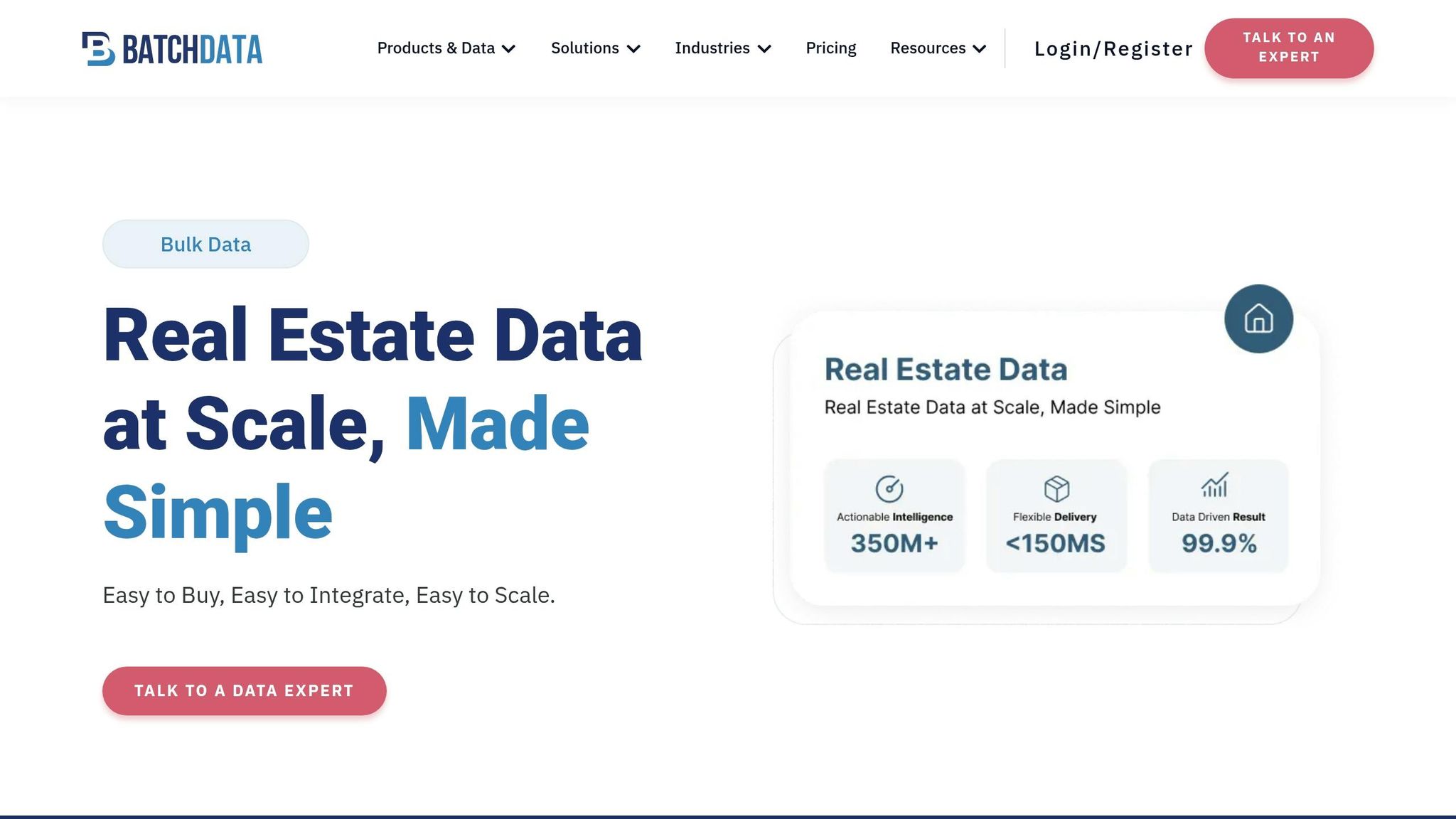
BatchData works as a data layer for enrichment and automation. It pushes verified property and contact records into CRMs, dialers, and analysis workflows. That matters when teams need clean data to move fast into outreach and underwriting.
Investors can upload absentee-owner lists, run skip tracing, and send verified contacts straight into outreach systems. BatchData says it has a contact database of 600M+ records and a reported 76% right-party contact rate.
The platform is API-first. Its endpoints include Property Search, Property Lookup, Address Auto-Complete, and single or bulk property lookup. So if your team wants automated enrichment instead of hours of manual list cleanup, it lines up well. If you’re not technical, there’s another path: BatchData also offers professional services for data integration and pipeline setup.
| Aspect | Details |
|---|---|
| Core function | Property and contact data enrichment, skip tracing, API-based property search, bulk data delivery |
| Setup effort | Low to moderate with professional services; moderate to high for direct API setup |
| Best fit | Small and midsize teams and larger operations with consistent data needs; solo investors may find monthly tiers harder to justify |
| Pricing entry point | BatchData pricing is based on your use case and volume. Contact sales for current pricing. |
| Workflow role | Data layer that feeds CRMs, dialers, and deal analysis tools |
BatchData makes the most sense for teams that need steady enrichment for regular outreach and pipeline work. It tends to shine once a team moves past list building and starts working those leads day to day.
5. Brick
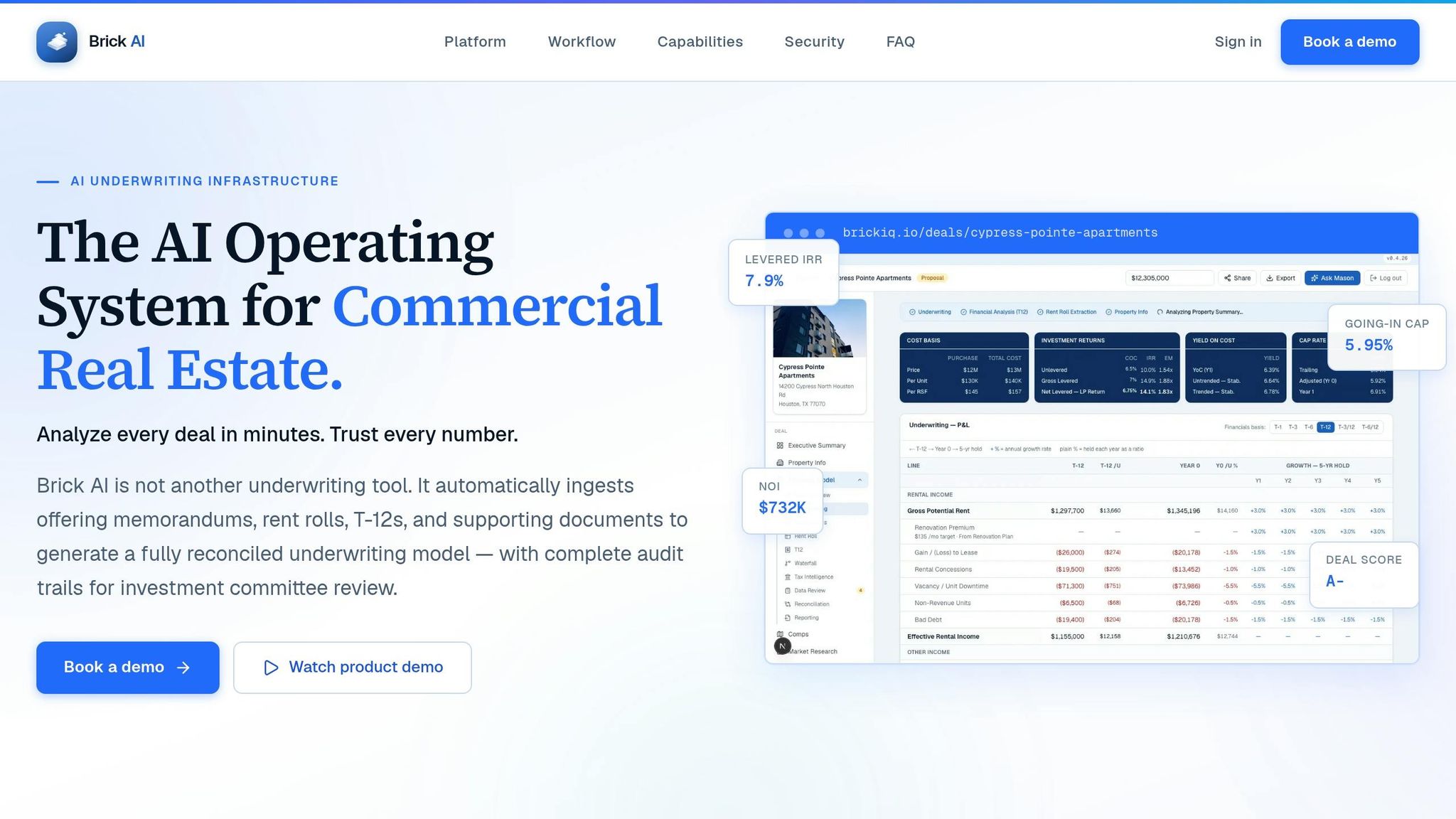
For teams that are moving beyond data prep and into active deal flow, Brick sits at the workflow layer. It works as an AI deal copilot for sourcing, underwriting, and negotiation. The platform connects listing feeds with internal deal data, learns investor preferences, and brings relevant deals into one shared pipeline.
That matters in day-to-day work. Instead of hunting through scattered files, spreadsheets, and inbox threads, teams can keep documents and underwriting assumptions in one place. Everyone works from the same source of truth, which makes live deals a lot easier to manage.
Setup is usually pretty straightforward, but it does take some work. Most teams connect their feeds, import existing deals, and map core fields into Brick’s shared schema.
Brick makes the most sense for teams that want a shared system for live deals. It’s a better fit for groups running an active, shared pipeline than for low-volume investors who don’t need that level of coordination.
| Aspect | Details |
|---|---|
| Core function | AI-driven deal sourcing, underwriting, pipeline management, team collaboration |
| Setup effort | Moderate; requires connecting data feeds and migrating existing pipeline data |
| Best fit | Teams that want a centralized, collaborative deal pipeline |
| Pricing entry point | Not publicly disclosed |
| Workflow role | Shared sourcing, underwriting, and collaboration |
6. Plunk

If Brick helps you manage the pipeline, Plunk helps you figure out the deal math on the renovation side.
It tracks 100M+ U.S. homes and puts the current value, after-repair value, and renovation ROI in one place. That’s useful when you need a fast read on whether a property has room to work.
Where Plunk stands out is its renovation ROI analysis. Investors can test different renovation scenarios and see which upgrades are more likely to lift resale value. For flippers and BRRRR investors, that can make early underwriting a lot less guesswork. Buy-and-hold buyers can also look at neighborhood trends to size up appreciation potential. In plain English: it works well as a first-pass screen for value-add deals before any money goes out the door.
Plunk also fits into deal flow through widgets and APIs. Its outputs can sit inside listing and auction experiences instead of living in a separate tool. A good example is its integration with Xome, where auction buyers can see after-repair value insights right inside the listing before they bid.
Getting started is fairly light for self-serve users because the property data is already preloaded. Bigger teams usually have more work to do. They may need to connect APIs, line up internal records, and set rules for automated outputs.
Reported pricing starts at about $10 to $20 per month for individual plans, while enterprise and API access use custom pricing.
| Aspect | Details |
|---|---|
| Core function | Real-time valuation, after-repair value, and renovation ROI |
| Setup effort | Low for self-serve users; moderate to high for API and enterprise integrations |
| Best fit | Flippers, BRRRR investors, and buy-and-hold buyers judging appreciation upside |
| Pricing entry point | About $10–$20/month for individual plans; custom enterprise and API pricing |
| Workflow role | Property-level underwriting and renovation planning |
7. CONIN

CONIN sits at the property-search stage of the investing workflow. It helps residential investors – especially solo operators and small teams – find deals before underwriting begins. The platform scans the market 24/7 to surface off-market, direct-to-owner opportunities, and it also flags on-market properties that may offer strong return potential. If your pipeline feels thin, CONIN plugs that sourcing gap at the very start.
The platform reviews 400–500 million data points per day and scores properties on a scale from 5 to 10, with 10 marking the strongest opportunities. That score isn’t just a number. Each one comes with a plain-language reason and a suggested path – like fix & flip, value-add, or development – so investors can decide fast whether a property is worth a closer look.
Getting started is simple. Investors set their target markets, property types, and strategy preferences, and CONIN works from those inputs. From there, users can export shortlisted deals for deeper underwriting. In practice, that makes CONIN a clean front-end source finder before a deal moves into analysis or CRM workflows.
CONIN is still in beta/early access, and pricing isn’t posted in public. Access terms are negotiated directly.
| Aspect | Details |
|---|---|
| Core function | AI-driven deal sourcing and opportunity scoring |
| Setup effort | Low; define target markets and strategy preferences |
| Best fit | Solo investors, small teams, and boutique shops |
| Pricing entry point | Beta access; pricing negotiated directly |
| Workflow role | Deal sourcing and first-pass screening |
8. REsimpli
Once sourcing and enrichment are done, the next choke point is usually follow-up and pipeline execution.
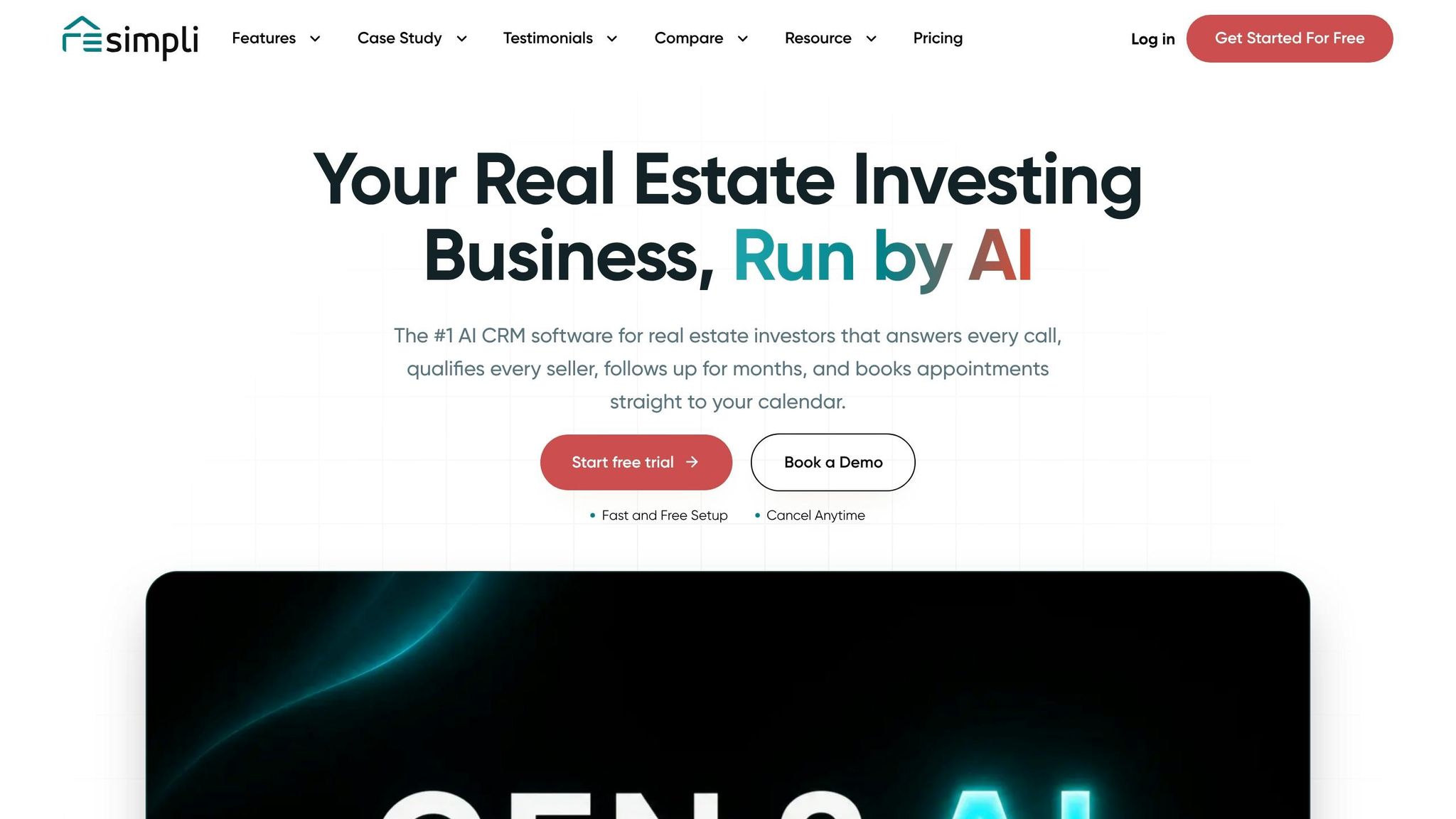
REsimpli is an all-in-one CRM and automation platform built for wholesalers, flippers, and buy-and-hold investors. It’s made for motivated-seller and off-market workflows, not agent listings.
The platform pulls a lot into one place: calling, texting, mail, skip tracing, list stacking, dashboards, and accounting. It also supports drip campaigns that can send SMS, email, voicemail, and direct mail based on a lead’s status or behavior. If you want more automation, optional AI add-ons can handle speed-to-lead, SMS replies, call routing, lead scoring, and KPI analysis.
That all sounds neat on paper, but there’s still some setup work. Templates and pre-built workflows make the start easier, yet teams moving over from other tools should still plan for data migration and staff training.
Pricing is another thing to watch. Team size and usage can grow fast, so plan limits matter more than they might at first glance. Pricing starts at $149 to $199 per month and moves up to Pro and Enterprise tiers.
| Aspect | Details |
|---|---|
| Core function | Investor CRM, communication hub, and workflow automation |
| Setup effort | Simplified by templates, but data migration and training still take time |
| Best fit | Solo investors (Basic), growing teams (Pro), and larger operators (Enterprise) |
| Pricing entry point | ~$149–$199/month for Basic; 30-day free trial available |
| Workflow role | Lead management, follow-up automation, deal pipelines, and KPI tracking |
9. Dealpath
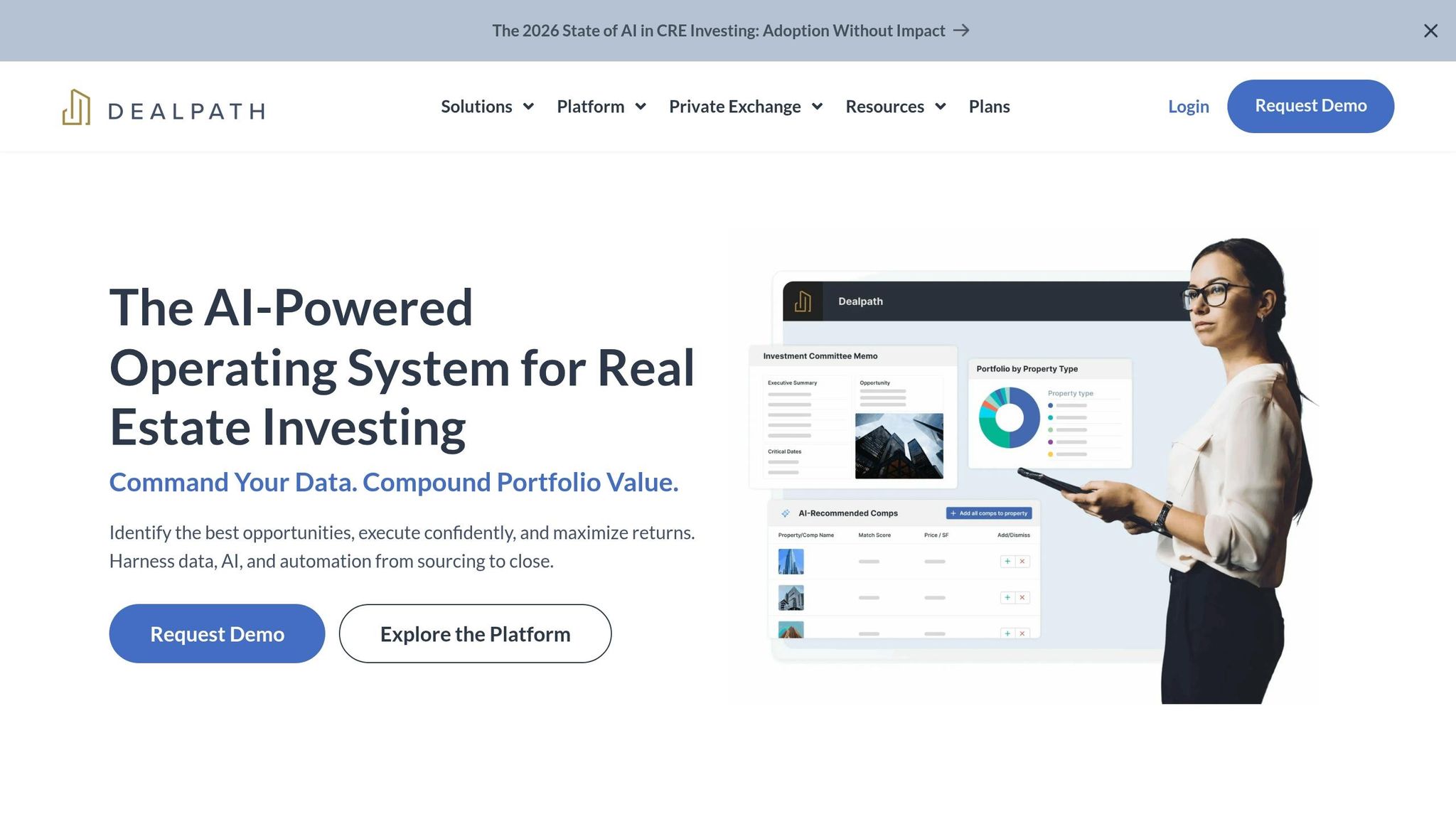
After CRM and automation tools, the next scaling issue is formal deal management. Dealpath is a CRE deal management platform built for teams that have outgrown spreadsheets. It puts sourcing, underwriting, closing, and portfolio tracking in one place.
Its AI tools are aimed at one thing: cutting down manual work. AI Extract turns broker emails and offering memoranda into structured deal records. Teams can then move opportunities through custom stages like Sourced, Screening, Underwriting, IC Approved, and Closing. On top of that, AI Deal Screening helps sort inbound deals, AI Comps surfaces related transactions, and AI Listing Insights speeds up review.
There’s also Dealpath MCP, which can send firm-specific pipeline data, past deals, and underwriting models into tools like ChatGPT or Microsoft Copilot. That’s a big help when analysts, asset managers, and decision-makers all need the same numbers and the same deal context.
This matters most for teams with several analysts and multiple approval steps. If everyone is working from different files, things get messy fast. Dealpath gives those teams a shared system instead of a pile of spreadsheets and email threads.
Pricing is quote-based. Smaller teams of about five users usually start around $12,000 to $15,000 per year. Larger deployments for 5 to 20 users add AI capture, a comps database, reporting, SOC 2 security, and guided onboarding.
| Aspect | Details |
|---|---|
| Core function | CRE deal management, pipeline tracking, and portfolio visibility |
| AI features | AI Extract, AI Deal Screening, AI Comps, AI Listing Insights, Dealpath MCP |
| Setup effort | Configuration, data migration, and team training required |
| Best fit | Mid-size to institutional CRE teams processing substantial deal volume |
| Pricing entry point | ~$12,000–$15,000/year for ~5 users; Professional tier for 5–20 users |
Dealpath is a strong fit for mid-size and institutional CRE teams that need structured workflows and frequent IC decisions.
10. AtlasX
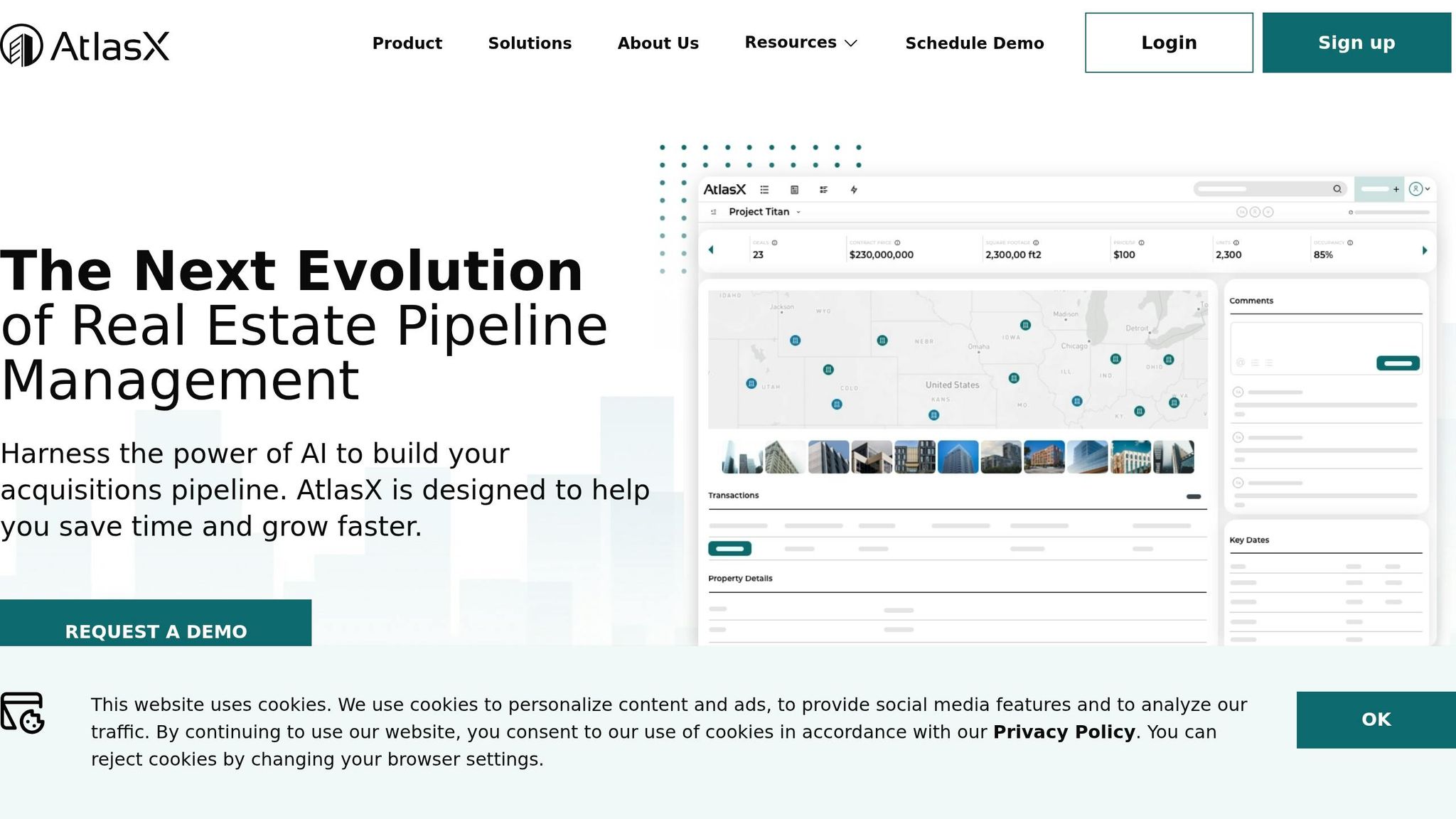
AtlasX puts less weight on basic deal tracking and more on automated deal intake. It handles deal intake and pipeline management by pulling data from broker materials, emails, and underwriting files, then bringing acquisition work into one system.
The standout here is automated data capture. AtlasX can take in broker emails, offering memorandums, teasers, and underwriting spreadsheets, then auto-fill deal fields. That means analysts spend less time copying numbers out of PDFs and more time looking at cap rates, rent assumptions, and cash-on-cash returns. Instead of getting stuck doing manual entry all afternoon, teams can focus on the part that matters: figuring out whether a deal works. They can also filter deals by rules like minimum cap rate or deal size and manage diligence in one shared workspace.
After the data is in the system, AtlasX helps keep underwriting and portfolio review on the same page. Its dashboards show cap rates, cash-on-cash, pipeline value, and deal volume by asset class. It also keeps a record of every deal that has been underwritten.
Pricing is not listed in public. AtlasX uses custom pricing in USD, based on seats, modules, and support. Setup usually includes defining pipeline stages, setting up workflows and fields, and importing current deal and property data with help from a customer success manager during onboarding. In plain English, this is more of a team platform than a plug-and-play tool, which makes it a stronger match for groups handling a high volume of deals.
| Aspect | Details |
|---|---|
| Core function | Real estate pipeline management, AI data capture, and deal tracking |
| AI features | AI capture from OMs, emails, and underwriting models; auto-filled deal records |
| Setup effort | Guided onboarding; pipeline configuration and data migration required |
| Best fit | Mid-size to large investment teams with high deal volume |
| Pricing | Custom quote; team-level SaaS pricing in USD, based on seats, modules, and support |
AtlasX is a better match for mid-size to institutional teams reviewing a large number of deals each week. Solo investors and very small partnerships can still use it, but for many of them, it may feel like more system than they need unless they’re growing fast.
11. S.MPLE
S.MPLE is an AI-powered workflow assistant built by SERHANT. for real estate professionals. It sits a bit later in this article for a simple reason: it’s geared more toward agent-operators and investor-adjacent work, not core underwriting. SERHANT. describes its automation engine as a Large Action Model (LAM), built to carry out multi-step tasks instead of just writing text.
In this category, S.MPLE shines most in deal origination and transaction management, not deep financial modeling. Its Recipes automate jobs like CMAs, listing materials, and transaction tasks. A user can speak or text a request, and the system puts the output together on its own. That’s a big help for investor-agents juggling several live deals at the same time.
Since its January 2024 launch, S.MPLE has processed more than 12,000 actions and saved about 15,440 hours of admin work.
There’s one clear limit: access is restricted to SERHANT. agents, and pricing hasn’t been made public.
| Aspect | Details |
|---|---|
| Core function | AI workflow automation for agents: CMAs, listings, marketing, transaction coordination |
| AI features | Large Action Model (LAM); predefined Recipes; voice/text input |
| Setup effort | Low for SERHANT. agents; access is provisioned through the brokerage |
| Best fit | Solo investor-agents and small teams inside the SERHANT. ecosystem |
| Pricing | No public per-seat pricing; access is tied to SERHANT. affiliation |
Where S.MPLE helps automate brokerage workflows, the next tool is a better fit for broader writing, research, and analysis.
12. ChatGPT
ChatGPT is a general-purpose AI assistant that real estate investors use for research, drafting, and document review. Unlike niche tools, it can help across several parts of the workflow. You can use it to analyze numbers, draft content, and review documents in one place.
There is one big catch: it doesn’t connect to live MLS data or property records. So you need to bring in verified numbers yourself. That makes it most useful in the early and middle parts of the investing process, where speed and first-pass analysis matter most.
A common use case is first-pass deal screening, market framing, and document review. For example, you can paste in deal numbers and ask it to build a basic pro forma. Or you can upload leases and closing documents to pull out key terms. That kind of workflow helps you move from a pile of raw inputs to a readable draft much faster.
Pricing is pretty simple. The free tier includes GPT-4o access with web search, file uploads, data analysis, custom GPTs, and memory, though usage limits apply. ChatGPT Plus costs about $20 per user per month and gives you higher limits and better response priority. Team and Enterprise plans add SSO, data retention controls, and admin features on a per-seat basis. For a solo investor, getting started is easy. For a team, control over access and data handling starts to matter a lot more.
Setup only takes a few minutes. The bigger payoff comes from building reusable prompts for underwriting, market research, and deal memos. If you want deeper integrations – like linking ChatGPT to a CRM or an internal knowledge base through the API – the setup gets more involved and may need basic development work or low-code tools.
| Aspect | Details |
|---|---|
| Core function | Research assistant, document summarizer, drafting tool, deal-screening support |
| AI features | GPT-4o; web search; file uploads; data analysis; custom GPTs; memory |
| Setup effort | Very low for individual use; moderate for API/CRM integrations |
| Best fit | Solo investors and small teams needing flexible, low-cost analytical support |
| Pricing | Free tier available; Plus at about $20/month; Team and Enterprise plans per seat |
OpenAI‘s policies clearly say that ChatGPT cannot provide personalized investment or legal advice. In practice, that means it works best as a general-purpose layer in your stack, while specialized platforms handle source data. Pair it with verified property and contact data, and its role becomes much clearer – especially when you start comparing tools based on team size and workflow complexity.
Pros, Cons, and Tradeoffs by Team Size
Not every tool works for every investor. The best pick comes down to your team size, your technical bench, and how much setup time you can spare.
This section turns the tool-by-tool review into a practical buying guide by team size. It ties each team profile back to the four core workflows already covered: market and deal analysis, contact data and skip tracing, property search and discovery, and workflow automation.
For solo investors and small wholesaling teams, speed and simplicity usually win. DealCheck is a good fit for fast underwriting, while ChatGPT helps with flexible analysis and drafting. The key idea is simple: use AI to cut down analysis time, not to replace sourcing.
As deal volume grows, speed stops being the only thing that matters. Coordination starts to matter more.
That’s where growing mid-size teams tend to shift priorities. They need shared deal tracking, cleaner handoffs, and better pipeline visibility across the team. Dealpath fits this stage well, especially for teams that want fewer dropped balls and a clearer view of where each deal stands.
At higher volume, the problem changes again. Data intake and system connections become the choke point.
For institutional and large acquisitions teams, the need is scale. These teams usually need property and contact data enrichment that can move through APIs into CRMs, dialers, and analysis workflows without constant manual work. BatchData fits best when steady data flow and system-to-system delivery matter most, especially at scale.
The table below gives you a quick scan of the main tradeoffs.
| Tool | Best-Fit Team Size | Main Tradeoff |
|---|---|---|
| DealCheck | Solo / Small Team | No complex portfolio management |
| ChatGPT | Solo / Small Team | No live MLS or property data |
| Dealpath | Mid-size / Institutional | Overkill for solo investors |
| BatchData | Institutional / Large Operations | Requires developer support for full use |
Conclusion
In 2026, the smartest way to build your AI stack is around four jobs: analysis, enrichment, sourcing, and automation.
That simple setup helps keep costs in check and cuts down on tool overlap. Instead of piling on software that does half the same thing, give each tool one clear role. The right mix comes down to team size.
Solo investors can keep things lean with dashboard-based tools for underwriting and analysis. Small teams usually get the best results from a tight combo of lead generation and analysis. Larger firms tend to need API-first data and bulk delivery to handle volume without slowing down.
BatchData is a strong fit for teams that need API-first property and contact enrichment, skip tracing, phone verification, and custom delivery. In most cases, cost and complexity go up together.
The big tradeoff is setup. Dashboard tools are fast to launch, but they hit limits sooner. API tools take more developer time, but they scale much better once volume picks up.
Pick one tool for each job, test it against your actual deal flow, and only add another tool when a clear bottleneck shows up.
FAQs
How do I choose the right AI stack for my team size?
Start with your main bottleneck. For some people, that’s getting the right data. For others, it’s making sense of the numbers.
If you’re working solo or with a small team, keep it simple. Focus on tools that help with market research, rent tracking, and basic underwriting. You don’t need a huge stack right away. A few solid tools can do the job without slowing you down.
As your deal volume picks up, add stronger data tools for lead generation and property intelligence. That’s usually the point where basic workflows start to feel cramped, and better data can save a lot of time.
For large organizations, the priority shifts. At that level, professional-grade data APIs, bulk data delivery, and custom integrations tend to make more sense. The goal is less about patching together tools and more about building a system that fits how your team already works.
No matter the setup, one rule holds up: pair a dependable data layer with a dedicated underwriting tool.
Which tool should I start with first?
Start by figuring out your main bottleneck: data acquisition or financial analysis.
If the biggest issue is finding solid deals, spotting motivated sellers, or adding detail to property records, start with a trusted data provider like BatchData.
Once you have a steady flow of deals coming in, bring in financial analysis tools to standardize underwriting and make decisions with more confidence.
When is it worth moving from dashboard tools to APIs?
Move from dashboard tools to APIs when the bottleneck stops being manual research and starts being high-volume, automated work.
That usually happens when your team needs property data inside a CRM for real-time lead enrichment, bulk processing, machine learning, or a proprietary platform. At that point, a dashboard can start to feel like doing warehouse work with a clipboard.
APIs change the setup. They remove third-party UI limits and let your team build systems that can process large lead volumes on autopilot.