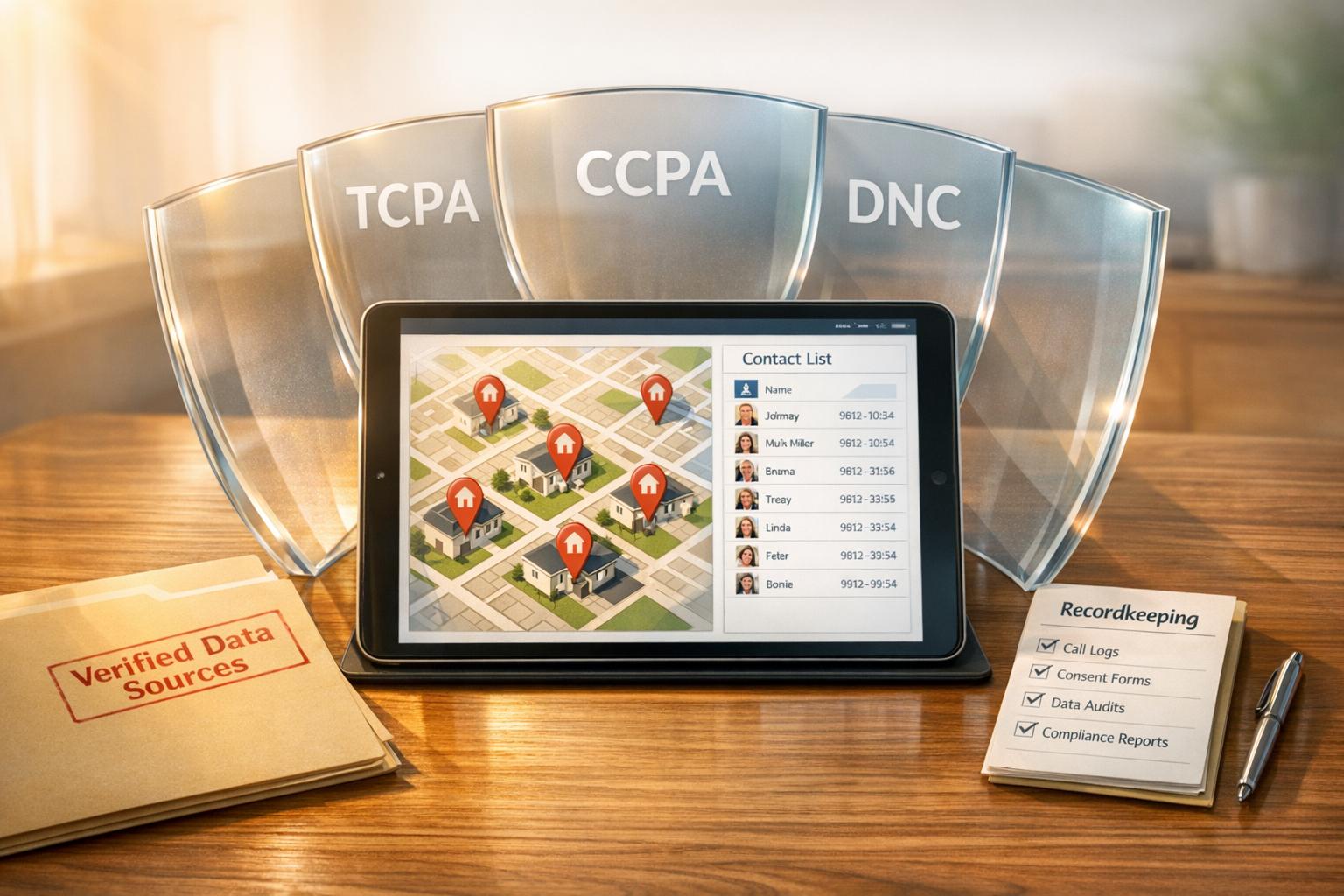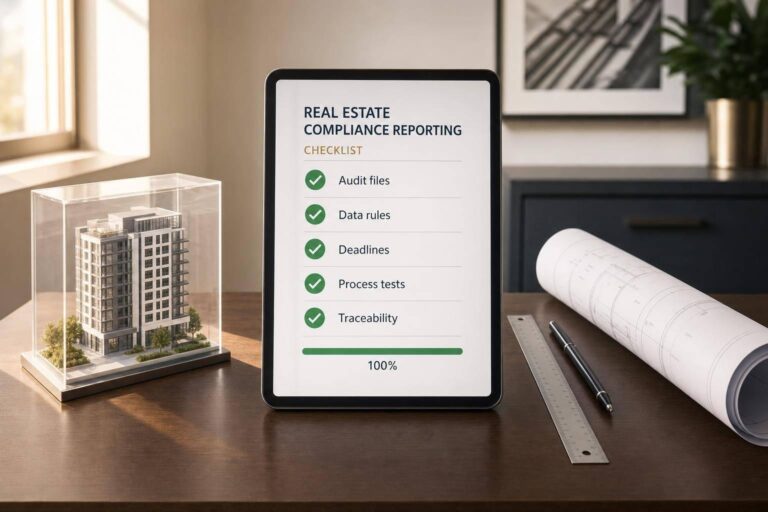
If your real estate reporting process lives in inboxes and spreadsheets, mistakes get expensive fast. I’d boil this checklist down to four jobs: check every deal file, track every filing and due date, clean the data before it hits a report, and test the process every month, quarter, and year.
Here’s the short version in plain English:
- I need to separate deal-level reporting from company-level reporting
- I need to make sure documents, names, addresses, dates, and dollar amounts match across the full file
- I need one list of every report, owner, deadline, and submission record
- I need controls for trust accounts, reconciliations, and missed reviews
- I need data rules for dates, EINs, purchase prices, addresses, and payment methods
- I need to catch XML and formatting errors before filing
- I need to keep records for at least 5 years in many cases
- I need routine testing so filing gaps do not sit for months
A few numbers stand out. Manual FinCEN report prep can take 4 to 6 hours per file, while automated prep can cut that to under 10 minutes. Trust account issues can lead to fines from $5,000 to $50,000. And some reporting failures can bring civil penalties of $10,000 per violation or more.
If I were setting this up today, I’d focus on one simple goal: make every filing easy to trace, easy to check, and hard to mess up.
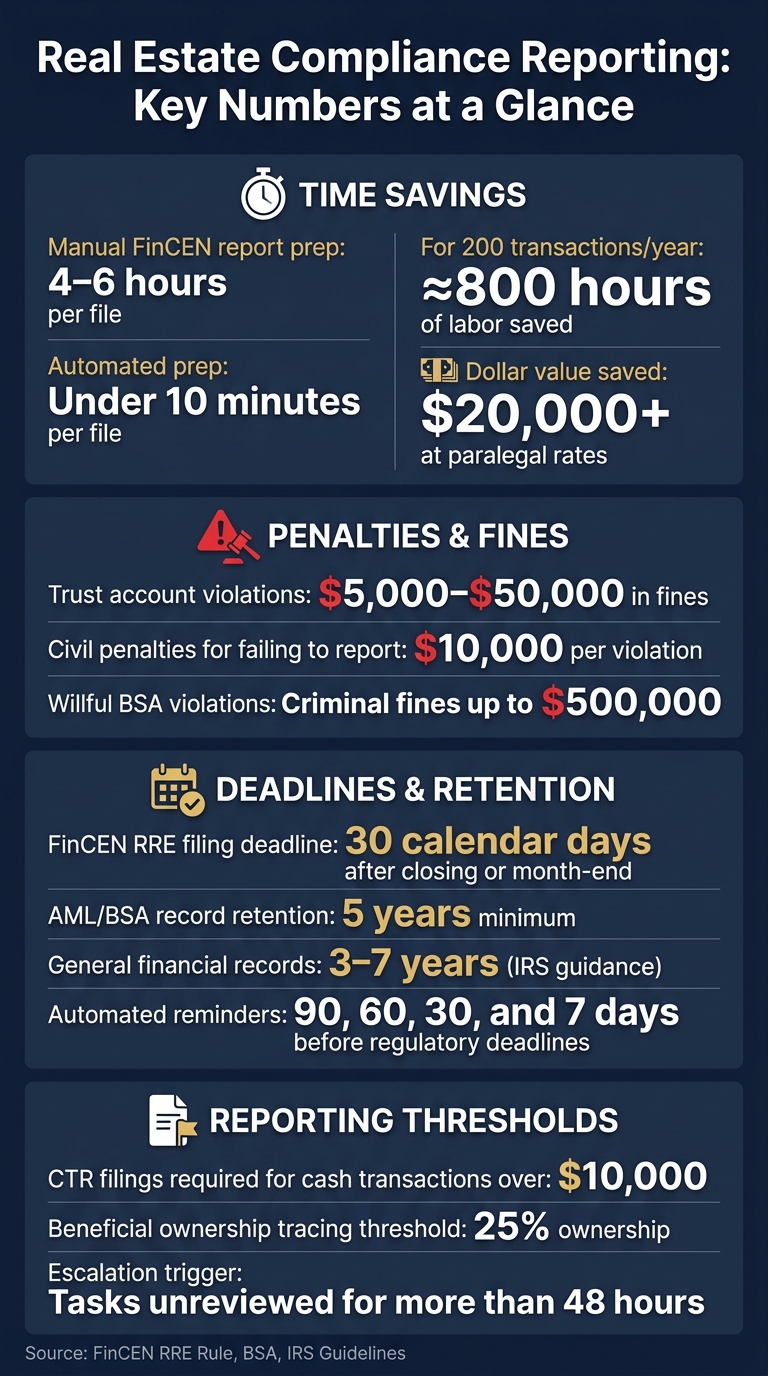
Real Estate Compliance Reporting: Key Numbers & Penalties at a Glance
The Future of Real Estate: AI Automation for Efficiency & Growth
Checklist 1: Review Every Transaction File for Required Documents
A complete transaction file is your first line of defense during an audit. Even one missing signature, a date that doesn’t match, or property details that shift from one document to another can turn a clean file into a mess. Review the file from contract signing through post-closing so each required document stays in sync.
Contracts and Amendments
Start with the purchase agreement and every signed amendment. Check that the property address, county, and closing date match across the purchase agreement, deed, and settlement statement.
Then compare each amendment to the original contract before the file moves ahead. If the parties, dates, or consideration don’t match, fix the issue before pre-closing.
Disclosures, Notices, and Due Diligence Records
Gather disclosures, notices, and due diligence records early. Then make sure they stay consistent with the rest of the file. For entity buyers, an authorized representative should sign the beneficial ownership certification when the file is opened. You also need to verify each required person’s full legal name, date of birth, residential address, and SSN/ITIN.
If any of that information is missing, document your collection attempts and escalate the issue before closing.
Keep ownership certifications and due diligence records indexed in one file so they’re easy to pull during an audit.
Once those records are complete, reconcile them with the settlement package.
Funds and Settlement Documents
Now check the money trail against the contract and disclosure records.
Settlement records tie the financial side of the file together. Each file should include:
- The earnest money receipt
- The final settlement statement – HUD-1 or Closing Disclosure
- Any wire confirmations or other source-of-funds documents
Commission instructions should also be in the file, and the amounts should match what’s listed on the settlement statement.
If funds come in from an account or third party that doesn’t appear in the contract, flag it and sort it out before closing. After closing, add the recorded deed, final title policy, and RER confirmation receipt to the file. Keep all compliance-critical documents for at least 5 years from the date of transfer.
Checklist 2: Track Regulatory and Financial Reporting Obligations
Track every filing deadline and required report. If you miss a compliance filing, the cost can be steep, from penalties to enforcement action. And while a federal court vacated the FinCEN RRE Rule on March 19, 2026, an appeal is still pending in the 5th Circuit, so it makes sense to keep your reporting workflow active and ready.
Use your reporting inventory to assign one owner and one due date for each item before you move into controls.
Regulatory Reporting Inventory
Every reporting duty your firm has – whether it comes from a federal agency, a state regulator, a lender, or an MLS – should be listed in one place. Each item needs:
- A named owner
- A due date
- A submission method
- Proof that it was completed
For FinCEN RRE reports, track deadlines as the later of 30 calendar days after closing or month-end. Your inventory should also include SARs, CTRs over $10,000, and Form 8300 filings.
One thing matters here: assign each report to a specific person, not just a team or department. If everyone owns it, no one owns it. Set automated reminders at 90, 60, 30, and 7 days before any regulatory expiration date.
Once the deadlines are mapped, check the books that support each report.
Financial Controls and Reconciliations
Clean books lead to clean reporting. Many firms use a real estate API to automate data verification and ensure accuracy. Each month, reconcile bank and card statements to the general ledger, compare rent rolls with the P&L, and flag budget variances. This is the kind of back-office work that can feel routine right up until something goes wrong.
Trust accounts need extra care. Problems here can lead to fines of $5,000 to $50,000 and even criminal liability.
Keep separate bank accounts for:
- Investment property funds
- Business operations
- Tenant deposit trust accounts
For high-stakes reports like annual statements and exception reports, require dual sign-off before submission.
Hold all AML-related records, filed reports, and beneficial ownership documents for at least 5 years under BSA rules. General financial records should be kept for 3 to 7 years under IRS guidance.
After ownership and reconciliations are in place, spell out what happens when something gets missed or looks off.
Governance, Risk, and Escalation
Every firm needs a written path for surfacing problems. Examiners expect to see documented escalation paths.
Name a compliance officer who is responsible for AML policy rollout, training, and reporting decisions. Put rules in place to auto-escalate any task that sits unreviewed for more than 48 hours. Set up annual independent testing – either internal or through a third party – to check whether your controls are working in practice.
Keep full version histories for all AML policies. Do not delete prior versions, since they may be needed for audits tied to past transactions.
Checklist 3: Automate the Data Inputs Behind Compliance Reporting
Once your obligations and controls are mapped, the next job is simple: tighten the data going into each filing. Bad inputs lead to filing mistakes, rejected submissions, and avoidable regulatory risk. Automated pipelines help cut out the manual handoffs where small errors pile up.
Standardize Core Data and Required Fields
Before a report is generated, each field feeding it should follow one format. When data is inconsistent, FinCEN submissions are more likely to get rejected.
Across your CRM, transaction management tool, accounting system, and document repository, set clear standards for the fields that matter most:
- Dates: Use
YYYY-MM-DDinternally for system compatibility, even if U.S.-facing displays showMM/DD/YYYY. The FinCEN XML schema requires ISO 8601 format, and mismatches can trigger file rejections. - Entity IDs: Format all EINs as
XX-XXXXXXXand validate them before filing. - Purchase prices: Record amounts in whole U.S. dollars, with no decimals or symbols in the data fields.
- Contact names: Store names as
"LastName, FirstName"to match federal schema rules. - Property addresses: Use the full property address and county. Keep the legal description and property type in structured fields.
- Payment method: Use specific codes like wire, cashier’s check, or virtual currency instead of free text.
Manual extraction from messy records does two things at once: it slows the team down and adds more room for mistakes.
Connect Systems with APIs and Validation Rules
Standardized fields help, but they don’t do much if your systems don’t stay in sync. Many teams now use APIs to connect transaction management tools with CRM, accounting systems, and reporting tools. The aim is one clean data flow: update a record in one place, and that update moves through the rest of the stack automatically.
That matters because manual re-entry is where formatting issues, missing fields, and copy-paste mistakes tend to show up.
You also need validation rules before data reaches a report. Your system should flag items like incomplete beneficial ownership percentages, missing government-issued ID details, unsigned disclosures, invalid EINs, or XML-unsafe characters such as &. It’s much cheaper to catch those issues upstream than to fix them after a filing goes out. If something still slips through, submit a corrected report through BSA E-Filing and reference the original tracking number.
The time savings can be huge. Automated filing prep cuts the time per report from 4–6 hours to under 10 minutes. For a title company handling 200 transactions per year, that works out to about 800 hours of labor saved and more than $20,000 in value at paralegal rates.
Use BatchData to Enrich and Verify Compliance-Critical Records
After your core fields are standardized, enrichment helps close the remaining gaps.
Even connected systems run into missing or weak data. You might have a contact record with a disconnected phone number, a property address that doesn’t line up with county records, or an owner name tied to an LLC with no beneficial ownership detail on file. Once that bad data reaches a report, you’ve got a compliance issue on your hands.
BatchData can enrich property and contact records, verify phone numbers and addresses, and support skip tracing through APIs and bulk delivery. Property enrichment can verify addresses and legal descriptions against official records, which helps cut filing errors. Contact enrichment and skip tracing can also help surface the people behind LLCs or trusts, supporting AML and FinCEN reporting.
Here’s how each automation layer ties back to compliance:
| Automation Component | Data Sources / Tools | Compliance Benefit |
|---|---|---|
| Data Enrichment | BatchData – Ivo Draginov (property + contact) | Improves accuracy of property and owner records; verifies addresses and phone numbers |
| API Integration | CRM, transaction management systems, accounting systems, reporting tools | Eliminates manual entry errors; ensures data consistency across repositories |
| Validation Rules | Transaction management software | Flags missing disclosures, unsigned forms, or invalid ID formats before filing |
| Automated Pipelines | Reporting tools | Reduces filing time from 4+ hours to under 10 minutes; provides defensible audit trails |
Route enriched data through a human compliance review before filing.
Checklist 4: Monitor, Test, and Improve the Reporting Process
Once your data flows are automated, this checklist helps you catch drift before it turns into a filing mistake. Automation does a lot of the heavy lifting, but it doesn’t run on autopilot forever. Rules change, people leave, systems drift, and small issues can snowball into failed filings if no one is checking.
Monthly and Quarterly Testing
Monthly checks should focus on three core areas: trust account reconciliations, filing deadline verification, and license status reviews.
Trust account issues can be painfully expensive at the state level. Fines can range from $5,000 to $50,000, and some cases can even lead to criminal charges. On the federal side, make sure every reportable transfer was identified and filed within the required window, which is usually the 30th calendar day after closing or the end of the following month. License monitoring should also flag upcoming expirations at 90, 60, and 30 days so no one drifts into unlicensed activity.
Quarterly testing should go a step further. Sample transaction files and check them for completeness against the required-document checklist. Revalidate your API and XML integrations too, so automated data extraction still lines up with current FinCEN schemas. If you start seeing "UNKNOWN" in mandatory fields, that’s a clear sign something upstream is broken. This is also the right time to review beneficial ownership tracing for entity purchases, especially nested LLCs that cross the 25% threshold.
If errors show up, document each one, submit corrected reports, and keep records of collection attempts for any missing fields.
| Check Frequency | Task | Primary Goal |
|---|---|---|
| Monthly | Trust account reconciliation | Prevent improper use of client funds |
| Monthly | Filing deadline audit | Confirm all RRE reports submitted within 30 days |
| Monthly | License status review | Ensure all active agents hold valid licenses |
| Quarterly | Transaction file sampling | Verify completeness against the required-document checklist |
| Quarterly | API/XML system revalidation | Confirm integration accuracy against current schemas |
| Quarterly | Beneficial ownership audit | Review 25% ownership threshold tracing for nested LLCs |
Annual Policy and System Updates
After routine testing, turn to the policies and system rules behind those checks.
At least once a year, review every written AML policy, procedure, and training module against current transaction patterns and regulatory standards. If rules change, update policies right away. That matters here, especially with the 5th Circuit appeal and any new GTOs in play.
If the Designated Compliance Officer role changes hands, update every policy designation at once so accountability stays with one named person. Keep all prior versions of policy documents as well. That version history serves as your audit trail. And don’t overlook record retention: all filed reports, XML files, and supporting identification documents must stay in an accessible format for at least five years from the filing date.
Conclusion: A Repeatable Compliance Reporting Checklist
The four checklists in this guide work together. Complete transaction files give you the source data. A full inventory of reporting duties tells you what has to be filed and when. Automated, validated data flows cut down on the manual mistakes that lead to rejections and penalties. Then recurring monitoring helps keep the whole process on track as rules and teams shift.
Civil penalties for failing to report qualifying real estate transfers can reach $10,000 per violation, and willful BSA violations can bring criminal fines of up to $500,000. Review monthly, test quarterly, and update annually to keep filings defensible and audit-ready.
FAQs
Which filings apply to my real estate business?
Your real estate business may need to stay on top of a few required filings.
The big one is the federal FinCEN Residential Real Estate (RRE) Rule, which takes effect on March 1, 2026. It requires you to report certain non-financed residential transfers to a legal entity or trust through the BSA E-Filing system.
You may also need to collect Beneficial Ownership Information (BOI) for anyone with 25% or greater ownership or who has significant control.
On top of that, you still need to meet state-level rules, such as:
- Licensing renewals
- Continuing education
- Required disclosures
This means the paperwork isn’t just about one federal rule. It’s often a mix of federal reporting and state compliance, and both matter.
What records should I keep for an audit?
Keep a complete, organized file for every transaction. Save anything that documents the deal, confirms what was agreed to, explains intent, or might reasonably be requested later.
That includes licenses, transaction files, trust account ledgers, disclosure documents, purchase agreements, title documents, inspection reports, closing paperwork, relevant emails and texts, filed reports, beneficial ownership information, designation agreements, and training records.
How can I safely automate compliance reporting?
Use a strong data management framework built around security and accuracy. BatchData can help automate compliance workflows through API integrations with your existing CRM.
You can also automate verification, use a Golden Record to bring data into one trusted view, set deletion triggers while keeping legal holds in place, and apply role-based access controls to protect sensitive information and maintain a clear audit trail.