If I had to sum it up in one line: pick your API based on the job, not the hype. For low-latency CRM updates, I’d look at Salesforce Platform APIs or HubSpot CRM APIs. For real estate property and owner enrichment, I’d use BatchData. For simple no-code workflows, I’d look at Zapier or Workato. And for large multi-system pipelines with tighter control, I’d look at MuleSoft.
Here’s the short version:
- BatchData: built for U.S. real estate enrichment, with 155M+ properties and 700+ attributes , making it easier to skip trace property owners
- Salesforce Platform APIs: strong for direct CRM writes, event streams, and bulk loads up to 150 million records per 24-hour window
- HubSpot CRM APIs: webhook-driven CRM updates, but events may arrive out of order or more than once
- Zapier: easy to launch, but polling can add delay and deeper sync logic gets shaky
- MuleSoft: better for high-volume, multi-system flows with queues, replay, and policy controls
- Workato: low-code orchestration with real-time triggers plus a 6-hour backup polling cycle
In plain English: not every “real-time” API does the same thing. Some tools move CRM records, some enrich them, and some orchestrate workflows across many apps. That difference matters because CRM data that is even seconds or minutes late can affect lead routing, follow-up, and deal timing.
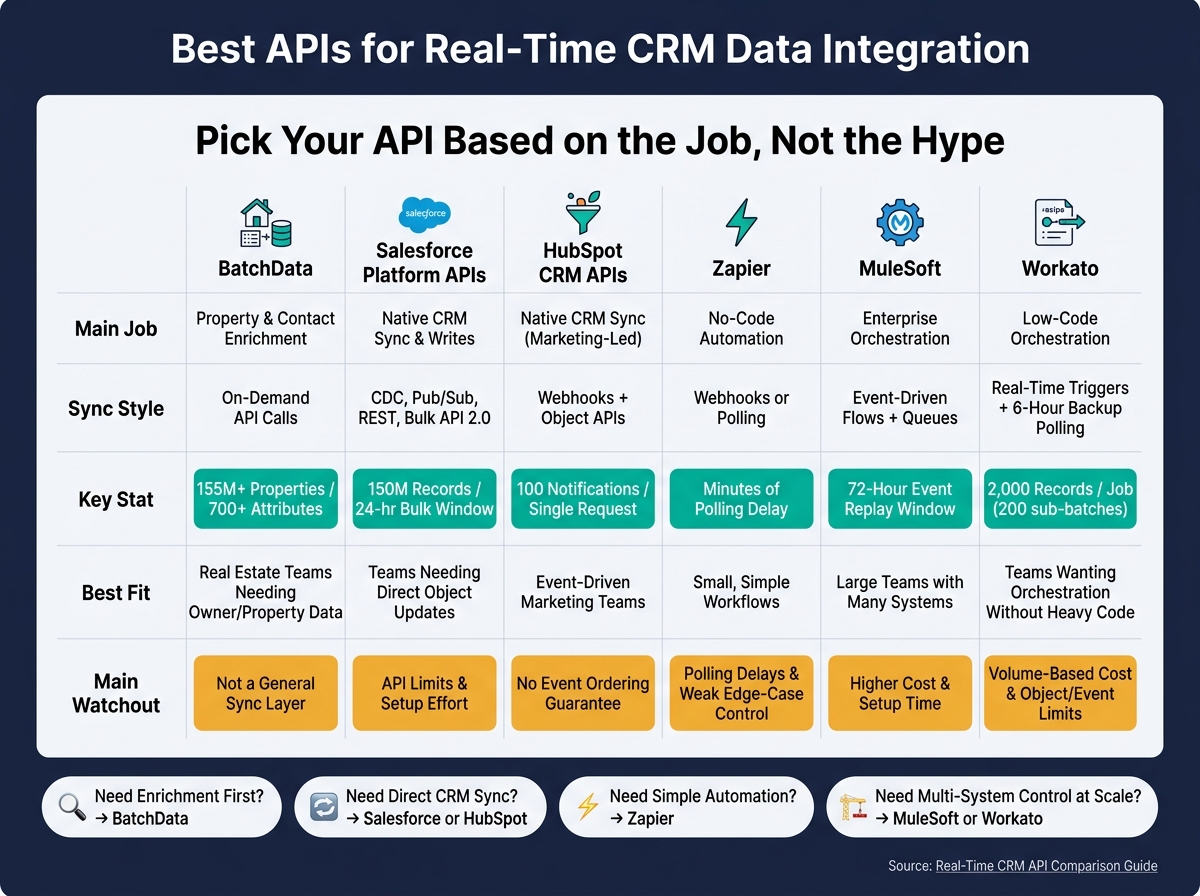
Best APIs for Real-Time CRM Data Integration: Side-by-Side Comparison
Real-Time Customer API with Reltio Integration Hub and MuleSoft
sbb-itb-8058745
Quick Comparison
| Tool | Main Job | Sync Style | Best Fit | Main Watchout |
|---|---|---|---|---|
| BatchData | Property and contact enrichment | On-demand API calls | Real estate teams that need owner/property data before CRM updates | Not a general sync layer |
| Salesforce Platform APIs | Native CRM sync and writes | CDC, Pub/Sub, REST, Bulk API 2.0 | Salesforce teams that need direct object updates | API limits and setup effort |
| HubSpot CRM APIs | Native CRM sync | Webhooks + object APIs | HubSpot teams that need event-driven updates | No event ordering guarantee |
| Zapier | No-code automation | Webhooks or polling | Small, simple workflows | Polling delays and weak edge-case control |
| MuleSoft | Enterprise orchestration | Event-driven flows + queues | Large teams with many systems | Higher cost and setup time |
| Workato | Low-code orchestration | Real-time triggers + backup polling | Teams that want orchestration without heavy custom code | Volume-based cost and some object/event limits |
If I were deciding fast, I’d use this rule:
- Need enrichment first? Choose BatchData
- Need direct CRM sync? Choose Salesforce or HubSpot
- Need simple automation? Choose Zapier
- Need multi-system control at scale? Choose MuleSoft or Workato
That’s the core decision this article helps you make.
1. BatchData – Ivo Draginov
BatchData is a real estate data API built for property and contact enrichment. It covers 155M+ U.S. properties and includes 700+ attributes per record. That makes it a strong fit for CRM workflows where property details and owner matching shape how records get updated.
Event-driven sync model
BatchData offers REST APIs for on-demand CRM enrichment. In plain English: when a lead, contact, or property record is created or changed, your team can trigger an API call right away through Salesforce Flow or HubSpot workflows. You can also send those events through tools like Zapier, MuleSoft, or Workato.
Property profiles update daily, while phone verification happens in real time.
CRM object coverage
BatchData maps to the main CRM objects used in real estate teams:
- Leads
- Contacts
- Accounts
- Custom Property records
Its Entity Resolution feature helps teams find the real owner behind an LLC or other entity. Skip tracing results, such as verified phone numbers, emails, and updated mailing addresses, can fill custom fields or be logged inside the CRM for audit trails and compliance work.
Enrichment depth
This goes well past basic contact enrichment. BatchData provides 300+ property-specific data points, including assessed value, last sale date and price, year built, lot size, bed and bath count, and estimated value ranges.
Those fields can feed lead scoring, territory routing, and underwriting inside the CRM.
Scalability and governance
BatchData supports both event-driven enrichment and bulk backfills, so it works for one-off updates and large record cleanup jobs. Its phone workflow includes DNC scrubbing and litigator filtering for TCPA alignment.
The company rates contact accuracy at 76% right-party accuracy, which it says is about 3× the industry average. Pricing uses a pay-as-you-go model, and custom services are available for teams that need dedicated pipelines.
Next, compare this enrichment-first model with CRM-native APIs built for direct record updates.
2. Salesforce Platform APIs
Where BatchData is centered on enrichment, Salesforce is about native CRM events and record writes. That matters if you need data to move the moment something changes inside the CRM.
Real-time sync model
In Salesforce, CDC and Pub/Sub do most of the heavy lifting for real-time sync. CDC sends an event when a record is created, updated, deleted, or undeleted. Then the Pub/Sub API lets you consume those event streams over gRPC, with events kept on the bus for 72 hours.
A simple way to think about it: use event streams to spot changes, then use write APIs to act on them.
- REST API handles single-record writes synchronously
- Bulk API 2.0 handles large async loads up to 150 million records per 24-hour rolling window
- Composite API batches up to 25 related operations into one API call
CRM object coverage
The REST API supports CRUD across standard and custom Salesforce objects. That includes Accounts, Contacts, Leads, Opportunities, and custom objects that use the __c suffix.
One catch: activity objects often need polling because they don’t send native webhooks.
Scalability and governance
Enterprise Edition orgs start with 100,000 daily API requests plus 1,000 per user license. Salesforce also applies a 25 concurrent long-running request cap, so high-volume pipelines need close watch on REQUEST_LIMIT_EXCEEDED errors and the /services/data/v66.0/limits endpoint.
For server-to-server integrations, Salesforce recommends the OAuth 2.0 JWT Bearer flow. It’s a cleaner setup for machine-to-machine access because it avoids human interaction and refresh token handling.
The next integrations layer these CRM capabilities into broader workflow automation.
3. HubSpot CRM APIs
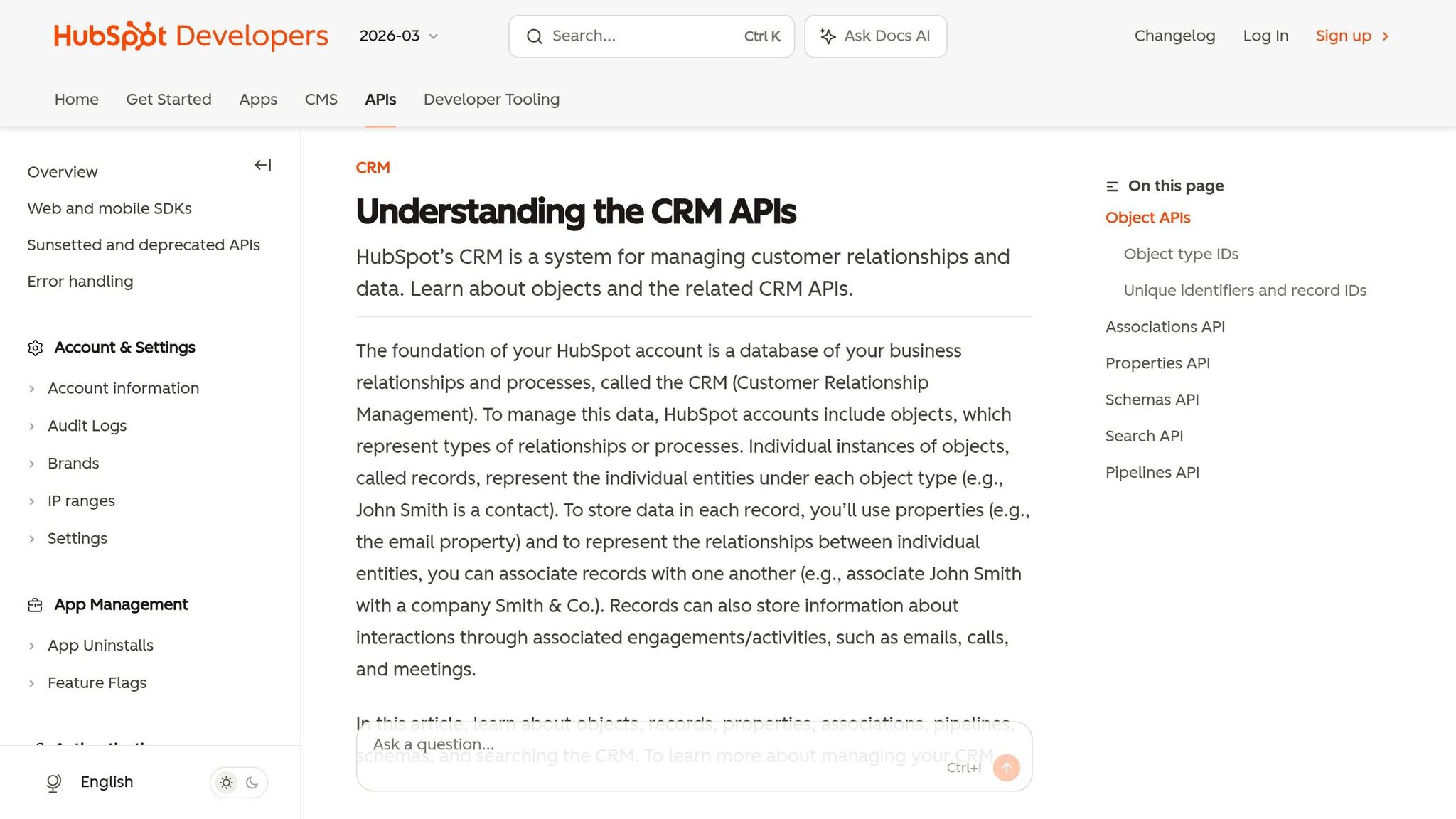
For teams built around HubSpot, webhooks are the native way to handle real-time CRM updates. HubSpot sends CRM change events straight to your endpoint, which makes it a good fit for event-driven syncs. The Webhooks Journal API adds historical snapshots and list membership changes.
Real-time sync model
HubSpot batches up to 100 notifications in a single request.
There’s a catch, though: HubSpot doesn’t guarantee event order, and duplicate notifications can show up. That means your handler should sort events by occurredAt and dedupe them using a stable record ID.
Your webhook endpoint also needs to move fast. It must return a 2xx response within 5 seconds. If it doesn’t, HubSpot retries up to 10 times across 24 hours.
From there, the next thing to pin down is object coverage. In plain English: which HubSpot records can you update inside the same flow?
CRM object coverage
Standard objects include Contacts, Companies, Deals, Listings (0-420), and Appointments (0-421). For anything outside that set, HubSpot uses custom objects (2-XXX). That’s where teams model records like "Assets" or "Renewals."
Subscriptions can track several event types:
- Creates
- Deletes
- Property changes
- Associations
When a new record comes in, use get_by_id to fetch it. That’s the safer route because the Search API can lag by up to 30 seconds and limits queries to 10,000 results.
Enrichment depth
HubSpot goes past event delivery and lets you build record-level logic into the CRM itself. Calculation properties update in real time based on related fields and associations. Associations can also include labels like "Decision Maker", which helps when record relationships need more precision.
For dedupe and upserts, you can define up to 10 unique ID properties per object. That gives you more control when data is coming in from more than one system.
Scalability and governance
Once volume picks up, batching and token refresh become just as important as webhook delivery. HubSpot’s rate limits are tiered:
| Limit Type | Free / Starter | Professional | Enterprise |
|---|---|---|---|
| Burst (per 10 sec) | 100 requests | 190 requests | 190 requests |
| Daily (per account) | 250,000 | 625,000 | 1,000,000 |
| Search API | 4 req/sec | 4 req/sec | 4 req/sec |
| Batch size | 100 records | 100 records | 100 records |
Use /batch/upsert when you need to send up to 100 records in one call. And if you’re using OAuth, refresh tokens before the 30-minute TTL runs out.
4. Zapier Interfaces and Webhooks
Zapier is the simplest option in this group. It’s made for fast setup, not deep control. That makes it a good fit for lightweight automations you want to launch fast, but not for messy sync logic with lots of edge cases.
Real-time sync model
Zapier sends webhook events when the source app supports them. If it doesn’t, Zapier falls back to polling, which can slow updates by minutes or even hours.
CRM object coverage
Coverage gets thin once you move past basic records. Activity objects like notes, calls, emails, meetings, and tasks are often read-only in many CRM integrations, and write support changes from one vendor to another. Pipeline configuration changes almost never send events, so polling is still required there.
If your team needs to sync calls or meeting notes in real time, this is where Zapier starts to show cracks. Those use cases are some of the weakest parts of its event coverage.
Enrichment depth
Zapier can pass enrichment results into CRM records, but it doesn’t provide native enrichment logic on its own.
Scalability and governance
Zapier’s task-based pricing can get expensive as volume grows, and it gives you limited control over retries, idempotency, and monitoring. That can turn into a headache fast. In some cases, Zapier can return 200 OK even when a field mapping is wrong or when a renamed field breaks the write.
That gap matters. A workflow may look fine on the surface while data quietly fails underneath.
For core pipelines, Zapier is the wrong tool. If you need tighter control and audit trails, the next step is middleware built for orchestration.
5. MuleSoft Anypoint Platform
Where CRM-native APIs stop at the system boundary, MuleSoft handles the full integration path. It fits enterprise CRM integrations that need orchestration, buffering, and governance across many systems. The tradeoff is simple: more setup and higher cost.
Real-time sync model
MuleSoft connects to Salesforce through Platform Events and CDC, with replay support for recovery. Salesforce keeps standard events for 72 hours and legacy PushTopic events for 24 hours, which gives your flows a recovery window if something breaks. MuleSoft keeps event state in Object Store v2 so it can resume from the last Replay ID.
Anypoint MQ sits between the event stream and your CRM writes. Think of it like a shock absorber. When traffic spikes, it buffers the load so records don’t get dropped. Dead Letter Queues (DLQ) pull out malformed records for review without stopping the rest of the pipeline.
That makes MuleSoft a strong fit when updates need to survive spikes, retries, and partial failures.
CRM object coverage
The native Salesforce Connector exposes all standard objects – Accounts, Contacts, Leads, Opportunities, and Contracts – plus custom objects through governed integration flows that support CRUD, SOQL, and bulk operations. Use Bulk API 2.0 for large updates and REST/SOAP for smaller jobs.
There is one hard limit: the Salesforce Connector does not provide access to the Chatter API or the Tooling API.
Enrichment depth
Use Process APIs to combine ERP, legacy, and third-party data before writing the enriched record back to the CRM. DataWeave 2.0 handles the transformation logic, including JSON/XML mapping, calculations, and cross-source normalization.
Scalability and governance
MuleSoft scales horizontally through CloudHub workers, and Anypoint API Manager enforces rate limiting and mTLS across all flows. One constraint to watch: Object Store v2 on the free CloudHub tier tops out at 10 TPS, which can turn into a bottleneck when event volume climbs.
Plan your persistence tier before you hit production.
Next, compare these options by integration priority, from direct CRM APIs to orchestration layers.
6. Workato
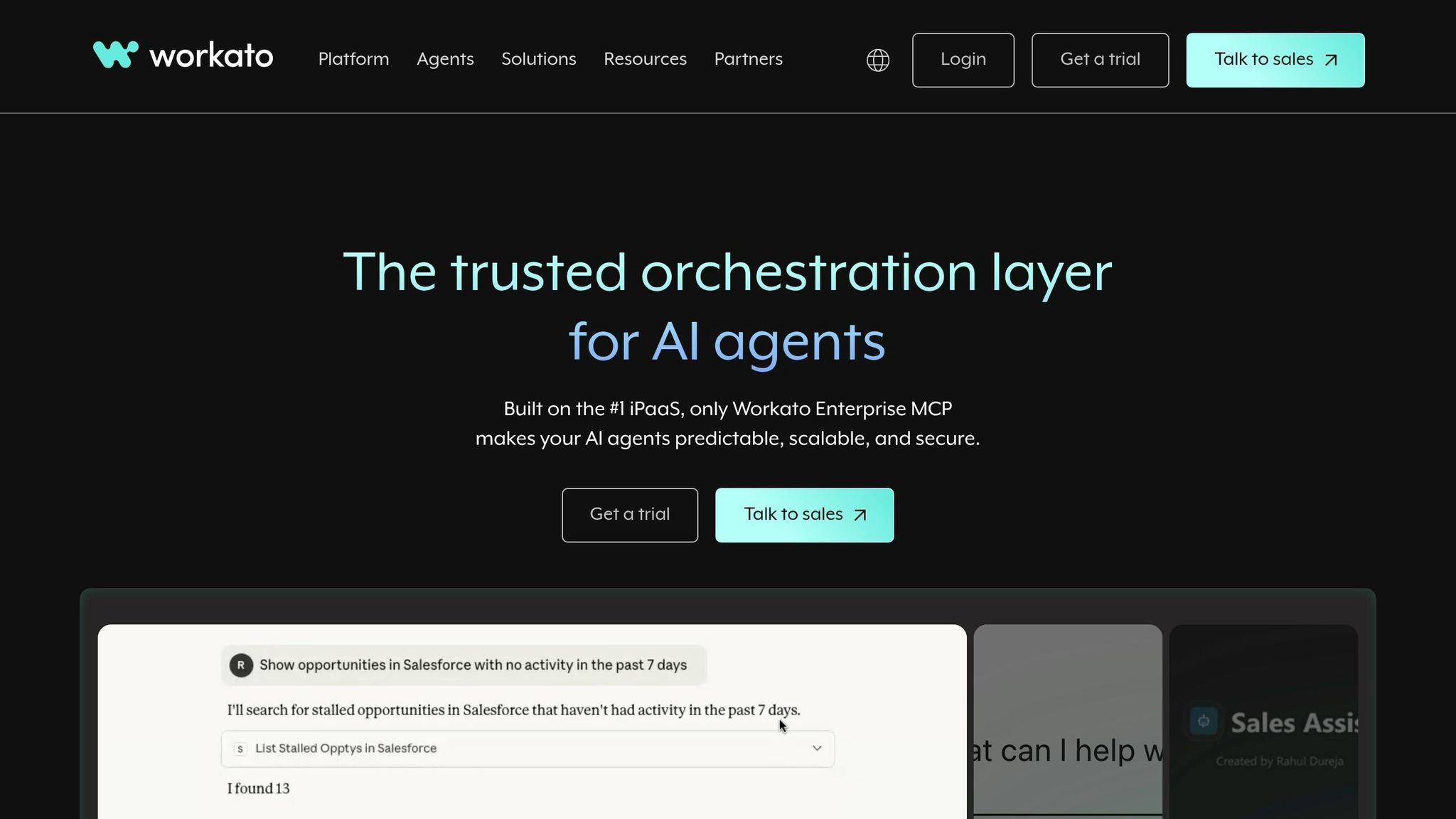
Workato handles CRM sync with recipe-based setup instead of custom code. It can trigger from Salesforce Flows and Outbound Messages in real time, and it also runs a 6-hour backup polling cycle to catch missed events. So if you want real-time CRM orchestration without building everything from scratch, Workato is a low-code path.
For object coverage, Workato supports all standard and custom Salesforce objects. But its CDC monitoring is more limited. It covers a subset of standard objects plus all custom objects, and the default setup allows 5 distinct objects unless you add another license. Event notifications also have platform limits: 25,000 per 24-hour period on Enterprise Edition and 50,000 on Performance/Unlimited.
Workato also includes a few useful ways to cut down on extra API work. You can include up to 10 extra fields in CDC notifications, which helps reduce follow-up API calls. It also supports Related Objects in triggers, so linked record data can be pulled in a single step. And if you want smaller payloads, you can filter records at the source with SOQL WHERE clauses or trigger conditions.
At higher volume, the main tradeoff is governance. Workato processes up to 2,000 records per job, split into sub-batches of 200, with automatic rollback if a record in a sub-batch fails. For larger migrations, it uses CSV streaming with no fixed record cap. It also uses durable cursors to track progress across restarts, and events are delivered in chronological order to avoid out-of-sequence writes.
Direct Comparison by Integration Priority
Now compare the tools based on what tends to matter most in production: latency, coverage, and control.
These tools do different jobs. BatchData enriches real estate records. The others move data between systems and automate workflows. So the right pick comes down to three things: how fast data needs to move, which objects you need to support, and how much governance your team needs.
Real-Time Sync Model
Direct webhooks usually give you the lowest latency because they send data as events happen. There’s no polling loop slowing things down. Automation and integration tools give you more orchestration, which is handy, but that extra layer often means slower syncs. BatchData sits in a different lane. It’s a request-time enrichment API, not a sync layer.
Use the table below to line up each option with the job it handles best.
CRM Object Coverage and Enrichment Depth
| Category | Coverage | Enrichment Depth | Use For |
|---|---|---|---|
| Real estate enrichment API | Property and contact records | High – property enrichment, skip tracing, bulk delivery | Use for enrichment |
| CRM-native APIs | Standard CRM records; custom objects supported | Low – connectivity and CRUD support | Use for CRM sync |
| Workflow automation | Broad app connectivity | None | Use for automation |
| Integration middleware | Standard record mapping; custom objects may require direct API access | Low – depends on the source system | Use for enterprise orchestration |
BatchData adds enrichment. The other options mostly move, map, and normalize records.
Scalability and Governance
Native CRM APIs tend to hit request ceilings sooner than middleware or enrichment APIs. That can become a pain once volume starts climbing. BatchData is a better fit for variable enrichment volume because it uses pay-as-you-go delivery.
A simple way to think about it:
- Need fast sync? Direct webhooks and CRM-native APIs are usually the better fit.
- Need data enrichment? BatchData is built for that job.
- Need orchestration across many systems? Integration middleware or workflow automation tools make more sense.
These differences are easiest to judge through a simple pros-and-cons breakdown.
Pros and Cons
Each tool sits at a different point in the real estate CRM data flow. The table below gives you a quick way to sort the options. Start with the layer you need most: enrichment, CRM sync, automation, or enterprise orchestration.
| Tool | Best-Fit Use Case | Key Advantages | Key Limitations |
|---|---|---|---|
| BatchData | Real estate-specific data enrichment | Property/contact enrichment, skip tracing, and bulk delivery | Focused on the real estate vertical; not a general-purpose sync or automation layer |
| Salesforce Platform APIs | CRM-native object updates and event streaming | Deep standard/custom object access; Pub/Sub streaming; Bulk API 2.0 for high-volume loads | Complex rate limits; high implementation effort; Username-Password flow is deprecated in 2026 |
| HubSpot CRM APIs | CRM-native updates for marketing-led teams | Clear APIs for contact and deal management | Burst limit of 190 requests per 10 seconds; webhooks don’t guarantee event ordering or uniqueness |
| Zapier Interfaces & Webhooks | Simple, no-code app orchestration | Fast no-code setup; no engineering required for basic triggers | Higher latency than direct APIs; limited support for two-way sync logic |
| MuleSoft Anypoint Platform | Enterprise-wide integration and governance | Scales well; strong security controls; built for multi-system orchestration | High cost and implementation effort; requires specialized MuleSoft expertise |
| Workato | Multi-app workflow automation | Faster to deploy than MuleSoft; recipes simplify multi-step workflows | Costs rise with volume; less low-level API control |
A simple way to think about it: BatchData handles enrichment. The other tools handle sync and automation.
If you need direct updates inside your CRM, CRM-native APIs usually make the most sense. If you want to move fast and avoid heavy engineering, Zapier or Workato can get workflows up and running with less effort. When control, governance, and reliability carry more weight, MuleSoft is the better fit.
Conclusion
After looking at latency, coverage, and control, the decision comes down to which integration layer you need.
If you need low-latency CRM sync, go with direct event-driven APIs. If you need multi-step workflows across several systems, use an orchestration layer.
For U.S. real estate teams, data quality often matters more than sync speed. Stale property and contact records can hurt routing, follow-up, and revenue. In practice, that often means enrichment should come first.
That’s where BatchData makes sense for teams that need real estate data to be current before it enters the CRM. Its professional services can also help teams that need support with data pipelines and integration.
A simple way to think about it:
- Choose enrichment first when records are incomplete
- Choose direct CRM sync when freshness matters most
- Choose orchestration only when multi-system workflows call for it
FAQs
How do I choose between enrichment, sync, and orchestration?
Choose based on speed, volume, and urgency.
- Enrichment adds context to records you already have. Use real-time when a workflow needs data right away, and use batch for high-volume updates that can wait.
- Sync keeps your CRM up to date. Use real-time for time-sensitive fields and batch for historical or supplemental data.
- Orchestration handles multi-step pipelines when you need several services or data sources to work together.
What does real-time mean for CRM integration?
For CRM integration, real-time means data updates are processed and synced almost at once, as events happen, usually within milliseconds or seconds.
Unlike batch processing that runs on a set schedule, it keeps your CRM current with very little delay. That matters for things like new lead submissions or property updates, where timing can make all the difference. This usually happens through webhooks or direct API calls.
When should a real estate team enrich data before syncing it?
Enrich data before syncing based on what the business needs. Real-time enrichment fits jobs that can’t wait, like instant lead routing, live inventory updates, and AI-driven workflows.
Batch enrichment makes more sense when speed matters less than scale and precision. That’s often the case with bulk deduplication, financial reconciliations, and building large outbound marketing lists. BatchData helps keep CRM records complete and accurate with property insights and verified contact details.